
Disclosure: This page has affiliate links. If you buy through them, we may earn a commission at no extra cost to you. This never changes our ratings or the order of the list.
Quick Answer: Hostinger is the best shared hosting for most people in 2026. It gave us 100% uptime in a 30-day test, loads fast, and lets you host up to 100 websites on one plan. Pick SiteGround if you want top speed and support, Bluehost if you’re new to WordPress, Namecheap if you want the lowest renewal bill, and HostArmada if you want the happiest customers (4.9 out of 5 on G2).
Picking a Website hosting feels simple until you see the price tags. One plan says $1.99. Another says $5.99. Then renewal day shows up, and your bill jumps. That’s the main way people lose money on shared hosting.
This guide helps you avoid that. We compared 12 popular shared hosting providers on speed, uptime, support, tools, and real long-term cost. If you want a wider look at every hosting type, our list of the best web hosting services covers that. This page stays focused on one thing: finding the best shared hosting plan for your website and your budget.
Table of Contents
Best Shared Hosting Providers at a Glance
Think of shared web hosting like living in an apartment building. You get your own space, but you share the building’s power, water, and parking with your neighbors. That sharing is why rent is so low. It’s also why a noisy neighbor can sometimes slow you down.
Here’s a fast look at all 12 shared hosting providers. Ratings come from G2 (as of October 2026). Prices are the lowest long-term offers we found, and renewal prices are what you pay after the first term ends.
| Provider | Best For | G2 Rating | Starting Price | Renews At |
|---|---|---|---|---|
| Hostinger | Overall value and ease of use | 4.4/5 (816 reviews) | $2.49/mo (Better to buy for 4 years at once) | $11.99/mo |
| SiteGround | Speed, security, and support | 4.2/5 (about 300 reviews) | $1.99/mo | $14.99/mo |
| Bluehost | WordPress beginners | 3.4/5 (278 reviews) | $2.99/mo | $10.99/mo |
| GreenGeeks | Eco-friendly hosting | 3.8/5 (20 reviews) | $2.95/mo | $12.95/mo |
| IONOS | Low introductory prices | 3.5/5 (150 reviews) | $1.00/mo | $8.00/mo |
| InMotion Hosting | Business and developer tools | 4.3/5 (about 106 reviews) | $2.29/mo | $12.99/mo |
| HostArmada | Backups and security | 4.9/5 (about 290 reviews) | $2.49/mo | $9.95/mo |
| Namecheap | Budget plans | 4.2/5 (about 105 reviews) | $1.58/mo | $4.48/mo |
| DreamHost | WordPress websites | 4.0/5 (155 reviews) | $2.59/mo | $5.99/mo |
| HostGator | Beginners | 3.6/5 (255 reviews) | $2.75/mo | $9.99/mo |
| Hosting.com | Speed-focused sites | 4.4/5 (205 reviews) | $2.99/mo | $10.99/mo |
| GoDaddy | Domain and site management | 3.9/5 (225 reviews) | $5.99/mo | $11.99/mo |
For context, G2 lists 249 products in its shared hosting category, and the category average rating is 4.26 out of 5. So a 4.4 is above average, and a 3.4 is well below it. We’ll explain what that means for each host below.
How We Compared the Best Shared Web Hosting Providers
A good shared hosting comparison has to look past the headline price. We scored each host on five things:
- Performance and uptime (30%) — How fast pages load and how often the site stays online.
- Pricing and value (25%) — Starting price, renewal price, and what’s included.
- Features and tools (20%) — Control panel, backups, SSL, email, and one-click installs.
- Customer support (15%) — How quick and useful the help is.
- Ease of use (10%) — How simple it is for a first-timer.
For nine of the 12 hosts, the speed and uptime numbers come from our own September 2026 tests. We used real accounts, a standard WordPress test site, and a 30-day uptime monitor. You can see more of that work on our hosting reviews page. For InMotion Hosting, HostArmada, and GoDaddy, we haven’t published our own test numbers yet. So those reviews lean on published plan details and G2 user scores, and we say so clearly.
We also use G2 for the rating on every host. G2 only shows reviews from verified users, so it’s a good reality check against our own results. Where our test and G2 disagree, we tell you.
Why uptime math matters. A host that promises 99.9% uptime can still be offline for about 8.8 hours a year. At 99.99%, that drops to roughly 53 minutes. Those small decimals add up fast for a shop or a client site.
1. Hostinger — Best Shared Hosting for Overall Value and Ease of Use
- Best for: Beginners, bloggers, small businesses, and anyone with multiple websites
- Rating (based on G2): 4.4/5 from 816 reviews
- Starting price: $2.49/month (Premium plan, long-term billing)
- Our Expert’s Review: The best mix of speed, price, and simplicity we tested, as long as you plan for the higher renewal price.
Our Expert’s Review of Hostinger Shared Hosting
If a friend asked me for one shared hosting plan with no homework, I’d say Hostinger. It isn’t the cheapest on this list. But it gives you the most for your money, and it doesn’t make beginners feel lost.
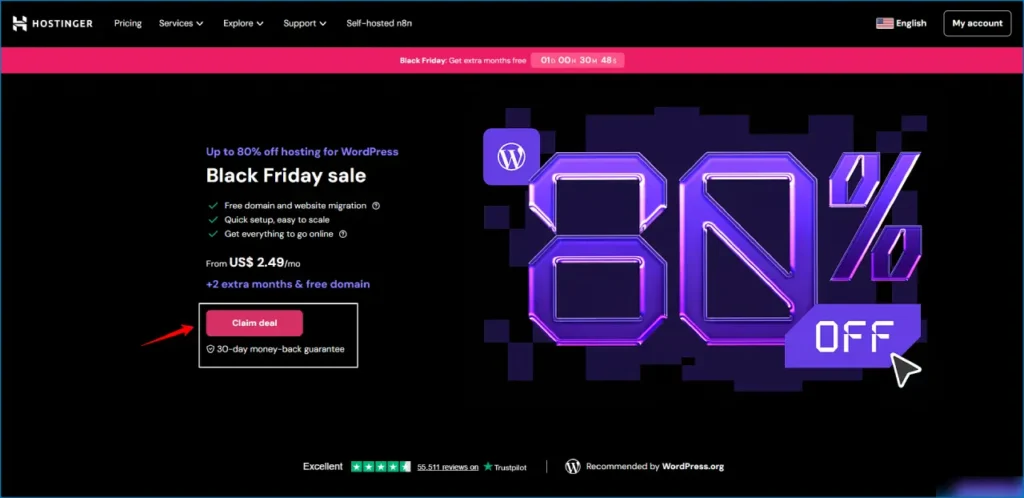
What our tests found. In our 30-day uptime test in September 2026, Hostinger had 100% uptime. Our monitor caught zero minutes of downtime. Speed was strong too. From a New York test server, the time to first byte (TTFB) was 246ms, and the largest contentful paint (LCP) was 0.982 seconds. Google says an LCP of 2.5 seconds or less counts as “good” in its Core Web Vitals, so Hostinger sits far inside that line. Results like these are rare for shared web hosting at this price.
Most of that speed comes from software. Hostinger runs LiteSpeed web servers with built-in LiteSpeed Cache for WordPress. Picture a waiter who can carry twice as many plates at once. Your pages reach visitors faster, even when the server is busy.
Plans and price. The Premium plan starts at $2.49 a month on a long term. It supports up to 100 websites, gives you 100 GB of SSD storage, and includes a free domain for the first year. The Business plan moves to 200 GB of NVMe storage and adds AI tools. The Single plan costs less ($1.99 a month), but it covers one site and 50 GB only. For most people, Premium is the sweet spot.
That 100-website limit is a big deal. On G2, Hostinger scores 9.1 out of 10 for multiple website hosting, while the category average is 8.5. If you run a few blogs, a portfolio, and a client site, you can keep them all under one account.
Tools that save time. Hostinger uses its own control panel, called hPanel, instead of cPanel. We found it cleaner and quicker for basic jobs like adding a domain, installing WordPress, or setting up email. Experienced users usually adjust within an hour. Free email hosting and free site migration are included, which many hosts charge extra for. There are 11 data center locations too, so you can place your site close to your visitors.
What G2 users say. The 4.4 rating comes from 816 reviews, and the praise keeps repeating: easy to use, good value, and helpful live chat. The common complaints are slow support at times and no phone line. Some reviewers also feel the better e-commerce features cost too much.
The catch. The Premium plan renews at $11.99 a month. That’s about 382% higher than the $2.49 starting price. Hostinger also has no phone support, so you’ll use live chat or tickets. And hPanel is different from cPanel, so if you’re moving from another host, expect a short learning curve.
Who should pick it. Choose Hostinger if you want fast, affordable shared web hosting and plan to run more than one site. Use our Hostinger coupon codes page to check today’s discount before you buy. If you’re based in India, our Hostinger review covers local data centers and payment options.
Bottom line: Best all-around shared hosting for 2026. Lock in the longest term you’re comfortable with, and mark the renewal date on your calendar.
2. SiteGround — Best Shared Hosting for Performance, Security, and Support
- Best for: Small businesses, WordPress pros, agencies, and sites that must stay online
- Rating (based on G2): 4.2/5 from about 300 reviews
- Starting price: $1.99/month (StartUp plan, annual billing)
- Our Expert’s Review: The fastest server response we measured, with the best support, but a very big jump at renewal.
Our Expert’s Review of SiteGround Shared Hosting
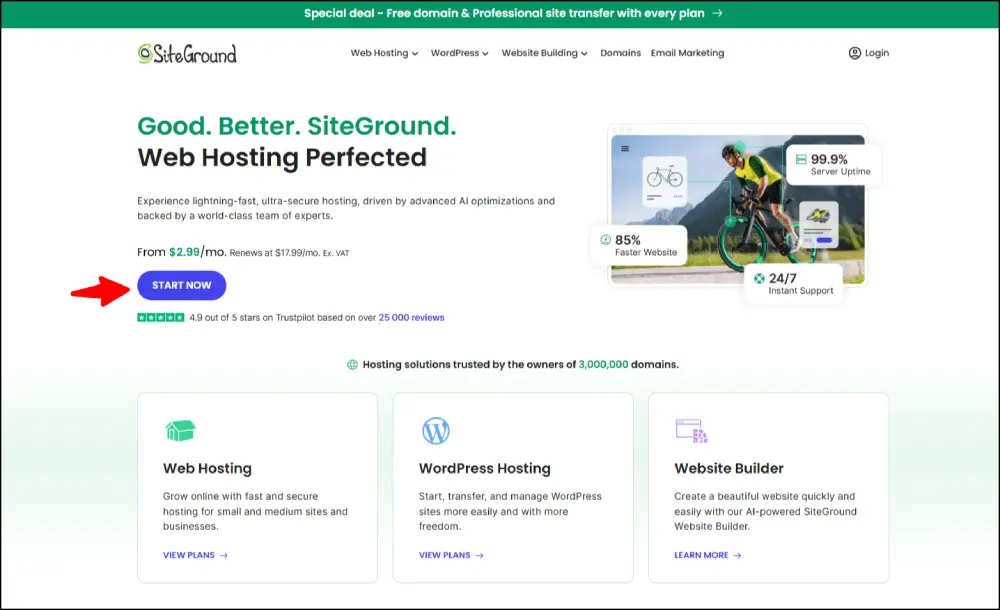
Some hosts are cheap. SiteGround is careful. If your website brings in money or leads, that difference matters. A slow or broken site can cost you a sale, and SiteGround is built to prevent that.
What our tests found. In our September 2026 test, SiteGround posted 99.99% uptime. Its TTFB from New York was 32.48ms, the fastest server response of any host we measured. LCP came in at 872ms, and the speed index stayed under 1.5 seconds. Those are excellent numbers for shared web hosting.
G2 users agree on the speed. In a G2 comparison, reviewers gave SiteGround a 9.5 out of 10 for speed and 8.9 for caching, and an 8.7 for ease of use. The overall G2 rating is 4.2 from about 300 reviews, which is just under the 4.26 category average. Most of the praise is about helpful support and easy site management.
Why it’s fast. SiteGround runs on Google Cloud infrastructure. Think of it as building your house on a very strong road system. Data travels quickly because the roads are good. It also uses a three-layer caching system called SuperCacher, which stores copies of your pages so the server doesn’t rebuild them for every visitor.
Security and backups. This is where SiteGround stands out for anyone searching for the best secure hosting. Daily automatic backups come on every plan, even the cheapest. That’s rare. Many hosts hold daily backups back for higher tiers. SiteGround also builds its own security tools, including an anti-bot system and a Security Optimizer plugin, and it supports two-factor login. Restoring a backup takes one click.
Support. In our support tests, SiteGround gave the most accurate and technical answers of any host here. Live chat replies came in under two minutes on average. If you’re not very technical, that kind of help feels like having an expert on speed dial.
Plans and price. The StartUp plan costs $1.99 a month and covers one site with 10 GB of SSD storage. GrowBig is $3.99 and allows unlimited sites with 20 GB. GoGeek is $7.99, with 40 GB and extra tools for agencies. Staging sites arrive with GrowBig and higher, so you can test changes before they go live.
The catch. Renewal hurts. StartUp jumps from $1.99 to $14.99 a month, a 653% increase. That’s the largest jump on this list. Storage is also small on the cheapest plan, and no plan includes a free domain. If your budget is tight and you don’t need premium support, you may feel that jump.
Who should pick it. Pick SiteGround if downtime would cost you money and you value fast, expert help. It’s a strong choice for business sites, online stores, and WordPress professionals. If you’d rather save money and don’t mind slower support, look at Hostinger or Namecheap instead.
A real-world example. Picture a local bakery that takes cake orders through its website. On a slow host, a customer who waits four seconds for the order form may simply leave. On SiteGround, that form opens almost at once, and if the owner breaks something while editing, yesterday’s backup is one click away. That mix of speed and safety is what you’re paying the higher renewal price for. It’s less about raw numbers and more about peace of mind.
Bottom line: The best shared web hosting for speed, security, and support. Budget for the renewal price from day one.
→ Get SiteGround Shared Hosting
3. Bluehost — Best Shared Hosting for WordPress Beginners
- Best for: First-time WordPress users, bloggers, and small business owners new to hosting
- Rating (based on G2): 3.4/5 from 278 reviews
- Starting price: $2.99/month (Basic plan, annual billing)
- Our Expert’s Review: The easiest WordPress setup we tried, held back by average speed, upsells, and mixed support reviews on G2.
Our Expert’s Review of Bluehost Shared Hosting
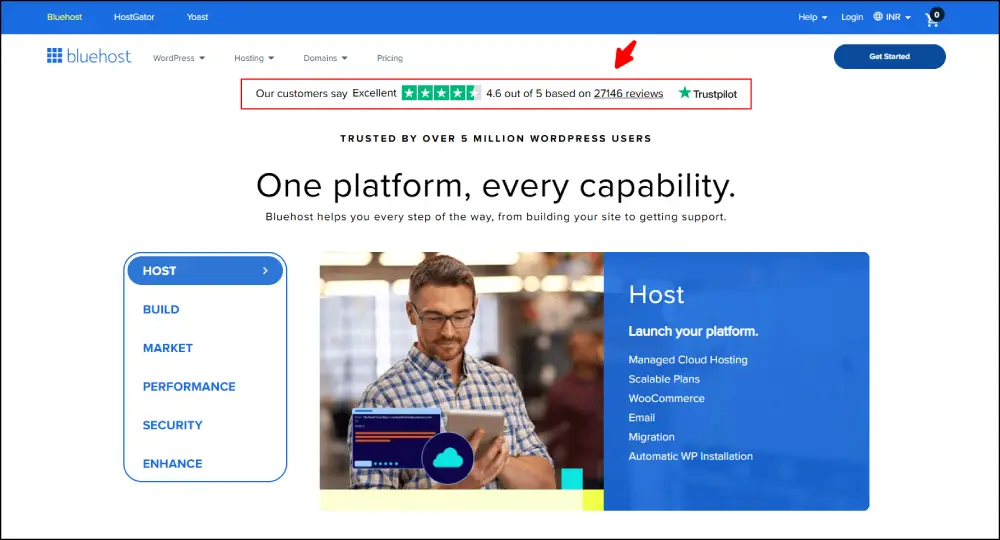
Bluehost is a bit of a puzzle. Our tests liked it. WordPress.org recommends it. But G2 users give it a 3.4 out of 5, which is the lowest rating among the big names here. So let’s look at both sides honestly.
Why beginners like it. Bluehost is one of only three hosts WordPress.org lists on its official hosting page, alongside DreamHost and SiteGround. Setup is the main reason. You pick a plan, and WordPress is installed in under five minutes with no technical steps. For someone who has never touched a hosting account, that’s a huge relief.
You also get full cPanel next to Bluehost’s own “My Sites” dashboard. If you’ve used cPanel before, you’ll feel at home. If you haven’t, the simple dashboard guides you. Every plan includes a free domain for the first year, a free SSL certificate, and free Cloudflare CDN.
What our tests found. In September 2026, Bluehost had 99.98% uptime. TTFB from New York was 361ms, LCP was 2.095 seconds, and the speed index was 1.96 seconds. That’s acceptable. It passes Google’s 2.5-second LCP target, but it sits closer to the edge than Hostinger or SiteGround. The Cloudflare CDN helps by serving saved copies of your pages from servers near your visitors.
Plans and price. The Basic plan costs $2.99 a month and covers one site with 10 GB of SSD storage. It renews at $10.99. The Plus plan is $5.45 for unlimited sites and 40 GB, renewing at $14.99. Choice Plus costs the same to start and renews at $16.99. Pro, for heavier sites, starts at $13.95 and renews at $28.99.
What G2 users say. This is where the story gets harder. On G2, Bluehost scores 7.5 out of 10 for ease of use and just 6.9 for quality of support. In a direct G2 comparison, reviewers rated Hostinger higher for support (8.7) and security tools (8.7 vs. 7.3). Some reviewers also mention a limited feature set and slow help. That’s worth knowing before you buy.
The catch. The signup screen has many add-ons, and it’s easy to click something you didn’t need. Pay attention at checkout. The Basic plan is also limited to one site. And the renewal price rises about 268% on Basic.
Who should pick it. Choose Bluehost if you’re launching your very first WordPress site and want a guided path from “I have an idea” to “my site is live.” It’s also a fair pick for small WooCommerce stores, since dedicated WooCommerce plans install the shop tools for you. Compare it side by side with our top pick in our Bluehost vs. Hostinger breakdown.
If speed or multiple websites matter more than hand-holding, Hostinger or SiteGround will serve you better.
A quick reality check on the G2 score. A 3.4 doesn’t mean Bluehost is bad. It means the experience is uneven. People who follow the guided setup and stay on the simple path tend to be happy. People who need fast, expert help with a tricky problem tend to be less happy. So our advice is simple: use Bluehost for the easy start, keep your own backups, and decline add-ons you don’t understand. If you’d like a plugin-heavy store or a site that grows fast, think about moving up to a managed WordPress plan later.
Bottom line: Great for first-timers, average for everyone else. Read the checkout page slowly.
4. GreenGeeks — Best Shared Hosting for Eco-Friendly Hosting
- Best for: Eco-minded bloggers and small businesses that want solid shared web hosting without a “green” price tag
- Rating (based on G2): 3.8/5 from 20 reviews (small sample)
- Starting price: $2.95/month (Lite plan, 36-month billing)
- Our Expert’s Review: A real green host with steady uptime and friendly support, but high renewal prices and few G2 reviews.

Our Expert’s Review of GreenGeeks Shared Hosting
Servers use a lot of electricity. GreenGeeks tries to fix that, and it does so in a way that’s easy to understand. For every account, it buys wind energy credits equal to 300% of the power that account uses. In simple words, it puts three times more clean energy back on the grid than it takes out. It also supports tree planting through One Tree Planted for new accounts.
The best part is that you don’t pay extra to be green. Prices sit in the same range as many regular hosts.
What our tests found. In September 2026, GreenGeeks had 99.95% uptime. Average page load was about 2.0 seconds. That’s good, not great. The Pro and Premium plans run on LiteSpeed servers, which makes pages load faster, so those plans feel noticeably snappier than Lite.
Plans and price. Lite costs $2.95 a month on a 36-month term and renews at $12.95. You get one website and 50 GB of SSD storage. Pro is $4.95 and renews at $22.95, with unlimited websites and unlimited SSD storage. Premium is $8.95 and renews at $32.95, with unlimited NVMe storage. You’ll also get free nightly backups and cPanel on all plans, plus free site migration and a website builder.
What G2 users say. Here’s the honest part: G2 shows only 20 reviews, with an average of 3.8 out of 5. That’s too small to treat as a final verdict. Within those reviews, users praise the support and the easy dashboard. In a G2 comparison, GreenGeeks scored 8.6 out of 10 for quality of support and 8.7 for email hosting. Reviewers also like the uptime. One reviewer, though, complained about trouble when leaving. We’d read that as a reminder to check the cancellation steps before you commit.
The catch. Renewal pricing is steep. Lite jumps from $2.95 to $12.95 (+339%), and Pro goes from $4.95 to $22.95. You also need the 36-month term for the best starting price, and LiteSpeed speed needs the Pro plan or higher.
Who should pick it. GreenGeeks fits site owners who care about their carbon footprint and want a calm, reliable host with good support. If green energy isn’t a big deal to you, Hostinger or Namecheap give you more speed or savings for the same money.
How green hosting actually works. A host can’t run a data center on wind power alone. What GreenGeeks does is buy renewable energy credits to match what it uses. Think of it like paying back a library fine in clean energy. The 300% promise means it pays back three times over. That’s a good step, though it’s worth remembering the servers still draw from the normal power grid. If sustainability is a real value for you or your brand, you can proudly mention this on your site. If it isn’t, treat it as a nice bonus rather than a reason to choose GreenGeeks.
A small tip for new buyers. If you take the 36-month plan to get the $2.95 price, set a calendar reminder for month 33. Renewal prices on shared server hosting can change, and that reminder gives you time to compare options or move your site before the higher rate begins. It’s also a good moment to download a full backup.
Bottom line: A good-hearted, dependable host. Weigh the green perks against the high renewal bill.
→ Get GreenGeeks Shared Hosting
5. IONOS — Best Shared Hosting for Low Introductory Prices
- Best for: Budget buyers who want the lowest first-month price and a feature-rich plan
- Rating (based on G2): 3.5/5 from 150 reviews
- Starting price: $1.00/month for the first month (Essential plan)
- Our Expert’s Review: The cheapest way to start, with strong included features, but only if you plan for the $8.00 renewal and accept mixed G2 support scores.
Our Expert’s Review of IONOS Shared Hosting
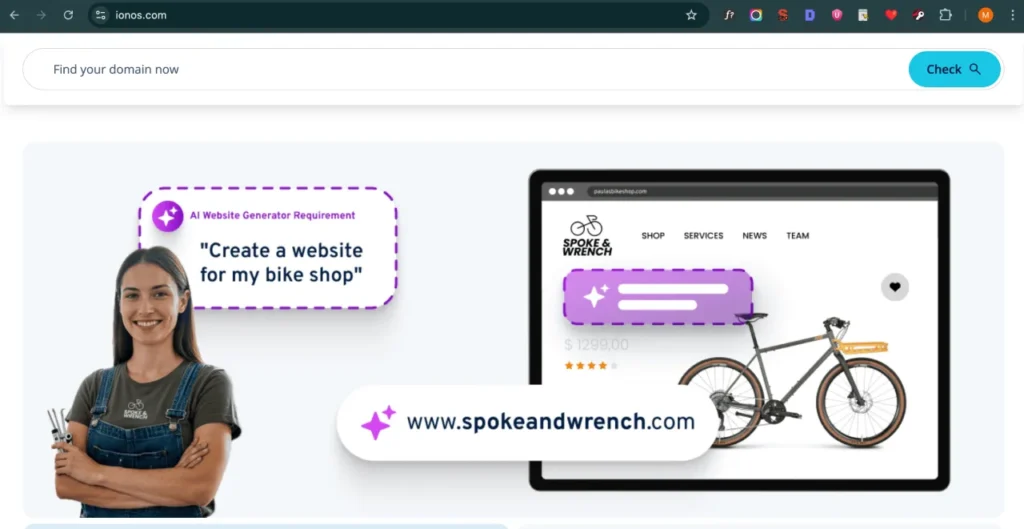
IONOS wins the “lowest price” race, and it isn’t close. Its Essential plan starts at $1.00. But read the small print: that price covers the first month only. Then it renews at $8.00 a month. So think of IONOS as a cheap way to try shared web hosting, not as a permanent $1 plan.
Who is IONOS? It used to be called 1&1 IONOS. It’s a big European company that serves more than 12 million customers around the world. That size helps it offer features that cheaper hosts often skip.
What our tests found. In September 2026, IONOS had 99.97% uptime. Pages loaded in under three seconds consistently. Speed isn’t the main selling point here. It’s the value of what’s included.
What you get. Every plan includes daily automatic backups, which is a nice surprise at this price. Backups are kept for 14 days and you can restore them yourself. Every account also gets a free Wildcard SSL certificate, which protects your main domain and all its subdomains. Many hosts save that for premium plans. IONOS also assigns a personal advisor to each account, available around the clock.
Another useful point: IONOS also lists Windows-based hosting. If you’re searching for the best Windows shared hosting because your site needs ASP.NET, confirm the current Windows plan details on IONOS’s site. Most hosts in this guide focus on Linux.
Plans and price. Essential is $1.00 for the first month and $8.00 after, with one site and 10 GB of SSD storage. Starter is $3.00 and renews at $8.00, with 50 GB. Plus is $5.00 and renews at $10.00, with unlimited sites and 100 GB. Ultimate is $8.00 and renews at $16.00, with unlimited storage. IONOS also gives a free domain for the first year.
What G2 users say. This is the part you should read twice. G2 shows a 3.5 out of 5 from 150 reviews, which is well below the category average. In G2 comparisons, IONOS scores 7.7 for ease of use and about 7.2 to 7.3 for quality of support. Reviewers mention pricing surprises, upsells, and slow help at busy times. Some budget plans also draw complaints about uptime and speed.
The catch. The control panel is built more like a business tool, so it’s less friendly to beginners. The $1.00 deal is for one month only. And the entry plan has just 10 GB of storage.
Who should pick it. IONOS makes sense if your goal is the lowest cost in year one, you want daily backups and Wildcard SSL, and you can handle a more technical dashboard. If you’re building a plan around India’s budget market, our guide to cheap web hosting in India shows how local prices compare.
Try it the smart way. If you want to use IONOS, treat the $1.00 month as a test drive. Move a small site over, check the speed, and try the support chat with one real question. Then decide whether to commit to a longer term. That way you’re judging the service, not just the price. And because daily backups come included, you can experiment without fear of losing your work.
Bottom line: Excellent for the first bill. Check the second bill before you commit.
6. InMotion Hosting — Best Shared Hosting for Business and Developer Tools
- Best for: Small businesses, developers, and site owners who want strong tools and phone support
- Rating (based on G2): 4.3/5 from about 106 reviews
- Starting price: $2.29/month (Core plan, 2-year term)
- Our Expert’s Review: A developer-friendly host with a long refund window and great multi-site scores, but backups cost extra and renewals are high.
Our Expert’s Review of InMotion Hosting Shared Hosting
Note: We haven’t published our own speed test for InMotion yet, so this review uses G2 user data and published plan details.
InMotion Hosting is the “workshop” of shared hosting. It gives you more tools to build with than most budget hosts. It’s also one of the older names in the business, founded in 2001, and it’s still run by its founders and its employees rather than a big investor.
Tools developers like. You get SSH access, WP-CLI, and support for several languages, including PHP, Python, Ruby, Perl, and Node.js. Plans use cPanel, and the Softaculous installer adds hundreds of apps in a click. InMotion also uses its own server setup called UltraStack, which is tuned for speed. That’s a lot of power for a shared plan.
Refund window. InMotion gives you 90 days to get your money back. That’s three times the usual 30-day window. It means you can run a real test with real traffic before deciding.
Plans and price. The Core plan starts at $2.29 a month on a two-year term. It includes one website and 100 GB of SSD storage. Here’s a strange part: Core renews at $12.99, but the Launch plan renews at only $11.49, and Launch gives you NVMe storage and two sites. So Launch can be the smarter long-term buy. The Launch plan and above also come with a free domain, while Core does not.
What G2 users say. InMotion scores 4.3 out of 5 from about 106 G2 reviews. The numbers that matter most for this topic are strong. It earns a 9.6 out of 10 for multiple website hosting and a 9.4 for bandwidth support. Both beat the category averages (8.5 and 8.2). G2 users repeatedly praise helpful, knowledgeable support available by chat and phone.
There are weak spots, too. Some reviewers report long waits, delayed phone callbacks, and email problems like bounces. A few mention downtime that hurt their stores.
The catch. Shared plans don’t include backups by default, so you’ll pay around $2 to $2.50 a month for a backup tool. Month-to-month billing isn’t offered on the cheaper plans. And renewal prices can be shocking: some price trackers record Core’s renewal as high as $18.99 a month, while others show $12.99. Check the checkout page for the figure you’ll actually pay.
Who should pick it. InMotion is a great match for shared hosting for small business owners who want phone support and for developers who want SSH and flexible tools. If you only need a simple blog, Hostinger or Namecheap will cost less. If you’ll host client sites, the Launch or Power plans are the ones to look at.
Our guide to the best web hosting for small business shows how InMotion compares with other business-friendly options.
Which InMotion plan fits which person? Core works for one simple site if you add your own backup tool. Launch is the best-value plan for most people, because it gives you NVMe storage, two sites, and a lower renewal rate. Power and Pro are for busy small business sites and online shops that need more room. If you’re comparing providers for a growing company, look at how many sites, how much storage, and how many email accounts you’ll need in a year, not just today.
Bottom line: A capable, tool-rich host. Add the cost of backups to your budget.
7. HostArmada — Best Shared Hosting for Backups and Security Features
- Best for: Site owners who want daily backups, built-in security, and top-rated support
- Rating (based on G2): 4.9/5 from about 290 reviews
- Starting price: $2.49/month (Start Dock plan, 36-month term)
- Our Expert’s Review: The highest-rated host on this list, with NVMe storage and daily backups on every plan, but the renewal price is about four times higher.

Our Expert’s Review of HostArmada Shared Hosting
Note: We haven’t published our own speed test for HostArmada yet, so this review uses G2 user data and published plan details.
Most hosts talk about speed. HostArmada talks about safety. Every shared plan comes with automatic daily backups, a firewall, and malware scanning. For a lot of site owners, that’s the better deal.
The G2 numbers are hard to ignore. HostArmada has a 4.9 out of 5 rating from about 290 reviews. That’s the best score of all 12 hosts here and far above the 4.26 category average. In G2 comparisons, it scores a perfect 10.0 for quality of support, 9.9 for backup and restoration, 9.7 for ease of use, and 9.6 for ease of setup. Reviewers also say that setup help arrives quickly, even on the first day.
Backups and security. This is why HostArmada earns its place as a pick for the best secure hosting. Backups are daily and stored away from your main server. The restore window depends on your plan: 7 days on Start Dock, 14 on Web Warp, and 21 on Speed Reaper. If a plugin breaks your site on Tuesday, you can roll back to Monday.
Plans also include a free SSL certificate, a Web Application Firewall (WAF), and free malware scans. Many hosts charge for those. HostArmada backs it up with a 45-day money-back guarantee on non-monthly plans.
How it’s built. HostArmada calls its shared plans “cloud-powered.” The servers use NVMe storage, which is much faster than older drives, and the control panel is cPanel. Higher plans add more server power and caching options. It’s still shared web hosting, so you don’t get a private slice of the server. HostArmada’s own terms say shared accounts don’t get dedicated resources. Be aware of that if your traffic grows.
Plans and price.
| Plan | Promo Price | Regular Price | Websites | Storage | Daily Backups Kept |
|---|---|---|---|---|---|
| Start Dock | from $2.49/mo | $9.95/mo | 1 | 15 GB NVMe | 7 days |
| Web Warp | from about $3.29/mo | $16.45/mo | Unlimited | 30 GB NVMe | 14 days |
| Speed Reaper | from about $3.95/mo | $19.75/mo | Unlimited | 40 GB NVMe | 21 days |
Promo prices vary by billing term. Always confirm the total at checkout.
The catch. Renewal is the pain point. Start Dock goes from $2.49 to $9.95, roughly 300% higher. Web Warp renews at $16.45, which is about 400% above its promo price. Storage is also modest on every plan. If you plan to host big media libraries, that matters.
Who should pick it. HostArmada suits site owners who’ve been burned before. If you’ve ever lost a site to a bad update or a hack, daily backups, a firewall, and real human help are worth paying for. It’s also a great pick for non-technical business owners who want fast answers when something breaks.
If your top need is low renewal cost, look at Namecheap or DreamHost instead.
Think in “cost of a bad day.” A daily backup sounds boring until the day you need it. If a failed update wipes your homepage, a restore takes minutes instead of hours of rebuilding. For a small business that earns even a few hundred dollars a month from its site, that safety can pay for the higher renewal price on its own. That’s the real argument for HostArmada.
Support in real life. G2 reviewers often mention that the team replied fast and fixed the problem instead of just sending a help article. That’s especially valuable on shared web hosting, where small issues like a stuck update or an email glitch can feel like emergencies when you’re not technical.
Bottom line: The happiest customers and the strongest safety net on the list. Budget for the renewal.
→ Get HostArmada Shared Hosting
8. Namecheap — Best Budget Shared Hosting Plans
- Best for: Budget buyers and domain owners who want low renewals under one roof
- Rating (based on G2): 4.2/5 from about 105 reviews
- Starting price: $1.58/month (Stellar plan)
- Our Expert’s Review: The lowest renewal prices we found, reliable uptime, and easy cPanel, but limited backups on lower plans and average speed.
Our Expert’s Review of Namecheap Shared Hosting
If cheap shared hosting had a trophy, Namecheap would win it for the long run. Many hosts lure you in with a tiny first price. Namecheap’s trick is different: the second price is low, too. The Stellar plan starts at $1.58 a month and renews at $4.48. That’s the lowest renewal rate of any host in this guide.
Why that matters. Let’s do the math. Say you sign a one-year intro term and then renew twice for a total of three years. Stellar would cost about $126 over those three years. Hostinger’s Premium plan would cost about $318. SiteGround’s StartUp would cost about $384. Namecheap isn’t just cheaper on day one; it stays cheaper.
What our tests found. In September 2026, Namecheap hit 99.94% uptime. That’s strong for this price range. Speed is fine but not top-tier. It won’t beat Hostinger or SiteGround in a race, but for a small blog or a portfolio, visitors won’t notice.
Plans and price.
- Stellar: $1.58/mo, renews at $4.48. Up to 3 websites, 20 GB of SSD storage.
- Stellar Plus: $2.68/mo, renews at $6.48. Unlimited websites and unlimited SSD storage.
- Stellar Business: $4.48/mo, renews at $9.48. Unlimited websites and 50 GB of NVMe storage.
Stellar allows three sites. That’s rare at this price, because most entry plans cap you at one. All plans use cPanel, which is simple and widely known, and include a free SSL certificate.
What G2 users say. Namecheap scores 4.2 out of 5 from about 105 reviews, near the category average of 4.26. Users like the affordable, honest pricing and the 24/7 live chat. A common complaint is that backups are limited on lower plans, so you may need to back up by hand. Some people also report trouble installing SSL certificates and needing support to finish the job. G2 reviewers also noted the high renewal costs after promo rates, though those are lower than many rivals’.
The catch. Namecheap doesn’t include a free domain with hosting in the plans we reviewed. Check the checkout page, since offers change. Entry storage is just 20 GB, and the speed isn’t the best.
Who should pick it. Namecheap is great for bloggers, students, and small businesses who want a long-term, low bill. It’s especially useful if you already manage domains there. If you’re comparing registrars, our guide to the best domain registrar in India shows how it stacks up. And our Hostinger vs. Namecheap comparison shows where each wins.
A simple 3-year cost comparison. Here’s the math behind our claim. Using each plan’s starting and renewal prices, and assuming a one-year intro term followed by two renewal years:
| Plan | Year 1 | Years 2 and 3 | 3-Year Total (approx.) |
|---|---|---|---|
| Namecheap Stellar | $19 | $108 | $126 |
| DreamHost Shared Starter | $31 | $144 | $175 |
| Hostinger Premium | $30 | $288 | $318 |
| SiteGround StartUp | $24 | $360 | $384 |
These are estimates based on monthly prices, not exact checkout totals. Longer intro terms can lower your cost.
Look at the gap. Namecheap costs about a third as much as SiteGround over three years. For a hobby blog, that difference can pay for a domain and a good theme.
What to add yourself. Because Namecheap doesn’t spoil you with backups on the lower plans, set up a free backup plugin for WordPress or download copies from cPanel each month. It takes five minutes and protects you from the biggest risk on any budget shared web hosting plan.
One more plus for domain owners. Because Namecheap started as a domain registrar, its tools for DNS, domain forwarding, and email on your own domain are mature and easy to find. If you own several domains and want to point each one to a different small site, the three-site Stellar plan covers that for a very low price.
Bottom line: The best long-term price for affordable shared hosting. Set up your own backups.
→ Get Namecheap Shared Hosting
9. DreamHost — Best Shared Hosting for WordPress Websites
- Best for: WordPress bloggers and developers who plan to stay for years
- Rating (based on G2): 4.0/5 from 155 reviews
- Starting price: $2.59/month (Shared Starter plan, 3-year term)
- Our Expert’s Review: The most honest pricing and the longest money-back window, but speed trails the leaders and there’s no cPanel.
Our Expert’s Review of DreamHost Shared Hosting
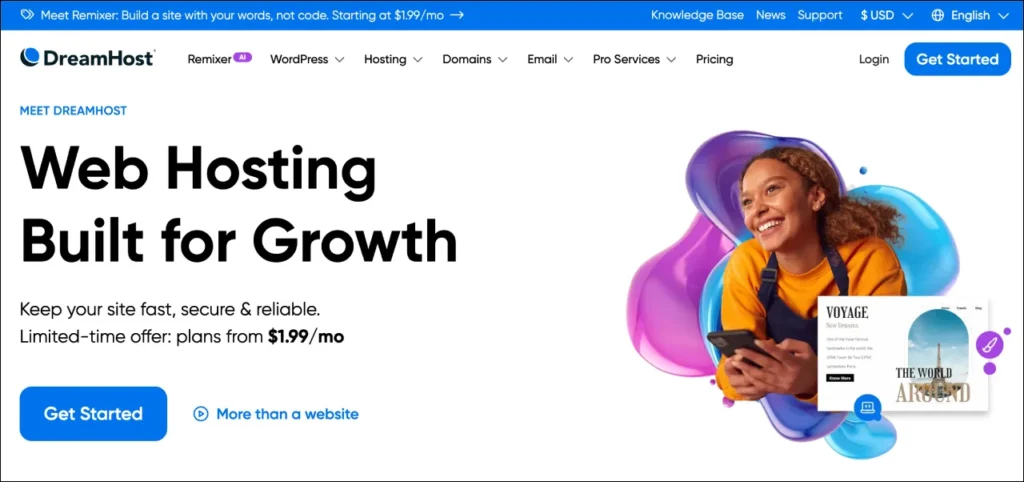
DreamHost is the host that tells you the truth about prices. Many companies hide their renewal rates in fine print. DreamHost puts them on the page. That honesty is a big reason it’s our pick for WordPress sites you plan to keep.
WordPress credentials. DreamHost is one of the three hosts that WordPress.org officially recommends, next to Bluehost and SiteGround. It also sells DreamPress, a managed WordPress plan, for those who outgrow shared hosting. If you’re building on WordPress, you’re in familiar hands.
Money-back and privacy. DreamHost gives you a 97-day money-back guarantee. That’s over three months, the longest we’ve seen from a major host. It also includes free domain privacy on every plan. Other hosts often charge $10 to $15 a year to hide your name and address from public domain records. Bandwidth is unlimited and not throttled.
What our tests found. In September 2026, DreamHost reached 99.95% uptime. TTFB was about 550ms, and LCP stayed under 3.0 seconds on a standard WordPress test site. That’s slower than Hostinger or SiteGround. Newer plans use NVMe storage, and a free Cloudflare CDN helps with global speed. Honestly, speed is DreamHost’s weak spot.
Plans and price.
| Plan | Intro Price | Renewal | Websites | Storage |
|---|---|---|---|---|
| Shared Starter | $2.59/mo | $5.99/mo | 1 | 50 GB SSD |
| Shared Unlimited | $3.95/mo | $7.99/mo | Unlimited | Unlimited SSD |
| DreamPress (managed WordPress) | $16.95/mo | $16.95/mo | 1 | 30 GB NVMe |
Both shared plans include a free domain for the first year. Over a three-year stretch, DreamHost often costs less than hosts with lower first-month prices, because renewal is so mild. Shared Unlimited at $7.99 renewal is one of the better long-term deals for unlimited sites.
What G2 users say. DreamHost scores 4.0 out of 5 from 155 reviews. Users love the helpful support, easy setup, and steady performance. They also complain about slow loading times, billing surprises, and the lack of a traditional cPanel. On G2, DreamHost scores 8.9 out of 10 for multiple website hosting, slightly above the 8.5 category average.
The catch. DreamHost uses its own control panel instead of cPanel. If you’re coming from another host, you’ll have to relearn some steps. Live chat isn’t 24/7, and some email features cost extra. Pages load more slowly than at our top picks.
Who should pick it. Pick DreamHost if you’ll keep one WordPress site for three years or more and want a steady bill. It’s also good for people who like a long trial period before committing.
Who benefits most from the long money-back window? Mostly people who aren’t sure yet. If you’re moving a site from another host, 97 days is plenty of time to see a full month of traffic, a busy sales weekend, and a few updates. You can test how the control panel feels, how quickly support answers, and whether the speed works for your visitors. If it doesn’t, you can leave without paying for the experiment. That’s a rare safety net in shared web hosting.
Real-life fit. Imagine a food blogger who plans to post twice a week for the next five years. She wants the same stable bill, free privacy for her domain, and a WordPress-friendly home. DreamHost’s Shared Unlimited plan fits that picture well. Now imagine a news site that needs the fastest pages possible during traffic spikes. That owner would be happier with SiteGround or Hosting.com. Matching the host to your real situation matters more than any single score.
Bottom line: A trustworthy, fairly priced home for WordPress. Choose another host if raw speed is your priority.
→ Get DreamHost Shared Hosting
10. HostGator — Best Shared Website Hosting for Beginners
- Best for: Beginners who want cPanel, phone support, and a longer refund window
- Rating (based on G2): 3.6/5 from 255 reviews
- Starting price: $2.75/month (Hatchling plan)
- Our Expert’s Review: Friendly for first-timers with phone support and a 45-day refund, but G2 reviews flag billing, support, and downtime problems.

Our Expert’s Review of HostGator Shared Hosting
HostGator has been around for a long time, and many first-time site owners start here. It’s known for cPanel, simple one-click installs, and a phone number you can actually call. That last part is rare at this price.
What our tests found. In September 2026, HostGator had 99.96% uptime. Pages loaded in 2.0 to 2.5 seconds on our WordPress test site. That’s average. It won’t win speed contests, but it was steady. The Business plan felt the most reliable.
What you get. All plans include unmetered bandwidth and storage, full cPanel access, one-click WordPress installs, and a free domain for the first year. Support is available 24/7 by live chat and phone. HostGator also offers a 45-day money-back guarantee, which is longer than the usual 30 days.
Plans and price.
| Plan | Intro Price | Renewal | Websites | Storage |
|---|---|---|---|---|
| Hatchling | $2.75/mo | $9.99/mo | 1 | Unmetered |
| Baby | $3.50/mo | $11.99/mo | Unlimited | Unmetered |
| Business | $5.25/mo | $16.99/mo | Unlimited | Unmetered |
Hatchling is perfect for a first site. Baby and Business unlock unlimited sites.
What G2 users say. This is where we urge caution. HostGator is rated 3.6 out of 5 from 255 reviews, below the category average of 4.26. Users like the easy dashboard and simple setup. But reviewers also mention billing problems, slow or unresolved support tickets, and downtime. On the G2 “good partner in doing business” question, HostGator scores 6.7 out of 10, while the category average is 8.1. Support quality scores are lower than most rivals’, too. G2 lists HostGator as a Newfold Digital brand, the same company behind Bluehost.
We think those reviews are a fair warning. Check your billing settings, turn on backups yourself, and keep a copy of your site off the server.
The catch. Expect upsells during signup. Support quality varies by agent. The 3.6 G2 score is below most of the other hosts here. Renewal also rises about 263% on Hatchling.
Who should pick it. HostGator suits beginners who want cPanel, the comfort of phone support, and a long refund window. If you value reviews more than features, HostArmada, Hostinger, and SiteGround have much stronger G2 scores.
How to protect yourself. A few simple habits make HostGator much safer to use. First, turn off auto-renew for add-ons you didn’t mean to buy, and read each invoice. Second, save your own full backup every month and store it somewhere other than the server, such as cloud storage on your computer. Third, keep your login email current, because many billing problems start with notices that never reach you. Fourth, note your renewal date, since the price jumps from $2.75 to $9.99 on Hatchling.
Where HostGator still shines. Not every user has problems. Many G2 reviewers describe the host as easy to use, with a familiar cPanel, fast setup, and fair prices for what you get. The phone support option also helps people who feel nervous typing into a chat box. For a first small site, with the habits above, shared website hosting with HostGator can still be a reasonable starting point. For anything where downtime would hurt your income, we’d lean toward a higher-rated host.
Who should skip it. Skip HostGator if you run an online store, take bookings, or build client sites. In those cases, the G2 reports of downtime and billing trouble are a bigger risk than the savings.
Bottom line: Friendly and familiar, with real G2 warnings. Back up your site and watch your billing.
→ Get HostGator Shared Hosting
11. Hosting.com — Best Shared Hosting for Speed-Focused Websites
- Best for: Developers and site owners who care most about page speed
- Rating (based on G2): 4.4/5 from 205 reviews
- Starting price: $2.99/month (Startup plan)
- Our Expert’s Review: The fastest shared hosting we tested on its Turbo plans, with an any-time refund policy, but the best speed costs more and renewals are high.
Our Expert’s Review of Hosting.com Shared Hosting
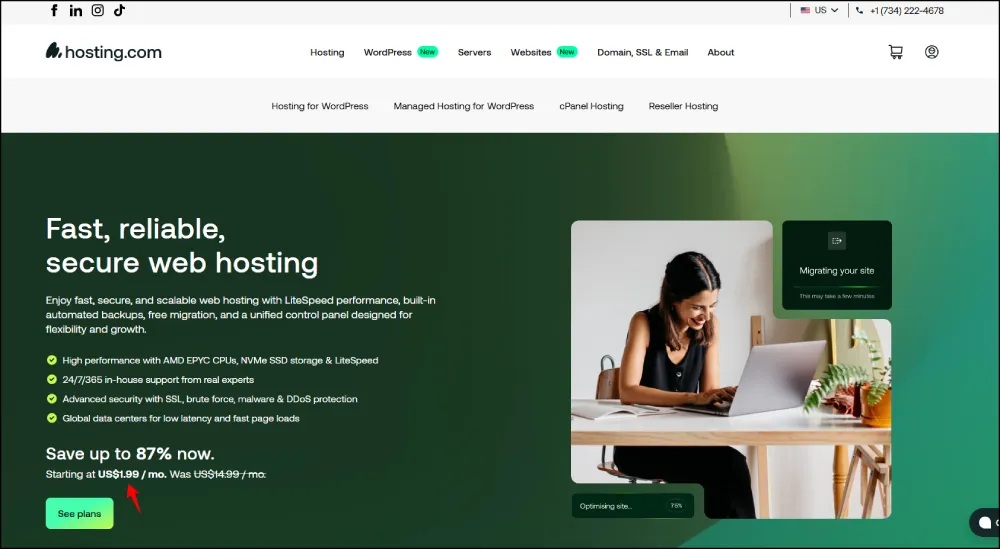
Hosting.com is the new name for A2 Hosting. The brand launched in April 2025 as part of World Host Group, which serves more than 700,000 customers and powers over three million websites. Its G2 profile says customers saw no change in price or service during the switch. If you remember A2 Hosting, this is the same speed-first company.
What our tests found. We tested the Turbo Boost plan from Dallas in September 2026. Uptime was 99.93%, a little lower than the leaders. TTFB was around 300ms. Pages loaded in under 1.5 seconds every time. That’s why we call it the fastest shared hosting for people who want to hit Google’s page-speed goals. For a sense of the benchmark, Google’s own PageSpeed Insights tool will show you how your site scores.
Turbo plans use LiteSpeed servers and NVMe storage. They also run A2’s own caching setup, and free Cloudflare CDN is included on all plans. The company claims Turbo handles far more visitors at once than normal shared plans, and our load times back up the idea.
Plans and price.
| Plan | Intro Price | Renewal | Server Type | Websites |
|---|---|---|---|---|
| Startup | $2.99/mo | $10.99/mo | Standard | 1 |
| Drive | $4.99/mo | $13.99/mo | Standard | Unlimited |
| Turbo Boost | $6.99/mo | $20.99/mo | LiteSpeed | Unlimited |
| Turbo Max | $12.99/mo | $25.99/mo | LiteSpeed + extra | Unlimited |
The speed boost is a Turbo thing. The standard plans are fast, but they aren’t far ahead of Hostinger or SiteGround at the same price.
Tools for builders. You get SSH access, Git deployment, easy PHP version switching, Python and Ruby support, and staging sites. That’s a long list of tools for a shared host. And the refund policy is generous: you can ask for your money back at any time during your contract, not just in the first 30 days.
What G2 users say. Hosting.com has a 4.4 out of 5 on G2 from 205 reviews. It scores 9.5 out of 10 for multiple website hosting and 9.4 for bandwidth support, both well above the category averages. Users praise fast replies and knowledgeable support. The most common complaint is renewal cost, which surprises new buyers. A few also find the dashboard crowded for beginners.
The catch. Turbo Boost renews at $20.99 a month, a big jump from $6.99. Uptime in our test (99.93%) was slightly behind the best. The interface can feel busy.
Who should pick it. Choose Hosting.com if your site is speed-sensitive, such as a content site chasing Core Web Vitals, or a developer’s portfolio. Check our Hosting.com coupon page before buying, because the sticker price on Turbo plans is high.
What “speed” really means for your site. A fast host helps three things. First, visitors stay longer when pages open quickly. Second, Google’s Core Web Vitals are easier to pass. Third, you can often avoid paying for extra speed plugins. But hosting speed is only part of the story. Big images, too many plugins, and heavy themes can slow even the fastest server. So if you pick Hosting.com, pair it with compressed images and a light theme, and you’ll get the full benefit of its Turbo servers.
Who should stay on the cheaper plans. If your site is a small blog with a few hundred visitors a day, you probably don’t need Turbo. The Startup or Drive plan will do the job, and you can upgrade later without moving your site. Start small, watch your load times for a month, and upgrade only if your numbers show you need to.
Bottom line: Top speed, serious tools, and a flexible refund. You’ll pay more for it.
→ Get Hosting.com Shared Hosting
12. GoDaddy — Best Shared Hosting for Domain and Website Management
- Best for: People who want domains, hosting, and email in one account, plus phone support
- Rating (based on G2): 3.9/5 from 225 reviews
- Starting price: $5.99/month (Economy plan, 36-month term)
- Our Expert’s Review: A familiar, easy, all-in-one option with cPanel and phone help, but it costs more than almost every rival here.

Our Expert’s Review of GoDaddy Shared Hosting
Note: We haven’t published our own speed test for GoDaddy yet, so this review uses G2 user data and published plan details.
Nearly everyone has heard of GoDaddy. It handles over 80 million domain names, and it’s trusted for keeping domains, email, and hosting in one place. That’s its biggest advantage. If you like a single login and a single bill, GoDaddy makes that easy.
What you get. GoDaddy’s shared plans are called “Web Hosting.” They include cPanel, NVMe storage, a free domain for the first year, free email, and a 99.9% uptime promise. There’s a 30-day money-back guarantee, and support is available by phone and chat. Because the plans use cPanel, they’re a solid choice if you’re looking for the best web hosting with cPanel from a well-known brand.
Plans and price.
| Plan | Promo Price (36 mo) | Renews At | Websites | Storage |
|---|---|---|---|---|
| Economy | $5.99/mo | about $11.99/mo | 1 | 25 GB NVMe |
| Deluxe | $7.99/mo | about $13.99 to $16.99/mo | 10 | 50 GB NVMe |
| Ultimate | $12.99/mo | about $21.99/mo | 25 | 75 GB NVMe |
Renewal prices differ by billing term, so confirm your exact numbers at checkout. Even so, GoDaddy costs more than nearly every other host here. Economy’s starting price is higher than most hosts’ renewal price.
What G2 users say. GoDaddy Hosting is rated 3.9 out of 5 from 225 G2 reviews. Reviewers love the easy-to-use dashboard, quick setup, and helpful tutorials. Many also like the 24/7 support. The big complaints are price, extra charges (for example, SSL after year one), and slow help for complex problems. On the “good partner in doing business” question, it scores 7.9 out of 10, just under the 8.1 category average. Its multiple-website score is 8.1, below the 8.5 average.
Domain and site management. If you manage lots of domains, GoDaddy’s dashboard is hard to beat for simplicity. You can register, point, and renew a domain without leaving the same screen as your hosting. For people who aren’t technical, that’s a real time saver.
The catch. Price is the main problem. The Economy plan is also limited to one website. And some add-ons you might expect to be included cost extra after the first year.
Who should pick it. GoDaddy fits site owners who value brand familiarity, one-stop management, and phone help more than low price. If cost matters more, our Hostinger vs. GoDaddy comparison shows how much you can save by choosing differently.
Domain tools in plain words. GoDaddy’s dashboard lets you buy a domain, connect it to your hosting, set up email on that domain, and renew everything from one place. Many beginners get stuck on the “connect the domain” step with other hosts, because it means changing DNS settings. At GoDaddy, that step is mostly done for you if you buy both there. That is a real time saver, and it’s why GoDaddy suits owners who’d rather not touch technical settings.
How to keep the price down. Choose the longest term you’re comfortable with, because the 36-month rate is the lowest. Skip add-ons at checkout until you know you need them. And watch for the extra cost of SSL or email once the first year ends. During sales, GoDaddy often cuts prices a lot, so it’s worth checking our web hosting deals page before you pay full price.
Bottom line: Easy and familiar, but you pay a premium for it.
Shared Hosting Comparison Table: Pricing, Storage, Features, and Tools
A good shared hosting comparison puts the key facts side by side. This table shows each host’s cheapest popular plan, so you can see the real trade-offs at a glance.
| Provider | Starting Price | Renewal | Entry-Plan Storage | Sites on Entry Plan | Control Panel | Free Domain (Year 1) |
|---|---|---|---|---|---|---|
| Hostinger (Premium) | $2.49/mo | $11.99/mo | 100 GB SSD | 100 | hPanel | Yes |
| SiteGround (StartUp) | $1.99/mo | $14.99/mo | 10 GB SSD | 1 | Site Tools | No |
| Bluehost (Basic) | $2.99/mo | $10.99/mo | 10 GB SSD | 1 | cPanel + My Sites | Yes |
| GreenGeeks (Lite) | $2.95/mo | $12.95/mo | 50 GB SSD | 1 | cPanel | Yes |
| IONOS (Essential) | $1.00 (month 1) | $8.00/mo | 10 GB SSD | 1 | IONOS panel | Yes |
| InMotion (Core) | $2.29/mo | $12.99/mo | 100 GB SSD | 1 | cPanel | Launch plan and up |
| HostArmada (Start Dock) | $2.49/mo | $9.95/mo | 15 GB NVMe | 1 | cPanel | Check checkout |
| Namecheap (Stellar) | $1.58/mo | $4.48/mo | 20 GB SSD | 3 | cPanel | Check checkout |
| DreamHost (Starter) | $2.59/mo | $5.99/mo | 50 GB SSD | 1 | DreamHost panel | Yes |
| HostGator (Hatchling) | $2.75/mo | $9.99/mo | Unmetered | 1 | cPanel | Yes |
| Hosting.com (Startup) | $2.99/mo | $10.99/mo | Varies by plan | 1 | cPanel | No |
| GoDaddy (Economy) | $5.99/mo | $11.99/mo | 25 GB NVMe | 1 | cPanel | Yes |
What the table tells us. Only Hostinger and Namecheap give you more than one site on the entry plan. Only three hosts (Namecheap, DreamHost, and IONOS) renew at $8.00 a month or less on their starter plans. And the cheapest sticker prices (IONOS and Namecheap) don’t match the cheapest long-term bills in every case, so always read both columns.
Our quick picks from the table:
- Best overall: Hostinger
- Best long-term price: Namecheap
- Best for support and speed: SiteGround
- Best for backups and security: HostArmada
- Best for developers: InMotion Hosting or Hosting.com
Best Shared Hosting Plans: Introductory Prices vs. Renewal Costs
Here’s the part most “best of” lists skip. The price on the front page is a welcome gift. The price you pay for years two and three is the real one.
Almost every shared web hosting company cuts its first-term price deeply, then charges the regular rate when you renew. That’s why smart buyers always compare the best shared hosting plans by total cost, not just the headline number. If you’re shopping close to a sale, our web hosting deals page tracks current offers, and it’s worth checking our Black Friday web hosting deals guide because the biggest discounts usually land in late November.
| Provider | Starting Price | Renewal Price | Increase |
|---|---|---|---|
| IONOS (Essential) | $1.00/mo (first month only) | $8.00/mo | +700% |
| SiteGround (StartUp) | $1.99/mo | $14.99/mo | +653% |
| InMotion (Core) | $2.29/mo | $12.99/mo | +467% |
| Hostinger (Premium) | $2.49/mo | $11.99/mo | +382% |
| GreenGeeks (Lite) | $2.95/mo | $12.95/mo | +339% |
| HostArmada (Start Dock) | $2.49/mo | $9.95/mo | +300% |
| Bluehost (Basic) | $2.99/mo | $10.99/mo | +268% |
| Hosting.com (Startup) | $2.99/mo | $10.99/mo | +268% |
| HostGator (Hatchling) | $2.75/mo | $9.99/mo | +263% |
| Namecheap (Stellar) | $1.58/mo | $4.48/mo | +184% |
| DreamHost (Starter) | $2.59/mo | $5.99/mo | +131% |
| GoDaddy (Economy) | $5.99/mo | $11.99/mo | +100% |
How to read this. GoDaddy has the smallest percentage jump, but only because it starts high. In real dollars, Namecheap and DreamHost give the lowest renewal bills. SiteGround and IONOS have the biggest jumps, but IONOS’s $1.00 rate is a one-month offer, so the percentage looks scarier than the real change.
Three ways to protect your wallet:
- Pick the longest term you’re sure about. A 36-month deal delays the price jump by years.
- Set a reminder two months before renewal. That gives you time to compare, negotiate, or move.
- Do the three-year math. A $2 plan that renews at $15 can cost more than a $4 plan that renews at $6.
If you’re shopping in India, rupee pricing and local payment options can change the math, and our list of the best web hosting in India shows those differences.
Shared Hosting Tools Compared: Control Panels, Website Builders, and One-Click Installs
Tools decide how pleasant your daily life with shared web hosting will be. Three things matter most: the control panel, the website builder, and the one-click installer.
Control panels. A control panel is the dashboard where you manage your site. cPanel is the best known, and it’s used by Bluehost, GreenGeeks, InMotion, HostArmada, Namecheap, HostGator, Hosting.com, and GoDaddy. If you want the best web hosting with cPanel, those eight are your list. You can read more about it on Wikipedia’s cPanel page. Hostinger uses hPanel, DreamHost uses its own panel, SiteGround uses Site Tools, and IONOS uses its own business-style dashboard. These custom panels are often simpler for beginners, but they work differently from cPanel, so tutorials you find online may not match.
One-click installers. Almost every host in this guide lets you install WordPress, and many also support Joomla, Drupal, and online-store tools like WooCommerce, in one click. InMotion’s Softaculous installer offers hundreds of apps. Bluehost goes further for WordPress, with a setup flow you can finish in under five minutes.
Website builders. Hostinger includes AI tools on its higher plans, GreenGeeks includes a website builder, and Bluehost and GoDaddy offer builder options. If you don’t want to use WordPress, a drag-and-drop builder can get a basic site online in an afternoon.
Which tools are best for whom?
| If you are… | Look at… | Why |
|---|---|---|
| A complete beginner | Hostinger, Bluehost | Guided setup and simple dashboards |
| Used to cPanel | Namecheap, HostGator, InMotion | Familiar layout, lots of tutorials |
| A developer | InMotion, Hosting.com | SSH, Git, multiple PHP versions |
| Running a business | SiteGround, HostArmada | Staging, backups, fast human support |
Shared Hosting Security Features: SSL, Malware Protection, and Backups
Security matters even more on shared server hosting, because your site lives on the same machine as many others. A good host keeps your neighbors from affecting you and helps you recover if something goes wrong. If you’re hunting for the best secure hosting, look for these four things: SSL, a firewall, malware scanning, and backups.
- SSL certificates put the padlock in your visitor’s browser. Every host in this guide includes a free SSL certificate. IONOS goes further with a free Wildcard SSL that covers subdomains too.
- Firewalls and malware scans block common attacks. HostArmada includes a Web Application Firewall and free malware scans on all shared plans. SiteGround builds its own anti-bot and security tools.
- Backups are your safety net. This is where hosts differ most.
| Provider | Backup Policy (shared plans) |
|---|---|
| SiteGround | Daily backups on every plan, one-click restore |
| HostArmada | Daily backups, 7 to 21 days of restore points depending on plan |
| IONOS | Daily backups kept for 14 days, self-service restore |
| GreenGeeks | Free nightly backups |
| Hostinger | Weekly backups on the cheapest plans, daily on higher plans |
| InMotion | Not included by default, paid add-on |
| Namecheap | Limited on lower plans, so back up manually |
Our advice. Never rely on one backup. Even if your host makes daily copies, keep your own monthly copy somewhere else. A host’s backup can fail along with the server. Yours won’t.
For a deeper explanation of how SSL works, Wikipedia has a helpful page on Transport Layer Security.
Shared Hosting Performance: SSD vs. NVMe, Caching, and CDN
Speed in shared web hosting comes from three things: the type of storage, caching, and a CDN.
SSD vs. NVMe. Both are far faster than old spinning hard drives. NVMe is the newer, faster kind. Imagine SSD as a four-lane road and NVMe as a highway with many more lanes. Your data gets where it’s going with less waiting. HostArmada uses NVMe on every shared plan, GoDaddy’s plans use NVMe, and InMotion, DreamHost, Hosting.com, and Hostinger offer it on newer or higher plans.
Caching. A cache saves a ready-made copy of your page so the server doesn’t rebuild it for every visitor. LiteSpeed Cache (Hostinger, Hosting.com Turbo) and SiteGround’s SuperCacher are two of the best.
CDN. A content delivery network keeps copies of your files on servers around the world, so visitors get them from a nearby location. Bluehost, DreamHost, and Hosting.com include free Cloudflare CDN.
Here’s how the hosts we tested compared for server response time (TTFB, from our September 2026 tests):
| Provider | TTFB | LCP | Uptime (30 days) |
|---|---|---|---|
| SiteGround | 32ms | 872ms | 99.99% |
| Hostinger | 246ms | 982ms | 100% |
| Hosting.com (Turbo) | about 300ms | under 1.5s | 99.93% |
| Bluehost | 361ms | 2.095s | 99.98% |
| DreamHost | about 550ms | under 3.0s | 99.95% |
If you’re after the fastest shared hosting, SiteGround wins on server response, Hostinger wins on uptime and value, and Hosting.com’s Turbo plans win on pure page-load speed. You can test your own site anytime with Google’s free PageSpeed Insights.
Best Shared Hosting for WordPress: Features, Tools, and Provider Comparison
WordPress runs a huge share of the web, so most hosts tune their shared plans for it. Three things set the best apart: easy installs, built-in caching, and WordPress-aware support.
| Provider | WordPress Strength |
|---|---|
| Hostinger | LiteSpeed Cache built in, AI WordPress tools, fast LCP |
| SiteGround | Three-layer caching, staging, daily backups, WordPress.org recommended |
| Bluehost | Simplest setup, WordPress.org recommended |
| DreamHost | WordPress.org recommended, DreamPress upgrade path |
| HostArmada | Daily backups, cPanel, firewall |
| InMotion | WP-CLI and WordPress-specific plans |
Our picks. Hostinger is the best value for WordPress speed. SiteGround is the best for WordPress pros. Bluehost is the easiest for WordPress beginners. For a deeper dive, including managed hosts for bigger sites, read our guide to the best WordPress hosting. And if you’re weighing managed WordPress.com plans against self-hosted WordPress, our WordPress.com coupons page shows current savings on that route.
Best SSD Shared Hosting Providers
Every provider on this list uses solid-state drives (SSD or NVMe) in at least some plans. Here’s where the storage is strongest:
- HostArmada — NVMe on all shared plans, even the cheapest.
- GoDaddy — NVMe storage on Economy, Deluxe, and Ultimate.
- InMotion Hosting — SSD on Core, NVMe from Launch up.
- Hostinger — SSD on Premium, NVMe on Business (200 GB).
- Hosting.com — NVMe and LiteSpeed on Turbo plans.
- DreamHost — NVMe on newer plans.
- Namecheap — NVMe on Stellar Business.
If you want the best SSD shared hosting, HostArmada and InMotion’s Launch plan give you the most NVMe for the money.
Best Linux Shared Hosting Providers
Most shared web hosting runs on Linux. Linux plans cost less because the software is open source, and they work well with WordPress, Joomla, Drupal, PHP, and MySQL. If you’re building a normal website or blog, Linux is almost always the right choice.
All 12 hosts in this guide offer Linux-based shared plans. For ease of use, Bluehost, HostGator, Namecheap, and GoDaddy pair Linux with cPanel. For speed, Hostinger and Hosting.com combine Linux with LiteSpeed.
What about Windows? If your site is built with ASP.NET or uses Microsoft SQL Server, you need Windows hosting. That’s a small corner of the market, and none of these 12 is a Windows specialist. IONOS lists Windows-based plans, so it’s the first place we’d check for the best Windows shared hosting in this group, but confirm the current plan details on their site. If .NET is central to your project, a Windows VPS may serve you better than shared hosting. Wikipedia explains the difference between systems in its Linux overview.
Best Shared Hosting Services for Small Businesses, Bloggers, and Multiple Websites
Different people need different things. Here’s how we’d match them.
Shared hosting for small business. You need reliability, support, and email. SiteGround and HostArmada are our top picks. InMotion is great if you want phone support and developer tools. Read more in our guide to the best web hosting for small business.
Bloggers. You need low cost and easy WordPress. Hostinger and Bluehost make it simple, and Namecheap keeps long-term costs low. If you’re just getting started, our walkthrough on how to start a blog covers every step. Students can also look at the Hostinger student discount to cut costs.
Multiple websites. This is where plan limits matter. For the best web hosting for multiple websites, look at these G2 scores for multiple website hosting (the category average is 8.5 out of 10):
| Provider | G2 Multiple Website Hosting Score |
|---|---|
| InMotion Hosting | 9.6 |
| Hosting.com | 9.5 |
| Hostinger | 9.1 |
| DreamHost | 8.9 |
| HostGator | 8.5 |
| Namecheap | 8.3 |
| GoDaddy | 8.1 |
Hostinger’s Premium plan allows 100 sites, and Namecheap’s entry plan allows three. Agencies and freelancers managing many client sites should also read our guide to the best web hosting for bloggers, agencies, and ecommerce.
Shared Hosting Limitations: Website Limits, Resource Restrictions, and Traffic Spikes
Shared web hosting is great value, but it has limits. Knowing them stops surprises.
- Website limits. Many entry plans allow only one site. Check before you buy.
- Resource limits. Each account gets a cap on CPU, memory, and processes. Hit the cap and your site slows or shows errors.
- Noisy neighbors. Another site on the same server can use a lot of power and slow yours down.
- Traffic spikes. A viral post or a sale can push you past your limits. Shared plans handle small bursts but not big surges.
- Limited control. You usually can’t install custom server software.
When is it still the right choice? For blogs, brochure sites, portfolios, and small business sites with low to moderate traffic, shared web hosting is usually plenty. As a rough guide, many sites run well on a good shared plan until they reach tens of thousands of visitors a month, but the exact point depends on your site’s design and plugins.
Signs you’re outgrowing it: pages slow down at busy times, you get “resource limit” warnings, your host’s support suggests an upgrade, or you need software the host doesn’t allow.
Shared Hosting vs. VPS Hosting vs. Cloud Hosting
| Shared Hosting | VPS Hosting | Cloud Hosting | |
|---|---|---|---|
| Typical cost | $1 to $10/mo | $20 to $80/mo | $15 to $100+/mo |
| Resources | Shared with many sites | Dedicated slice of a server | Scalable, spread across servers |
| Control | Low | High (root access) | Medium to high |
| Skill needed | Beginner | Intermediate | Beginner to advanced |
| Best for | Blogs, small sites | Growing sites, apps | Busy sites, stores |
If apartments are shared hosting, a VPS is a townhouse, and a dedicated server is a house on its own land. Learn how it works in our explainer on what a VPS server is. For sites with fast-growing traffic, see the best cloud hosting services. If you want to experiment with developer-friendly cloud servers, this DigitalOcean promo code page can lower the cost of trying one. And for maximum power, our list of best dedicated hosting servers covers the top end. You can also read the basics of shared web hosting on Wikipedia.
How to Choose the Best Shared Web Hosting Service
Follow these six steps and you’ll avoid most hosting regrets. Our full guide on how to choose web hosting goes deeper.
- Decide what you’re building. A simple blog needs less than a store. Write down how many sites, how much storage, and how many email accounts you need.
- Check the renewal price. Multiply it by 24 months and compare totals, not first-month prices.
- Check real speed and uptime. Look for independent tests, not just marketing claims.
- Look at G2 reviews. Read the one-star and five-star reviews. Patterns matter more than single stories.
- Confirm backups and security. Ask what’s included and for how long.
- Use the refund window. Most hosts give 30 days. InMotion gives 90, DreamHost 97, and Hosting.com refunds at any time.
Our simple rule of thumb:
- Want the best all-around? Hostinger.
- Want speed and support? SiteGround.
- Want the lowest long-term bill? Namecheap.
- Want safe backups and top-rated support? HostArmada.
Frequently Asked Questions About Shared Hosting
What Is the Best Shared Hosting Provider in 2026?
Hostinger is the best shared hosting provider for most people in 2026. It had 100% uptime in our 30-day test, a 4.4 out of 5 rating on G2 from 816 reviews, and a Premium plan that allows up to 100 websites. SiteGround is better for speed and support, and HostArmada has the highest G2 rating at 4.9.
Which Shared Hosting Provider Offers the Best Tools and Features?
InMotion Hosting and Hosting.com offer the best tools for developers, including SSH, Git, WP-CLI, and multiple PHP versions. SiteGround has the best site-management tools for WordPress, including staging and daily backups. HostArmada has the best built-in safety tools.
What Is the Best Shared Hosting for WordPress?
For beginners, Bluehost has the easiest WordPress setup. For speed and value, Hostinger is the best choice. For professionals, SiteGround is hard to beat. Bluehost, SiteGround, and DreamHost are all recommended by WordPress.org. For a longer list, see our WordPress hosting guide.
Which Provider Offers the Best Shared Hosting Plans?
It depends on your goal. Hostinger’s Premium plan is the best all-around value. Namecheap’s Stellar plan has the best long-term price. HostArmada’s Web Warp is best for backups and unlimited sites. InMotion’s Launch plan has a good mix of NVMe storage and a lower renewal price.
What Is the Best SSD Shared Hosting Service?
HostArmada is the best SSD shared hosting service because every shared plan uses NVMe storage, the faster type of SSD. InMotion’s Launch plan and GoDaddy’s plans also use NVMe.
Which Provider Offers the Best Linux Shared Hosting?
Hostinger offers the best Linux shared hosting for speed and value, using LiteSpeed servers. Namecheap and HostGator are great if you want Linux with cPanel at a low price. All 12 providers in this guide offer Linux plans.
Does Shared Hosting Include Free SSL, Backups, and Email?
Free SSL is included by every provider in this guide. Email is included by most, and Hostinger includes free email hosting. Backups vary: SiteGround and HostArmada include daily backups, while InMotion charges extra and Namecheap limits them on lower plans. Always check what’s included before you buy.
How Much Should You Pay for Shared Hosting?
Most good, affordable shared hosting costs $2 to $6 a month at signup and $5 to $15 a month at renewal. Anything above $10 a month at signup is expensive for the shared tier. Focus on the renewal price, not just the first one. In India, compare local pricing in our guide to cheap web hosting in India.
When Should You Upgrade from Shared Hosting?
Upgrade when your site slows down at busy times, you see resource limit warnings, you run a growing store, or you need custom software. The usual next step is a VPS or cloud plan, and our guide on what a VPS server is explains the move.
Ready to choose? For most people, the safest first step is Hostinger: fast, affordable, and simple. Use the refund window to test it with your own site, and set a reminder before renewal. Whichever of these 12 shared web hosting providers you pick, you’ll now know exactly what you’re paying for, today and in year three.
Prices, plans, and G2 ratings were checked in October 2026 and can change. Confirm current details on each provider’s website before you buy. Speed and uptime figures come from our September 2026 tests where noted. This page contains affiliate links; they never change our ratings or recommendations.
About the Author
Mani Pathak is the founder of Webseotrends and a digital marketing strategist specializing in SEO, website performance, and web hosting research. He helps website owners make informed decisions by comparing hosting providers, pricing, renewal costs, features, performance, and value for money. Through Webseotrends’ hosting guides and reviews, Mani aims to make choosing the right hosting service easier for beginners, bloggers, and small businesses.