

I’ve been using SEO tools every day for the past eight years, and the most common mistake I see isn’t choosing a bad tool, it’s choosing the right tool for the wrong seo work. Someone buys a backlink database to solve a crawl issue, or pays for an expensive all-in-one SEO suite when Google Search Console could have answered the question for free.
So when people ask me for the best SEO tools, I ask what they’re trying to do first. Find keywords? Work out why a competitor outranks them? Fix an indexing problem? Find out whether ChatGPT ever mentions their brand? The answer changes the tool every time. A crawler like Screaming Frog is excellent for technical audits and useless for link research. Ahrefs is famous for backlink data but isn’t built to manage local citations. Google Search Console is free and first-party, but it only shows your own site.
This guide compares free and paid SEO tools by job: keyword research, rank tracking, technical audits, on-page optimization, link building, local SEO and AI search visibility. For each tool I cover how it works, who it suits, what it costs, where it falls short and what reviewers say. Where Webseotrends has a deeper guide, such as the one on the best AI visibility tools, I keep this page to the overview and point you there.
Editor’s Take: For most websites, the best SEO tools to start with are Google Search Console (free), all-in-one platform such as Semrush, Ahrefs, SE Ranking or Moz Pro, plus a crawler such as Screaming Frog for technical audits. Bring in specialist tools (local, content optimization, link outreach, AI search tracking) only when a specific need shows up.
Best SEO Tools in 2026: Quick Comparison
Here are the best SEO tools to consider in 2026:
- Semrush (best for all-in-one SEO)
- Ahrefs (best for backlinks + keywords)
- Mangools (best for beginners)
- Google Keyword Planner (best for keyword research)
- Google Trends (best for search trends)
- SE Ranking (best for rank tracking)
- Nightwatch (best for rank tracking + AI visibility)
- AccuRanker (best for rank tracking)
- Moz Pro (best for SEO research)
- Screaming Frog SEO Spider (best for technical audits)
- Sitebulb (best for visual SEO audits)
- Google Search Console (best for first-party search data)
- PageSpeed Insights (best for page performance)
- Bing Webmaster Tools (best for Bing SEO)
- Surfer SEO (best for content optimization)
- Frase (best for content briefs)
- Clearscope (best for content optimization)
- Yoast SEO (best for WordPress SEO)
- Rank Math (best for WordPress features)
- BrightLocal (best for local SEO)
- Local Falcon (best for local rank tracking)
- Whitespark (best for local SEO citations)
- Otterly.AI (best for AI search visibility)
- Peec AI (best for AI search analytics)
- Profound (best for AI search insights)
- Google Analytics (best for website analytics)
Best SEO Tools at a Glance: 2026 Comparison
A quick, easy-to-scan comparison of the best SEO tools, covering their key features, pricing, strengths, and ideal use cases. Whether you’re doing keyword research, tracking rankings, auditing websites, or improving your content, this overview helps you see what each tool offers at a glance (Below).
| Tool | Best for | Main features | Entry price (Sept 2026) | Free option |
|---|---|---|---|---|
| Google Search Console | Everyone with a website | Search performance, indexing, sitemaps, links report | Free Always | Yes (own sites only) |
| Semrush | All-in-one research and reporting | Keyword research, audits, rank tracking, competitor data, AI visibility add-on | Pro from $139.95/mo | Limited free account; trial offered |
| Ahrefs | Backlinks and competitor research | Site Explorer, Keywords Explorer, Site Audit, Rank Tracker | Starter $29/mo; Lite $129/mo | Ahrefs Free (own verified sites) |
| SE Ranking | Value-focused rank tracking and agency reporting | Rank tracking, audits, backlink tools, white-label options | Core $129/mo ($103.20 annual) | 14-day trial |
| Moz Pro | Beginners and small sites | Keyword research, site crawl, link research, rank tracking | Starter $49/mo; Standard $99/mo | Trial; MozBar is free |
| Mangools | Budget keyword research | KWFinder, SERPChecker, SERPWatcher, LinkMiner, SiteProfiler | Roughly $30–$50/mo depending on billing | Limited free plan/trial |
| Screaming Frog SEO Spider | Technical audits and crawling | Desktop crawler, 300+ checks, JS rendering, exports | $279/year | Yes (500 URLs) |
| Surfer SEO | On-page content optimization | Content editor, SERP-based guidelines, AI search tracking | Discovery from about $49/mo | No permanent free tier |
| Frase | Content briefs on a budget | Briefs, optimization, AI-assisted drafting | From roughly $39–$49/mo | Short trial |
| Yoast SEO / Rank Math | WordPress on-page basics | Metadata, sitemaps, schema helpers | Free versions available | Yes |
| BrightLocal | Local rank tracking, audits and citations | Local rankings, listings, reviews, reporting | Historically $39+/location/mo; verify | Trial |
| Local Falcon | Geo-grid local rankings | Map-pack grid scans, AI visibility checks | From $24.99/mo | Free credits to test |
| Whitespark | Citation work | Citation finder, local rank tracking | Modular; verify current | Limited |
| Otterly.AI | Entry-level AI visibility monitoring | Prompt tracking across AI engines | Lite from $29/mo (15 prompts) | Trial |
| Sitebulb | Readable technical audits | Prioritized Hints, crawl maps, PDF reports | Lite about $13.50/mo (annual) | Trial |
| Nightwatch | Local and multi-location rank tracking | Daily tracking, ZIP-level locations, white-label | About €39/mo for 250 keywords | 14-day trial |
| AccuRanker | Large-scale rank tracking | Daily updates, on-demand refresh, tagging | About $224/mo for 2,000 keywords | Trial (varies) |
| Bing Webmaster Tools | Bing data and Copilot citation reporting | Indexing, sitemaps, AI Performance report | Free | Yes |
| vidIQ / TubeBuddy | YouTube SEO | Keyword scoring, tags, competitor tracking, A/B tests | Free plans; paid tiers vary | Yes |
A few more tools appear later, including PageSpeed Insights, Bing Webmaster Tools, Google Keyword Planner, Majestic, Sitebulb and outreach platforms.
How I Evaluated These SEO Tools
I’ve spent years working with SEO tools, and one thing I’ve learned is that a long feature list doesn’t necessarily make a tool useful. So, for this comparison, I looked beyond the marketing pages and focused on what actually matters when you’re using these tools for real SEO work.
I checked vendor pricing and product pages, dug through official documentation (including Google Search Central), and compared what I found with reviews and feedback from third-party platforms. This isn’t a controlled lab test of every SEO tool, and I’m not pretending it is. When a claim comes directly from a vendor or relies on a single source, I’ve tried to make that clear.
For each tool, I asked the same practical questions:
- Does it actually do its core job well? I looked at the depth of its features rather than simply counting how many features it lists.
- How good is the data? Index size, data coverage, accuracy, and update frequency can make a big difference to the usefulness of an SEO tool.
- How easy is it to use? I considered whether a beginner can open the tool and start getting useful insights without spending hours figuring it out.
- What does it really cost? The advertised starting price only tells part of the story. I also looked at limits around users, credits, projects, tracked keywords, reports, and paid add-ons.
- What about reporting and agency work? For teams and agencies, features such as client workspaces, white-label reports, integrations, and collaboration can be just as important as the core SEO features.
- How does it handle AI search? I looked at whether the platform can track brand mentions, citations, or visibility in AI-generated search results, and whether those features are included or sold separately.
- What are the drawbacks? Every SEO tool has limitations. I’ve included them because knowing where a tool falls short is often more useful than reading another list of features.
A note about ratings and reviews
I’ve included ratings from platforms such as G2, Capterra, and Trustpilot where I could verify them, using approximate 2026 snapshots. These ratings are useful for understanding user sentiment, but they aren’t the same as a controlled test of product quality.
Review numbers can be relatively small, some reviews may be incentivized, and averages can be influenced by the type of users leaving reviews. Trustpilot, in particular, can contain a lot of feedback about billing and customer service rather than the SEO product itself. If I couldn’t verify a current rating, I’d rather say so than fill in a number based on an outdated source.
Most importantly, I’m not trying to pick one universal “best” SEO tool. The right choice depends heavily on what you’re trying to do. A tool that makes perfect sense for a solo blogger may be overkill for a small business, while an agency may need features that neither of them cares about.
My goal with this guide is simpler: help you understand what each SEO tool is genuinely good at, what it costs, where it falls short, and who it makes the most sense for.
Best SEO Tool by Use Case
| If you need to… | Look at | Why |
|---|---|---|
| Understand your own search performance | Google Search Console | First-party data, free |
| Do keyword research on a budget | Mangools, Google Keyword Planner, Ubersuggest | Lower cost, simpler interfaces |
| Research competitors and backlinks in depth | Ahrefs, Semrush | Large link and keyword databases |
| Track rankings for many clients | SE Ranking, Semrush, dedicated rank trackers | Keyword capacity, white-label reports |
| Run technical audits | Screaming Frog, Sitebulb, Ahrefs Site Audit | Crawl depth and export control |
| Optimize a page against the SERP | Surfer SEO, Frase, Clearscope | Content scoring and briefs |
| Manage local visibility | BrightLocal, Local Falcon, Whitespark | Local packs, citations, reviews |
| Monitor AI search visibility | Semrush AI toolkit, Otterly.AI, Ahrefs Brand Radar | Prompt and citation tracking |
| Optimize YouTube videos | vidIQ, TubeBuddy | Video keyword and metadata tools |
| Learn SEO on a tight budget | Search Console, Screaming Frog free, Bing Webmaster Tools | Free and genuinely useful |
What Are SEO Tools and What Can They Do?
What Are SEO Tools?
SEO tools are software that measure how a website performs in search and show you what to fix or publish next. They collect data that’s painful to gather by hand: search volumes, rankings, backlinks, crawl errors and, increasingly, AI citations. You’ll also see them called SEO software, SEO platforms or search engine optimization tools. Some are all-in-one suites, and others do one job, like crawling a site or checking local listings.
I think of them as instruments, not answers. A tool can tell you a page lost rankings. It can’t tell you whether the page deserves them back.
What Can SEO Tools Help You Analyze?
Different tools look at different parts of the picture:
- Keywords: what people search for, how often, and how hard it is to rank.
- Rankings: where your pages appear, in which locations and on which devices.
- Competitors: which sites win the queries you want, and with what content.
- Backlinks: who links to you, who links to them, and how good those links look.
- Technical health: crawl errors, redirects, canonical tags, indexing problems, structured data.
- Content: whether a page covers what searchers expect, and how it’s structured.
- Local visibility: map-pack rankings, citations, reviews and business listings.
- Search performance: impressions, clicks and click-through rate from your own data.
- AI-search visibility: whether your brand is mentioned or cited in AI-generated answers.
Why You May Need More Than One SEO Tool
Almost every working SEO ends up with a small stack of best SEO tools rather than one, for three practical reasons.
Data sources differ. Search Console shows what Google reports for your site. Third-party tools estimate traffic and rankings from their own datasets. Neither is “wrong,” but they answer different questions, and a paid tool’s estimate won’t match your analytics exactly. Cross-check before you trust a number.
Specialists go deeper. A dedicated crawler exposes details an all-in-one audit summarizes. A local platform handles citations a general suite mostly ignores.
Budgets change what makes sense. Search Console, Screaming Frog’s free version and one mid-priced platform cover a lot of small sites. Agencies usually add reporting, rank tracking and outreach software on top.
Best SEO Tools for Keyword Research
Semrush
Best : Keyword research, competitor analysis & backlink building. SEOs, agencies and in-house teams who want research, auditing and reporting under one login.
Ease of use: Beginner to Advanced
Pricing: Paid plans starting at $139.95/month, with limited free access and a free trial.
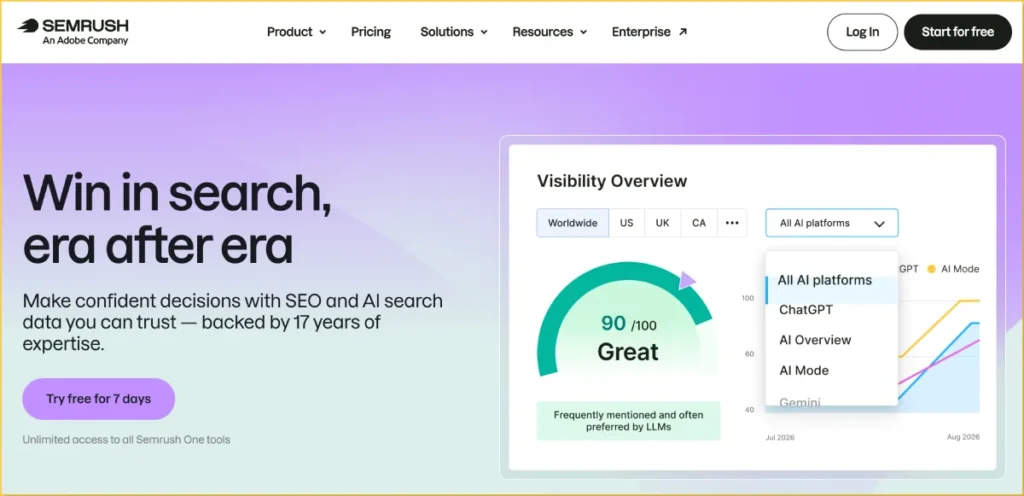
Semrush is one of those SEO tools I find myself opening again and again. I use it for keyword research, competitor analysis, content planning, AI visibility, and backlink research. What I like most is that it helps me go from finding an SEO opportunity to figuring out how I can actually compete for it.
Keyword research is probably where I use Semrush the most. I’m not just looking for keywords with high search volume—I want terms that I have a realistic chance of ranking for. Semrush makes it easy to dig into long-tail and lower-competition keywords, check the SERPs, and find topics where there’s a genuine opportunity to build traffic.
I’ve also started paying much more attention to AI visibility. Semrush lets me look at the prompts where competitors are being mentioned or cited in AI-generated answers. I use that data to understand which topics competitors are getting visibility for and where I might have content gaps worth working on.
The competitive research is particularly useful when I’m planning an SEO strategy. I can look at what competitors are ranking for, which pages are bringing them traffic, and where they’re getting backlinks. From there, I can turn those findings into ideas for new content, keyword targets, and link-building campaigns.
Backlink research is another part of Semrush that I use regularly. I can study a competitor’s backlink profile, find relevant websites that have already linked to similar content, and build a more targeted outreach list. It doesn’t replace the actual work of earning links, but it makes the research and prospecting process much easier.
For me, the biggest advantage of Semrush is the amount of SEO research I can do from one place. I use it less as a tool for checking rankings and more as a research and strategy platform—finding opportunities, understanding competitors, and deciding what to work on next.
I’ve been using Semrush for years, and I keep coming back to it because it makes it easy to find low-competition, long-tail keywords that I can actually target. I also use it to track AI visibility, see which prompts are getting competitors cited, plan SEO strategies, and manage backlink research and outreach. For me, the biggest value is having keyword, competitor, content, and backlink insights in one place when I’m researching new opportunities and building links.
How Semrush Works
Most people start in one of two places. The Keyword Magic Tool takes a seed term and expands it into related queries you can filter by volume, difficulty and intent. Organic Research takes a competitor’s domain and shows which queries drive its search traffic, which is how many teams build a content-gap list.
From there, a typical workflow looks like this:
- Expand a seed keyword and filter out anything you can’t realistically compete for.
- Group the remaining terms by topic so each page targets one cluster.
- Add priority terms to Position Tracking for the locations that matter.
- Run Site Audit on a schedule to catch technical problems before they cost traffic.
Third-party reviews describe the database as very large (one 2026 review cites roughly 26.5 billion keywords), but treat size claims as marketing context.
Who Is Semrush For?
Semrush suits agencies, mid-size businesses and marketing teams that will use several modules, not just one. A freelancer managing a few client sites can justify the Pro plan. A solo blogger who only needs keyword ideas will probably find it more than they need, and cheaper tools such as Mangools cover that job.
Pros
- Very broad toolset in a single login, from keyword research to audits to AI visibility
- Large, active learning ecosystem, including Semrush Academy and plenty of third-party tutorials
- Competitor and keyword-gap workflows are strong for content planning
- Business tier adds API access and share-of-voice reporting for larger teams
Cons
- Add-ons (seats, Local, AI Visibility, content tools) can push a “$199 plan” well past $400 in practice
- Limits on projects and tracked keywords can force an upgrade sooner than expected
- The interface has a learning curve because of how many tools it contains
- Billing and cancellation friction is a recurring complaint; read renewal terms before committing to annual billing
Semrush Rating and Reviews
As of mid-2026 summaries, Semrush holds 4.5 out of 5 on G2 across roughly 3,400 reviews and 4.6 out of 5 on Capterra across roughly 2,300 reviews. TrustRadius shows about 8.6 out of 10 from around 760-775 reviews. Trustpilot is much lower (sources report between roughly 1.9 and 2.8 out of 5), and the negative reviews there focus on billing and cancellation disputes rather than the software itself.
Reviewers on G2 and Capterra most often praise the breadth of tools and competitor research, and most often criticize price and the number of add-ons. Ratings change constantly, so check G2 and Capterra before you quote them.
Ahrefs
Best: Backlink analysis, keyword research, competitor analysis, content research & SEO opportunity discovery.
Ease of use: Intermediate to Advanced
Pricing: Paid plans start at $29/month, with higher limits and features available on larger plans. Free tools are also available for verified website owners.
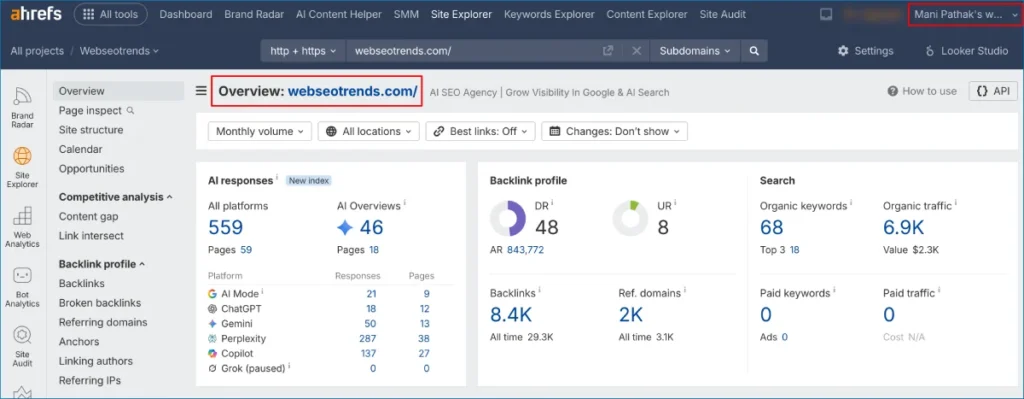
Ahrefs is one of the best SEO tools for understanding why competitors rank and where their search visibility comes from. While it is particularly well known for backlink analysis, I use Ahrefs for much more than link research. It can help with keyword research, competitor analysis, content research, rank tracking, technical SEO audits and, through Brand Radar, monitoring visibility in AI-generated search results.
What makes Ahrefs especially useful is the way its different SEO data points connect. I can start with a competitor’s website, see the keywords bringing it organic traffic, identify its strongest pages, and then investigate the backlinks those pages have earned. That makes it easier to move from SEO research to an actual content and link-building strategy.
Backlink analysis is still one of the main reasons I use Ahrefs. Site Explorer lets me investigate a competitor’s referring domains, backlinks, anchor text and individual pages receiving links. Instead of simply seeing how many backlinks a competitor has, I can look at where those links come from and what type of content attracted them. This is particularly useful when building a targeted backlink outreach campaign.
I also use Ahrefs for keyword research. Keywords Explorer provides search-volume, keyword-difficulty, traffic-potential and SERP information that can help identify realistic search opportunities. Rather than targeting keywords based only on search volume, I can examine the current search results and assess the pages already ranking for the query.
The competitor analysis features are equally valuable. Site Explorer can reveal the keywords and pages responsible for a competitor’s organic search visibility. Looking at those pages can uncover content gaps, long-tail keyword opportunities and topics that may deserve their own dedicated pages.
Another workflow I find useful is starting with a competitor’s top-performing content. If a page ranks for hundreds of related keywords and has earned links from relevant websites, it gives me several research opportunities at once. I can study the topic coverage, search terms, competing pages and backlink sources before deciding how to approach the subject on my own site.
Ahrefs also goes beyond traditional Google SEO with Brand Radar, which focuses on brand visibility in AI-generated answers. For businesses working on Google search as well as AI search and generative search visibility, this adds another layer of competitive research to the platform.
For me, the biggest advantage of Ahrefs is that it helps answer a more useful SEO question than simply “What keywords should I target?” I can investigate which competitors are ranking, which pages are attracting search traffic, which keywords those pages rank for, and which websites are linking to them. That makes Ahrefs particularly useful for building an SEO strategy rather than simply checking rankings.
How Ahrefs Works
The main starting point is Site Explorer. Enter a website or URL and Ahrefs provides information about organic keywords, estimated search traffic, top pages, referring domains and backlinks. You can use it to analyze an entire competitor domain or drill down into a specific page.
Keywords Explorer is the main keyword research tool. It provides keyword metrics, related search terms and SERP information, making it useful for finding both competitive head terms and more specific long-tail keywords.
Site Audit crawls a website and identifies technical and on-page SEO issues, while Rank Tracker monitors keyword positions over time. Content Explorer helps find content around a topic and investigate pages that have attracted backlinks and organic visibility.
A typical SEO workflow in Ahrefs might look like this:
- Analyze a competitor in Site Explorer.
- Find the pages generating organic search traffic.
- Review the keywords those pages rank for.
- Investigate their referring domains and backlinks.
- Use Keywords Explorer to find related search opportunities.
- Turn the research into content, internal-linking or link-building opportunities.
- Track rankings and monitor technical SEO issues over time.
This combination makes Ahrefs more than a backlink checker or keyword research tool. It connects keyword data, competitor research, content performance and backlink analysis in one SEO platform.
Who Is Ahrefs For?
Ahrefs is best suited to SEO professionals, agencies, content marketers, publishers and businesses that actively invest in organic search.
It is particularly useful for people who regularly perform competitor analysis, keyword research and link building. Agencies can use it to research multiple competitors and websites, while content teams can use the keyword and content data to identify topics with search demand.
Beginners can use Ahrefs, but there is a learning curve because the platform exposes a large amount of SEO data. Understanding metrics such as keyword difficulty, Domain Rating, referring domains and estimated organic traffic becomes easier with practical SEO experience.
If you only need occasional keyword suggestions or a basic website health check, a full SEO platform may be more than you need. Ahrefs becomes more valuable when you regularly use SEO data to research competitors, plan content, find backlink opportunities and monitor organic search performance.
Pros and Cons
Pros
- Strong backlink database and detailed link analysis
- Powerful competitor research for organic search
- Detailed keyword research and SERP analysis
- Useful combination of content, backlink and SEO research
- Site Audit and Rank Tracker extend it beyond competitor research
- Free tools available for verified website owners
- Brand Radar adds AI search visibility monitoring
Cons
- Large amount of data can be overwhelming for new users
- Usage and credit limits need to be considered for heavy research
- Higher plans can become expensive for larger teams and agencies
- Some advanced capabilities require higher-tier plans
- Traffic and ranking figures are estimates and should not replace first-party data from tools such as Google Search Console
Ahrefs Rating and Reviews
Ahrefs generally receives strong ratings on professional software-review platforms, with reviewers frequently highlighting its backlink analysis, keyword research, competitor research and depth of SEO data.
The most common criticism is the cost and usage limits, particularly among users who perform large amounts of research. Ratings and review counts change regularly, so I recommend checking current G2 and Capterra scores rather than relying on an old snapshot.
My Take on Ahrefs
Ahrefs is a strong choice if your SEO strategy depends heavily on competitor analysis, keyword research and backlink building. I particularly like it when I need to investigate how a competing page earns organic visibility and links, then use that research to identify new content or outreach opportunities.
It is not simply a tool for checking keyword rankings. The real value comes from connecting SEO keyword data, competitor websites, content performance, backlinks and search opportunities. For that reason, Ahrefs belongs on the shortlist when comparing the best SEO tools for serious SEO research and organic growth.
Mangools
Best: Keyword research, local SEO research & basic rank tracking. Bloggers, freelancers, consultants and small businesses that want straightforward SEO research without paying for a large enterprise-style platform.
Ease of use: Beginner to Intermediate
Pricing: Paid plans include Basic, Premium and Agency tiers. Pricing varies by billing cycle and region, with annual-billing prices reported around $37.70, $52.70 and $97.70 per month in a July 2026 review. Mangools also offers a trial.
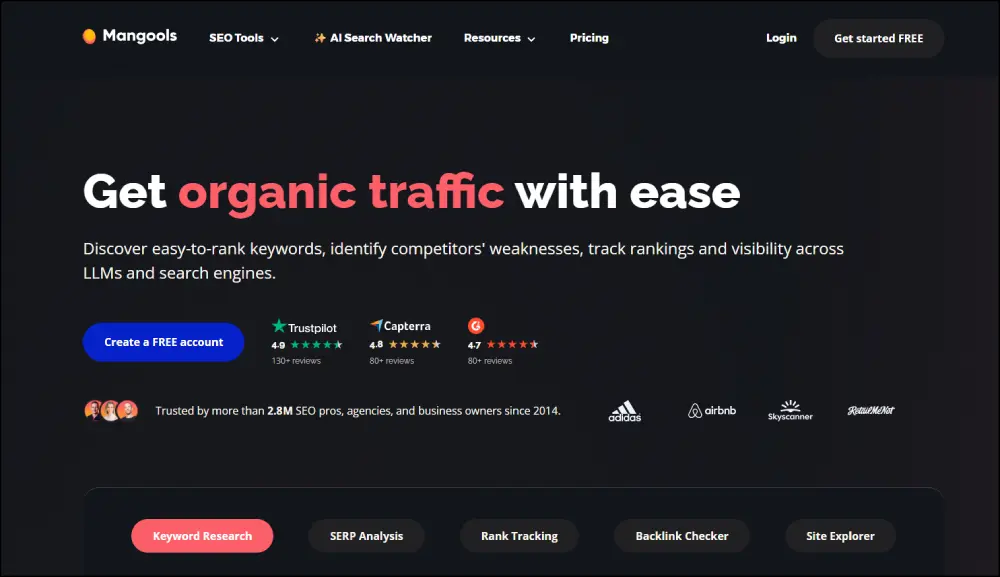
Mangools is one of the best SEO tools for users who want keyword research without the complexity of a large SEO suite. Its main attraction is KWFinder, which makes finding keyword ideas, checking search volume and evaluating keyword difficulty relatively simple.
I particularly like the way Mangools keeps keyword research focused. Instead of presenting dozens of SEO metrics before you can get started, KWFinder gives you keyword suggestions, search-volume information, a difficulty score and a SERP overview in a fairly straightforward interface. That makes it useful when the goal is to quickly find realistic keyword opportunities rather than perform a complete SEO audit.
KWFinder is the central tool in the Mangools platform. You can enter a seed keyword, select a country or even a specific city, and discover related searches. The local keyword functionality is particularly useful for local SEO, where search behavior can vary significantly between cities and regions.
I also use the other tools when I need a broader view of search performance. SERPChecker helps analyze the pages ranking for a keyword, SERPWatcher tracks keyword positions over time, LinkMiner provides backlink research, and SiteProfiler gives an overview of a domain’s SEO metrics.
The workflow is intentionally simple: find a keyword, evaluate the competition, inspect the SERP, create the content and track the ranking. That simplicity is one of Mangools’ biggest advantages for beginners and smaller teams.
Mangools is not designed to replace a comprehensive technical SEO platform. There is no dedicated full-scale site-audit module comparable to the auditing systems found in larger SEO suites, so I would use Google Search Console or a crawler such as Screaming Frog alongside it when technical SEO is important.
The platform has also expanded into AI search monitoring, giving Mangools more relevance as search behavior moves beyond traditional Google results. However, its core strength remains straightforward keyword research and rank tracking rather than providing the broadest possible SEO dataset.
For me, the biggest advantage of Mangools is ease of use. If I need to research keywords, check local search opportunities, inspect the SERP and monitor rankings without navigating a complicated SEO platform, Mangools keeps the process relatively quick and accessible.
How Mangools Works
The main starting point is KWFinder. Enter a keyword, select the target location and Mangools generates related keyword ideas along with search volume, keyword difficulty and SERP information. You can use this to identify both broader terms and more specific long-tail opportunities.
SERPChecker provides a closer look at the search results, helping you understand the strength of the pages already ranking. SERPWatcher monitors keyword positions after you start targeting them.
For link research, LinkMiner shows backlink information for websites and pages, while SiteProfiler provides a broader domain overview.
A typical Mangools workflow looks like this:
- Enter a seed keyword into KWFinder.
- Filter the suggestions based on search volume and keyword difficulty.
- Check the SERP to understand the competition.
- Select keywords that match the site’s authority and search intent.
- Create or optimize content around the selected terms.
- Add the keywords to SERPWatcher to monitor rankings.
- Use LinkMiner and SiteProfiler when competitor or backlink research is needed.
This makes Mangools particularly suitable for keyword research and practical SEO planning, rather than complex enterprise-level SEO analysis.
Who Is Mangools For?
Mangools works well for bloggers, freelancers, solo SEO professionals, consultants and small businesses that want accessible SEO software.
Its ability to research keywords by city or region also makes it useful for businesses working on local SEO. A freelancer managing a small number of websites can use KWFinder and SERPWatcher without needing the extensive functionality found in platforms such as Ahrefs or Semrush.
The main limitation is scale. Agencies managing many clients or SEO teams that require extensive backlink databases, advanced technical auditing, large-scale competitor research or more detailed reporting may eventually need a broader SEO platform.
Mangools is therefore less about having every possible SEO feature and more about making the most commonly needed keyword research and rank-tracking workflows easier to use.
Pros and Cons
Pros
- Very beginner-friendly interface
- KWFinder makes keyword research quick and accessible
- Supports local keyword research by city and region
- Includes keyword research, SERP analysis, rank tracking and backlink research in one platform
- Generally more approachable than larger all-in-one SEO suites
- Useful for bloggers, freelancers and small businesses
Cons
- No dedicated full-scale site-audit module
- Backlink and keyword databases are smaller than those of larger platforms such as Ahrefs and Semrush
- Daily research and tracked-keyword limits depend on the plan
- Larger agencies and advanced SEO teams may outgrow the platform
Mangools Rating and Reviews
Mangools has strong user ratings on software-review platforms. A 2026 G2 comparison shows 4.7 out of 5 from roughly 95 reviews, with ease of use and customer support among the areas receiving positive feedback.
Reviews also commonly highlight the platform’s price-to-performance, simple interface and keyword research experience. The main limitation mentioned in comparisons with larger SEO platforms is the smaller keyword and backlink data coverage.
My Take on Mangools
Mangools makes sense when simplicity matters more than having the largest SEO database. KWFinder is particularly useful for finding long-tail and lower-competition keywords, while SERPChecker and SERPWatcher cover the basic competitive and rank-tracking workflow.
It does not offer the depth of an enterprise SEO platform, but that is also part of its appeal. For bloggers, freelancers and smaller businesses looking for a straightforward SEO tool for keyword research, local SEO and rank tracking, Mangools can cover the core workflow without making SEO research unnecessarily complicated.
Google Keyword Planner
Best: Finding keyword ideas, checking search volume and understanding search demand
Ease of use: Beginner
Pricing: Free with a Google Ads account
Google Keyword Planner is one of the best free keyword research tools I use when I want to check if people are actually searching for a topic.
I don’t use it as my only SEO tool. I mainly use it to find keyword ideas, check search volume and find keywords that may be worth targeting. If I find a keyword with good search volume, I then check it in Semrush, Ahrefs or another SEO tool to see how hard it will be to rank.
What I like most is that it gives me data from Google’s advertising platform. I can enter a keyword and get related keyword ideas, monthly search estimates, advertising competition and bid estimates. Google also lets me research keywords by location, which is useful when I’m working on local SEO.
I don’t just look for the keyword with the highest search volume. I want to find low-competition and high-volume keywords that are relevant to the website and have a better chance to rank and drive traffic.
The bid data is also useful. It is made for Google Ads, not SEO, but it can give me an idea of which keywords may have more business value. I don’t use the bid amount as a measure of SEO difficulty.
How Google Keyword Planner Works
You need a Google Ads account to access Keyword Planner. Google says you need to complete the account setup and enter billing information to access the basic keyword research features. You don’t need to actually run ads to research keywords.
I normally start with one main keyword. Google then gives me related keywords that I can review and filter.
My process is simple:
- Enter a main keyword or website.
- Check the related keyword ideas.
- Look at search volume.
- Find relevant high-volume keywords.
- Look for lower-competition opportunities.
- Check the keywords in Semrush, Ahrefs or another SEO tool.
- Look at the Google results before choosing the final keyword.
Google also lets you filter keyword ideas and check top-of-page bid estimates.
One thing I always remember is that Google Ads competition is not the same as SEO competition.
A keyword can have low advertising competition and still be very difficult to rank for in Google search. So I use Keyword Planner for search demand and keyword ideas, then use an SEO tool to check the actual competition.
Who Is Google Keyword Planner For?
I would recommend Keyword Planner to beginners, bloggers, small businesses and SEO professionals who want free keyword research data.
It is especially useful when I’m working with a new website and don’t want to pay for an SEO tool just to build an initial keyword list.
It can also be useful for local SEO because I can choose a specific location and check keyword demand for that market.
But Keyword Planner has limits. It doesn’t give me the full SEO picture. I don’t get detailed backlink data, competitor keyword gaps or the type of keyword difficulty data I get from tools such as Ahrefs and Semrush.
So I see Keyword Planner more as a keyword research and search demand tool, not a complete SEO platform.
Pros and Cons
Pros
- Free keyword research tool
- Search data from Google’s advertising platform
- Good source of keyword ideas
- Shows search volume estimates
- Shows advertising competition
- Shows top-of-page bid estimates
- Useful for local keyword research
- Good for checking search demand
Cons
- Requires a Google Ads account setup
- Mainly built for Google Ads
- Advertising competition is not SEO difficulty
- Doesn’t provide detailed backlink research
- Limited competitor SEO data
- Not a complete SEO tool
Google Keyword Planner Rating and Reviews
Google Keyword Planner does not have the same type of large software review profile as Ahrefs or Semrush because it is a feature inside Google Ads.
There is a separate “Keyword Planner” listing on G2 with a 4.7/5 rating from 9 reviews, but that listing is for Clever Ads’ Keyword Planner, not Google’s own Keyword Planner.
For comparison, Keyword Tool has a 4.5/5 rating from 19 G2 reviews and a 4.3/5 rating from 36 Capterra reviews.
So I would not use those ratings as Google’s rating. For Google Keyword Planner, I think its usefulness for keyword research matters more than a third-party review score.
My Take on Google Keyword Planner
Google Keyword Planner is a good free keyword research tool, but I wouldn’t use it alone for SEO.
I use it when I want to find keyword ideas, check search volume and see what people are searching for. Then I move to Ahrefs, Semrush or another SEO tool to check competition, backlinks and the SERP.
If you are just starting SEO and don’t want to pay for a tool, Keyword Planner is a good place to start. If you’re doing serious SEO work, I would use it alongside a proper SEO tool.
Google Trends
Best: Finding rising topics, checking seasonality and comparing keyword interest
Ease of use: Beginner
Pricing: Free
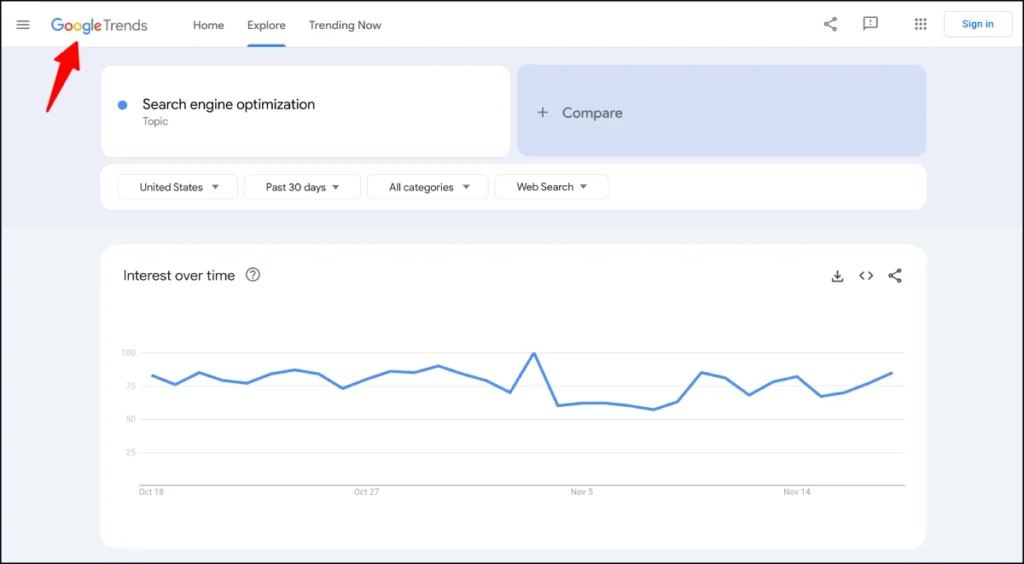
Google Trends is one of the best free SEO tools for finding what people are searching for over time. I don’t use it to find exact search volume. I use it to see if interest in a topic is going up, going down or coming back at certain times of the year.
This is useful when I’m planning content. A keyword may have good search volume today, but if interest is dropping, I want to know that before I spend time creating content around it.
I also use Google Trends when I’m comparing similar keywords. Sometimes two keywords mean almost the same thing, but one is searched more than the other. Trends helps me see which term has more interest.
It is also useful for finding topics that are starting to grow. If I see search interest increasing, I can start working on the content before the topic becomes more competitive.
How Google Trends Works
Enter a keyword or topic into Google Trends and choose the country and time period you want to check.
Google Trends shows an interest score from 0 to 100. This is not monthly search volume. The score is based on the highest level of interest for that search in the selected time and location.
I normally check:
- Search interest over the last 12 months.
- The same topic over several years.
- Whether the keyword is seasonal.
- Related topics and searches.
- Rising searches.
- Interest by country or region.
- Similar keywords to see which one people search more.
For example, if a topic gets more searches every year around November, I don’t want to wait until November to publish the content. I would rather prepare the page before the interest starts going up.
I can also compare several keywords at the same time. This is useful when I have two or three similar keywords and want to see which one has more search interest.
Google Trends also covers different types of Google searches, including web, image, news, Google Shopping and YouTube search.
One thing I always keep in mind is that Google Trends is not a keyword volume tool. If I need monthly search volume, keyword difficulty or backlink data, I use Ahrefs, Semrush, Google Keyword Planner or another SEO tool.
Who Is Google Trends For?
Google Trends is useful for SEOs, bloggers, content writers, marketers and local businesses.
I find it most useful when I’m choosing between topics, checking if a keyword is still growing and planning content around seasonal demand.
It can also help with local SEO because I can compare search interest between different locations.
But if you only want to know how many people search for a keyword each month, Google Trends is not enough. You need another keyword research tool for that.
Pros and Cons
Pros
- Free to use
- Easy to use
- Good for finding rising topics
- Useful for seasonal keyword research
- Lets you compare keywords and topics
- Shows interest by location
- Helps find related and rising searches
- Useful for content planning
Cons
- Does not give normal monthly search volume
- Uses a relative 0–100 scale
- Low-volume keywords may show little or no data
- Not a replacement for a full SEO tool
- Doesn’t provide detailed backlink or competitor data
Google Trends Rating and Reviews
Google Trends has strong user ratings across the main software review sites.
- G2: 4.6/5 from 258 reviews
- Capterra: 4.7/5 from 32 reviews
- TrustRadius: 8.6/10 from 108 ratings
These ratings were checked in September 2026 and can change as new reviews are added.
G2 reviewers commonly mention Google’s simple interface and its usefulness for finding trends and comparing search interest. Some reviewers also point out that the data is relative rather than exact search volume.
My Take on Google Trends
Google Trends is a tool I keep alongside my regular SEO tools.
I don’t use it to replace Ahrefs, Semrush or Google Keyword Planner. I use it for something different: seeing how search interest is changing over time.
When I’m planning content, I want to know more than just search volume. I want to know if the topic is growing, seasonal or losing interest.
That’s where Google Trends is useful.
I use Trends to find the direction of search interest, then use an SEO tool to check keyword difficulty, competitors, backlinks and traffic potential before I decide what to target.
What to Look for in a Keyword Research Tool
Keyword research tools differ less in interface than in what they help you judge. When comparing them, check for:
- Search volume: an estimate of monthly demand, best treated as a range rather than a promise.
- Keyword difficulty: a score for how hard it is to rank. Each vendor calculates it differently, so scores aren’t comparable across tools.
- SERP analysis: what actually ranks (blog posts, product pages, videos, forums) and which SERP features appear.
- Keyword suggestions and related terms: questions, long-tail variations and semantic groups.
- Competitor data: which keywords rival sites rank for that you don’t.
- Search intent: whether a query is informational, commercial or transactional.
- Clustering: grouping related terms so you plan one page per topic instead of ten thin ones.
Want to dig a little deeper? Check out our guide, How To Find Low Competition Keywords That Actually Rank (Step-by-Step Guide), for practical tips on finding keywords that are easier to rank for.
Free vs. Paid Keyword Research Tools
Free tools are better than many people assume. Google’s own tools give you demand estimates and, through Search Console, real query data from your site. Paid tools add estimated volumes for any keyword, difficulty scores, competitor keyword gaps and exports.
The gap shows up in three places: competitor data (free tools rarely show what rivals rank for), scale (bulk lookups and large exports) and convenience (clustering, SERP overlays, filters). If you publish a few posts a month, free tools plus a low-cost option like Mangools may be enough. If you compare dozens of competitors or serve several clients, a paid suite saves real time.
Paid isn’t automatically better data, either. Volume estimates are estimates. Treat every tool’s numbers as directional, and confirm them against your own Search Console impressions.
Best SEO Tools for Rank Tracking and SERP Analysis
SE Ranking
Best: Rank tracking, SERP analysis, SEO audits and competitor research
Ease of use: Beginner to Intermediate
Pricing: Paid plans start at $103.20/month when billed annually, with a 14-day free trial.
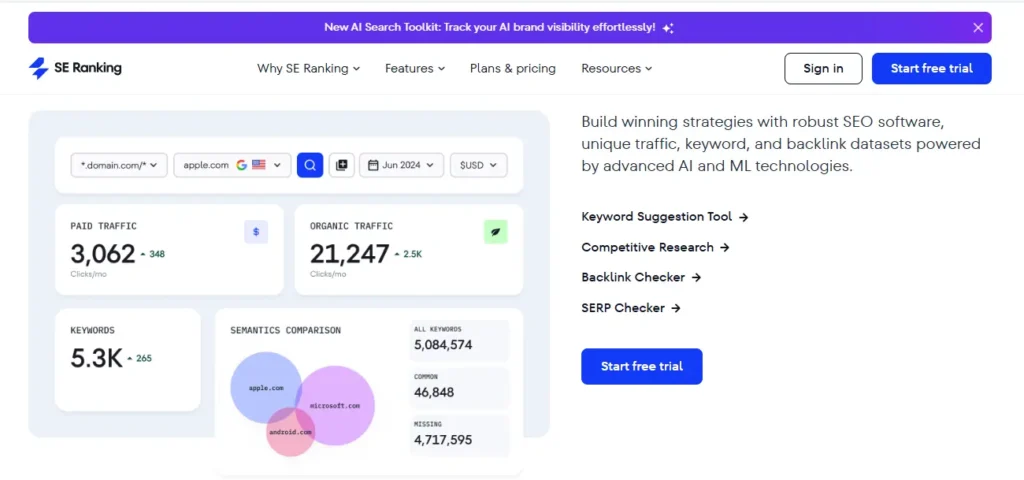
SE Ranking is one of the best SEO tools for rank tracking if you need to monitor a lot of keywords and manage more than one website.
I mainly use it for tracking keyword rankings, checking competitors, running SEO audits and looking at SERPs. It also has keyword research, backlink analysis and reporting tools, so I can handle most of my regular SEO work from one place.
What I like most is the rank tracking. I can track keywords by location and device and see how rankings change over time. This helps me check whether the SEO work I’m doing is actually improving rankings.
The SERP analysis is also useful when I’m researching a new keyword. I can see the pages already ranking and get a better idea of what I’m competing against before creating or updating a page.
How SE Ranking Helps With Keyword Rank Tracking
You start by creating a project for your website and adding the keywords you want to track.
You can choose the search engine, country, location and device. SE Ranking then checks the rankings and keeps the history, so you can see when a keyword moves up or down.
My usual process is:
- Add the website as a project.
- Add the keywords I want to track.
- Select the country and location.
- Choose desktop or mobile.
- Add competitors.
- Check ranking changes.
- Look at the SERP for important keywords.
- Run an SEO audit and fix issues that may affect rankings.
I also like the Keyword Grouper. It groups keywords based on the pages ranking for them in Google. This helps me decide which keywords should go on the same page instead of creating a new page for every keyword.
That is useful when I’m building a content plan because I can see which keywords have similar search results and may have the same search intent.
SE Ranking for SERP Analysis and Competitor Research
SE Ranking is not only a rank tracker. I can also use it to research competitors and check the SERPs before targeting a keyword.
When I find a keyword I want to rank for, I look at the pages already ranking in Google. I want to know what type of content Google is showing, how strong the competitors are and whether there is a real opportunity to rank.
The competitor tools can also show which keywords other websites are ranking for. This gives me new keyword ideas and can show topics I may have missed.
For SEO work, I find this more useful than simply looking at a keyword difficulty number. I want to see the actual search results before I decide whether a keyword is worth targeting.
Who Should Use SE Ranking?
SE Ranking is a good fit for freelancers, SEO consultants, in-house SEO teams and small to mid-sized agencies.
It becomes more useful when you manage several websites or need to track hundreds or thousands of keywords.
The reporting features are also useful for agencies because you can keep different websites as separate projects and create reports for clients.
If you’re running one small website and only need to track a few keywords, you may not need all the features.
SE Ranking Pros and Cons
Pros
- Strong keyword rank tracking
- Track rankings by location and device
- Useful SERP analysis
- Competitor keyword research
- Keyword grouping based on SERP results
- SEO audit and backlink tools
- Useful reporting for agencies
- Supports multiple projects
Cons
- Can feel complex when you start using more features
- Some features require additional spending
- Data is not as deep as Ahrefs or Semrush in some areas
- Large projects can take more time to manage
SE Ranking Rating and Reviews
SE Ranking has a 4.7/5 rating on G2 from 1,608 reviews. Capterra also lists it at 4.7/5 from 297 reviews. Trustpilot shows 4.2/5 from 709 reviews, although Trustpilot reviews cover the company and customer experience rather than just the software.
Users commonly mention its rank tracking, SEO audits, competitor research and reporting. Some reviewers also mention that the platform can take time to learn as you start using more of its features.
My Take on SE Ranking
SE Ranking is a strong SEO tool for rank tracking, SERP analysis and competitor research.
I would consider it when I need to track a large keyword list across several websites and also want SEO audits, competitor research, backlinks and reporting in the same tool.
I would still compare it with Ahrefs and Semrush before choosing a tool. The right choice depends on how many keywords and websites you manage and how much competitor, backlink and keyword data you need.
For regular SEO work, SE Ranking gives you a lot of useful tools in one place.
Nightwatch
Best: Rank tracking, local SEO rankings, SERP analysis and AI search visibility
Ease of use: Beginner to Intermediate
Pricing: Paid plans start at €79/month when billed annually, with a 14-day free trial.
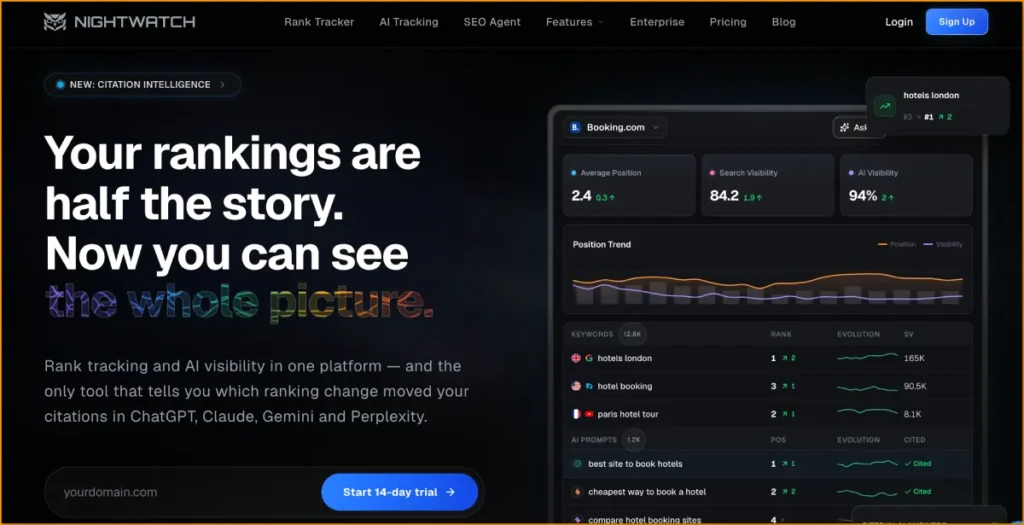
Nightwatch is one of the best SEO tools for rank tracking when you need to see where a website ranks in different locations.
I would use it when location matters. A business may rank well in one city but much lower in another. Nightwatch lets me track rankings at city and ZIP-code level, so I can see what is happening in each market instead of relying on one average ranking. It supports more than 107,000 locations across 190+ countries.
It also tracks Google Search, Google Maps, Bing, YouTube and other search engines. More recently, Nightwatch has added AI visibility tracking for platforms such as ChatGPT, Claude, Gemini and Perplexity.
For me, the main reason to use Nightwatch is still rank tracking. The extra SEO and AI features make it more useful, but I wouldn’t choose it over Ahrefs or Semrush just because it has more features.
How Nightwatch Works for SEO Rank Tracking
You add your website and keywords, then choose the locations, search engines and devices you want to track.
Nightwatch checks rankings daily and keeps the historical data. You can then see when rankings move, compare competitors and check which SERP features are appearing for your keywords.
My usual workflow would be:
- Add the website and target keywords.
- Choose the country, city or ZIP code.
- Select desktop or mobile.
- Add competitors.
- Check daily ranking changes.
- Look at the SERP for important keywords.
- Check Google Maps and Local Pack rankings when needed.
- Compare ranking changes with Search Console data.
I like the location tracking because it gives me a better picture of local SEO performance. If I’m working on a local business, I don’t just want to know that a keyword ranks in the top 10. I want to know where it ranks in the areas that actually matter to the business.
Nightwatch also keeps SERP history and allows ranking data to be connected with Google Analytics, Google Search Console and Looker Studio. Agencies can use the reporting tools to create client reports and export the data when needed.
Nightwatch for Local SEO and SERP Analysis
Nightwatch is particularly useful when you need local rank tracking.
For example, if an SEO client has offices in several cities, I can track the same keywords separately for each location. I can also check Google Maps and Local Pack rankings instead of looking only at normal organic results.
The SERP tracking is useful for seeing more than just a position number. I can check features such as Featured Snippets, Image Carousels, Knowledge Panels and Local Pack results.
Nightwatch also lets me look at historical SERPs. This can help when a keyword drops and I want to see what changed in the search results around the same time.
Nightwatch for AI Search Visibility
Nightwatch now goes beyond traditional Google rank tracking with AI visibility tracking.
It can monitor how a brand appears across AI search platforms including ChatGPT, Claude, Gemini and Perplexity. This gives SEO teams another way to check whether their brand is being mentioned or cited when people use AI search.
I would treat this as an extra feature rather than the main reason to choose Nightwatch. If my main goal is traditional SEO, I would still focus first on keyword rankings, SERPs, competitors and organic traffic.
Who Should Use Nightwatch?
Nightwatch is a good fit for SEO agencies, local SEO professionals, multi-location businesses and teams that need detailed ranking data.
It is especially useful when you need to track rankings by city or ZIP code and report those results to clients.
It can also work well as part of a larger SEO stack. For example, I could use Nightwatch for rank tracking, Ahrefs or Semrush for keyword and backlink research, and Google Search Console for first-party search data.
If you only need basic keyword tracking for one small website, you may not need all of Nightwatch’s features.
Nightwatch Pros and Cons
Pros
- Detailed local rank tracking
- City and ZIP-code level tracking
- Google Maps and Local Pack tracking
- Daily ranking updates
- SERP feature tracking
- Competitor tracking
- Historical SERP data
- White-label reporting
- AI search visibility tracking
- Integrations with Google Search Console and Looker Studio
Cons
- More focused on tracking than deep SEO research
- Cost increases as keyword needs grow
- Some features may be more than a small website needs
- You may still need Ahrefs or Semrush for deeper keyword and backlink research
Nightwatch Rating and Reviews
Nightwatch currently shows strong ratings across major review platforms. Its website lists 4.8/5 from 310+ G2 reviews, 4.7/5 from 120+ Capterra reviews and 4.6/5 from 200+ Trustpilot reviews.
G2 also lists Nightwatch among SEO and local SEO software with rank-tracking features.
The ratings are useful as a general signal, but I would still use the free trial before choosing a rank-tracking tool. Your keyword volume, locations and reporting needs will have a much bigger effect on whether Nightwatch fits your SEO workflow.
My Take on Nightwatch
Nightwatch is one of the best SEO tools for rank tracking, especially when local rankings and location data are important.
I wouldn’t use it as my only SEO tool. For keyword research, backlinks and detailed competitor research, I would still look at Ahrefs or Semrush.
But if my main job is to track SEO rankings, monitor SERPs, check local positions and report ranking changes, Nightwatch is worth considering.
The biggest reason is simple: I can see where a website ranks in the locations that matter instead of relying on one general ranking number.
AccuRanker
AccuRanker is a dedicated SEO rank tracking tool built for teams that need to monitor a lot of keywords without waiting days for fresh data. Its on-demand updates are especially useful when you have just changed a page, launched new content, or made other SEO changes and want to see where rankings stand.
Best: Large-scale rank tracking, local SEO, SERP monitoring and SEO reporting
Ease of use: Beginner to Intermediate
Pricing: Paid plans start at $109/month on Capterra, while AccuRanker’s current Professional plan is listed at $224/month; pricing varies by keyword volume and plan. A 14-day refund policy is available.
How AccuRanker Works
Add your keywords, locations, search engines and devices, and AccuRanker tracks their positions over time. You get daily ranking updates and can request an on-demand update when you need newer data. Tags and filters are useful when managing thousands of keywords because you can group them by client, landing page, topic or search intent. The platform also supports competitor tracking and reporting for SEO teams and agencies.
Who Should Use AccuRanker?
AccuRanker makes the most sense for SEO agencies, consultants and in-house teams that depend heavily on rank tracking. It can handle large keyword sets and is useful when you need to compare ranking changes across locations, devices and competitors. For a small website with only a few hundred keywords, the cost may be harder to justify compared with broader SEO tools.
AccuRanker Pros and Cons
Pros
- Fast daily and on-demand ranking updates
- Handles large keyword lists well
- Strong tagging and filtering for SEO projects
- Useful competitor and SERP tracking
- Good reporting options for agencies
Cons
- Can become expensive as keyword volume increases
- More focused on rank tracking than full SEO research
- Smaller websites may not need all of its tracking capacity
AccuRanker Rating and Reviews
AccuRanker currently has a 4.8/5 rating on G2 from 233 reviews and 4.9/5 on Capterra from 330 reviews. Recent reviews commonly mention its rank tracking, ease of use and speed, while pricing is one of the recurring concerns.
My Take on AccuRanker
AccuRanker is worth considering if rank tracking is a major part of your SEO workflow. I would use it when I need frequent ranking updates, large keyword lists and detailed tracking across locations. It is more of a specialist rank tracking tool than an all-in-one SEO platform, so you may still need other SEO tools for keyword research, backlinks and technical SEO.
Moz Pro
Moz Pro is one of the easier SEO tools to get started with if you are new to SEO. It brings keyword research, rank tracking, site audits and backlink analysis into one platform. Moz is also well known for Domain Authority (DA), a metric many SEOs use when comparing websites and evaluating backlink opportunities.
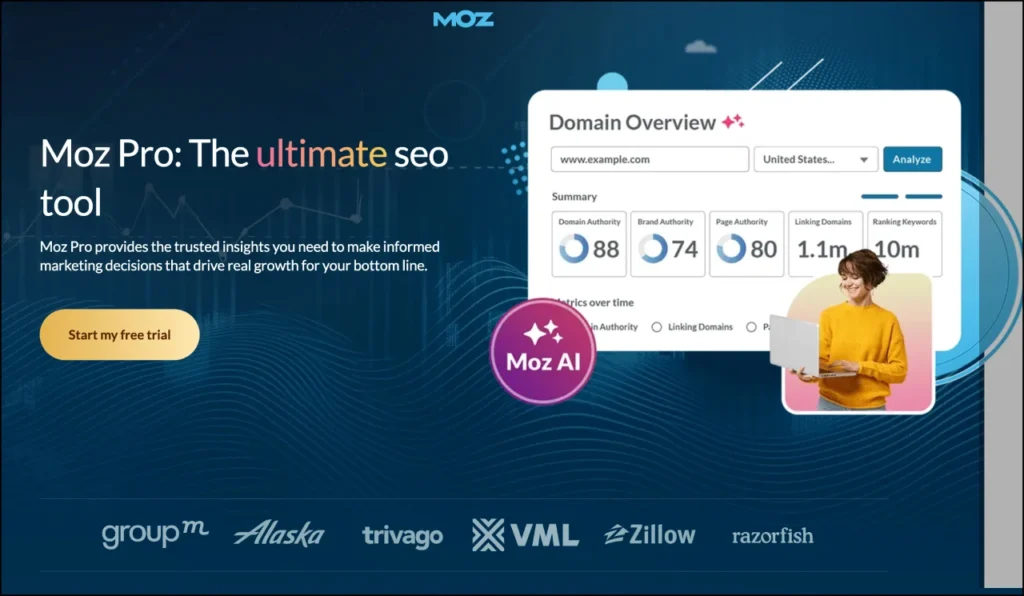
Best: Keyword research, rank tracking, site audits and backlink analysis
Ease of use: Beginner to Intermediate
Pricing: Paid plans start at $49/month, with lower monthly pricing available on annual plans.
How Moz Pro Works
Moz Pro uses campaigns to organize SEO work for different websites. You add a site, choose the keywords you want to monitor, and then use the dashboard to track rankings, crawl the website and review backlinks.
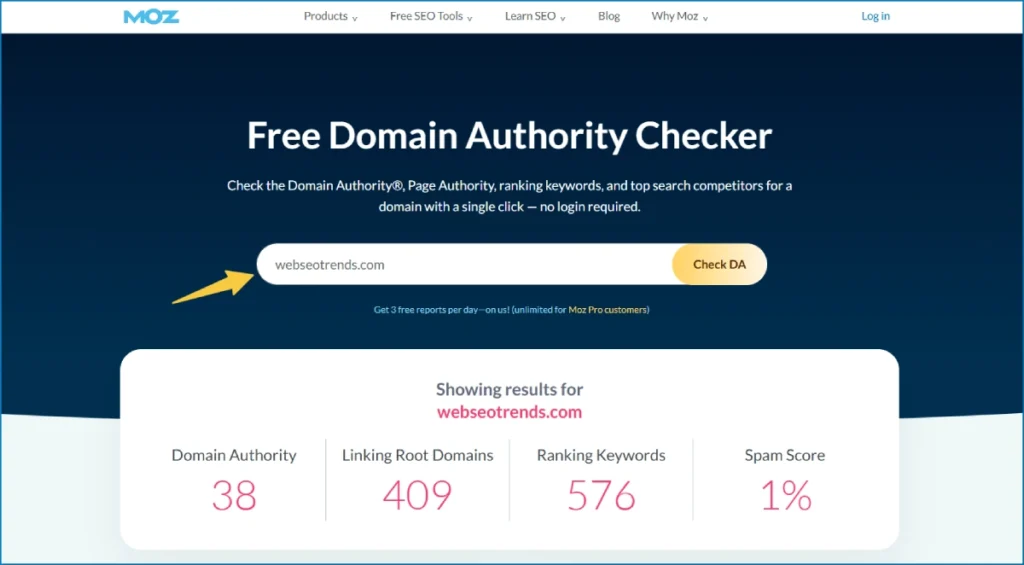
Its Keyword Explorer can help you find new keyword ideas and check search volume and keyword difficulty before deciding what to target. Rank tracking shows how your selected keywords move over time, while the site crawler helps find technical issues that may affect your SEO performance.
Link Explorer is another useful part of the platform. You can use it to check backlinks pointing to your site and compare the link profiles of competitors.
Who Should Use Moz Pro?
Moz Pro is a good choice for beginners, small businesses, bloggers, consultants and smaller SEO teams that need several core SEO features in one tool.
It can cover many everyday SEO tasks without requiring you to learn a complicated interface. However, agencies managing many websites or very large keyword lists may find its campaign and keyword limits restrictive.
Moz Pro Pros and Cons
Pros
- Easy to learn for beginners
- Useful keyword research and rank tracking
- Includes site auditing and backlink analysis
- Domain Authority is widely used in SEO
- Good educational resources for learning SEO
Cons
- Keyword and campaign limits can become restrictive
- Less data depth in some areas than larger SEO platforms
- Higher plans can become expensive for larger teams
- Some Moz products are sold separately
Moz Pro Rating and Reviews
Moz Pro has strong ratings on major software review platforms. Capterra currently lists it at around 4.5/5, while G2 has more than 600 reviews. Users often praise its ease of use, keyword research and reporting, while pricing and plan limits are among the drawbacks mentioned in reviews.
My Take on Moz Pro
Moz Pro is worth considering if you want one of the best SEO tools for beginners without jumping straight into a very complex platform. I would mainly use it for keyword research, rank tracking, site audits and backlink research.
Its biggest advantage is not having the largest SEO database. It is the fact that the platform makes common SEO tasks relatively easy to understand and manage. For larger agencies or advanced competitive research, I would compare it with other SEO tools before choosing a plan.
What SEO Rank Tracking Tools Measure
Rank tracking tools check where your pages appear for chosen keywords, on a schedule. A good SEO rank tracking tool also records:
- Keyword positions over time, including ups and downs.
- SERP features: featured snippets, local packs, People Also Ask, AI Overviews.
- Competitors: who outranks you and when that changed.
- Location and device: rankings differ by city and by mobile versus desktop.
- Visibility trends: an overall share-of-voice or visibility score.
Google Search Console reports average position from real impressions, which is useful but averaged. Dedicated trackers show snapshots for specific queries and places.
Google Rankings vs. AI Search Visibility
Traditional rankings and AI search visibility are related, but they’re not interchangeable.
A Google ranking is a position on a results page for a query. AI search visibility is about whether an AI system such as ChatGPT, Perplexity, Gemini or Google’s AI Overviews and AI Mode mentions or cites your brand or pages in an answer. There’s usually no fixed “position”, answers vary by prompt and can change between runs, and different systems draw on different sources.
Google’s own guidance is helpful here. It says that specific optimization isn’t required for AI Overviews and AI Mode, that existing SEO fundamentals still apply, and that you don’t need special AI text files or special schema to appear in those features (Google Search Central: AI features and your website). Its later guide on optimizing for generative AI features tells site owners they can ignore tactics like llms.txt files or “chunking” content for Google Search (Google’s guide to optimizing for generative AI features). It also points to a Generative AI performance report in Search Console for monitoring.
The practical takeaway: keep tracking classic rankings, and add AI visibility monitoring if AI answers matter to your audience. Treat AI visibility data as directional. Nobody outside these systems can promise or guarantee a mention.
Best SEO Tools for Technical SEO and Site Audits
Screaming Frog SEO Spider
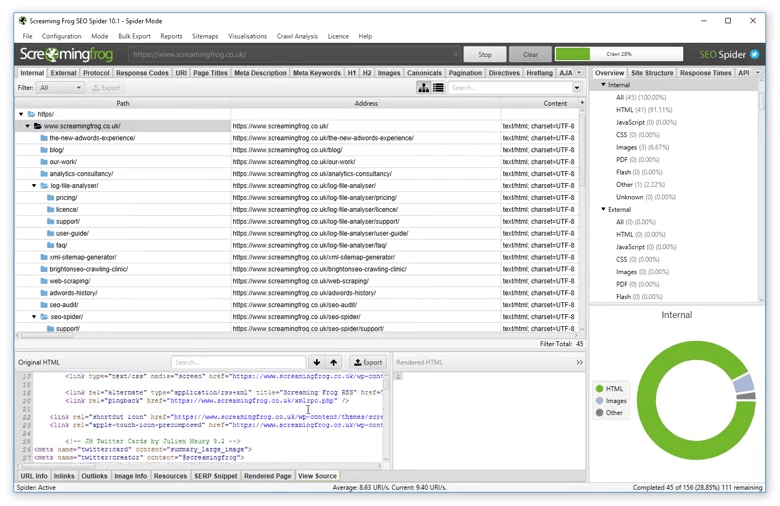
Screaming Frog SEO Spider is one of the most useful SEO tools for technical SEO when you want to see what is happening across a website at URL level. Instead of giving you only a list of recommendations, it lets you crawl the site and work directly with the underlying data, including status codes, titles, headings, canonicals, redirects, indexability and internal links.
Best: Technical SEO audits, website crawls, migrations and finding on-page issues
Ease of use: Intermediate to Advanced
Pricing: Free for crawls of up to 500 URLs. The paid licence is $279/year and removes the crawl limit while adding advanced features.
How Screaming Frog SEO Spider Works
Enter a website URL, start the crawl and Screaming Frog collects information from the pages it can access. You can then check different parts of the site through separate tabs and filters.
For a technical SEO audit, I would use it to find broken links, redirect problems, missing or duplicate title tags and meta descriptions, incorrect canonicals, indexability issues, hreflang problems and other technical details. The tool can identify 300+ SEO issues, warnings and opportunities, although the recommendations still need to be reviewed in the context of the website.
The paid version adds features such as JavaScript rendering, custom extraction, crawl comparison, scheduled crawls and integrations with Google Analytics, Google Search Console and PageSpeed Insights. You can also export the crawl data, which makes it useful when preparing technical SEO reports or working through large spreadsheets.
Who Should Use Screaming Frog SEO Spider?
Screaming Frog is a strong choice for technical SEOs, agencies, developers and marketers who need detailed website data. It is particularly useful for site audits, website migrations, large-scale on-page checks and troubleshooting technical SEO issues.
The free version is enough to learn the basics and audit smaller websites. The bigger challenge for beginners is not running the crawl but knowing what the results mean and which issues actually need fixing.
Because it is a desktop crawler, the amount of data you can handle also depends on your computer’s available memory and storage.
Screaming Frog SEO Spider Pros and Cons
Pros
- Crawls websites in considerable technical detail
- Finds 300+ SEO issues, warnings and opportunities
- Free version supports up to 500 URLs
- Strong filtering, configuration and export options
- Useful for migrations and before-and-after crawl comparisons
- Paid version supports JavaScript crawling and several Google integrations
Cons
- Desktop software rather than a cloud platform
- Can take time to learn if you are new to technical SEO
- Large crawls depend on your computer’s resources
- The interface is more functional than visually polished
- The tool gives you a lot of data, so you still need to decide what matters
Screaming Frog SEO Spider Rating and Reviews
Screaming Frog SEO Spider currently has a 4.9/5 rating on Capterra from 134 reviews. G2’s current Screaming Frog profile shows a 4.7/5 average across 187 reviews, with SEO Spider listed separately from the company’s SEO services. Recent reviews commonly highlight the depth of technical data, crawl analysis and value, while memory requirements and the older-style interface are mentioned as drawbacks.
My Take on Screaming Frog SEO Spider
Screaming Frog is one of the best SEO tools for technical SEO when you want control over the crawl and the raw website data behind an audit. I would use it when I need to investigate a technical problem, check a migration, find broken links or review hundreds or thousands of URLs at once.
It is not designed to replace every SEO tool. Its strength is crawling and analyzing websites, so I would pair it with tools for keyword research, backlinks and rank tracking when building a complete SEO workflow.
Sitebulb
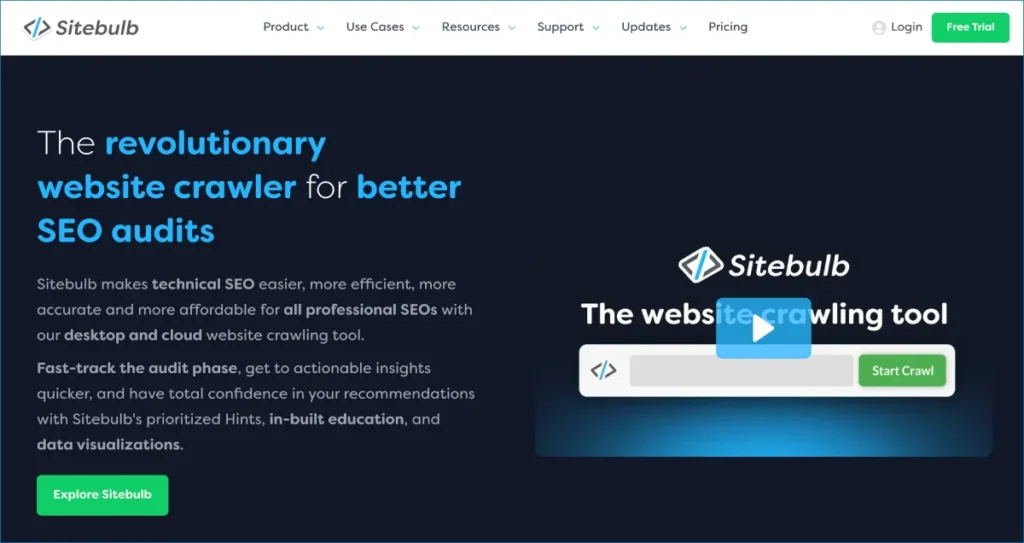
Sitebulb is a technical SEO crawler that focuses on making website audits easier to understand. Instead of giving you a huge spreadsheet of crawl data and leaving you to work out what matters, it groups problems into prioritized Hints and explains why they are worth fixing. Its visual reports also make it useful when you need to present an SEO audit to a client.
Best: Technical SEO audits, issue prioritization, visual reports and client audits
Ease of use: Intermediate
Pricing: Paid plans start at $18/month for Lite, while Pro starts at $42/month. A 14-day free trial of the desktop Pro version is available.
How Sitebulb Works
You enter a website, configure the crawl and let Sitebulb analyze the pages it discovers. The platform checks technical SEO areas such as indexability, redirects, duplicate content, internal links, structured data and other website issues.
The part I find most useful is how Sitebulb turns the crawl into prioritized Hints. Rather than treating every issue as equally important, it helps you see which problems deserve attention first. Crawl maps and visual reports can also make complicated site structures easier to explain.
Sitebulb supports JavaScript crawling and integrations with Google Analytics, Google Search Console and Google Sheets. Pro adds features such as audit comparisons, scheduled audits, customized PDF reports and more advanced audit options.
Who Should Use Sitebulb?
Sitebulb is a good fit for SEO consultants, freelancers, agencies and in-house SEOs who regularly perform technical SEO audits. It is especially useful when the audit needs to be understood by someone who is not deeply technical.
The Lite plan is limited to 10,000 URLs per audit, while Pro supports up to 500,000 URLs. For very large websites or teams that need shared cloud-based crawling, Sitebulb Cloud is designed for larger-scale work and collaboration.
Sitebulb Pros and Cons
Pros
- Prioritizes technical SEO problems with Hints
- Clear visualizations make audits easier to understand
- Strong client reporting options
- Supports JavaScript crawling
- Pro supports large crawls up to 500,000 URLs
- Useful crawl comparison and scheduling features
Cons
- No permanent free version
- Desktop plans depend on your computer’s resources
- Some advanced features require Pro
- Cloud plans cost considerably more than the desktop versions
Sitebulb Rating and Reviews
Sitebulb currently has a 4.9/5 rating on Capterra from 25 reviews and 4.5/5 on G2 from 13 reviews. The samples are relatively small, so I would treat these ratings as useful user feedback rather than a definitive measure of the product. Capterra reviews particularly highlight ease of use, visual reporting and technical SEO auditing.
My Take on Sitebulb
Sitebulb is one of the best SEO tools for technical audits when you want more than a raw crawl report. Its biggest advantage is the way it helps turn technical findings into a list of problems you can actually work through.
I would choose Sitebulb when the goal is to find, understand and explain technical SEO issues, especially for client audits. If I needed maximum crawl customization and wanted to work heavily with raw crawl data, I would also compare it with Screaming Frog.
Google Search Console (GSC)
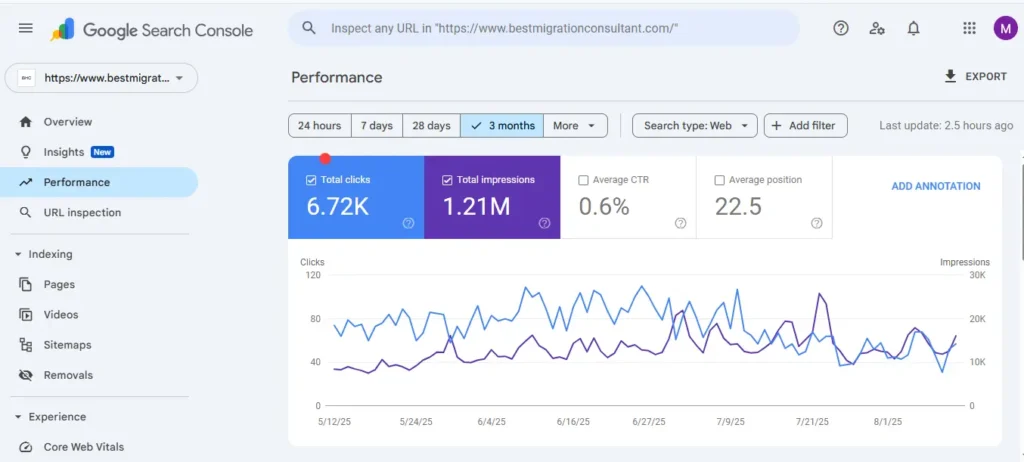
If you have a website, Google Search Console should be one of the first SEO tools you set up. It is free and gives you first-party data from Google Search, including the queries bringing traffic, impressions, clicks and average position. You can also use it to check indexing, inspect individual URLs, submit sitemaps, monitor search-related issues, and review Core Web Vitals.
Best for: Website owners, SEO professionals, agencies, publishers, and businesses that want to understand how their site is performing in Google Search.
Pricing: Always free.
Rating and Reviews: G2: 4.7/5 from 500+ reviews | Capterra: 4.8/5 from 219 reviews; users praise its Google search data and indexing insights, while noting limited competitor analysis and reporting delays.
I regularly use Search Console to find keywords a site is already appearing for, spot pages getting impressions but few clicks, check indexing after publishing or making technical changes, and inspect URLs when Google isn’t showing a page as expected. One of the most useful parts is that it can uncover search queries you may not have specifically targeted but are already generating impressions.
Google also recommends using Search Console to monitor search performance after significant site changes, structured-data updates, and on a regular basis.
How Google Search Console Works
After you verify a property, Search Console shows queries, pages, clicks, impressions, click-through rate and average position in the Performance report. Page indexing reports explain which URLs are indexed and why others aren’t, Sitemaps lets you submit sitemaps, URL Inspection shows how Google sees a page, and the Links report shows some of the sites linking to you.
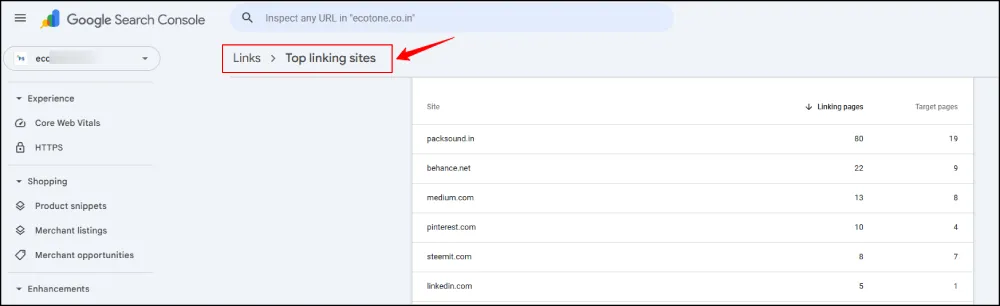
Google’s documentation states that traffic from AI features such as AI Overviews and AI Mode is counted in the overall Search Console data, reported in the Performance report under the Web search type, and Google’s newer generative AI guide points to a Generative AI performance report. At least one industry report described that report’s early rollout as limited, so check whether it’s available for your property.
Who Is Google Search Console For?
Every site owner should have it: beginners, bloggers, small businesses, agencies and in-house teams. It’s not useful for competitor research, since it only reports on properties you can verify.
Pros and Cons
Pros
- Only source of first-party Google search data
- Shows indexing and crawl problems as Google reports them
- Free, with sitemap submission and URL inspection
- Integrates with Looker Studio and other tools
Cons
- Only covers sites you own or manage
- Data is limited to about 16 months and can lag
- Average position and sampled data need careful reading
- No competitor or keyword-volume data
PageSpeed Insights
PageSpeed Insights is one of the most useful free SEO tools for checking website performance, page speed, Core Web Vitals, and technical SEO issues on individual URLs. I use it as a diagnostic tool rather than treating the performance score as the goal itself. It combines real-world Chrome user data with Lighthouse lab testing and provides recommendations for improving page performance, accessibility, best practices, and SEO.
Best for: Quick website performance checks, Core Web Vitals analysis, page speed testing, and identifying technical SEO improvements on individual pages.
Pricing: Always free
I usually run PageSpeed Insights when a page feels slow, after major website changes, or when I need to investigate Core Web Vitals issues. The important thing is to look at the underlying metrics and recommendations rather than simply trying to push the score to 100.
How PageSpeed Insights Works
- Go to Google PageSpeed Insights and enter the webpage URL in the “Enter a web page URL” field, then click Analyze.
- Choose between mobile and desktop results to check performance on different devices.
- Field data: When available, real-user data from the Chrome User Experience Report (CrUX) shows how visitors experience the page.
- Lab data: Lighthouse runs a controlled test and highlights performance issues and optimization opportunities.
- Review Core Web Vitals, page speed metrics, and technical recommendations to find issues worth fixing.
- Use the report to improve real website performance and technical SEO, rather than simply chasing a score of 100.
Who Is PageSpeed Insights For?
Anyone with a website: developers, SEOs, bloggers and site owners. It’s a diagnostic starting point, not a full audit.
Pros and Cons
Pros
- Free and from Google
- Combines lab and real-user data
- Shows concrete opportunities to investigate
Cons
- One URL at a time, so it’s poor for site-wide analysis on its own
- Lab scores fluctuate between runs
- Doesn’t cover indexing or content issues
PageSpeed Insights Rating and Reviews
No meaningful review-site ratings exist for PageSpeed Insights as a standalone product, so none are quoted. It’s widely used and well documented by Google.
Bing Webmaster Tools
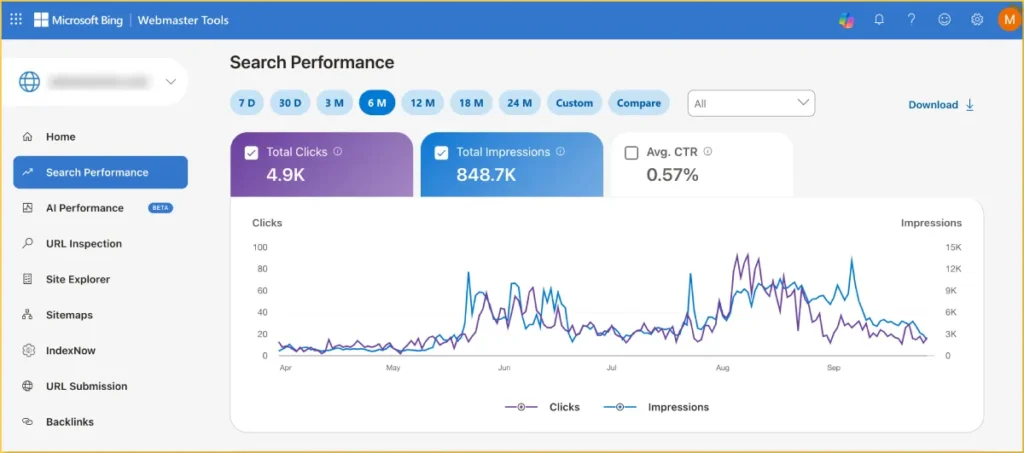
Most people ignore Bing Webmaster Tools, which is a mistake in 2026: it now has the only major first-party report on how Copilot cites your pages.
Best: Bing SEO, website indexing, technical SEO and AI search visibility
Ease of use: Beginner to Intermediate
Pricing: Free
Rating: 4.3/5 on G2 from 41 reviews.
If you are building a complete set of SEO tools, Bing Webmaster Tools is worth adding alongside Google Search Console. It gives you direct data from Bing for crawling, indexing and search performance, while its newer AI Performance features let you see when your pages are cited in Microsoft Copilot and other supported AI experiences.
How Bing Webmaster Tools Works
You verify your site (you can import from Search Console), submit sitemaps, and review crawl and indexing reports. The AI Performance report, released in public preview in February 2026, shows how often your content is cited in AI-generated answers across Microsoft Copilot, Bing and select partner experiences, which pages are cited, and the “grounding queries” associated with them.
Microsoft’s June 2026 update added Intents, Topics, Citation Share and Compare views. Bing Webmaster Tools also supports IndexNow, a protocol for notifying search engines about content changes.
Steps to Add You Site In Bing Search Engine
- Add your website: Verify your site directly or import a verified property from Google Search Console.
- Check indexing: Use URL Inspection and indexing reports to find problems that may prevent Bing from discovering or serving your pages.
- Submit your sitemap: Send your XML sitemap to Bing and monitor how URLs are discovered and indexed.
- Use IndexNow: Notify participating search engines when you publish, update or remove URLs.
- Monitor AI visibility: The AI Performance report shows which pages are cited in AI-generated answers and the grounding queries associated with those citations.
- Explore AI search data: Preview features including Intents, Topics, Citation Share and Compare provide additional context around your AI visibility.
For a practical walkthrough, see our guide on How to Submit Your Website to Search Engines, which covers Bing Webmaster Tools, sitemap submission and IndexNow.
Who Is Bing Webmaster Tools For?
It suits anyone who wants to monitor Bing and Copilot visibility: content publishers, brands and SEOs already using Search Console. It’s especially useful because citation data is otherwise hard to get first-hand.
Pros and Cons
Pros
- Free, first-party data from Bing
- AI Performance report shows citations and grounding queries
- Easy to import from Search Console
Cons
- Bing traffic is smaller than Google’s for most sites
- AI Performance is in preview, and features may change
- Reports measure visible citations, not clicks or revenue
What Makes a Good SEO Audit Tool?
A good SEO audit tool finds problems a person would never spot by clicking around. At minimum it should cover:
- Crawling that behaves like a search engine, including JavaScript rendering when needed
- Indexing issues, such as blocked or noindexed pages
- Broken links and redirects, including chains and loops
- Canonicalization and duplicate content
- Metadata (titles, descriptions, headings) that’s missing, duplicated or too long
- Structured data validation
- Internal links and site architecture, including orphan pages
- Performance-related checks, often by pulling in PageSpeed data
Google’s own view of the site still comes first. Verifying your site in Search Console is the quickest way to see crawling and indexing problems as Google reports them.
An SEO crawl tool is the workhorse of any audit: it visits your URLs, records what it finds and lets you filter the results. Whichever SEO crawl tool you pick, learn to segment its output by template and page type. That’s where the useful patterns appear.
SEO Audit Tools for Beginners vs. Professionals
Beginners need clarity: a prioritized list of what’s wrong and why it matters, which cloud audits inside all-in-one suites and guided crawlers like Sitebulb provide. Professionals want control: custom extraction, segmentation, JavaScript rendering and log analysis, which is where a desktop crawler like Screaming Frog earns its keep. Many experienced SEOs run both. If audits feel overwhelming, Webseotrends’ SEO audit services and technical SEO services are one option when you’d rather have an expert read the findings.
Best SEO Tools for On-Page SEO and Content Optimization
Surfer SEO
Best: Content optimization, on-page SEO, topical coverage and AI search visibility
Ease of use: Beginner to Intermediate
Pricing: Plans start at $49/month when billed annually, with a 7-day Pro trial available.
Rating: 4.8/5 on G2 from 546 reviews | Capterra: 4.9/5 from 422 reviews. Users commonly praise Surfer’s Content Editor and ease of use, while some reviews raise concerns about pricing and the value of certain features.
Surfer is a content-focused SEO tool that helps you optimize pages using live SERP data. Instead of simply checking whether a keyword appears on a page, it analyzes ranking results and provides recommendations around content coverage, related terms and structure. Surfer has also expanded into AI search visibility, making it relevant for teams optimizing content for both traditional search and AI-generated answers.
How Surfer Works
You enter a keyword and Surfer analyzes top-ranking pages, then gives guidelines for word count, headings, and the terms and entities those pages cover. You draft in Surfer’s editor (or connect Google Docs or WordPress), and a live content score moves as you add relevant terms. Surfer also offers keyword research, a topical map feature, and an AI writer.
Use it as a gap-finder, not a formula: write from your own expertise, then use the score to spot missing subtopics. A high score doesn’t guarantee rankings.
Who Is Surfer For?
It suits content marketers, agencies and SEOs who already understand fundamentals and publish regularly. Beginners may find it helps structure articles but won’t fix weak research. Publishers with a low volume may not use enough documents to justify the price.
Pricing Plans
Recent 2026 sources list five tiers: Discovery around $49/month, Standard around $99, Pro around $182, Peace of Mind around $299, and Enterprise from about $999, metered in documents (Discovery is reported at about 120 documents).
Pros and Cons
Pros
- Live content editor with SERP-based guidelines
- Google Docs and WordPress integrations
- Topical maps and keyword research inside the workflow
- AI search analytics available
Cons
- Scores measure similarity to existing results, not quality or originality
- Keyword research is intentionally limited, so many teams add Ahrefs or Semrush
- No local SEO or technical audit modules
- Pricing changed in 2026, and long-term users report noticeable increases
Frase
Best: SEO content research, content briefs, topic coverage and AI search optimization
Ease of use: Beginner to Intermediate
Pricing: Starts at $39/month when billed annually or $49/month month-to-month, with a 7-day free trial.
Frase is an SEO content optimization tool built around the research that happens before and during writing. It analyzes search results, helps identify important topics and questions, and turns that research into a structured content brief. Its current platform also includes SEO and GEO scoring and AI visibility features, so it can be useful when optimizing content for both traditional search and AI search.
How Frase Works
- Enter your topic or keyword: Frase analyzes the search results related to your query and surfaces information that can help shape the article.
- Build a content brief: Review competitor topics, headings, questions and other relevant information before you start writing.
- Research search intent: Frase helps identify the questions and subtopics that can make an article more complete.
- Write and optimize: Use the editor to create or improve content while checking SEO and topic coverage.
- Audit existing content: Frase can connect with Google Search Console to help identify pages that need attention.
- Check AI visibility: Current plans include SEO/GEO scoring and AI visibility features for supported AI search experiences.
I would use Frase primarily as a research and content-planning tool, not as a replacement for broader SEO software. Its recommendations can help you understand what a search result covers, but they still need human judgment around search intent, originality, expertise and what the reader actually needs.
For a broader comparison of tools in this category, see our guide to best ai writing tools.
Who Should Use Frase?
Frase is a practical option for freelancers, bloggers, SEO content teams, agencies and small businesses that publish regularly and want research, briefing and optimization in one workflow. It is particularly useful when writers need a clear starting point instead of spending hours manually comparing search results.
For large SEO teams, the decision comes down more to workflow, content volume and the depth of SEO data required than simply the monthly price.
Frase Pros and Cons
Pros
- Fast SERP and topic research
- Useful content-brief workflow
- Questions and subtopics help expand coverage
- SEO and GEO content scoring
- AI visibility features
- Google Search Console integration for content auditing
Cons
- Content recommendations still require editorial judgment
- AI-generated drafts may need substantial editing
- Advanced usage can become expensive as team and content requirements grow
- It is more focused on content workflows than deep technical SEO or backlink research
Frase Rating and Reviews
Rating: 4.8/5 on G2 from 310 reviews | Capterra: 4.8/5 from 335 reviews. Users commonly praise Frase for its research, content briefs and ease of use, while some reviews mention occasional bugs, feature limitations and additional costs.
My Take on Frase
Frase makes the most sense when your bottleneck is content research rather than keyword data or technical SEO. Its ability to turn SERP research into a usable brief can save time before writing starts, while its newer GEO and AI visibility features make it more relevant to modern AI SEO tools than the older version of Frase.
I would still treat its recommendations as inputs, not instructions. The goal is to create a page that answers the searcher’s question better—not to reproduce the structure of the pages already ranking.
Clearscope
Best: SEO content optimization, search-intent research, topic coverage and AI search visibility
Ease of use: Beginner to Intermediate
Pricing: Starts at $129/month for Essentials; Business costs $399/month, with custom Enterprise plans. A 14-day free trial is available.
Clearscope is a specialized SEO tool for researching, writing and improving search-focused content. It analyzes the search results for a topic and gives writers recommendations for relevant terms, concepts, questions and content structure. It has also expanded into AI SEO and AI search visibility, so it can now help teams understand how their content and brands appear beyond traditional Google rankings.
How Clearscope Works
- Enter a topic or keyword: Clearscope analyzes the search landscape and creates a research report around your target query.
- Study search intent: Its research tools help identify related searches, questions, SERP features and different intent patterns before you start writing.
- Build topic coverage: Topic Exploration groups related subjects and keywords so you can identify content gaps and opportunities.
- Optimize your draft: The editor provides real-time content grading and recommends relevant terms, entities and concepts based on the topic.
- Compare competing content: You can review competitor rankings and outlines to understand how pages currently covering the topic are structured.
- Check AI visibility: Clearscope’s newer features track brand mentions across AI platforms such as ChatGPT and Gemini, while AI Term Presence shows which recommended terms appear in AI-generated responses.
I would treat the Clearscope grade as a content optimization signal, not a ranking target. Adding every suggested term can make an article repetitive or unnatural. The better approach is to use the recommendations to find missing concepts and questions, then write something genuinely useful for the reader.
For a broader comparison of content-focused SEO tools, see our guide to Best On-Page SEO Tools.
Who Should Use Clearscope?
Clearscope is particularly suited to SEO content teams, agencies, publishers, editors and businesses producing content at scale. It can help standardize the research and optimization process when several writers are working on the same content strategy.
For a small website publishing only a few articles each month, the cost may be difficult to justify. It is also not intended to replace comprehensive SEO software for technical audits, backlink analysis or large-scale rank tracking.
Clearscope Pros and Cons
Pros
- Clear, easy-to-follow content optimization workflow
- Real-time SEO content grading
- Topic and keyword research with search-intent analysis
- Competitor outlines and SERP analysis
- AI Term Presence helps connect content optimization with AI search
- Prompt and brand visibility tracking across AI platforms
- Unlimited users and projects on paid plans
Cons
- $129/month starting price is relatively high for smaller teams
- Usage limits apply to pages, drafts and topic explorations
- Not a full technical SEO or backlink analysis platform
- Its content recommendations still require editorial judgment
Clearscope Rating and Reviews
Rating: 4.9/5 on G2 from 92 reviews | Capterra: 4.9/5 from 60 reviews. Users generally praise its ease of use and content optimization workflow, while value for money and pricing are recurring considerations.
My Take on Clearscope
Clearscope is most useful when you need a repeatable SEO content optimization process rather than another all-in-one SEO platform. Its strongest workflow is taking a target topic, understanding the search intent and competitive content, identifying important concepts, and then improving the draft without losing its original voice.
The newer AI visibility features make Clearscope more relevant to AI SEO, AEO and GEO than its traditional content-grading reputation suggests. I would still use the platform as a guide—not as a formula for writing—because originality, accuracy, expertise and satisfying search intent should remain the foundation of good SEO content.
Yoast SEO
Best: WordPress SEO, on-page optimization, technical SEO basics and content analysis
Ease of use: Beginner to Intermediate
Pricing: Free version available; Yoast SEO Premium is $118.80/year before VAT.
Yoast SEO is one of the most established SEO tools for WordPress, combining on-page SEO guidance with technical features such as XML sitemaps, canonical controls, structured data and breadcrumbs. Its large WordPress user base and straightforward recommendations make it particularly useful for website owners who want SEO guidance directly inside the WordPress editor.
How Yoast SEO Works
- Optimize your content: Yoast analyzes posts and pages for keyphrase use, readability and other on-page SEO elements while you write.
- Manage search appearance: Control SEO titles, meta descriptions, canonical URLs and social previews without editing code.
- Generate XML sitemaps: Yoast automatically creates and updates XML sitemaps as your content changes.
- Add structured data: Its Schema framework automatically generates connected structured data to help search engines understand your pages and their relationships.
- Improve internal linking: Premium provides internal-link suggestions and additional linking tools to help strengthen site structure.
- Manage redirects: Premium includes a redirect manager that can automatically create redirects when URLs are moved or deleted.
- Use AI features: Premium includes AI-assisted tools for generating and optimizing SEO titles, meta descriptions and content.
For a broader comparison of SEO tools for on-page optimization, see our guide to Best On-Page SEO Tools.
Who Should Use Yoast SEO?
Yoast SEO is a practical choice for WordPress bloggers, small businesses, publishers and SEO beginners who want on-page SEO recommendations without working directly with code. It is also useful for experienced SEOs who want to manage basic technical SEO settings from the WordPress dashboard.
For agencies managing many WordPress websites, the per-site Premium cost can become significant, particularly when similar functionality is available from competing WordPress SEO plugins.
Yoast SEO Pros and Cons
Pros
- Free version covers many core WordPress SEO needs
- Easy on-page SEO and readability guidance
- Automatic XML sitemap generation
- Built-in structured data and Schema framework
- Premium internal-link suggestions
- Redirect management in Premium
- AI-assisted SEO features
- More than 10 million active WordPress installations
Cons
- Some advanced SEO features require Premium
- Premium pricing is charged per site
- Content scores can encourage users to focus too heavily on checklist-style optimization
- Not a replacement for dedicated tools for backlink analysis, rank tracking or deep technical SEO audits
Yoast SEO Rating and Reviews
Rating: 4.8/5 on WordPress.org from more than 27,000 ratings. The plugin currently has 10+ million active installations, making WordPress.org the most relevant review source for this particular product.
My Take on Yoast SEO
Yoast SEO remains a useful WordPress SEO tool because it puts many routine optimization tasks in one place. I would use it for things such as metadata, XML sitemaps, structured data, redirects and internal-linking guidance rather than treating its content analysis score as a ranking formula.
For someone building a WordPress site and looking for one of the established best SEO tools to handle everyday on-page and basic technical SEO, Yoast is still a practical option. The bigger question is whether its Premium features justify the annual cost compared with other WordPress SEO plugins.
Rank Math
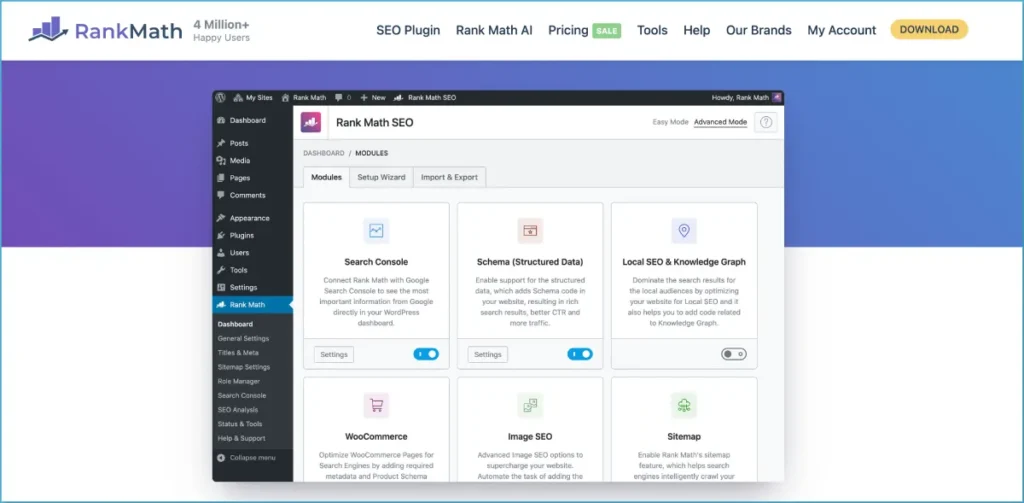
Best: WordPress SEO, on-page optimization, Schema, technical SEO and AI search visibility
Ease of use: Beginner to Intermediate
Pricing: Free version available; paid plans start at around $96/year, with higher plans for businesses and agencies.
Rating: 4.8/5 on WordPress.org from more than 7,500 reviews, with 4+ million active installations.
Rank Math is a feature-rich SEO tool for WordPress that brings many everyday SEO tasks into the WordPress dashboard. You can use it to optimize titles and descriptions, manage Schema markup, create XML sitemaps, handle redirects, monitor 404 errors and connect search performance data without relying on several separate plugins.
How Rank Math Works
- Set up your website: The setup wizard helps configure basic SEO settings and import settings from another SEO plugin if needed.
- Optimize pages and posts: Add your target keywords and use Rank Math’s on-page recommendations while editing content.
- Manage technical SEO: Configure XML sitemaps, robots.txt, canonical URLs, redirects, 404 monitoring and Schema from WordPress.
- Connect search data: Integrate Google Search Console and Analytics to bring selected search and traffic information into your WordPress dashboard.
- Track rankings: Paid plans include keyword rank tracking for monitoring search positions over time.
- Use AI features: Rank Math includes AI-assisted content features and tools for monitoring visibility across AI search platforms.
- Manage Schema: Choose from multiple Schema types and customize structured data for different content formats.
Rank Math also offers an llms.txt generator. I would treat this as an optional feature rather than an essential SEO setting. Google has not made llms.txt a requirement for appearing in Google Search, so it should not be presented as a ranking shortcut.
Who Should Use Rank Math?
Rank Math works well for WordPress bloggers, publishers, small businesses, agencies and SEO professionals who want more control from inside WordPress. It is particularly useful when you want one plugin to handle several on-page and basic technical SEO tasks.
The downside is that there are many settings to learn. Beginners who only need titles, meta descriptions and XML sitemaps may find the interface more extensive than necessary.
If you want professional help with WordPress optimization, Webseotrends also provides WordPress SEO Services.
Rank Math Pros and Cons
Pros
- Broad free feature set
- Strong on-page SEO controls
- Schema and XML sitemap management
- Redirect and 404 monitoring
- Search Console and Analytics integration
- Rank tracking on paid plans
- AI-assisted SEO features
- Useful for managing multiple WordPress websites
Cons
- Large feature set can be overwhelming
- Some advanced features require paid plans
- SEO scores can encourage checklist-based optimization
- AI features should be treated as supporting tools, not ranking guarantees
My Take on Rank Math
Rank Math is a strong choice if you want an SEO tool that handles a wide range of WordPress SEO tasks from one dashboard. I would use it for on-page optimization, Schema, sitemaps, redirects and basic search monitoring, while relying on dedicated SEO platforms for deeper backlink research, large-scale keyword analysis and technical website crawling.
I personally use Rank Math for all our sites.
Its AI-related features also give it a place in a modern Best SEO Tools stack, but I would still treat AI visibility reports and content scores as supporting data—not substitutes for good SEO strategy, useful content and proper technical optimization.
What On-Page SEO Tools Analyze
On-page SEO tools look at the page itself and compare it with what currently ranks. Typical checks include:
- Title tags, meta descriptions and heading structure
- Topic coverage compared with top-ranking pages
- Related terms and questions worth answering
- Readability and content structure
- Internal linking opportunities
- Image alt text and basic schema
The best SEO optimization tools in this category grade a draft against the results already ranking, then leave the actual decisions to you. Treat the score as a checklist, not a verdict.
If you want this done for you, Webseotrends offers on-page SEO services and SEO content writing services.
SEO Content Optimization vs. AI Content Generation
These get lumped together, and they shouldn’t be.
Content optimization improves a page you’ve already planned by checking coverage, structure and clarity against what searchers want. AI content generation produces draft text. One doesn’t imply the other, and neither guarantees rankings.
Google’s guidance keeps pointing to helpful, original content: pages with experience, specifics and insight rather than a generic summary anyone could produce. A high optimization score on a generic draft is still a generic page. My advice is to use scoring tools to find gaps, then fill them with what only you can add: real examples, data, opinions and expertise.
Best SEO Tools for Link Building and Backlink Analysis
Ahrefs
For link building, Ahrefs is the tool most SEOs open first. Site Explorer shows a domain’s referring domains, anchor text, new and lost links, and Content Explorer helps find prospects (on higher plans). The full breakdown, pricing and ratings are in the Ahrefs review earlier in this guide.
Semrush
Semrush offers backlink analytics and link-gap tools, with outreach features on higher plans. It’s a sensible choice if you already use it for research and want link work in the same login. See the Semrush review for pricing, limits and ratings.
Moz Pro
Moz Pro’s Link Explorer is one of the longest-running link indexes, and Moz’s Domain Authority is widely used as a quick comparison metric (a third-party metric, not a Google signal). Pricing and ratings are covered in the Moz Pro review.
What Backlink SEO Tools Help You Find
Backlink tools map who links to a site and how. The useful views are:
- Referring domains: how many unique sites link, which matters more than raw link counts.
- Backlinks: individual links, their targets and status.
- Anchor text: how others describe the page.
- Link quality: relevance, authority and risk signals (each vendor’s metric is proprietary).
- Competitor backlinks: where rivals earn links you don’t have.
- Lost and new links: movement over time.
The best SEO link building tools do two separate jobs: they analyze existing links, and they help you run outreach. Few products excel at both, so most people combine a backlink index with an outreach tool. That’s true whether you’re shopping for link building tools for SEO on a solo site or building a link building SEO tools stack for an agency.
What to Look for in a Backlink Analysis Tool
Prefer tools that show index freshness (how recently links were found), filters by link type and status, anchor and target breakdowns, and exports. Compare two tools on a small sample site you know well; indexes differ, and each will miss links the other finds.
A note on approach: link tools show you where links exist, not how to earn them responsibly. Buying links or using manipulative schemes can violate Google’s spam policies. Use these tools to find real opportunities: unlinked mentions, broken-link replacements, resource pages and partnerships worth pursuing.
Bulk SEO tools matter here too. Exporting hundreds of prospects or running many domains through a checker is where paid plans separate from free ones. If you’d rather hand link work to specialists, Webseotrends covers link building services.
For approaches that hold up over time, see our guide to natural link building techniques.
Best Local SEO Tools for Businesses and Agencies
BrightLocal
BrightLocal is a local SEO platform built around the tasks that matter most for location-based businesses. It combines local rank tracking, geo-grid analysis, citation monitoring, Google Business Profile audits, review management, and white-label reporting in one platform.
Best for: Local rank tracking, citations, Google Business Profile audits, reviews, and local SEO reporting.
Ease of use: Beginner to Intermediate
Pricing: BrightLocal offers Track, Manage, and Grow plans based on the number of locations. Current help-center pricing starts at $41/month for one location on Track, $54/month for Manage, and $65/month for Grow. Annual billing is discounted. A 14-day free trial is available, while Citation Builder is sold separately from $2 per citation.
BrightLocal Rating and Reviews: 4.6/5 on G2 (228 reviews), 4.8/5 on Capterra (281 reviews), and 4.6/5 on Trustpilot (752 reviews). Ratings and review counts can change over time.
How BrightLocal Works
Add a business location and target keywords to monitor local and Google Maps rankings. BrightLocal’s Local Search Grid shows how rankings change across a geographic area, while its citation and GBP tools help identify listing inconsistencies and local SEO issues. Higher-tier plans also add listing management, review tools, and AI-powered insights.
BrightLocal has also added Local AI Visibility, which tracks how a business appears in ChatGPT, Google AI Overviews, and Google AI Mode. The feature reports metrics such as mentions, share of voice, average position, tracked prompts, competitors, and the sources used by AI platforms.
Who Is BrightLocal For?
BrightLocal is a practical choice for local SEO agencies, freelancers, small businesses, and multi-location brands. It is especially useful when you need to track several locations, monitor local competitors, manage citations, and produce client-ready reports from one platform.
Pricing Plans
BrightLocal’s plans are priced according to the number of active locations. Current pricing starts at $41/month for Track, $54/month for Manage, and $65/month for Grow for one location, with lower effective pricing available through annual billing. Track focuses on local SEO tracking and auditing, Manage adds listing management, and Grow adds reputation and review management.
Local AI Visibility is included at no additional cost with Track, Manage, and Grow plans for active locations. Citation Builder is separate and starts at $2 per citation.
Pros and Cons
Pros
- Strong local rank tracking
- Useful geo-grid ranking analysis
- Citation and listing management
- Google Business Profile audits
- Review monitoring and management
- White-label reporting
- Local AI visibility tracking
Cons
- Pricing increases as you add locations
- Citation building is charged separately
- Some features are restricted to higher-tier plans
- The full platform may be more than a single-location business needs
My Take on BrightLocal
BrightLocal makes the most sense when local search is a core part of your SEO strategy. Its combination of rankings, geo-grid data, citations, GBP audits, reviews, reporting, and newer AI visibility tracking gives agencies and multi-location businesses a broad local SEO workflow without needing several separate tools.
Local Falcon
Local Falcon takes a different approach to local SEO. Instead of giving you one ranking for a city, it shows how a business performs across multiple points on a map. That makes it much easier to see where local visibility is strong, where it drops off, and how competitors compare.
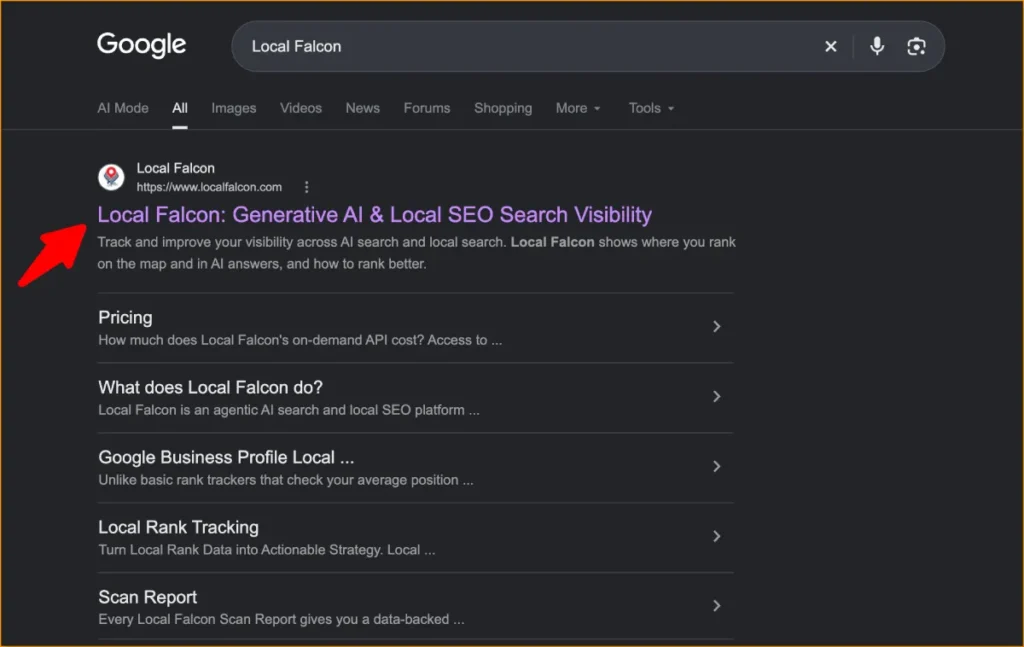
Best for: Local rank tracking, Google Maps visibility, geo-grid analysis, and AI search monitoring.
Ease of use: Beginner to Intermediate
Pricing: Starts at $24.99/month for 7,500 credits, with larger plans available for higher-volume tracking.
Local Falcon Rating and Reviews: 4.7/5 on G2 from 155 reviews. Users generally like its visual approach to local rank tracking, while the credit-based system is something to consider if you run frequent or large scans.
How Local Falcon Works
Enter a business, choose your keyword and search platform, set the area you want to check, and run a scan. Local Falcon then plots the rankings on a map, giving you a quick visual overview of local search performance.
You can save scans and compare them over time to see whether rankings are improving. Keep in mind that each point in a scan uses credits, so larger grids, more keywords, and frequent tracking will use your allowance faster.
The platform has also expanded beyond traditional local SEO tools. It can monitor visibility across Google Maps and Apple Maps, as well as AI search experiences including Google AI Overviews, Google AI Mode, ChatGPT, and Gemini.
Who Is Local Falcon For?
Local Falcon is particularly useful for local SEO agencies, consultants, franchises, and businesses with defined service areas. The map-based reports are also handy when you need to show a client exactly how their visibility changes from one part of a city to another.
It isn’t designed to replace every SEO tool in your stack. If you also need citation management, review management, keyword research, or technical site audits, you’ll likely need separate tools.
Pricing Plans
Local Falcon uses credits rather than a simple unlimited subscription. The Starter plan costs $24.99/month for 7,500 credits, with higher plans providing more credits for larger campaigns.
Your credit usage depends on factors such as grid size, keywords, locations, and how often you run scans. Monthly package credits expire at the end of the billing cycle, while annual and pay-as-you-go credits have different terms.
There is also a 100-credit free trial, which gives you a chance to see how the platform works before paying.
Pros and Cons
Pros
- Excellent visual local rank tracking
- Easy-to-understand geo-grid reports
- Google Maps and Apple Maps tracking
- AI search visibility monitoring
- Useful for client reporting
- Helpful for comparing local competitors
Cons
- Large scans can use credits quickly
- Monthly credits expire
- More focused on tracking than complete local SEO management
- You may need other SEO tools for citations, reviews, and technical SEO
My Take on Local Falcon
What makes Local Falcon useful is its simplicity: you can look at a map and immediately understand local visibility. That’s harder to get from a traditional rank-tracking SEO tool.
I wouldn’t call it the best SEO tool for every type of website, but if local rankings and Google Maps visibility are central to your strategy, Local Falcon fills a very specific gap. Its AI visibility tracking also makes it more relevant as SEO expands beyond traditional search results.
Whitespark
Whitespark is a Local SEO tool built specifically for businesses and agencies that need better visibility in local search. Instead of trying to cover every area of SEO, it focuses on citation building, local rank tracking, Google Business Profile management, and geographic ranking data.
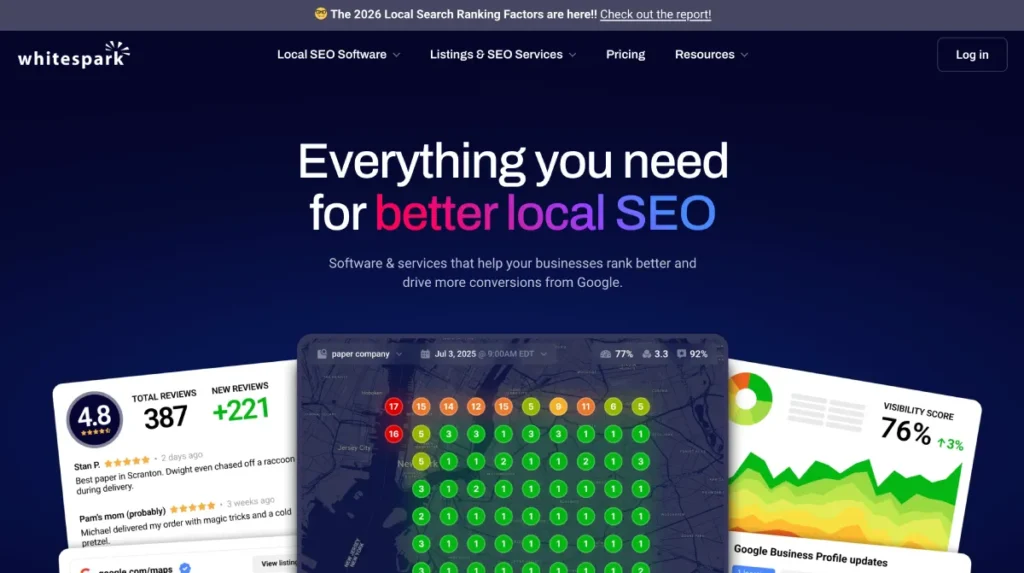
Whitespark Rating and Reviews: 4.6/5 on G2 from 22 reviews.
Best for: Local SEO, citation research, and local rank tracking
Ease of use: Beginner to Intermediate
Pricing: Starts at $10/month for Local Ranking Grids, with other tools priced separately.
How Whitespark Works
Whitespark provides several specialized tools that can be used individually. Local Citation Finder helps identify citation opportunities by comparing your business with competitors, while Local Rank Tracker monitors keyword positions across Google organic results, the Local Pack, and Google Maps.
Its Local Ranking Grids show how rankings change across different locations, making it easier to identify areas where a business has strong or weak local visibility. Whitespark also provides tools for managing Google Business Profiles and local SEO reporting.
This focused approach makes Whitespark different from all-in-one SEO tools such as Semrush or Ahrefs. It is primarily designed for businesses where local search visibility is a major part of the SEO strategy.
Who Is Whitespark For?
Whitespark is designed for local businesses, SEO agencies, consultants, freelancers, and multi-location brands. It is particularly useful when you need detailed citation research or want to track local rankings from specific geographic locations.
If you already use another SEO tool for keyword research, backlinks, and technical SEO, Whitespark can complement that toolkit with more specialized local SEO data.
Pricing
Whitespark’s Local Ranking Grids start at $10/month, while its other products have separate pricing. Local Rank Tracker starts at $14/month and Local Citation Finder starts at $33/month.
Because the products are sold separately, you can choose the tools you actually need instead of paying for a large bundle of SEO features.
Pros and Cons
Pros
- Specialized local SEO features
- Strong citation research
- Local Pack and Google Maps rank tracking
- Geographic ranking grids
- Google Business Profile tools
- Useful for agencies and local businesses
Cons
- Not a complete all-in-one SEO platform
- Products are priced separately
- Costs can increase when using multiple tools
- Less useful if local SEO is not a priority
My Take on Whitespark
Whitespark is one of the more specialized options in this best SEO tools list. Its strength is local search rather than general SEO, making it useful for citation research, local rank tracking, and Google Maps visibility.
If you need a complete SEO platform covering keyword research, backlinks, technical SEO, content optimization, and rank tracking, you may want an all-in-one SEO tool instead. For dedicated local SEO work, however, Whitespark can be a useful addition to your SEO toolkit.
What Local SEO Tools Help With
Local SEO software supports businesses that depend on nearby customers. Core jobs include:
- Local rankings: map-pack and local organic positions, often as a geo-grid.
- Citations: keeping name, address and phone details consistent across directories.
- Google Business Profile workflows: monitoring profile data and posts.
- Reviews: requests, monitoring and responses.
- Local listings: distributing accurate data to directories.
- Competitor research: who else shows up for “near me” style searches.
- Local reporting: client-ready summaries for agencies and multi-location brands.
This is a brief overview. Our dedicated guide to the [INTERNAL LINK NEEDED: best local SEO tools → Webseotrends best local SEO tools page] goes further.
For a local SEO audit tool, BrightLocal and Semrush’s local modules are common starting points, and free options like Google Business Profile Insights and Search Console cover the basics. For local SEO reporting tools, look for white-label PDFs, scheduled emails and dashboard connectors.
Local SEO Tools for Small Businesses vs. Agencies
A single-location business needs simple tracking and clean listings. Per-location pricing is affordable at one site and gets expensive at twenty. Look for guided tasks and a tool that reminds you what to do, not just what your rank is.
Agencies serving local clients need multi-client dashboards, white-label reporting, and citation workflows they can repeat. That’s where local SEO tools for an SEO agency differ: pricing models (per location versus flat), reporting exports and API access matter as much as features. Our [INTERNAL LINK NEEDED: best local SEO tools → Webseotrends best local SEO tools page] guide compares both scenarios in more depth.
If you’d rather have local visibility handled for you, see Webseotrends’ local SEO services.
Best AI SEO Tools for AI Search and Brand Visibility
Otterly.AI
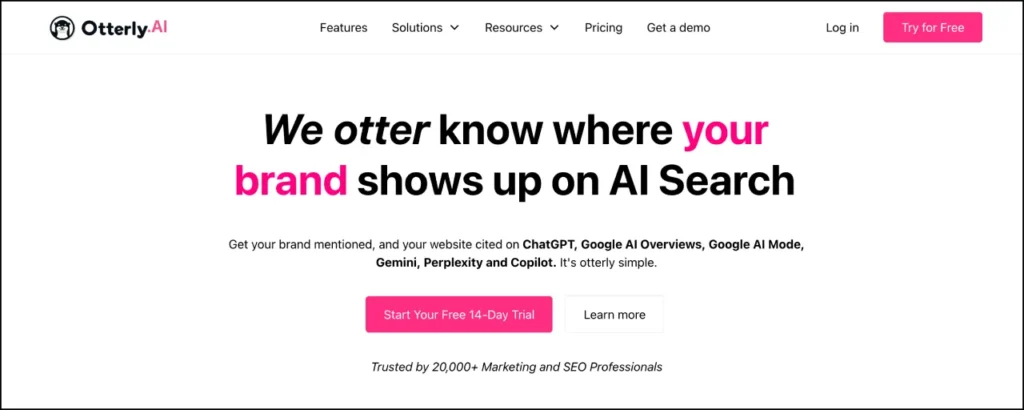
Otterly.AI Rating and Reviews: 4.7/5 on G2 from 54 reviews.
Best for: AI search monitoring for small SEO teams, agencies, and businesses
Ease of use: Beginner to Intermediate
Pricing: Starts at $29/month for 15 prompts.
Otterly.AI is a specialized SEO tool for monitoring AI search visibility. It tracks how brands and competitors appear in AI-generated answers, giving SEO teams another way to measure search visibility beyond traditional Google rankings.
Unlike a full SEO platform such as Semrush or Ahrefs, Otterly focuses mainly on AI search monitoring. That makes it useful when you already have traditional SEO tools for keyword research, backlinks, technical SEO, and rank tracking but want to monitor AI-generated results as well.
How Otterly.AI Works
You add prompts based on the questions your audience might search for, select the relevant locations and AI platforms, and monitor the results over time. Otterly reports brand mentions, competitors, visibility trends, sentiment, and cited sources.
The platform can therefore help answer a simple SEO question: is your brand appearing when potential customers search for information through AI-powered search?
For a broader look at platforms in this category, see our AI Visibility Tools guide.
Who Is Otterly.AI For?
Otterly.AI is suited to small businesses, SEO consultants, agencies, and in-house marketing teams that want to add AI search monitoring to an existing SEO workflow.
It is particularly relevant if you do not need a large enterprise platform and simply want to track a defined set of prompts and competitors.
Pricing
Otterly.AI starts at $29/month, with higher plans increasing the number of prompts and available features. Because usage is closely tied to prompt limits, consider how many searches you actually need to monitor before choosing a plan.
Pros and Cons
Pros
- Low starting price
- Simple setup
- Tracks brand and competitor mentions
- Useful citation and sentiment data
- Suitable for agencies and smaller teams
Cons
- Prompt limits can become restrictive at higher usage
- Some features and platforms depend on the plan
- Focused on AI search rather than traditional SEO
- Not a replacement for a complete SEO platform
My Take on Otterly.AI
Otterly.AI is a useful addition to an SEO toolkit if AI search monitoring is becoming part of your organic search strategy. It should be viewed as a specialist tool rather than an all-in-one SEO platform.
If your main goal is comparing AI visibility platforms, our dedicated AI Visibility Tools guide goes into much more detail on Otterly.AI and its alternatives.
Peec AI
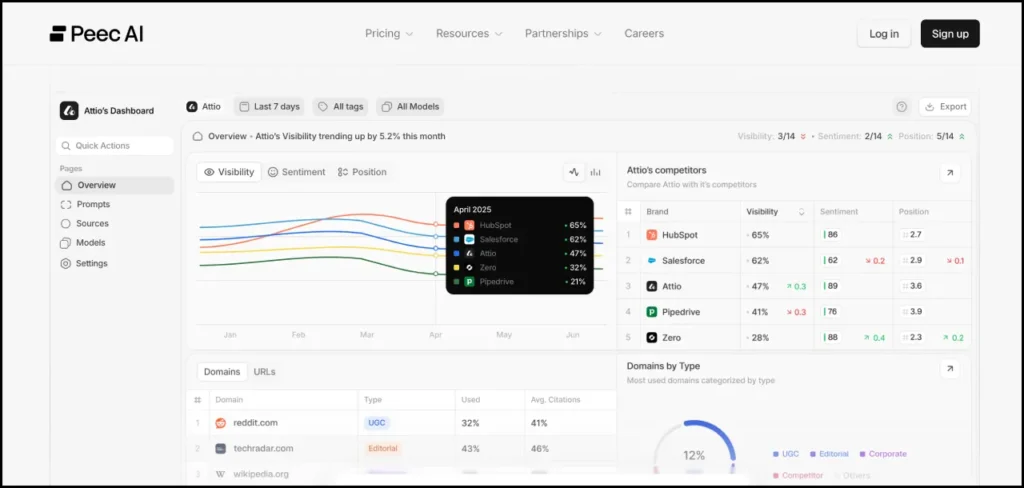
Peec AI Rating and Reviews: 4.7/5 on G2 from 21 reviews.
Best for: AI search analytics, competitor monitoring, and citation analysis
Ease of use: Beginner to Intermediate
Pricing: Starts at around $80/month with annual billing.
Peec AI focuses on the analytics side of AI-powered search. It tracks brand mentions, competitors, prompts, sentiment, and the sources cited in AI-generated answers.
For a Best SEO Tools list, Peec AI is best understood as a specialist addition to traditional SEO software. It does not replace keyword research, backlink analysis, site audits, or conventional rank tracking. Instead, it gives SEO and marketing teams visibility into another type of search result.
How Peec AI Works
You define the prompts and competitors you want to monitor, and Peec AI analyzes the resulting AI answers. Its reporting shows where your brand appears, how competitors perform, and which websites and sources are referenced in the answers.
This source-level information can be useful for SEO research because it gives you another view of which websites and content are being surfaced around important topics.
If you want a deeper comparison of AI monitoring platforms, see our AI Monitoring Tools guide.
Who Is Peec AI For?
Peec AI is mainly suited to SEO teams, agencies, content teams, and businesses that already have a traditional SEO process and want additional data about AI-generated search results.
It makes less sense as a first SEO purchase for a new website. A beginner will generally get more value from foundational SEO tools for keyword research, technical SEO, Search Console, and rank tracking first.
Pricing
Peec AI starts at around $80/month when billed annually, with higher plans providing additional prompt capacity and features.
Because pricing and included AI platforms can change, check the current plan before subscribing.
Pros and Cons
Pros
- Focused AI search analytics
- Competitor visibility tracking
- Citation and source analysis
- Prompt monitoring
- Useful for agencies and marketing teams
Cons
- More specialized than a traditional SEO tool
- Not designed for technical SEO or backlink analysis
- Higher entry cost than some basic monitoring platforms
- Relatively small G2 review base
My Take on Peec AI
Peec AI is worth considering when you already have the fundamentals of SEO covered and want to measure brand visibility in AI-generated search results. It belongs in the specialist section of your SEO toolkit rather than being treated as a replacement for an all-in-one SEO platform.
For a deeper look at AI visibility software, use the dedicated AI Monitoring Tools article rather than expanding this section into a full AI-tool comparison.
Profound
Profound Rating and Reviews: Profound has more than 1,100 reviews listed on G2.
Best for: Enterprise AI search analytics and large SEO teams
Ease of use: Intermediate to Advanced
Pricing: Starts at around $99/month, with higher plans and enterprise options available.
Profound is an advanced AI search analytics tool designed for businesses that need deeper visibility into how their brands appear across AI-powered search experiences.
It sits at the specialist end of this best SEO tools list. While traditional SEO platforms focus on Google rankings, keywords, backlinks, and technical performance, Profound adds data around AI-generated answers, prompts, competitors, citations, and AI search performance.
How Profound Works
Profound monitors AI search activity and analyzes how brands and competitors appear in generated answers. Depending on the plan, it provides data around prompts, citations, competitors, AI search traffic, and other visibility metrics.
The platform is therefore more appropriate for teams that need ongoing AI search intelligence rather than occasional manual checks.
For a detailed comparison of Profound with other AI visibility platforms, see our AI Visibility Tools guide.
Who Is Profound For?
Profound is primarily aimed at larger businesses, enterprise SEO teams, agencies, and marketing departments with a significant investment in organic search.
For a small website that only wants to check whether its brand appears in ChatGPT or Google’s AI results, a simpler tool may be enough. Profound becomes more relevant when AI search monitoring needs to be incorporated into a broader reporting and SEO workflow.
Pricing
Profound starts at around $99/month, with higher plans offering additional capabilities and enterprise options. Pricing and feature availability can vary by plan, so check the current offering before purchasing.
Pros and Cons
Pros
- Advanced AI search analytics
- Broad AI search coverage
- Competitor and prompt analysis
- Detailed reporting capabilities
- Designed for larger teams and organizations
Cons
- More than many small businesses need
- Advanced features require higher-tier plans
- Primarily focused on AI search rather than traditional SEO
- Can be expensive as requirements grow
My Take on Profound
Profound is best viewed as an advanced AI search tool within a larger SEO stack. It can provide valuable data for organizations that need to monitor AI-generated search results at scale, but it is not the first tool most beginners need.
If you’re comparing AI visibility platforms specifically, our dedicated AI Visibility Tools article is the better resource for that decision.
What Are AI SEO Tools?
The phrase covers two different things, and it helps to separate them:
- AI-assisted SEO tools that use AI to speed up tasks: clustering keywords, drafting briefs, suggesting fixes.
- AI visibility tools that measure how your brand appears inside AI-generated answers.
This section is about the second group, though many AI SEO tools now blend both. For AI SEO support beyond software, see Webseotrends’ AI SEO services.
This is the overview. Our dedicated roundup of the best AI visibility tools is the place to compare platforms in depth.
What to Measure in AI Search
AI visibility tools generally run a set of prompts on a schedule and record what comes back. The useful measures are:
- Brand mentions: does the answer name you at all?
- Citations and source attribution: which URLs does it cite, yours or someone else’s?
- Visibility across prompts: how often you appear across a tracked set.
- Competitors: who is mentioned instead of you.
- Answer content: how the AI describes your brand and whether it’s accurate.
- Sentiment and framing where the tool supports it.
Because AI answers are non-deterministic, tools typically sample. Read trends rather than single snapshots.
Price is metered by prompts and engines, not just the plan name. A cheap plan that tracks 15 prompts on four engines may not cover your needs.
Remember the caveat from Google’s guidance: no tool can promise inclusion in AI answers, and Google says fundamentals still drive its AI features. These tools measure. They don’t fix visibility on their own.
Best LLM SEO Tools for ChatGPT, Perplexity, Gemini and Google AI
What Is LLM SEO?
LLM SEO is the practice of improving how your brand and content show up in answers from large language model products such as ChatGPT, Perplexity and Gemini. It overlaps heavily with classic SEO: clear pages, credible sources, accurate entity information, brand mentions and crawlable content. It isn’t a separate universe, and be wary of anyone who says it is.
What LLM SEO Tools Track
The market is young, and terminology varies: you’ll see the same product described as an AI Mode SEO tracking tool, an AI Mode SEO rank tracking tool, an AI Mode SEO analysis tool or simply a GEO platform. Read the feature list, not the label.
An LLM SEO tracking tool normally records whether your brand is mentioned, which sources are cited, which competitors appear, and how answers change over time. An LLM SEO analysis tool goes a step further by suggesting which content or sources may influence the answer. Treat suggestions as hypotheses. Vendors can measure outputs; they can’t see inside a model’s ranking logic.
ChatGPT, Perplexity, Gemini and Google AI Visibility
The platforms behave differently, so check which ones a tool covers. A ChatGPT SEO tracking tool samples prompt responses, which can vary by user, session and whether web search is used. Perplexity SEO rank tracking tools typically log cited URLs because Perplexity shows citations prominently. Google’s AI Overviews and AI Mode sit inside Search, and Google says their traffic is included in Search Console reporting. Coverage varies: some tools bundle Google AI features while others sell Gemini or AI Mode as add-ons.
If you’re shopping for an AI SEO tool for brand visibility in ChatGPT, ask which engines are included, how many prompts you get, and whether the tool tracks the real interface or API responses.
LLM SEO Analysis vs. Traditional SEO Analysis
Traditional analysis works with relatively stable, position-based data: a page ranks third for a query. LLM analysis works with sampled, probabilistic answers where the same prompt can return different brands on different runs.
That means fewer hard conclusions and more careful reading. Avoid claims about how any specific AI system selects sources. That isn’t publicly documented for most of them. Anchor your strategy in the fundamentals that Google’s guidance and common sense support: useful original content, technical accessibility and a real reputation. The best LLM SEO tracking tools help you measure the outcome, not manufacture it.
Best SEO Tools for Small Businesses and Beginners
Best SEO Tools for Beginners
If you’re learning, the best SEO tools for beginners teach you what the numbers mean while staying affordable. A workable setup: Google Search Console for queries and indexing, Google Analytics for behavior after the click, Screaming Frog’s free version for a first crawl, Bing Webmaster Tools as a second data source, and one low-cost keyword tool such as Mangools or Moz Pro Starter. Keep the stack small. Beginners tend to buy three tools and use half of one.
Best SEO Tools for Small Businesses
Small businesses usually lack time more than data, so good small business SEO tools should answer “what should I do this week?” Start free, add one affordable SEO tool (SE Ranking Core, Moz Pro, Mangools or Semrush Pro all sit roughly between $30 and $140 a month), and add local tools only if you serve a local area. Prefer AI SEO tools for small businesses that turn data into tasks, and be skeptical of anything promising hands-off results. SEO automation tools are useful for scheduled crawls, alerts and reports, but they don’t replace judgment about content.
SEO Tools for YouTube, Bloggers and Spreadsheet Workflows
- YouTube SEO tools: vidIQ and TubeBuddy are the two names most people compare, and both offer free plans with keyword and metadata features. Paid pricing varies by plan and billing, so check each vendor. Treat YouTube Studio’s analytics as the source of truth for any YouTube channel SEO tool. If you’d rather outsource channel optimization, Webseotrends offers YouTube SEO services.
- Blogger SEO tools: Search Console, a keyword tool, an on-page checker and a plugin such as Yoast SEO or Rank Math cover most needs. SEO copywriting tools such as Frase or Surfer help structure posts, but the writing has to be yours.
- Excel and spreadsheet users: many SEO tools for Excel are export workflows. Screaming Frog, Semrush, Ahrefs and Search Console all export CSVs that Excel or Google Sheets can filter and pivot. Some Excel SEO tools are add-ons, so confirm compatibility with your Excel version. Spreadsheets also handle light SEO project management tools needs; Looker Studio (free) is a common choice for dashboards.
- Mobile SEO tools: there’s no separate category. Use PageSpeed Insights, Search Console and a crawler that can render pages as a smartphone.
Some SEO studio tools collections bundle small free utilities such as word counters and meta tag generators. They’re fine for quick jobs; check who runs the site and what happens to text you paste in.
DIY SEO Tools vs. Professional SEO Software
DIY SEO tools (free tools plus one low-cost subscription) work when you have time, a small site and the willingness to learn. A DIY SEO tool stack of Search Console, a free crawl and one keyword tool takes small sites surprisingly far.
Professional software makes sense when volume or stakes rise: several sites, many keywords, client deliverables, or organic traffic that drives real revenue. The extra cost buys capacity, data depth and collaboration, not guaranteed rankings. My test is simple: if the tool saves more hours a month than it costs, or protects revenue you can’t afford to lose, pay for it. If you’d open it twice a quarter, don’t.
Best SEO Tools for SEO Agencies and Digital Agencies
Semrush
Semrush works for agencies that want one platform for research, audits, reporting and AI visibility. Business lists white-label and API access. Watch seat and add-on costs as your client count grows (see the Semrush review).
SE Ranking
SE Ranking is a popular agency choice for value: high tracked-keyword capacity, multiple projects and a white-label Agency Pack add-on. Growth is the tier most agencies land on (full review).
Ahrefs
Ahrefs suits agencies focused on research and link work; Advanced adds Looker Studio connectors and more seats. Credits and add-ons need planning (full review).
Mangools
Mangools’ Agency plan adds seats and higher limits at a low price, but lacks an audit module, so pair it with a crawler (full review).
Nightwatch and AccuRanker
For rank tracking at scale, Nightwatch (location granularity, white-label) and AccuRanker (speed, large keyword sets) are the specialist options (Nightwatch, AccuRanker).
BrightLocal and Local Falcon
Local-heavy client rosters typically combine BrightLocal (audits, citations, reporting) with Local Falcon (geo-grid visuals). These cover local SEO tools for an SEO agency; see the BrightLocal and Local Falcon reviews.
Screaming Frog and Sitebulb
Crawlers remain essential for audits. Screaming Frog is the flexible choice, and Sitebulb produces client-ready reports (Screaming Frog, Sitebulb).
Enterprise SEO Software
Large organizations with complex sites often move to quote-based platforms and cloud crawlers with SSO, governance and custom data limits. For that scale, expect a sales process instead of a pricing table.
What Agencies Need From SEO Software
Agencies don’t just need data; they need repeatable delivery. The requirements that matter most:
- Client management: separate projects or workspaces per client.
- Reporting: scheduled, branded and easy for clients to understand.
- Rank tracking: enough keyword capacity for every account.
- Audits: fast, shareable site health reports. A dependable SEO audit tool for agencies doubles as a sales tool.
- White-label options: your logo, not the vendor’s.
- Scalability: a plan that doesn’t jump sharply when you add three clients.
- Integrations: Looker Studio, Google Analytics, Search Console and APIs.
- Team access: seats, permissions and shared views.
The best SEO tools for agencies vary with size, but the field is fairly consistent: See the tool notes above for how each option fits.
For SEO tools for digital agencies that also run paid media and content, all-in-one platforms reduce login sprawl, while specialists give better depth in one area.
White-Label and Reporting Features
White-label reporting is where cost details hide. Check whether it’s included or an add-on (SE Ranking’s is an add-on), whether it needs a higher tier (Semrush lists it on Business), and whether reports can be scheduled and exported as PDFs or connected to dashboards.
Also test a real client scenario before committing: add a client, connect Search Console, generate a report, and time it. If reports take longer to produce than to write by hand, the tool isn’t saving you anything.
Best Free SEO Tools vs. Paid SEO Tools
Google Analytics
Google Analytics Rating and Reviews: 4.5/5 on G2 from 6,875 reviews.
Best for: Measuring website traffic, user engagement, conversions, and SEO performance
Ease of use: Intermediate
Pricing: Free for standard Google Analytics; Google also offers paid Analytics 360 products for larger organizations.
Google Analytics is one of the most useful free SEO tools for understanding what happens after someone reaches your website. While Google Search Console shows how your site performs in Google Search, Google Analytics helps you analyze what visitors do after they arrive—including engagement, conversions, and traffic sources.
For SEO professionals, that makes Google Analytics less of a traditional SEO tool and more of a measurement platform that helps connect organic traffic with actual business results.
How Google Analytics Works
Google Analytics 4 (GA4) collects website and app activity through data streams and organizes it around users, sessions, events, and key events. You can use its reports to see where visitors come from, which pages they visit, how they engage with your site, and which actions matter to your business.
The Traffic acquisition report is particularly useful for SEO because it breaks down traffic by acquisition channels, including Organic Search, Referral, Direct, Paid Search, and other sources.
You can also connect Google Analytics with Google Search Console to bring organic search queries, clicks, impressions, average position, and landing-page data into Analytics. This makes it easier to connect search visibility with what users do once they reach your website.
GA4 also introduced a dedicated AI Assistant channel in 2026. Recognized traffic from AI assistants such as ChatGPT, Gemini, and Claude can be categorized separately, making it easier to monitor traffic generated by AI-powered discovery alongside traditional organic search.
Who Is Google Analytics For?
Google Analytics is suitable for almost any website owner, SEO professional, marketer, agency, or business that wants to measure website performance.
It is especially useful when your SEO goals go beyond rankings and traffic. For example, you can use Analytics to determine whether organic visitors engage with your content, submit forms, purchase products, or complete other important actions.
The main drawback for beginners is the learning curve. GA4 provides a large amount of data, and understanding events, dimensions, attribution, and reports can take some time.
Pros and Cons
Pros
- Free for standard use
- Strong traffic and conversion reporting
- Integrates with Google Search Console
- Connects organic traffic with user behavior
- Supports detailed event and key-event tracking
- Can measure AI Assistant traffic
- Useful for SEO, PPC, content, and marketing teams
Cons
- Steeper learning curve than simpler analytics tools
- GA4 reports can feel complicated for beginners
- Attribution and traffic-source data require careful interpretation
- Privacy, consent, and tracking requirements need to be considered
My Take on Google Analytics
Google Analytics belongs in a best SEO tools list because it helps turn SEO traffic data into measurable business outcomes. It does not replace a keyword research tool, rank tracker, backlink checker, or technical SEO crawler, but it fills an important gap: showing what visitors do after they arrive.
For most websites, pairing Google Analytics with Google Search Console provides a strong foundation for measuring organic search performance. Search Console tells you how people find your site in Google, while Analytics helps you understand what they do afterward.
Where the Free Tools Fit
If you’re wondering what the best free SEO tool is, Google Search Console is the answer, because it’s first-party data no third-party product can replicate. The best free SEO tools 2026 has to offer fit together like this:
| Free tool | What it covers | Reviewed above |
|---|---|---|
| Google Search Console | Queries, indexing, sitemaps | Technical SEO |
| Bing Webmaster Tools | Bing data, Copilot citations | Technical SEO |
| PageSpeed Insights | Performance, Core Web Vitals | Technical SEO |
| Google Keyword Planner and Trends | Demand and seasonality | Keyword research |
| Screaming Frog (free) | Crawls up to 500 URLs | Technical SEO |
| Ahrefs Free | Own-site audits and backlinks | Keyword research |
| Google Analytics and Looker Studio | Traffic analysis and dashboards | This section |
| Yoast SEO / Rank Math (free) | WordPress on-page basics | On-page |
| Bulk URL Opener (Webseotrends) | Opening lists of URLs for quick manual checks | Free tool on this site |
Free tools have a catch: most only cover your own site or offer limited lookups, so they won’t tell you much about competitors.
When Paid SEO Tools Are Worth It
Paying makes sense when:
- You need competitor data at scale (keywords, backlinks, content).
- You track many keywords or clients and need dependable reporting.
- You do regular audits and want scheduling, comparisons and exports.
- Time saved exceeds the subscription cost.
- You need support, APIs or collaboration.
Compare cheap SEO tools carefully. The lowest sticker price often has the tightest limits: daily lookups, tracked keywords, seats or crawl caps. Real SEO tool pricing depends on those limits, and an entry plan that forces an upgrade in month two isn’t cheap. When you compare affordable SEO tools and an affordable SEO tool for a small team, count the add-ons you’ll actually need, such as extra seats, AI visibility and local modules.
Free vs. Paid SEO Tools Comparison
| Factor | Free SEO tools | Paid SEO tools |
|---|---|---|
| Cost | $0 | From about $29/month to hundreds per month |
| Data on your own site | Excellent (Search Console) | Adds tracking, history and estimates |
| Competitor data | Very limited | Core strength |
| Keyword volume and difficulty | Ranges or limited lookups | Large databases and filters |
| Backlink analysis | Own site only, limited | Full competitor and index data |
| Rank tracking | Average positions | Daily/scheduled tracking by location |
| Reporting | Manual or Looker Studio | Templates, white-label, scheduling |
| Support and team features | Community help | Support, seats, permissions |
| Best for | Beginners, small sites, learning | Agencies, competitive niches, growth teams |
How to Choose the Best SEO Tool for Your Needs
Choose Based on Your SEO Goal
When you’re choosing the best SEO tools for your situation, start with the job, not the brand. Want topics to write about? Use keyword research tools. Losing rankings after a redesign? Use a crawler and Search Console. Chasing a competitor’s links? Use backlink analysis. Running a business with a physical address? Start with local SEO tools.
Choose Based on Your Website Size
Small sites (under a few hundred pages) rarely need enterprise crawlers; free crawling and Search Console cover most of it. Mid-sized sites benefit from scheduled audits and a full rank tracker. Large sites (tens of thousands of URLs or more) need crawl capacity, log analysis and segmentation, and often more than one tool.
Choose Based on Your Budget
A rough sequence that works for many people:
- Free stack: Search Console, Analytics, PageSpeed Insights, Bing Webmaster Tools, Screaming Frog free.
- One low-cost tool: Mangools, Moz Pro Starter or Standard, or SE Ranking Core.
- One full platform: Semrush or Ahrefs when competitor and link research become central.
- Specialist add-ons: local, content optimization, outreach or AI visibility.
Budget for growth, too. Tools often meter seats, keywords, projects and credits, so the plan you need in six months might cost double what you pay today.
Choose Based on Features You Actually Need
Make a short list of must-haves before opening a pricing page. If “white-label reports” or “AI prompt tracking” isn’t on your list, don’t pay for it. Then use free trials with real data: your own site or a client site you know well. Check that numbers roughly agree with Search Console, and note which limits you hit first.
Do You Need One SEO Tool or Several?
Usually several, but not many. One first-party source (Search Console), one main platform and one specialist for your biggest gap is a realistic setup for most teams. If two tools do the same job, drop one. Once your main platform is settled, the best AI visibility tools guide and a guide to [INTERNAL LINK NEEDED: keyword research tools → Webseotrends keyword research page] can help you choose specialists.
Frequently Asked Questions About SEO Tools
What are the best SEO tools in 2026?
There’s no single answer, but the tools most often chosen as a foundation are Google Search Console (free), Semrush, Ahrefs, SE Ranking, Moz Pro and Screaming Frog. Pick by job: research and links (Ahrefs, Semrush), value and reporting (SE Ranking), crawling (Screaming Frog), and content optimization (Surfer, Frase).
What is the best free SEO tool?
Google Search Console is the most valuable free option because it shows real search data for your site. Screaming Frog’s free version, PageSpeed Insights and Bing Webmaster Tools complement it well.
What are the best SEO tools for beginners?
Start with Search Console, Analytics and a free crawl, then add one approachable paid tool such as Moz Pro or Mangools when you need keyword and competitor data.
What are the best SEO tools for small businesses?
Free Google tools plus one affordable platform, and a local tool if you serve a local area. Avoid buying a suite whose features you won’t use.
What are the best local SEO tools?
BrightLocal, Local Falcon, Whitespark, Semrush Local and Moz Local are common options, each covering different jobs (rankings, citations, listings). See our dedicated guide to the [INTERNAL LINK NEEDED: best local SEO tools → Webseotrends best local SEO tools page].
What are the best AI SEO tools?
It depends on whether you mean AI-assisted workflows or AI visibility tracking. For tracking, options include the Semrush AI Visibility toolkit, Ahrefs Brand Radar, Otterly.AI, Peec AI and Profound. Our guide to the best AI visibility tools compares them.
What are the best LLM SEO tools?
Tools that track mentions and citations across ChatGPT, Perplexity, Gemini and Google’s AI features. Compare prompt limits, engine coverage and whether extra engines cost more. Treat results as directional.
Can you do SEO without paid tools?
Yes. Search Console, Analytics, PageSpeed Insights, Bing Webmaster Tools, Google’s keyword tools and a free crawl are enough for many small sites. Paid tools mainly add competitor data, scale and time savings.
Are paid SEO tools worth it?
They’re worth it when they save time, reveal competitor data you’d otherwise miss, or support client work. They’re not worth it if you rarely log in or if the plan’s limits don’t fit your use.
How many SEO tools do I need?
Most people do well with three to four: a first-party source, a main platform, a crawler and one specialist. More than that usually means overlap.
What are the best SEO tools for YouTube?
vidIQ and TubeBuddy are the most commonly compared, and both have free plans. Start with a free tier plus YouTube Studio analytics, then upgrade when limits slow you down. The same goes for any YouTube channel SEO tool: test it on real videos first.
Which are the best SEO link building tools?
Ahrefs and Semrush are the usual starting points for backlink research, with outreach handled in dedicated outreach software. Choose based on whether you need to analyze links, manage outreach or both.
What is the best ChatGPT SEO tracking tool?
There isn’t a proven single winner. Compare the best ChatGPT SEO tracking tools by prompts tracked, engine coverage (Perplexity and Google AI too) and how they collect answers. See the best AI visibility tools guide for deeper comparisons.
What is the best LLM SEO analysis tool?
The best LLM SEO analysis tool shows which sources and competitors appear for your prompts and lets you export the data. Any AI Mode SEO rank tracking tool or LLM SEO tracking tool should be judged on transparency about how it samples answers. The best SEO automation tools, likewise, save monitoring time without making strategy decisions for you.
Final Thoughts on the Best SEO Tools
The best SEO tools for your site aren’t necessarily the biggest suites or the longest feature lists. They’re the ones that answer the questions you actually have, at a price you can justify, with limits you won’t hit next month.
Here’s how I’d decide. Set up Search Console first. Write down your top three SEO jobs. Pick the tool that does the first one well, and add others only when a real gap appears. Re-check pricing before you commit, because plans change often.
And remember what tools can’t do. Google’s guidance keeps returning to the same fundamentals: useful original content, crawlable pages and a good experience. Software helps you find and fix problems faster. It doesn’t do the work, and no tool or agency, including mine, can honestly promise rankings.
If you’d rather have an expert read the data for you, Webseotrends offers SEO audit services and full SEO services. For AI search specifically, start with the best AI visibility tools guide and our overview of AI SEO.
