


Quick Answer: The best web hosting in 2026 depends on what you’re building. For bloggers, Hostinger offers the best price-to-performance ratio from $2.69/month. For agencies managing multiple client sites, Cloudways delivers cloud performance without server management overhead. For ecommerce, WP Engine handles the demands of WooCommerce at scale. Full breakdowns, pricing tables, and honest trade-offs below.
Top Picks at a Glance
| Use Case | Best Pick | Runner-Up | Starting Price |
|---|---|---|---|
| Bloggers | Hostinger | SiteGround | From $2.69/mo |
| Agencies | Cloudways | SiteGround | From $14/mo |
| Ecommerce | WP Engine | Cloudways | From $20/mo |
| Budget All-Rounder | Hostinger Premium | DreamHost | From $2.59/mo |
| WordPress Beginners | Hostinger WP | Bluehost | From $2.19/mo |
| Cloud Performance | Hostinger Cloud | Cloudways | From $7.19/mo |
Best Hosting for Bloggers
Blogs need fast load times that don’t hurt SEO, enough storage for images and media, smooth WordPress compatibility, and pricing that doesn’t eat into revenue you’re still building. Here are the three providers that consistently deliver.
1. Hostinger — Best Overall Value for Bloggers
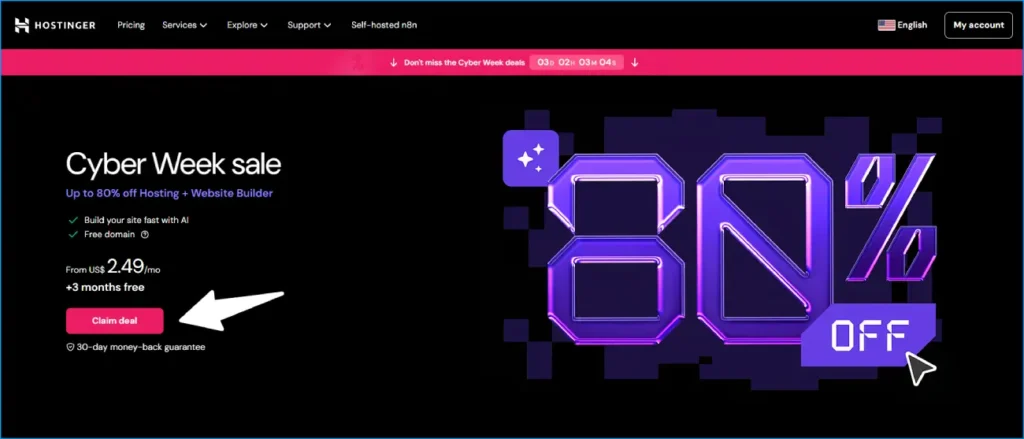
Starting at: $2.69/month (Premium plan, 24-month + HGSAVE10)
Hostinger tops blogger hosting comparisons in 2026 for good reason. LiteSpeed servers, NVMe storage, and a genuinely clean control panel (hPanel) make it the lowest-friction entry point for a new blog. The Premium plan covers 100 websites, a free domain, free SSL, and weekly backups — all for under $3/month after coupon.
For bloggers building a niche site portfolio, the 100-website limit on a single plan is the standout feature: one account, one invoice, multiple revenue streams.
Where it performs: LiteSpeed caching and NVMe storage mean WordPress loads fast from day one. With the free LiteSpeed Cache plugin installed, most optimized blogs on Hostinger’s Business plan pass Core Web Vitals without additional configuration.
Where it’s limited: Chat and ticket support only — no phone. On Single and Premium shared plans, unexpected traffic spikes can cause temporary slowdowns under heavy load.
Best for: New bloggers, niche site builders, affiliate marketers, anyone launching their first WordPress site.
For the full breakdown of Hostinger’s plans and verified coupon codes, see our Hostinger coupon codes page.
Ready to launch? Our how to start a blog guide walks you through the full process from domain registration to your first post.
2. SiteGround — Best for Growing and Multi-Author Blogs

Starting at: $3.99/month (StartUp intro pricing)
SiteGround costs more than Hostinger, but earns the premium in ways that matter once a blog gains real traction. The infrastructure runs on Google Cloud, one of only three hosts officially recommended by WordPress.org.
What makes SiteGround stand out for bloggers:
- Collaborator Access — add editors and co-authors with controlled permissions, no main account credentials shared
- Daily automatic backups on all plans — not just higher tiers
- WP-CLI and SSH on all plans
- SuperCacher — effective caching that’s active out of the box
Honest caveat: Renewal pricing jumps to $14.99/month. Always buy the longest available term at signup. No free domain — adds ~$12 to year one costs.
Best for: Established blogs with consistent traffic, multi-author publications, content teams.
3. DreamHost — Best for Maximum Risk-Free Evaluation
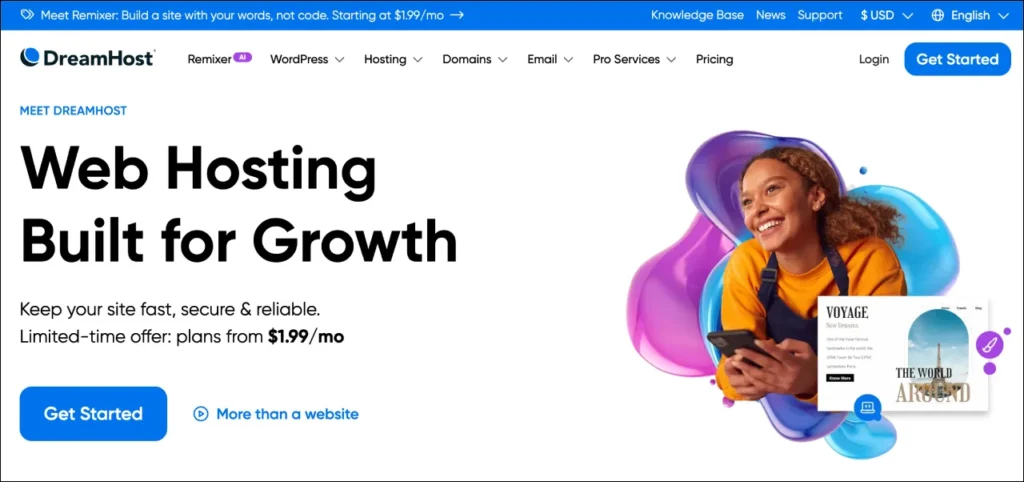
Starting at: $2.59/month (Shared Starter intro)
DreamHost’s 97-day money-back guarantee is the longest of any major host. For anyone unsure whether they’ll stick with a project, that policy removes almost all financial risk from trying.
Unlimited bandwidth, SSD storage, free domain, free SSL, and pre-installed WordPress are all included on shared plans. The custom control panel takes brief adjustment but is clean and usable.
Trade-off vs Hostinger: DreamHost runs Apache rather than LiteSpeed, so performance optimization requires more manual work — caching plugins become more important.
Best for: Cautious buyers, side-project bloggers testing the waters, anyone who wants the longest possible refund window.
Best Hosting for Agencies
Agencies need reliable performance across multiple client sites, efficient multi-site management, and the kind of uptime guarantee a business depends on. Here are the three strongest options.
1. Cloudways — Best Managed Cloud for Agencies
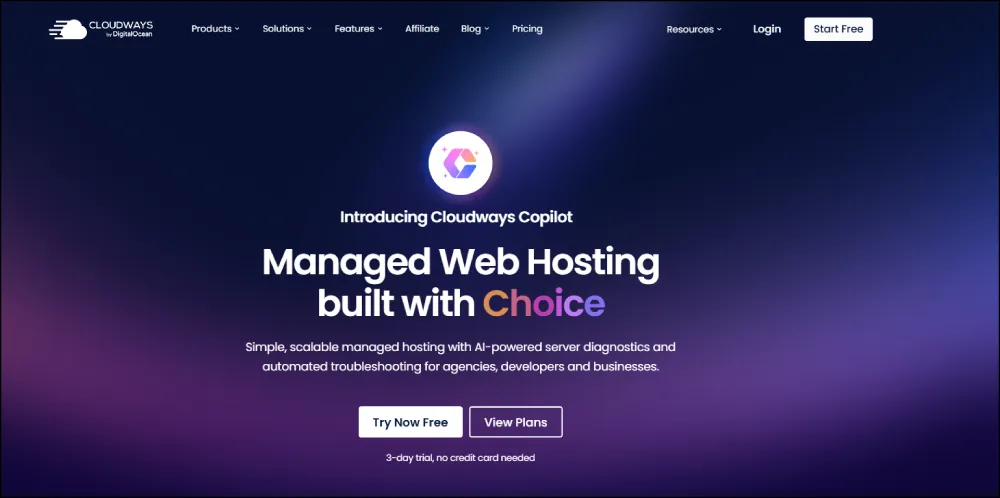
Starting at: $14/month (DigitalOcean 1 GB plan)
Cloudways is a managed cloud platform that sits on top of enterprise cloud providers — DigitalOcean, AWS, Google Cloud, Vultr, or Linode — handling the infrastructure management so agencies can focus on client work.
Why agencies choose Cloudways:
- Dedicated resources per application — one client’s traffic spike doesn’t affect another site
- Team collaboration tools — add members and clients with different access levels
- One-click staging for every client site
- 99.99% uptime SLA backed by enterprise cloud infrastructure
- Automated backups with configurable frequency
- PHP worker control — tune server performance per application
Honest trade-off: Steeper learning curve than shared hosting. Requires familiarity with concepts like server sizing and app management. For agencies with a developer on the team, fully manageable. For non-technical users, SiteGround below is the better entry point.
Best for: Agencies managing 5+ client sites, developers on client projects, teams needing dedicated resource isolation.
2. SiteGround — Best for Agencies Prioritizing Support Quality
Starting at: $6.69/month (GrowBig intro)
SiteGround’s GoGeek plan ($10.69/month intro) is purpose-built for agency workflows — it includes the Client Manager feature, priority support, on-demand backups, and advanced caching on top of Google Cloud infrastructure.
SiteGround’s Client Manager is the standout feature for agencies: manage all client sites from one dashboard, transfer site ownership, handle billing centrally. Genuine workflow improvement over juggling separate accounts per client.
Best for: Small to mid-size agencies, freelancers managing multiple WordPress client sites, teams where support quality is non-negotiable.
3. Hostinger Cloud — Best Budget Agency Option
Starting at: ~$7.19/month (Cloud Startup with coupon)
For agencies where budget is the primary constraint, Hostinger’s Cloud Startup plan provides dedicated resource allocation — not shared hosting’s resource pool — across 300 client sites on one account.
One client’s traffic spike doesn’t throttle another. For agencies running mainly lower-traffic client sites, Hostinger Cloud gives a workable balance of cost and performance. The hPanel multi-site management is straightforward for standard WordPress client work.
See our full best cloud hosting services comparison for more options at this tier.
Best Hosting for Ecommerce
Ecommerce has the most demanding hosting requirements. Slow checkout pages lose customers. Downtime during product launches means direct revenue loss. The hosting decision matters more here than for any other site type.
1. WP Engine — Best Managed WordPress for Ecommerce
Starting at: $20/month (Startup plan — one site)
WP Engine is managed WordPress hosting where every technical decision — server configuration, caching, PHP settings, security hardening — is handled for you, optimized specifically for WordPress and WooCommerce.
What separates WP Engine:
- EverCache — proprietary caching built for WordPress traffic patterns
- Global CDN via Cloudflare at no extra cost
- Automated daily backups with one-click restore
- Staging on all plans
- Managed WordPress security — patches and proactive malware removal
- Genesis Framework + premium themes included
At $20/month it’s significantly more than Hostinger. For a WooCommerce store generating consistent daily revenue, the managed environment removes the operational burden of security monitoring, performance tuning, and backup management. The time saved often outweighs the price difference.
Best for: Established WooCommerce stores, ecommerce businesses generating consistent revenue, stores where downtime has measurable daily cost.
2. Cloudways — Best for Scaling Ecommerce Operations
Starting at: $14/month (DigitalOcean)
For stores that need cloud performance without WP Engine pricing, Cloudways provides dedicated resources on enterprise cloud infrastructure. One client’s traffic doesn’t affect store performance. During Black Friday or product launches, that isolation is directly measurable.
Ecommerce-specific advantages:
- Redis and Elasticsearch available as add-ons for large product catalogs
- Vertical scaling — increase server resources in minutes without migration
- Cloudflare Enterprise CDN add-on for global performance
- Choice of cloud provider — AWS or Google Cloud for maximum reliability
Best for: Growing stores that’ve outgrown shared hosting, WooCommerce stores with 1,000+ products, stores with seasonal traffic spikes.
3. Hostinger Business — Best Budget Ecommerce Hosting
Starting at: $3.59/month (WordPress Business, 24-month + HGSAVE10)
Not every store needs dedicated cloud infrastructure from day one. A WooCommerce store doing fewer than 200 orders per day runs perfectly well on Hostinger’s WordPress Business plan.
What the Business plan provides for ecommerce:
- 200 GB NVMe SSD storage
- 4 GB RAM
- Daily automatic backups
- Free SSL (required for any store taking payments)
- Staging environment
- LiteSpeed Cache compatibility
- One-click WooCommerce installation
For startups and early-stage stores, Hostinger’s Business plan at under $4/month is the right foundation. When revenue justifies it, migrating to Cloudways or WP Engine is a well-documented, straightforward process.
For more options in this space, see our best web hosting for small business guide and our best small business web hosting services roundup.
How to Choose the Right Host for Your Needs
Four questions that narrow it down quickly:
1. What’s your monthly budget?
- Under $5/month → Hostinger or DreamHost
- $5–$15/month → SiteGround or Hostinger Cloud
- $15+/month → Cloudways, WP Engine, or Kinsta
2. How technical are you?
- Non-technical → Hostinger (hPanel), SiteGround, or Bluehost
- Moderate → Cloudways (managed but requires concept familiarity)
- Technical → VPS or Hostinger KVM for full control
3. How many sites are you running?
- 1–3 sites → Single or Premium shared
- 4–20 sites → Business plan or Cloud hosting
- 20+ sites → Cloudways or Hostinger Cloud Starter (300-site limit)
4. What’s your platform?
- WordPress → Hostinger (budget), SiteGround (mid), WP Engine (managed)
- WooCommerce → Hostinger Business (budget), Cloudways (mid), WP Engine (premium)
- Custom/non-WordPress → Hostinger KVM VPS or Cloudways for full flexibility
Common Mistakes When Choosing Hosting
Choosing monthly billing for “flexibility” Monthly billing costs 3–4x more than a 24-month plan over the same period. The flexibility isn’t worth the premium for any site you’re serious about.
Over-buying at signup Hostinger’s Business plan and WP Engine serve very different sites. Starting on a $3.59/month plan and upgrading when traffic demands it is smarter than paying for headroom you’re not using.
Ignoring renewal pricing Bluehost and SiteGround have intro rates that jump significantly at renewal — always calculate total cost over 2–3 years, not just year one.
Skipping the coupon Almost every major host has an active code. See our verified Hostinger coupon codes before you buy.
Comparing on brand recognition alone GoDaddy’s marketing budget is enormous. Their hosting value is not. See our full Hostinger vs GoDaddy comparison for a real breakdown.
Frequently Asked Questions
What is the best web hosting for bloggers in 2026?
Hostinger is the strongest recommendation for most bloggers. Starting at $2.69/month with coupon, it includes a free domain, free SSL, LiteSpeed servers, and 100 websites on one plan. SiteGround is the step-up option for daily backups and stronger support. See our best WordPress hosting guide for a full comparison.
Is cheap hosting worth it for a new website?
Yes — from established providers. Hostinger, DreamHost, and SiteGround all deliver real performance at budget prices. “Cheap” hosting from unknown resellers with no infrastructure investment is a different situation entirely.
Can I host a WooCommerce store on shared hosting?
Yes, for early-stage stores. Hostinger’s Business plan handles WooCommerce well for stores with moderate catalog sizes. When daily orders consistently exceed 100–200, evaluating a move to Cloudways or WP Engine makes sense.
How important is server location?
Meaningful, but less critical if you’re using a CDN. Choose the data center closest to your primary audience at signup. On Hostinger Business+ plans and SiteGround, free CDN integration distributes static content from servers near each visitor.
What’s the difference between managed and unmanaged hosting?
Unmanaged (shared, VPS) means you handle updates, security, and performance. Managed (WP Engine, Cloudways) means the provider handles those tasks. Managed costs more but reduces the time and expertise required to keep a site healthy.
Which host has the best uptime in 2026?
Cloudways (99.99% SLA backed by enterprise cloud), WP Engine (99.95% guarantee), and SiteGround (99.9% guarantee) lead on uptime commitments. Hostinger averages 99.9% in practice. For sites where any downtime is a revenue event, Cloudways or WP Engine infrastructure is the appropriate choice.
How do Hostinger and Bluehost compare?
Hostinger wins on renewal pricing, infrastructure (NVMe vs HDD, LiteSpeed vs Apache), and features included at base price. Bluehost has phone support and stronger WordPress ecosystem partnerships, but costs significantly more at renewal. Full details in our Bluehost vs Hostinger comparison.
Final Recommendation Summary
| If you are… | Best Pick | Why |
|---|---|---|
| New blogger, budget-focused | Hostinger Premium | Best value, free domain, 100 sites |
| Growing blog with a content team | SiteGround GrowBig | Daily backups, collaborator tools, Google Cloud |
| Agency managing client sites | Cloudways | Dedicated resources, team tools, scalable |
| Ecommerce startup | Hostinger Business | WooCommerce-ready under $4/mo |
| Scaling WooCommerce store | WP Engine or Cloudways | Managed environment, performance isolation |
| Developer / SaaS builder | Hostinger KVM VPS | Root access, flexible, affordable |
| Budget cloud user | Hostinger Cloud Startup | Dedicated resources without Cloudways pricing |
Start lean. Upgrade with intention when the traffic and revenue justify it.
Related Reading on WebSEOTrends
Hosting Comparisons & Reviews:
- Best Web Hosting — Full Guide
- Best WordPress Hosting 2026 (25+ Providers Tested)
- Best Web Hosting for Small Business
- Best Small Business Web Hosting Services
- Best Cheap Web Hosting Providers
- Best Web Hosting in India
- Best Cloud Hosting Services
- Best Dedicated Hosting Servers 2026
Head-to-Head Comparisons:
- Bluehost vs Hostinger — Honest Comparison 2026
- Hostinger vs GoDaddy — Which Is Better?
- Hostinger vs Namecheap — Side-by-Side
Deals & Coupons:
Domain & Setup Guides:
