

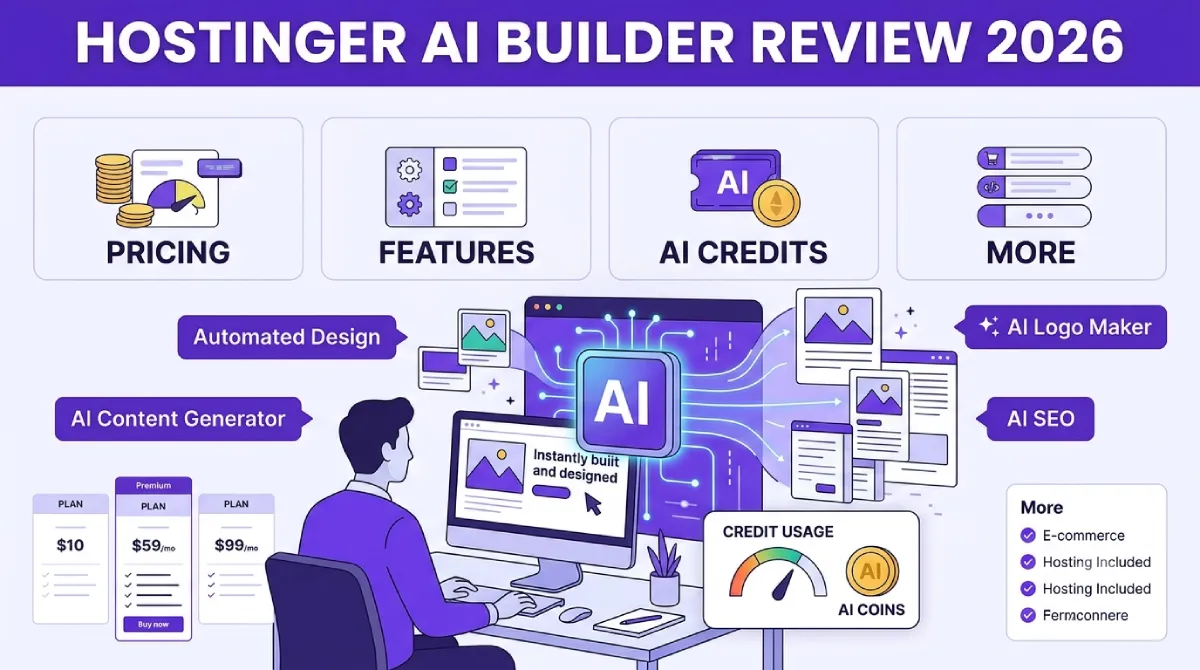
If you are searching for a Hostinger Horizons review, there is an important change you need to know before comparing prices or features.
Hostinger Horizons is no longer positioned as a separate product. On August 18, 2026, Hostinger launched Hostinger AI Builder, bringing its traditional website-building experience and Horizons-style AI app creation into one platform. What Horizons users knew as the AI-first experience is now essentially the platform’s agentic mode, while manual editing is available alongside it.
That change also makes many older Hostinger Horizons reviews outdated.
The old Horizons pricing, plan names, credit allowances, and feature comparisons you may find in search results were based on the previous product structure. The current AI Builder plans are tied to Hostinger hosting, and the platform now attempts to cover much more than simple website generation: websites, web apps, user accounts, databases, ecommerce, subscriptions, booking systems, CRM-style tools, marketing integrations, SEO features, and even micro-SaaS projects.
So, is Hostinger AI Builder worth it in 2026?
My answer is:
Yes, if you want an inexpensive way to turn an idea into a hosted website or web app without assembling hosting, domains, databases and other services yourself. But I would not choose it blindly for a serious SaaS product or a project where maximum code and backend portability are your priorities.
The biggest attraction is the price and simplicity.
The biggest catch is the AI credit system and the much higher renewal pricing.
In this updated Hostinger Horizons review, I will explain what changed, how AI Builder works, what it costs in the US and India, how AI credits work, what you can build, where it falls short, how it compares with Lovable and Base44, and which type of user should actually buy it.
Hostinger Horizons vs. Hostinger AI Builder: What Changed?
The first thing to understand is the naming change.
Hostinger launched Horizons in 2025 as an AI-powered way to create web applications from natural-language instructions. Instead of writing the application yourself, you could explain what you wanted and let the AI generate and modify the project.
In August 2026, Hostinger introduced AI Builder as a broader platform that combines AI-led creation with visual editing, hosting infrastructure, backend functionality, ecommerce and marketing tools. Hostinger says the platform is designed to take users beyond generating an initial homepage and help them build and operate the systems behind a digital project.
The important part for existing Horizons users is that your old Horizons projects did not simply disappear. Hostinger says existing projects continue to work under the new platform.
The new product has two primary ways to work:
Agentic mode
This is the closest replacement for the old Horizons experience.
You describe what you want in natural language, and the AI can create or modify the website or web application.
For example:
“Build a booking website for a dental clinic with patient registration, appointment scheduling, an admin dashboard, service pages and a mobile-friendly design.”
The AI can then work through the project rather than simply generating a static visual layout.
Manual mode
Manual mode is designed for people who want more direct visual control.
You can edit elements yourself rather than asking AI to perform every change. Hostinger positions this as a way to combine AI generation with conventional visual editing.
That combination is one of the most important differences between the current AI Builder and the old Horizons product.
You are not forced to choose between “AI does everything” and “I build everything manually.”
What Is Hostinger AI Builder?
Hostinger AI Builder is essentially an AI website and web app builder combined with hosting infrastructure.
The platform is designed for people who want to describe an online project instead of starting from an empty code editor.
According to Hostinger’s current product information, AI Builder can be used for projects including:
- Business websites
- Portfolios
- Blogs
- Booking websites
- Membership sites
- Affiliate websites
- Digital products
- Subscription projects
- CRM-style tools
- Custom business tools
- Micro-SaaS applications
- Ecommerce projects
- Internal tools
- SEO-focused websites
Hostinger also lists features such as testing environments, code editing/export, analytics, Google Ads, Google AdSense, Google Tag Manager, Meta Pixel, WhatsApp integration and Hotjar.
This is why calling it simply an “AI website builder” no longer tells the whole story.
It is closer to an AI-assisted website and lightweight web-app development platform with hosting included.
What Can Hostinger AI Builder Actually Build?
The practical question is not whether AI Builder sounds impressive.
It is:
What can you realistically build with it?
For a beginner, this is where the platform becomes interesting.
1. Business websites
You can use AI Builder to create a conventional business website with:
- Homepage
- About page
- Services
- Contact page
- Testimonials
- Pricing
- FAQ
- Blog
- Lead forms
This is the easiest use case.
If all you need is a professional website for a local business, freelancer or small company, you probably won’t need the more advanced agentic capabilities.
For this type of project, compare the overall cost with traditional web hosting for small businesses before deciding.
2. Booking websites
Booking functionality is one of the more interesting applications.
You could describe a project such as:
“Create a salon booking website where customers can choose a service, select an available date and submit their appointment details.”
The AI can build the initial structure and database-driven functionality.
You should still test every workflow yourself before accepting real customers.
AI-generated functionality should never be assumed to be correct simply because the interface looks finished.
3. Customer portals
AI Builder is also designed for projects that need user accounts and application logic.
For example:
- Customer dashboards
- Member areas
- Client portals
- Order tracking
- Account management
- Internal employee tools
Hostinger says its AI Builder infrastructure can handle authentication, user accounts and data storage within its own platform.
That is a significant advantage for beginners because you don’t necessarily have to configure several external services before your application can work.
4. Ecommerce websites
AI Builder can also be used alongside Hostinger’s ecommerce capabilities.
Hostinger’s current AI Builder feature set includes ecommerce, subscriptions and digital products.
This makes it more useful than an AI landing-page generator.
However, ecommerce deserves extra caution.
Before taking real payments, test:
- Checkout
- Payment confirmation
- Order creation
- Customer accounts
- Refund workflows
- Email notifications
- Taxes
- Product inventory
- Mobile checkout
The AI can create the structure, but you are still responsible for verifying the business logic.
Hostinger AI Builder Pricing in 2026
Pricing is where this review becomes much more interesting.
The old Horizons reviews often quote separate plans such as Explorer, Starter and Hobbyist.
Those prices should not be used as the current price of AI Builder.
The current AI Builder plans are bundled with Hostinger hosting.
As of October 2026, Hostinger’s official U.S. pricing page lists these 48-month promotional prices:
| Plan | Promotional price | 48-month total | Renewal price | AI Builder credits |
|---|---|---|---|---|
| Premium | $2.99/mo | $143.52 | $10.99/mo | 5 |
| Unlimited | $3.99/mo | $191.52 | $16.99/mo | 15 |
| Cloud Startup | $7.99/mo | $383.52 | $25.99/mo | 15 |
These are 48-month plans paid upfront, so don’t mistake the advertised monthly figure for a month-to-month subscription. Hostinger explicitly states that the displayed monthly rate is calculated from the total cost of the selected term.
That distinction is important.
Premium — $2.99/month
Premium is the entry-level option.
It includes:
- Up to 3 websites
- Free custom domain for one year
- Hosting
- 5 AI credits for website and app creation
- Website templates
- AI Builder
- AI-assisted website management
This is the plan I would consider if you are building one relatively simple website and want to experiment with AI Builder.
The problem is the 5-credit allowance.
If your project requires many AI-generated changes, you can burn through those credits quickly.
Unlimited — $3.99/month
Unlimited increases the allowance to 15 AI credits and adds more hosting capacity and business-oriented features.
For most people who specifically want to experiment with AI web apps, this is the more interesting middle ground.
You are paying only about $1 more per month on the promotional 48-month calculation, but you get three times the initial AI Builder credit allocation.
Cloud Startup — $7.99/month
Cloud Startup is aimed at users who need more hosting resources and scalability.
It includes:
- Unlimited websites
- 15 AI Builder credits
- Cloud hosting
- More resources
- Priority support
- Ecommerce capabilities
- Additional AI-agent credits
This plan makes more sense when the hosting workload is the reason you need the upgrade.
It does not solve the AI Builder credit problem by giving you dramatically more website/app creation credits.
That distinction is easy to miss.
Hostinger AI Builder Pricing in India
For Indian users, Hostinger’s current pricing is particularly aggressive.
The official India pricing page currently lists:
| Plan | 48-month price | 48-month total | Renewal | AI Builder credits |
|---|---|---|---|---|
| Premium | ₹149/mo | ₹7,152 | ₹449/mo | 5 |
| Unlimited | ₹249/mo | ₹11,952 | ₹649/mo | 15 |
| Cloud Startup | ₹599/mo | ₹28,752 | ₹1,599/mo | 15 |
The displayed prices are based on the 48-month term and are paid upfront.
So, for an Indian beginner, the entry cost looks very attractive.
But you should always look beyond the promotional monthly number.
For example, Premium renews at ₹449/month, not ₹149/month. Unlimited renews at ₹649/month, while Cloud Startup renews at ₹1,599/month.
That makes the renewal price an important part of your buying decision.
What Does Hostinger AI Builder Really Cost Over Five Years?
This is one calculation I recommend making before buying any long-term hosting plan.
Using the current U.S. promotional and renewal prices, the approximate five-year cost looks like this:
| Plan | First 48 months | Year 5 at renewal | Approx. 5-year total |
|---|---|---|---|
| Premium | $143.52 | $131.88 | $275.40 |
| Unlimited | $191.52 | $203.88 | $395.40 |
| Cloud Startup | $383.52 | $311.88 | $695.40 |
The average monthly cost over the five-year period is approximately:
- Premium: $4.59/month
- Unlimited: $6.59/month
- Cloud Startup: $11.59/month
That makes Hostinger look much less expensive than the renewal price alone suggests.
But there’s another way to look at it.
If you know you will only use the service for one year, the 48-month commitment may not be ideal.
If you are comfortable keeping your hosting for several years, the introductory price becomes much more valuable.
How Do Hostinger AI Credits Work?
This is probably the most important section of this review.
AI credits are the real resource limit.
Your hosting resources and your AI-building allowance are not the same thing.
Hostinger uses a dynamic credit system for agentic mode. The amount deducted depends on the work being performed rather than applying one fixed credit cost to every message.
A simple request may use only a fraction of a credit.
A complicated request involving substantial code generation or analysis can use considerably more.
Hostinger also says credit usage can vary between requests of similar complexity.
That means you should not think:
“One prompt equals one credit.”
It doesn’t work that way.
What Uses AI Credits?
According to Hostinger’s current documentation, credits can be consumed by interactions with the AI system, with more complex tasks generally requiring more resources. Hostinger also says some manual editing actions can consume a small amount of credit because those changes are processed through the same system.
That is different from some older Horizons reviews that described manual editing as completely separate from AI credit usage.
Therefore, if you are planning a large project, monitor your credit balance instead of relying on estimates from an older review.
You can also inspect your AI credit usage inside Hostinger’s dashboard.
How Many Credits Do You Need?
There isn’t a universal answer.
A simple website might require only a handful of credits.
A complex application with authentication, dashboards, database operations and custom business logic can require significantly more.
The biggest variable is not simply the number of pages.
It is the complexity of the instructions and the amount of AI-generated work required.
For example:
Small project
A five-page business website:
- Homepage
- About
- Services
- Contact
- FAQ
This is relatively straightforward.
Medium project
A booking application:
- User accounts
- Services
- Booking form
- Calendar
- Database
- Admin dashboard
- Customer dashboard
This requires substantially more work.
Large project
A SaaS application:
- Authentication
- User roles
- Subscription billing
- Dashboard
- Database
- Notifications
- Admin tools
- Reporting
- Multiple workflows
This is where AI Builder’s credit model becomes much more important.
How to Save AI Credits
The worst approach is to give the AI one vague instruction, wait for the result, and then send dozens of random correction prompts.
A better approach is to write a proper specification first.
For example, instead of:
“Build me a booking site.”
Use:
“Build a responsive booking website for a salon. Include a homepage, services page, pricing section, appointment booking form, customer registration, customer login, appointment history, and an admin dashboard. Store appointments in the database. Customers should only see their own appointments. Admin users should be able to view, approve and cancel appointments. Use a clean mobile-first design. Create sample data only for testing and do not allow seeded users to receive administrator privileges.”
The second prompt gives the AI significantly more context.
Hostinger itself recommends focused requests because breaking complex work into smaller tasks can improve accuracy.
So the goal is not necessarily to write one enormous prompt.
The goal is to reduce ambiguity and avoid unnecessary rework.
My Biggest Hostinger AI Builder Concern: Credit Economics
The platform can be inexpensive from a hosting perspective while becoming less inexpensive if your workflow depends heavily on AI generation.
That distinction is important.
Suppose your website costs $3.99/month on the promotional plan.
That sounds extremely cheap.
But if you repeatedly regenerate large parts of an application and run out of AI credits, your actual cost isn’t simply the hosting subscription.
You may need additional AI credits.
Hostinger allows customers to buy additional credits without necessarily upgrading their hosting plan.
For occasional AI-assisted creation, that’s fine.
For heavy AI development, you should calculate your expected credit usage before committing.
Hostinger AI Builder Features
The current platform has become much more capable than the original Horizons product.
AI website generation
You can describe a website and let AI generate its structure, design and content.
AI web app development
The agentic mode can go beyond static pages and work with application functionality.
Backend infrastructure
Hostinger says AI Builder can handle backend infrastructure including authentication, data storage and application logic within its ecosystem.
Authentication
Projects can support user accounts and authentication flows.
Hostinger says the platform can support methods including passwords, one-time passcodes and Google and Apple logins.
Testing environment
One of the useful features is the ability to work on changes without immediately pushing them to the public version.
That matters because AI-generated changes should be tested before publication.
Code editor and export
The current AI Builder product pages list code editing and export capabilities.
However, this is an area where I would still ask support exactly what happens to your database, files, credentials and other application dependencies before assuming you can migrate the entire application elsewhere with one click.
SEO features
The current feature list includes SEO-optimized websites and AI search visibility tools.
That makes AI Builder more relevant to marketers than a simple AI coding tool.
Still, don’t confuse “SEO features” with guaranteed rankings.
You will still need:
- Search intent research
- Good content
- Internal linking
- Technical SEO
- Structured data where appropriate
- Page speed optimization
- Backlinks
- Search Console monitoring
- Conversion optimization
Is Hostinger AI Builder Good for SEO?
For simple websites, it can be.
The platform now advertises SEO-oriented functionality and integrations including Google Analytics, Google Ads, Google AdSense, Google Tag Manager and Meta Pixel.
But an AI-generated website is not automatically an SEO-optimized website.
If you’re building an affiliate site, content site or publishing business, I would compare the workflow against WordPress.
Our guide to WordPress hosting is useful if your main objective is publishing large amounts of SEO content rather than building an interactive application.
For a SaaS, calculator, booking system, directory or interactive tool, AI Builder becomes much more interesting.
Hostinger AI Builder for Beginners
This is where I think Hostinger has one of its strongest advantages.
A beginner normally has to understand:
- Hosting
- Domains
- DNS
- Databases
- Authentication
- File storage
- Deployment
- SSL
- Payment processors
- Analytics
AI Builder attempts to hide much of that complexity.
You can start with an idea rather than a technical architecture.
That is a major reason to choose Hostinger over a developer-oriented platform.
Hostinger AI Builder for Developers
The answer is more complicated.
Developers will appreciate:
- Code access
- AI-assisted development
- Hosting integration
- Backend infrastructure
- Testing
- Deployment
- External AI tooling through Hostinger’s ecosystem
Hostinger says its Connector can allow external developer tools such as Claude Code, Cursor and VS Code to interact with the same Hostinger account and perform operations.
However, developers who prioritize complete infrastructure control, portable databases and Git-based workflows may prefer a more developer-centric platform.
That is where competitors such as Lovable become particularly interesting.
Hostinger AI Builder vs Lovable vs Base44
The AI app-builder market has become crowded.
Hostinger is competing with products such as Lovable and Base44, but they don’t make exactly the same trade-offs.
Independent comparisons generally position Lovable as stronger for code ownership and developer workflows, while Base44 focuses heavily on fast application generation and integrated infrastructure. Hostinger’s main advantage is that AI building is tied directly to hosting and the broader Hostinger ecosystem.
| Feature | Hostinger AI Builder | Lovable | Base44 |
|---|---|---|---|
| Beginner friendly | Excellent | Very good | Excellent |
| Hosting included | Yes | Yes, with its own workflow | Yes |
| Domain integration | Excellent | Separate considerations | Included in platform |
| AI web apps | Yes | Yes | Yes |
| Backend | Integrated Hostinger infrastructure | Strong Supabase integration | Built in |
| Code access | Available | Strong | More platform dependent |
| GitHub workflow | Less central | Strong | More limited |
| Traditional website building | Excellent | Less focused | Good |
| Ecommerce | Strong | Requires more setup | Available depending on workflow |
| Best for | Beginners and businesses | Developers/founders | Fast app creation |
The choice therefore isn’t simply:
“Which AI builder is best?”
It’s:
“Which trade-off fits the way I want to build?”
If you want everything under one hosting account, Hostinger is compelling.
If you want maximum developer control, Lovable may be better.
If you want extremely rapid CRUD-style application generation, Base44 deserves a look.
Hostinger AI Builder vs Traditional WordPress
This is another comparison worth making.
If you want:
- Blog
- Affiliate site
- News website
- Content site
- Large editorial website
- Plugin-heavy WordPress project
I’d still consider WordPress.
If you want:
- Calculator
- Booking application
- Customer portal
- SaaS prototype
- Internal business tool
- Interactive application
AI Builder is much more compelling.
This is why your choice of platform should begin with what you are building, not simply which builder has the lowest price.
Hostinger AI Builder Pros and Cons
Pros
Very low introductory pricing
The current 48-month pricing is difficult to ignore, especially in India.
Hosting is integrated
You don’t need to configure a separate hosting provider before publishing.
Domain integration
A custom domain can be included for the first year on the relevant plans.
AI and manual workflows
You can let AI handle the heavy lifting or make manual changes yourself.
Web apps, not just landing pages
The platform has expanded into authentication, databases, ecommerce and application-style projects.
Beginner-friendly
You can start with a description instead of learning a development stack.
Useful business integrations
Analytics, advertising, ecommerce and marketing tools are available within the wider ecosystem.
Cons
AI credits are limited
This is the biggest limitation.
Renewal prices are much higher
The promotional $2.99 price eventually becomes $10.99 on Premium, for example.
AI output still needs testing
A generated application can look correct while containing flawed logic.
Portability needs careful investigation
Code export is available, but don’t assume every backend component migrates perfectly to another provider.
Not a native mobile app builder
AI Builder creates web experiences. It isn’t a replacement for a native iOS/Android development stack.
Complex applications can become difficult
If your project requires unusual infrastructure, sophisticated backend architecture or highly customized development workflows, a developer-oriented stack may be more appropriate.
Who Should Use Hostinger AI Builder?
I would recommend it to:
Beginners
If you’ve never built an application before, Hostinger’s integrated approach reduces the number of services you need to understand.
Small businesses
A local business can create a website, booking workflow or customer-facing tool without hiring a developer for every small change.
Entrepreneurs validating ideas
If you want to test an MVP before spending thousands on custom development, AI Builder can be an affordable starting point.
Freelancers
Freelancers can use it for client prototypes, landing pages, simple business applications and smaller web projects.
Existing Hostinger customers
If your hosting, domain and email are already inside Hostinger, the integrated AI Builder workflow makes even more sense.
Who Should Avoid Hostinger AI Builder?
I would look elsewhere if you:
- Need native mobile applications
- Require complete infrastructure portability
- Need a sophisticated developer workflow
- Need extensive Git-based collaboration
- Are building a highly regulated application
- Need complete control over your database infrastructure
- Expect unlimited AI development
- Want to experiment with hundreds of prompts every month
In these cases, a developer-focused AI coding platform may be a better long-term choice.
How I Would Test Hostinger AI Builder Before Buying
Don’t judge it based on a generated homepage.
Build something real.
You can start with a small project and measure:
- How many credits the first build uses
- How many changes you need
- Whether the database behaves correctly
- Whether user permissions work
- How easy deployment is
- Whether you can export the project
- What happens to your data if you leave
- How much additional credit usage your workflow requires
For example, build a small booking application.
Use this prompt:
“Build a mobile-friendly booking website for a salon. Include a homepage, services page, pricing, customer registration, login, appointment booking, customer appointment history and an admin dashboard. Store appointments in the database. Customers must only see their own appointments. Administrators can view, approve, cancel and update appointments. Include validation for required fields. Create test data without assigning administrator privileges to seeded accounts. Include a test environment and clearly list any configuration I need to complete manually.”
Then test it like a real customer.
Create an account.
Book an appointment.
Log out.
Create another account.
Check whether the first customer’s information remains private.
Then log in as the administrator.
This is much more useful than simply asking the AI to create a pretty website.
How to Get the Most From Hostinger AI Builder
The most effective workflow is:
Step 1: Define the project
Write down the purpose, users and core features.
Step 2: Define the database
List the information your application needs to store.
Step 3: Define user roles
For example:
- Visitor
- Customer
- Administrator
Step 4: Define permissions
Say exactly what each role can see and modify.
Step 5: Build the core version
Don’t begin with 50 features.
Step 6: Test
Try to break the application.
Step 7: Add features
Only after the core workflow works.
Step 8: Monitor AI credits
Check the dashboard rather than guessing how much AI work remains.
This workflow can reduce unnecessary AI regeneration.
How to Save Money on Hostinger AI Builder
Because AI Builder is connected to Hostinger hosting, the hosting plan you select determines much of your overall cost.
If you want to try Hostinger, you can use our Hostinger offer and check the current eligible plans and promotional pricing at checkout.
You can also see our updated Hostinger coupon codes, current deals and troubleshooting information if a promotional code doesn’t apply.
If this is your first Hostinger purchase, our guide to the Hostinger coupon code for first-time users explains the usual requirements.
Students can also check our Hostinger student discount guide before purchasing.
And if your project still needs a domain, our best domain registrar in India comparison can help you decide whether Hostinger is the best place to register it.
Is Hostinger AI Builder Worth It in 2026?
After looking at the current product rather than relying on older Horizons pricing, I think Hostinger AI Builder is worth considering for beginners and small businesses.
The value proposition is straightforward.
You get:
- Hosting
- Website creation
- AI app creation
- Domain integration
- Backend infrastructure
- Ecommerce capabilities
- Business integrations
- Manual editing
- AI-assisted development
inside one ecosystem.
That eliminates a lot of the setup that makes modern web development intimidating.
The catch is that AI Builder isn’t unlimited AI development.
Your hosting may be cheap, but AI credits are a finite resource.
That makes the platform particularly attractive for projects where you have a clear specification and don’t expect hundreds of rounds of AI-generated changes.
My Hostinger AI Builder Rating for 2026
| Category | Rating |
|---|---|
| Price | 9/10 |
| Beginner friendliness | 9/10 |
| Hosting integration | 9.5/10 |
| Website creation | 9/10 |
| Web app creation | 8/10 |
| AI capabilities | 8/10 |
| AI credit value | 7/10 |
| Ecommerce/business features | 8.5/10 |
| Developer control | 7/10 |
| Portability | 6.5/10 |
| Overall | 8.3/10 |
The score is not higher because I think the platform is perfect.
It isn’t.
The credit system and long-term portability questions are significant enough that I would not recommend blindly building a mission-critical SaaS on it without testing the complete workflow first.
But for a beginner who wants to go from:
idea → website/app → hosting → domain → live project
with minimal technical setup, Hostinger AI Builder is one of the more compelling budget options available in 2026.
Hostinger Horizons Review: Final Verdict
Hostinger Horizons isn’t really a separate product anymore.
The experience has evolved into Hostinger AI Builder, with Horizons-style AI development becoming the platform’s agentic workflow. Hostinger’s August 2026 launch combines AI creation, manual editing, backend infrastructure, ecommerce and marketing functionality into one broader platform.
And that changes how I would evaluate it.
If you are looking for the cheapest way to create a simple website, there are plenty of options.
But that’s not where AI Builder is most interesting.
Its real advantage is the combination of AI development + hosting + backend + business infrastructure.
You can start with a description instead of a blank code editor.
You can create a website or application.
You can connect a domain.
You can add user accounts.
You can build database-driven functionality.
You can add ecommerce and marketing tools.
And you can manage the project within the same Hostinger ecosystem.
That’s a strong proposition for beginners and small businesses.
The main warning is the AI credit system.
Don’t assume that paying for a hosting plan gives you unlimited AI development. Credits are dynamically consumed according to the work being performed, and Hostinger says even some manual interactions can consume credits.
Also, don’t judge the price solely by the promotional monthly number.
The current U.S. plans renew at substantially higher rates, while Indian plans similarly increase after the initial 48-month term.
So my recommendation is simple:
Choose Hostinger AI Builder if you want a cheap, beginner-friendly all-in-one platform for websites, prototypes, small web apps and business tools.
Choose something like Lovable or another developer-focused platform if maximum code ownership, Git workflows and backend portability are more important than integrated hosting.
And if your primary goal is publishing a large SEO content site rather than building an interactive application, compare AI Builder against WordPress hosting before committing.
For a broader hosting comparison, see our best web hosting guide. If you’re specifically deciding between Hostinger and Bluehost, our Bluehost vs Hostinger comparison covers the larger hosting picture.
Hostinger AI Builder FAQ
Is Hostinger Horizons discontinued?
Not exactly. Hostinger has moved the Horizons experience into its broader AI Builder platform. AI Builder was launched on August 18, 2026, bringing agentic and manual creation together. Existing projects continue to work.
What is Hostinger Horizons called now?
The current product is called Hostinger AI Builder. The AI-first experience is referred to as agentic mode.
Is Hostinger AI Builder free?
The current paid AI Builder experience is bundled with Hostinger hosting plans. The official pricing page lists Premium, Unlimited and Cloud Startup plans with AI Builder credits included.
How much does Hostinger AI Builder cost?
Current U.S. promotional pricing starts at $2.99/month on a 48-month term for Premium, $3.99/month for Unlimited and $7.99/month for Cloud Startup.
In India, current 48-month pricing starts at ₹149/month, followed by ₹249/month and ₹599/month.
How many AI credits does Hostinger AI Builder include?
The current plans include 5 AI Builder credits with Premium and 15 credits with both Unlimited and Cloud Startup.
Do Hostinger AI Builder credits reset every month?
You should not assume that the promotional AI Builder credits work like a monthly recurring allowance. Hostinger’s current pricing pages describe the included credits as a one-time gift on the relevant plans.
Always check your account’s current credit terms before purchasing additional credits.
What happens when I run out of AI credits?
Hostinger allows customers with an active plan to purchase additional AI credits rather than necessarily upgrading the entire hosting plan.
Does Hostinger AI Builder build apps?
Yes. Hostinger positions agentic mode as a way to build both websites and web applications, including projects such as booking services, CRM/custom tools and micro-SaaS applications.
Can Hostinger AI Builder create a mobile app?
It is primarily a web application builder. It can create responsive experiences that work in mobile browsers, but it should not be confused with a native iOS or Android development platform.
Can I export the code?
The current AI Builder feature list includes a code editor and code export.
However, if portability is critical, verify how your database, uploaded files and other backend dependencies can be moved before relying on the platform for a long-term application.
Is Hostinger AI Builder good for beginners?
Yes. This is one of its strongest use cases. You can begin by describing the project instead of configuring a development environment manually.
Is Hostinger AI Builder good for SaaS?
It can be useful for prototyping and smaller SaaS-style projects. Hostinger explicitly lists micro-SaaS among its use cases.
For a large, complex or highly customized SaaS product, however, I would test portability, database control, authentication, scaling and development workflows before committing.
Is Hostinger AI Builder better than Lovable?
Neither is universally better.
Hostinger is particularly attractive if you want inexpensive hosting and an integrated business platform.
Lovable is generally more appealing when code ownership, developer workflows and deep external backend integrations are higher priorities. Independent comparisons also highlight this distinction.
Is Hostinger AI Builder better than Base44?
Again, it depends on the project.
Hostinger’s strongest advantage is the combination of AI building and its hosting ecosystem. Base44 is heavily focused on rapid application creation.
Your best choice depends on whether you prioritize hosting integration, backend control, application speed, design flexibility or portability.
Is Hostinger AI Builder worth it?
For beginners, small businesses, freelancers and people validating web-app ideas, yes.
For developers building complex production systems, the answer is more conditional.
The low promotional hosting price is attractive, but you should factor in AI credit consumption and renewal pricing before buying.
How I Researched This Hostinger Horizons Review
This review was updated around the current 2026 AI Builder product rather than relying solely on older Horizons reviews.
I checked Hostinger’s current AI Builder pricing and feature documentation, its August 18, 2026 product announcement, its product changelog and independent 2026 reviews and comparisons. Hostinger’s own announcement confirms the move from the older Horizons-style experience into the broader AI Builder platform, while the current pricing pages provide the latest plan and credit information.
Independent reviews were used primarily to understand how the product compares with competing AI app builders and where users may encounter practical limitations. For example, TechRadar’s hands-on Horizons review highlighted the platform’s ease of creating a functional web application while also noting limitations compared with more mature competitors.
The pricing calculations in this article are our own calculations based on the currently published promotional and renewal rates. Hostinger pricing, discounts, credit allocations and included features can change, so always confirm the final price and terms at checkout.
Our broader Hostinger review covers Hostinger as a hosting provider, including its wider hosting offering.
