


Quick Answer: The best laptops for writers pair a keyboard you enjoy typing on with a sharp, easy-on-the-eyes screen and battery life that outlasts your longest writing day. For most people, the Apple MacBook Air (M5) is the best overall pick. The Lenovo ThinkPad X1 Carbon has the best keyboard, the Microsoft Surface Laptop is the best Windows choice, and the Lenovo IdeaPad Slim 3i is the best budget option.
Disclosure: I’m an Amazon Associate, so I earn a small commission from qualifying purchases made through my links. It costs you nothing extra, and it doesn’t change which laptops I recommend.
Key takeaways
- The MacBook Air (M5) is my top pick: silent, light and built for all-day writing.
- ThinkPads still win on typing comfort, but the X1 Carbon costs a lot.
- You don’t need a powerful machine. A good keyboard, a sharp screen and 16GB of RAM matter more than a fast processor.
- A Chromebook Plus is a legitimate writing laptop if your work lives in Google Docs or Word for the web.
- Prices have climbed in 2026 because of the memory shortage, so check today’s price before you buy.
Your laptop is the one tool you touch every single time you write. So when it’s wrong, you feel it. Your wrists ache by noon. The screen glares back at you. The battery dies halfway through a chapter, and the fan starts whirring right in the middle of the one paragraph you finally got right.
I spend most of my working week writing, editing and publishing, so I’ve learned that the right writing laptop isn’t the fastest or the flashiest. It’s the one that disappears while you work. (Not sure where your writing will live? My guide on how to create a WordPress blog covers the setup from scratch.)
That’s the standard I used to choose these best laptops for writers. I compared current 2026 models, weighed independent test results for battery life and displays, and paid close attention to what writers complain about most: typing comfort, glare, weight and price. Whether you’re into blogging, novel writing or everyday word processing, there’s a pick below that fits, and none of them needs a gaming-grade processor.
One honest warning before we start. Laptop prices are moving in 2026. A global memory shortage pushed Apple to raise the MacBook Air’s starting price by $200 in June, and other brands have adjusted too. So treat the prices below as typical starting points, and use the buttons to see Amazon’s current price.
Best Laptops for Writers in 2026: Quick Comparison
| # | Laptop | Best For | Typical Price | Weight | Battery Life* |
|---|---|---|---|---|---|
| 1 | Apple MacBook Air 13-inch (M5) | Best overall | From about $1,299 | 1.23 kg (2.7 lb) | Up to 18 hrs |
| 2 | Lenovo ThinkPad X1 Carbon Gen 14 | Best keyboard | From about $2,139 | Under 1 kg | 58Wh battery |
| 3 | Microsoft Surface Laptop 13.8-inch (8th Edition) | Best Windows laptop | $1,599 at launch, often lower | 1.36 kg | Up to 20 hrs |
| 4 | ASUS Zenbook 14 OLED | Best lightweight | $1,299 at launch, cheaper configs exist | 1.2-1.28 kg | Up to 15 hrs |
| 5 | Acer Swift Go 14 | Best midrange | Roughly $700-$1,100 | 1.1-1.3 kg | About 11 hrs (tested) |
| 6 | Lenovo IdeaPad Slim 3i 15 | Best budget | Roughly $700-$800 | 1.28 kg | About 15.5 hrs (tested) |
| 7 | ASUS Chromebook Plus CX34 | Best Chromebook | Usually under $500 | 1.43 kg | Up to 10 hrs |
| 8 | HP OmniBook 5 14 | Everyday writing | Roughly $700-$900 | 1.34 kg | 16+ hrs (tested, 2025 model) |
| 9 | Dell XPS 13 (2026) | Premium compact | $699 (8GB) / $899 (16GB) | About 1 kg | Up to 17 hrs |
| 10 | Apple MacBook Pro 14-inch (M5) | Professional writers | From about $1,599 at launch | 1.55 kg | Up to 24 hrs |
Battery figures are manufacturer claims unless marked as tested. Real-world writing time is usually shorter. Prices are typical US starting prices in October 2026 and change often.
Use this table to shortlist the best laptops for writers, then read the full reviews below for specs, trade-offs and who each one really suits.
10 Best Laptops for Writers in 2026
Here’s my ranked list of the best laptops for writers this year. For each one you’ll get the price, my rating, why it earned its spot, who it suits, the key specs and a straight look at the downsides. My ratings are editorial scores based on typing comfort, display quality, battery life, portability and value.
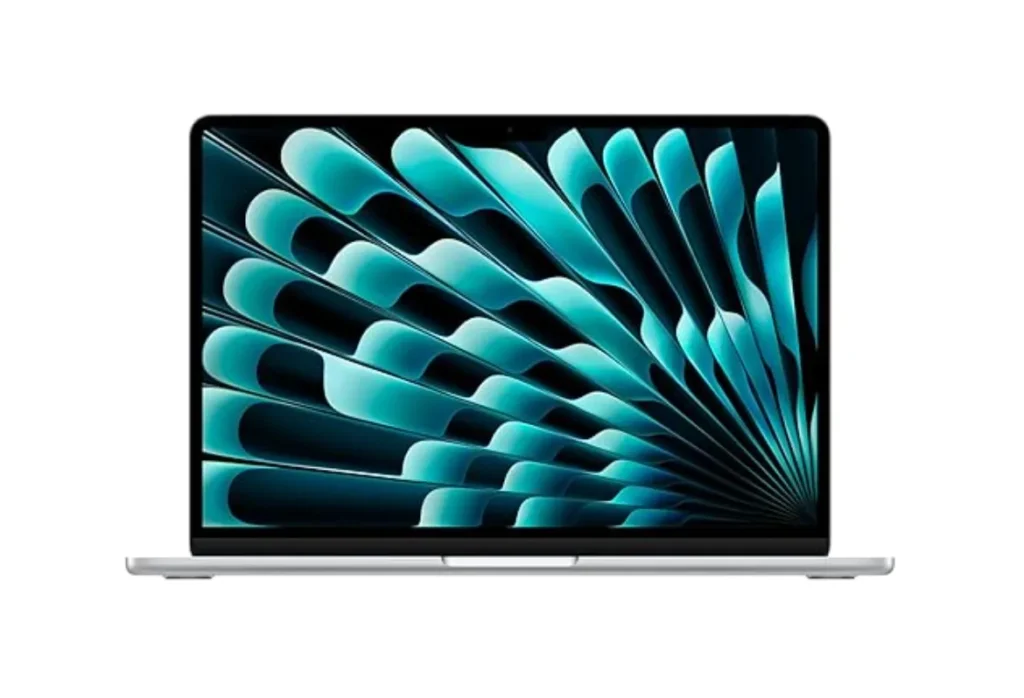
1. Apple MacBook Air — Best Overall Laptop for Writers
Model reviewed: Apple MacBook Air 13-inch (M5, 2026)
- Price: From about $1,299 for the 13-inch (16GB RAM, 512GB SSD). The 15-inch starts at about $1,499.
- Our rating: 4.8/5
- Why it’s the best: A quiet keyboard, a razor-sharp 13.6-inch display, fanless silence and battery life that gets you through a full writing day.
- Best for: Full-time writers, authors and bloggers who want one dependable machine for years.
If you want my one-laptop answer, this is it. The MacBook Air is the machine I’d hand to almost any writer, and it’s the best laptop for writers who want to stop thinking about hardware and just write.
Start with the keyboard. Apple’s Magic Keyboard is quiet and stable, with shallow but precise keys that suit long drafting sessions, and reviewers consistently praise its typing comfort. The display is where the Air really pulls ahead. The 13.6-inch Liquid Retina screen packs 224 pixels per inch, so body text looks crisp even at small sizes. That makes a real difference at hour six.
Then there’s the silence. The Air has no fan, so nothing whirs while you think. If you write in a library, a café or a quiet house at 5 a.m., that matters more than any benchmark.
Battery life is the other headline. Apple claims up to 18 hours of video playback, and writing is light work for the M5 chip, so you can leave the charger at home for most workdays. Treat Apple’s number as a best case, though.
One buying tip: if you find the previous M4 Air still discounted by a meaningful amount, it’s nearly the same writing experience. For a word-processing workload, the chip upgrade is marginal.
Key specifications
- Chip: Apple M5 (10-core CPU)
- Memory and storage: 16GB-32GB unified memory, 512GB-4TB SSD
- Display: 13.6-inch Liquid Retina, 2560 x 1664 (224 ppi)
- Weight: 2.7 lb (1.23 kg)
- Battery: 53.8Wh, up to 18 hours (Apple claim)
- Ports: Two Thunderbolt 4/USB-C, MagSafe 3, headphone jack
- Extras: Touch ID, Wi-Fi 7, Bluetooth 6
Pros: Silent, light, superb screen, excellent battery life.
Cons: Only two USB-C ports, and the price has crept up.
Check MacBook Air (M5) Price on Amazon →
2. Lenovo ThinkPad X1 Carbon — Best Keyboard for Writers
Model reviewed: Lenovo ThinkPad X1 Carbon Gen 14 Aura Edition (2026)
- Price: From about $2,139 in the US for the base configuration.
- Our rating: 4.7/5
- Why it’s the best: The most satisfying typing experience on this list, in a body that weighs under 1 kg.
- Best for: Writers who type six or more hours a day, and anyone who values typing comfort above everything else.
The ThinkPad name has a reputation among heavy typists for a reason. ThinkPad keys have long been known for deep travel and a deliberate, tactile bump, which is why these machines top most lists of laptops with good keyboards. The Gen 14 is a full redesign, and it adds a modular keyboard built on a magnesium mid-frame, full-size arrow keys and a surprisingly large haptic touchpad.
The rest of the package is just as premium. The 14-inch display goes up to a 2.8K OLED at 120Hz, the 58Wh battery lives inside a chassis that weighs under 1 kg, and the 10MP webcam makes client calls look good. Portability is outstanding.
The catch is the price. At roughly $2,139 to start, it costs far more than what most people want to spend on a writing laptop. If that’s too much, last year’s X1 Carbon Gen 13 is the smart fallback. Laptop Mag measured 11 hours 28 minutes of battery life on it, and it shares the ThinkPad typing tradition.
My advice: if you write for hours every day and your wrists have ever complained, this is the one worth paying extra for.
Key specifications
- Display: 14-inch, up to 2.8K (2880 x 1800) OLED, 120Hz variable refresh
- Processor: Intel Core Ultra (Series 3, Panther Lake)
- Memory and storage: 32GB LPDDR5X and 256GB SSD on the base model
- Battery: 58Wh
- Weight: Under 1 kg
- Extras: Haptic touchpad, 10MP webcam, modular keyboard design
Pros: Best-in-class keyboard, featherlight, tough build.
Cons: Expensive, and base configurations have small SSDs.
Check ThinkPad X1 Carbon Price on Amazon →
3. Microsoft Surface Laptop — Best Windows Laptop for Writers
Model reviewed: Microsoft Surface Laptop 13.8-inch (8th Edition, 2026)
- Price: Launched at $1,599, though promotions have taken it noticeably lower since.
- Our rating: 4.6/5
- Why it’s the best: A tall 3:2 touchscreen, up to 20 hours of rated battery life and a clean, premium Windows experience.
- Best for: Writers and bloggers who want Windows, Microsoft 365 and a beautiful screen.
Microsoft’s Surface Laptop is the Windows machine I’d recommend first to writers who want a premium feel without ThinkPad money. The 8th Edition, announced in June 2026, keeps the clean aluminum design and moves to Snapdragon X2 processors. For context, RTINGS named an earlier Surface Laptop (the 7th Edition 15-inch) its top pick for writers, citing the sharp display and the room to keep reference material beside your draft.
The screen is the reason it suits writing. The 13.8-inch display runs 2304 x 1536 in a 3:2 shape, so you see more of your page and scroll less than on a widescreen panel. It goes up to 120Hz, supports touch and handles HDR. If you want more room for research windows, the 15-inch model steps up to 3270 x 2180.
Microsoft rates the 13.8-inch model at up to 20 hours of local video playback, and it weighs about 1.36 kg. The keyboard is full-size, and the haptic touchpad gives consistent clicks.
One thing to know: these Surface Laptops run on Qualcomm’s Snapdragon chips, which use Arm architecture on Windows. Microsoft 365, Chrome and most mainstream writing tools run fine, but if you depend on niche desktop software, confirm compatibility before you buy.
Key specifications
- Processor: Snapdragon X2 Plus (10-core) or X2 Elite (12-core)
- Memory and storage: 16GB-64GB RAM, 256GB-1TB SSD
- Display: 13.8-inch PixelSense HDR touchscreen, 2304 x 1536, up to 120Hz
- Weight: About 1.36 kg
- Battery: Up to 20 hours (Microsoft claim)
- Extras: USB4, Surface Connect, 1080p webcam with Windows Hello, haptic touchpad
Pros: Gorgeous 3:2 screen, long battery life, premium build.
Cons: Arm-based compatibility limits, and pricing has been inconsistent.
Check Surface Laptop Price on Amazon →
4. ASUS Zenbook 14 OLED — Best Lightweight Laptop for Writing
Model reviewed: ASUS Zenbook 14 OLED (UX3405 series)
- Price: Launched at $1,299. Configurations with lower-tier chips cost less.
- Our rating: 4.5/5
- Why it’s the best: A big OLED screen, a 75Wh battery and a body that weighs about 1.2 kg, all at a reasonable price.
- Best for: Writers who travel often and want a gorgeous display without paying flagship money.
The Zenbook 14 OLED is the laptop I point to when someone says, I want something light, good-looking and not outrageously expensive. It weighs roughly 1.2 to 1.28 kg and measures just 14.9 mm thick, with an aluminum body that doesn’t feel cheap.
The star is the screen. It’s a 14-inch 16:10 OLED panel at 2880 x 1800 with a 120Hz refresh rate, and ASUS rates it at 100% DCI-P3 color. Text is sharp and blacks are properly black, which is lovely for night-time drafting. One caution: the OLED panels are glossy, so if glare bothers you, plan your seating.
Underneath sits a large 75Wh battery. ASUS promises up to 15 hours, and a PCMark 10 battery test logged just over 14 hours on one configuration. Intel Core Ultra chips and up to 32GB of RAM mean a dozen browser tabs and a few documents won’t slow it down.
Honestly, it isn’t the lightest laptop on this list. The ThinkPad and the XPS 13 weigh less. But it’s the best lightweight laptop for writing when you want a large OLED, a big battery and a sensible price in the same slim body.
Key specifications
- Display: 14-inch 16:10 OLED, 2880 x 1800, 120Hz, 100% DCI-P3
- Processor: Intel Core Ultra 5, 7 or 9 depending on configuration
- Memory and storage: Up to 32GB RAM and 1TB SSD
- Battery: 75Wh, up to 15 hours (ASUS claim)
- Weight: About 1.2-1.28 kg, 14.9 mm thick
Pros: Stunning screen, strong battery, easy to carry.
Cons: Glossy display, and not every configuration is cheap.
Check Zenbook 14 OLED Price on Amazon →
5. Acer Swift Go 14 — Best Midrange Laptop for Writers
Model reviewed: Acer Swift Go 14 (Intel Core Ultra, OLED models)
- Price: Typically around $700 to $1,100, depending on the generation, chip and RAM.
- Our rating: 4.4/5
- Why it’s the best: An OLED screen, metal build and slim profile at a clearly lower price than the premium picks.
- Best for: Bloggers and students who want a lovely display without flagship prices.
The Acer Swift Go 14 is the sweet spot for writers who want an OLED screen but don’t want to pay Zenbook or Surface prices. You get a metal chassis, a 14.9 mm profile and a bright 14-inch OLED display.
Configurations vary, so read each listing closely. Some versions have a 2.8K (2880 x 1800) OLED panel, while others use a lower-resolution 1920 x 1200 screen. Both are fine for text. Weight sits between about 1.1 and 1.3 kg depending on the version, so portability is excellent.
Battery life is solid rather than spectacular. Independent testing of an OLED version measured about 11 hours of web browsing, which comfortably covers a workday. Pick 16GB of RAM and a 512GB SSD and you’ll have a dependable laptop for word processing and blogging.
Where it falls short is typing feel. I wouldn’t promise ThinkPad-level key travel here, so try it in a store if you can. If you type for hours, that’s the first thing I’d test.
Key specifications
- Display: 14-inch OLED (2880 x 1800 on some versions, 1920 x 1200 on others)
- Processor: Intel Core Ultra, with Intel Arc graphics
- Memory and storage: 16GB RAM and 512GB SSD recommended
- Weight: About 1.1-1.3 kg
- Build: Aluminum chassis, 14.9 mm thin on recent models
Pros: OLED at a midrange price, light, well built.
Cons: Typing feel is a matter of taste, and specs vary widely by version.
Check Acer Swift Go 14 Price on Amazon →
6. Lenovo IdeaPad Slim 3 — Best Budget Laptop for Writers
Model reviewed: Lenovo IdeaPad Slim 3i 15 (Gen 11, 2026)
- Price: Lists around $799, and sales have pushed it to roughly $700.
- Our rating: 4.3/5
- Why it’s the best: 16GB of RAM, a big 15.3-inch screen and more than 15 hours of tested battery life for the money.
- Best for: Students, bloggers and anyone who wants the best budget laptop for writers without giving up space on the screen.
Not everyone should spend $1,500 on a writing laptop, and you shouldn’t have to. The IdeaPad Slim 3i is the best budget laptop for writers I can recommend with a straight face.
The big draw is the 15.3-inch, 16:10 display at 1920 x 1200. That extra vertical room means you see more of your page than on a 16:9 screen, and it’s a comfortable canvas for a draft with notes open beside it. It’s an IPS panel rather than OLED, which is perfectly fine for text.
The 2026 Gen 11 model pairs an Intel Core 7 350 processor with 16GB of DDR5 RAM and a 512GB SSD, and weighs about 1.28 kg. Tom’s Guide measured 15 hours 37 minutes of battery life in its continuous web-surfing test, which is excellent at this price.
Two buying tips. First, skip any configuration with 8GB of RAM, because 16GB is the minimum I’d want. Second, check the weight, because an AMD-powered version of the same family weighs closer to 1.6 kg.
Key specifications
- Display: 15.3-inch 16:10 IPS, 1920 x 1200
- Processor: Intel Core 7 350 (Wildcat Lake)
- Memory and storage: 16GB DDR5 and 512GB SSD
- Weight: About 1.28 kg (Intel model)
- Battery: 15 hours 37 minutes in Tom’s Guide’s web-surfing test
Pros: Great value, big screen, strong battery life.
Cons: Plastic build, and a basic IPS display.
Check IdeaPad Slim 3i Price on Amazon →
7. ASUS Chromebook Plus — Best Chromebook for Writers
Model reviewed: ASUS Chromebook Plus CX34 (14-inch)
- Price: Usually under $500 in the US.
- Our rating: 4.1/5
- Why it’s the best: A budget-friendly, light laptop with a backlit keyboard and a simple cloud workflow.
- Best for: Google Docs and Word for the web users, students, and anyone who just needs a dependable typewriter with a browser.
A Chromebook sounds like a compromise until you remember what most writing needs: a keyboard, a browser and a safe place to save your words. If your workflow lives in Google Docs, Word for the web or a similar cloud tool, a Chromebook Plus is a legitimate writing laptop, and the CX34 is a strong one.
Chromebook Plus is Google’s label for better-specced Chromebooks. One expert review describes it as a modern Intel Core processor, a 1080p display and a minimum of 8GB of RAM and 128GB of storage. The CX34 hits those marks with a 14-inch Full HD anti-glare touchscreen, a backlit chiclet keyboard and a body that weighs about 1.43 kg. It’s also MIL-STD-810H certified, so a bumpy commute won’t scare it.
Battery life is rated at up to 10 hours, and the newer Core 3 100U version is listed at up to 11.1 hours. Offline writing works too. Set up Google Docs offline before you travel and you can keep drafting on a train with no signal. ChromeOS also updates itself in the background, so there’s very little to maintain.
The limits are real. You can’t run desktop-only software, so if your process depends on an app like Scrivener, a Chromebook is the wrong tool. But as a low-cost drafting machine, it’s hard to beat.
Key specifications
- Display: 14-inch Full HD (1920 x 1080) anti-glare touchscreen
- Processor: Intel Core i3-1315U (newer versions use the Core 3 100U)
- Memory and storage: 8GB RAM, 128GB-256GB UFS storage
- Weight: About 1.43 kg
- Battery: Up to 10 hours (up to 11.1 hours on the Core 3 version)
- Keyboard and build: Backlit chiclet keyboard, MIL-STD-810H durability
Pros: Low price, light, tidy cloud workflow, backlit keyboard.
Cons: No desktop apps, and a modest screen.
Check ASUS Chromebook Plus Price on Amazon →
8. HP OmniBook — Best Laptop for Everyday Writing
Model reviewed: HP OmniBook 5 14 (2026)
- Price: Roughly $700 to $900, depending on the processor and RAM.
- Our rating: 4.3/5
- Why it’s the best: An OLED screen, a light 1.34 kg body and strong battery life at a friendly price.
- Best for: Bloggers, hybrid workers and anyone who writes every day but doesn’t want to spend two grand.
The HP OmniBook 5 14 is the laptop I’d suggest to the friend who says, I write a lot, but I’m not spending a fortune. It’s built for everyday writing: a 14-inch 16:10 OLED display, an aluminum body and a weight of about 1.34 kg.
TechRadar’s review of the 2025 version praised a keyboard that felt snappy and a touchpad that was better than you’d expect at this price. Battery life was the other surprise. TechRadar measured over 16 hours on that Snapdragon model, and Tom’s Guide found that the series delivers better battery life than most Windows laptops, even though HP’s headline claim of up to 34 hours wasn’t reached in testing.
The 2026 model uses a 59Wh battery and a 1920 x 1200 OLED panel at 60Hz with a glossy finish. The refresh rate is basic, but for a laptop for word processing you won’t miss 120Hz.
Check the processor before you buy. HP sells both Intel and Snapdragon versions. The Snapdragon model delivers the longest battery life but shares the same Arm software considerations as the Surface Laptop. Whichever you choose, get 16GB of RAM if the budget allows.
Key specifications
- Display: 14-inch 16:10 OLED, 1920 x 1200, 60Hz, glossy
- Processor: Intel Core Ultra or Snapdragon, depending on version
- Weight: About 1.34 kg
- Battery: 59Wh
- Keyboard and build: Island-style backlit keyboard, aluminum chassis
Pros: OLED at a fair price, light, excellent battery life.
Cons: 60Hz screen, glossy finish, and performance that’s modest under heavy loads.
Check HP OmniBook 5 14 Price on Amazon →
9. Dell XPS 13 — Best Premium Compact Laptop for Writers
Model reviewed: Dell XPS 13 (2026)
- Price: $699 with 8GB of RAM, or $899 with 16GB.
- Our rating: 4.5/5
- Why it’s the best: Premium looks and a sharp 13.4-inch touchscreen in a body that weighs about 1 kg, at a surprisingly fair price.
- Best for: Writers who live out of a backpack and want a compact, premium-feeling laptop.
Here’s a twist. Dell’s XPS name used to mean expensive. The 2026 XPS 13 flips that. It keeps the premium look and feel (aluminum, about 1 kg, 13 mm thin) but starts at $699 with 8GB of RAM. So the premium here is in the build, not the price tag, and that’s exactly why it earns its place as my pick for a premium compact writing laptop.
The display is a 13.4-inch 2.5K (2560 x 1600) touchscreen, and the keyboard is a conventional backlit chiclet layout. One reviewer actually preferred it to the lattice-free keyboard on the XPS 14 for typing accuracy. That’s a good sign for typing comfort.
Battery life is where reviews disagree. Dell claims up to 17 hours of streaming. Tom’s Guide measured 14 hours 29 minutes in its web-surfing test, while another review measured about 9 hours on a different configuration. So expect anything from a solid workday to a bit more, and choose the 16GB model for the best experience.
The downsides are small. There’s no headphone jack, and the base model’s 8GB of RAM is tight if you keep many tabs open. Dell has also said Panther Lake versions will follow at higher prices.
Key specifications
- Display: 13.4-inch 2.5K (2560 x 1600) touchscreen
- Processor: Intel Core 5 320 on the $699 model
- Memory and storage: 8GB or 16GB LPDDR5X, 512GB SSD
- Battery: 52Wh, up to 17 hours streaming (Dell claim)
- Weight: About 1 kg (2.2 lb), 13 mm thick
- Keyboard: Backlit chiclet
Pros: Premium build, sharp screen, about 1 kg, fair price.
Cons: No headphone jack, and 8GB is tight.
Check Dell XPS 13 Price on Amazon →
10. Apple MacBook Pro — Best Laptop for Professional Writers
Model reviewed: Apple MacBook Pro 14-inch (M5)
- Price: Started at $1,599 at launch. M5 Pro versions start at $2,199.
- Our rating: 4.7/5
- Why it’s the best: The best display on this list, a 24-hour battery claim and room to grow beyond writing.
- Best for: Professional writers who also edit audio or video, or manage huge research libraries.
Let me be upfront. For pure writing, the MacBook Air is enough, and most writers will be happy to keep the extra money. The MacBook Pro earns its spot for professionals whose work goes beyond typing.
If you’re an author who records an audiobook, a journalist who edits video, or a creator juggling a giant research library, the extra headroom pays off. The 14.2-inch Liquid Retina XDR display (3024 x 1964) offers ProMotion up to 120Hz, 1,000 nits of sustained brightness and 1,600 nits at peak for HDR. Apple claims up to 24 hours of battery from the 72.4Wh battery, and you get a fuller port selection than the Air, including HDMI and an SD card slot.
The keyboard is the same excellent Magic Keyboard you get on the Air, so you’re not paying for a better typing experience. You’re paying for the screen, the battery, the ports and the power. I’d choose the base M5 chip with 24GB of RAM or more, because the M5 Pro and M5 Max (from $2,199 and $3,599 for the 14-inch) are overkill for most writers.
Key specifications
- Chip: Apple M5 (M5 Pro and M5 Max also available)
- Display: 14.2-inch Liquid Retina XDR, 3024 x 1964, ProMotion up to 120Hz
- Battery: 72.4Wh, up to 24 hours (Apple claim)
- Weight: About 1.55 kg (3.4 lb)
- Extras: More ports than the Air, fast SSD, Touch ID
Pros: Superb display, huge battery, plenty of power.
Cons: Heavier and pricier than the Air, with little extra benefit for pure writing.
Check MacBook Pro 14-inch Price on Amazon →
How to Choose the Best Laptop for Writing
Reviews help, but a spec sheet means little if you don’t know what to look for. Here’s how I’d choose the best laptop for writing, in the order I’d check things.
Keyboard Comfort and Typing Experience
Your keyboard comes first. You’ll press those keys tens of thousands of times a day, so typing comfort beats almost every other spec. Look for three things: enough key travel (how far a key moves), a stable feel with no flex, and a sensible layout with full-size arrow keys and a proper Shift key. Backlighting helps if you write at night.
Thin ultraportables usually have shallower keys than thicker laptops, which is why ThinkPads, with deeper travel, are favorites among heavy typists. MacBooks go the other way, with low-travel keys that are quiet and precise. Neither is better. It’s personal.
My test is simple. If you can, type a few paragraphs on the laptop in a store for ten minutes, not ten seconds. And if you love a laptop in every other way but the keys are only okay, remember that a decent external keyboard often costs under $100 and solves the problem at your desk. The best laptops with good keyboards are the ones that suit your hands.
Battery Life for Long Writing Sessions
Manufacturers love big battery numbers, and most of them are measured while looping video. Real writing, with Wi-Fi on, a dozen tabs open and the screen brightness up, drains faster. One review of the ThinkPad X1 Carbon Gen 12 noted a 15-hour claim and suggested 10 to 12 hours in mixed use. Laptop Mag tested the Gen 13 at 11 hours 28 minutes. As a rule of thumb, expect roughly 60 to 80 percent of the claimed figure.
For a full workday away from a socket, I’d look for a laptop with a claim of 15 hours or more. That’s why my top picks cluster around 15 to 24 hours of claimed battery life. USB-C fast charging helps too, and on an OLED screen, a dark theme can stretch your battery further.
Display Quality and Screen Size
You’ll stare at words for hours, so screen quality matters more for writers than for most people. Here’s what I check, in order:
- Resolution: At least 1920 x 1200 for crisp text.
- Aspect ratio: 16:10 or 3:2 shows more of your page than 16:9.
- Finish: Matte screens cut glare, while glossy screens look richer.
- Panel type: OLED gives deep contrast but is glossy. A good IPS panel is cheaper and perfectly fine for text.
For size, 13 to 14 inches is the best balance of portability and comfort. A 15-inch screen like the IdeaPad’s gives you more room for notes beside your draft, but it weighs more.
Portability and Weight
If you carry your laptop daily, weight adds up. As a rough guide, anything under 1.3 kg (2.9 lb) feels featherlight, 1.3 to 1.5 kg feels fine, and above 1.6 kg you’ll start to notice it in your bag.
In this list, the ThinkPad X1 Carbon and Dell XPS 13 are around or under 1 kg, the MacBook Air is 1.23 kg, the Chromebook Plus is 1.43 kg and the MacBook Pro is 1.55 kg. Portability also means a single USB-C charger and a battery you don’t need to babysit, so think about both.
RAM and Storage Requirements
Writing doesn’t demand much power, but modern writing workflows involve more than a single document. Between research tabs, a word processor, a notes app and music, memory fills fast. Add a few keyword research tabs and a stack of best AI SEO tools and it fills even faster.
So my recommendation is 16GB of RAM, the sweet spot for any writing laptop. You can get by with 8GB on a Chromebook Plus or the MacBook Neo, but you’ll feel it when you multitask.
For storage, manuscripts are tiny. A 256GB drive works if you rely on the cloud, and 512GB is comfortable for most people. Whatever you choose, keep your drafts backed up in two places.
Operating System: Windows, macOS, or ChromeOS
I compare these head to head in the next sections, but here’s the quick version. macOS gives you polish and long battery life. Windows gives you the widest software choice and the most hardware variety. ChromeOS is the cheapest and simplest option for cloud-based work.
The golden rule is to choose the system your tools run on. Check your must-have apps before you buy. Ulysses, for example, only runs on Apple devices, while Scrivener is available on Mac and Windows.
Best Laptops for Different Types of Writers
The best laptops for writers aren’t the same for everyone. A novelist, a blogger and a student have different priorities, so here’s how I’d match a laptop to the kind of writing you do.
Best Laptop for Bloggers and Content Writers
Blogging means juggling more than words. You’ll have a CMS, an image editor, research tabs, analytics and chat open at once, so I’d pick the Surface Laptop or the MacBook Air. Both handle a crowded browser and last all day. On a tighter budget, the HP OmniBook 5 14 is a great blogging laptop with an OLED screen.
If you run your own site, your laptop is only half the setup. Fast hosting matters just as much, so check my picks for the best WordPress hosting before you publish. And if you’d rather hand off part of the workload, SEO content writing services can take some of the drafting off your plate.
Whatever you choose, get 16GB of RAM, a battery rated at 12 hours or more and a 14-inch screen so you can keep two windows side by side.
Best Laptop for Writing a Book or Novel
Novel writing is a marathon. You’ll sit with the same document for months, so the keyboard and the screen matter most. The MacBook Air is my pick as the best laptop for writing a book: silent, light and easy on the eyes. If typing comfort is everything, the ThinkPad X1 Carbon is the best laptop for authors who write for hours every day. And if you’re watching your wallet, the IdeaPad Slim 3i with 16GB of RAM is the best laptop for writing a book on a budget that I’d trust.
A few habits matter more than the hardware. Back up your manuscript in two places, such as the cloud and an external drive. Use a distraction-free writing mode. And if you write at night, switch to a dark theme and keep the brightness low.
Best Laptop for Freelance Writers
Freelancers write everywhere: cafés, trains, client offices and spare bedrooms. Portability and battery life come first, which makes the ASUS Zenbook 14 OLED and the Dell XPS 13 ideal. If you want the most dependable keyboard for a heavy workload, go with the ThinkPad.
A laptop is only half of a freelance setup, though. Pair it with a simple portfolio site built on one of the best website builders for small business and you can send clients a link instead of a PDF.
Many freelancers also win more work by adding SEO to their skill set, and you can learn SEO on your own without paying for an expensive course.
Best Laptop for Students and Academic Writing
Students need a low price, light weight and battery life that survives a day of lectures. The IdeaPad Slim 3i is a great choice because its big 15.3-inch screen is handy for notes and sources. The ASUS Chromebook Plus works well if your school uses Google Workspace, and the Dell XPS 13 is a slightly pricier pick that Dell advertised from $599 for students at launch. Apple also runs education pricing, and it offered the MacBook Neo at $499 for education customers at launch.
Before you buy, check whether your course needs specific software, such as a citation manager or a particular version of Word. And skip 8GB models if you plan to keep the laptop for a full degree.
MacBook vs. Windows Laptop vs. Chromebook for Writers
Choosing the platform is the biggest decision you’ll make, because it shapes your software, your price and your daily habits. Here’s how the three compare for a typical writing laptop buyer.
| Laptops | MacBook (macOS) | Windows laptop | Chromebook (ChromeOS) |
|---|---|---|---|
| Typical price | From the MacBook Neo (around $600-$700) to $1,299+ for the Air | About $700 to $2,000+ | Usually under $500 |
| Typing feel | Quiet, low-travel keys | Widest range, including deep-travel ThinkPads | Decent, but usually shallow |
| Battery life | Often the longest | Varies from about 10 to 20 hours claimed | About 8-11 hours |
| Writing software | Pages, Word, Ulysses, Scrivener, Google Docs | Word, Scrivener, Google Docs and nearly everything else | Google Docs, Word for the web, Android apps |
| Offline writing | Yes | Yes | Yes, once you set it up |
| Maintenance | Low | Medium | Lowest |
| Best for | Authors and professionals who want polish | Writers who want choice or the best keyboard | Students and cloud-first budget writers |
Here’s my rule of thumb. Choose a MacBook if you can afford one and want the least friction, because the screen, the battery and the quiet are hard to match. Choose a Windows laptop if you want the widest selection of keyboards, prices and software, or if you already live in Microsoft 365. Choose a Chromebook if your work happens in the browser and you want a very cheap, very simple writing laptop.
None of them is wrong. The right one is simply the one that matches your tools and your budget.
How Much Should You Spend on a Writing Laptop?
You can spend $400 or $2,000 and still write beautifully. The real question is what the extra money buys. In general, under about $500 gets you a good Chromebook, $600 to $900 is the sweet spot for most writers, and $1,000 or more buys better screens, longer battery life and sturdier build quality.
A quick note on timing. Memory shortages have pushed prices up in 2026, so if you find a good deal on the best laptops for writers you’ve shortlisted, don’t wait for a miracle discount. Check Amazon’s current price and the return window, and buy when you need it.
Best Budget Laptops for Writers
If you’re after the best budget laptop for writers, I’d start with three. The Lenovo IdeaPad Slim 3i is the best budget laptop for writers overall, thanks to its 16GB of RAM, big screen and strong battery life. The ASUS Chromebook Plus CX34 is the cheapest route to a solid writing setup. And the HP OmniBook 5 14 gives you an OLED screen without a premium price tag.
It’s also worth a look at Apple’s MacBook Neo. It launched at $599 in March 2026 with an A18 Pro chip, a Magic Keyboard and up to 16 hours of claimed battery life. The trade-offs are 8GB of RAM that can’t be upgraded and a base model with no keyboard backlight. Tom’s Guide noted that Apple’s price increases have since put the Neo at the same starting price as the Dell XPS 13, so compare the two before you decide.
Best Midrange Laptops for Writers
The midrange, roughly $800 to $1,300, is where the best value lives. The Acer Swift Go 14 brings an OLED display and a metal body at a fair price. The Dell XPS 13 with 16GB of RAM ($899) is a compact, premium-feeling pick. And a well-priced ASUS Zenbook 14 OLED gives you a big battery and a gorgeous screen.
At this level you’ll notice better screens, quieter fans and sturdier builds than on budget laptops, without paying for features a writer rarely uses.
Best Premium Laptops for Writers
Premium laptops cost $1,300 and up, and the extra money buys polish. Think longer battery life, brighter and sharper displays, better materials and keyboards you’ll enjoy for years. My premium picks are the MacBook Air (best overall), the Surface Laptop (best for Windows), the ThinkPad X1 Carbon (best keyboard) and the MacBook Pro (best for professionals who need more power).
Is it worth it? If you write for a living and use your laptop eight hours a day, usually yes. If you write a few hours a week, the midrange is plenty.
Frequently Asked Questions
What Is the Best Laptop for Writers in 2026?
The Apple MacBook Air (M5) is the best laptop for writers overall in 2026. It combines a quiet, comfortable keyboard, a sharp 13.6-inch display, fanless silence and up to 18 hours of claimed battery life. If you prefer Windows, the Microsoft Surface Laptop is the best alternative, and the Lenovo IdeaPad Slim 3i is the best budget pick.
Which Laptop Has the Best Keyboard for Typing?
The Lenovo ThinkPad X1 Carbon has the best keyboard for typing in my view, thanks to its deep key travel and tactile feel. The MacBook Air and MacBook Pro come close with a quieter, lower-travel Magic Keyboard, and the Dell XPS 13 offers a conventional backlit chiclet layout. Try a few if you can, because typing comfort is personal.
Is a MacBook Air Good for Writers?
Yes, the MacBook Air is excellent for writers. It’s silent, light and has a crisp screen and a battery that lasts a full day. The main limits are only two USB-C ports and a higher starting price than most Windows laptops. For writing, the 16GB base memory is more than enough.
What Is the Best Budget Laptop for Writing a Book?
The Lenovo IdeaPad Slim 3i with 16GB of RAM is my pick for the best budget laptop for writing a book. It costs roughly $700 to $800, has a big 15.3-inch screen and lasted over 15 hours in Tom’s Guide’s battery test. If you work entirely in the cloud, the ASUS Chromebook Plus is a cheaper alternative.
How Much RAM Does a Writer Need?
A writer needs 16GB of RAM for a comfortable experience, especially if you keep many browser tabs open. You can manage with 8GB on a Chromebook Plus or the MacBook Neo, but you may feel slowdowns when you multitask. Writing itself needs very little memory. It’s your research tabs and extra apps that use it up.
Is a Chromebook Good for Professional Writing?
A Chromebook is good for professional writing if your work lives in Google Docs, Word for the web or other browser-based tools, and you can set up offline access for travel. It isn’t the right choice if you rely on desktop-only software like Scrivener. For many freelancers and students, a Chromebook Plus is all they need.
Which Laptop Is Best for Blogging and SEO Work?
The MacBook Air and the Surface Laptop are the best choices for blogging and SEO work, because they handle dozens of tabs, last all day and have excellent screens. Aim for 16GB of RAM. SEO work usually means keyword tools, analytics dashboards and a CMS open at the same time, so if you’re new to it, start by understanding technical SEO vs. on-page SEO.
When you’re ready to build your toolkit, my roundup of the best SEO tools is a good place to start.
Final Verdict: Which Laptop Should Writers Choose in 2026?
After comparing all ten, here’s my short list. The MacBook Air (M5) is the best overall pick. The ThinkPad X1 Carbon is the best keyboard. The Surface Laptop is the best Windows laptop. The IdeaPad Slim 3i is the best budget choice, and the ASUS Chromebook Plus is the smartest option for cloud-first writers.
The best laptops for writers all share three traits: a keyboard you love, a screen that’s easy on your eyes and battery life that outlasts your day. The wrong laptop costs you comfort and focus every single day you write. The right one gets out of the way, so you can do the part that matters.
So don’t overthink it. Pick the laptop that fits your budget and your tools, check the current price and the return window, and start writing. If you want my one-click answer, this is it:
Check the MacBook Air (M5) Price on Amazon →
And once your words are ready for the world, my team’s WordPress SEO services can help them get found. I checked prices and specs in October 2026 and I update this guide as new models arrive.
