


Specs and US prices re-checked this week.
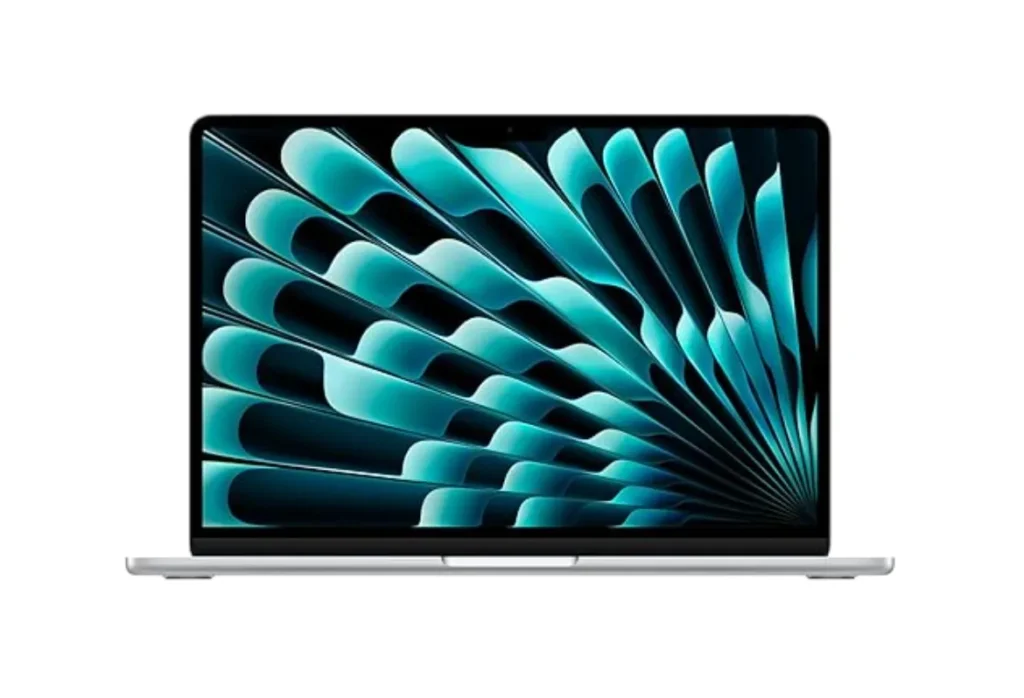
Quick Answer: The best laptop to buy in 2026 for most people is the Apple MacBook Air 13-inch (M5). It’s fast, fanless, light and lasts a full workday. Windows buyers should start with the Dell XPS 14, business users with the Lenovo ThinkPad X1 Carbon Gen 14, and anyone on a tight budget with the MacBook Neo. Laptop prices jumped this year because of a memory shortage, so get at least 16GB of RAM for most uses and check Amazon’s current price before paying list.
Key Takeaways:
- Best laptop overall: MacBook Air 13-inch (M5). Apple’s list price is now $1,299, but Amazon has repeatedly discounted it by $100 to $200 this fall.
- Best Windows laptop: Dell XPS 14 (2026). Great screen and battery, but it now costs roughly $1,900 to $2,150 in common configurations.
- Best budget laptop: MacBook Neo at $699 ($599 with education pricing). The 8GB of memory is the trade-off.
- Prices have moved. Apple raised Mac prices on June 25, 2026, and many Windows laptops cost $300 to $500 more than they did at launch. Spring-era buying guides are out of date.
- Don’t buy on specs alone. Battery life, display type, keyboard and whether the RAM is soldered matter more than a chip name.
Shopping for a laptop in 2026 feels different, and not in a good way. A global memory shortage pushed up the cost of RAM and SSDs, and manufacturers passed it on. Apple raised the MacBook Neo from $599 to $699 and the MacBook Air from $1,099 to $1,299 on June 25. The Dell XPS 14 launched at $1,599 and now sits around $2,000 in most configurations. A top-spec Razer Blade 18 costs hundreds more than last year’s model with less RAM and storage.
That’s a problem if you’re about to spend $700 to $2,000. Pick the wrong configuration and you could end up with an 8GB machine that struggles in a year, or a $2,000 laptop with ordinary battery life. If you only want a Mac, our guide to the best MacBook for your money goes deeper on Apple’s lineup. For everyone else, this page ranks the ten laptops we’d actually recommend right now, then shows you the best pick under $500, under $1,000, for college, for business and for video editing.
How these best laptops were chosen. We compared manufacturer specs, independent laptop reviews and lab battery results (we name the outlet whenever we quote a number) and US pricing as of October 28, 2026. We weighted real-world speed, battery life, display, keyboard, build quality, repairability and, because prices have swung so much, value at today’s price. Rankings are editorial. Where we link to retailers we may earn a commission, but that never changes a ranking.
Best Laptops in 2026 at a Glance
Quick Picks: Best Laptop Overall, Windows Laptop, Budget Laptop and More
If you’re in a hurry, here are the top-rated laptops by category. Each one has a full review further down.
- Best laptop overall: Apple MacBook Air 13-inch (M5): the easiest recommendation for students, remote workers and families.
- Best Windows laptop: Dell XPS 14 (2026): premium design, optional tandem OLED, strong Intel Panther Lake performance.
- Best budget laptop: Apple MacBook Neo: the cheapest new Mac and one of the best-selling laptops on Amazon this year.
- Best business laptop: Lenovo ThinkPad X1 Carbon Gen 14 Aura Edition: about 2.2 pounds, superb keyboard, unusually repairable.
- Best lightweight laptop: Lenovo Yoga Slim 7i Aura Edition: the lightest premium 14-inch OLED laptop here, at roughly 2.1 pounds.
- Best premium Windows laptop: HP OmniBook Ultra 14: HP’s best laptop in years, with Snapdragon X2 or Intel options.
- Best repairable laptop: Framework Laptop 13 Pro: modular, upgradeable and built to last.
- Best high-performance laptop: Apple MacBook Pro 14-inch (M5): pro-grade display and sustained speed.
- Best gaming laptop: Razer Blade 18: the fastest portable you can buy, at a steep price.
- Best 2-in-1 laptop: Lenovo Yoga 9i 2-in-1 Aura Edition: OLED touchscreen, included pen, 15-plus hours of battery.
- Best Chromebook: ASUS Chromebook Plus CX34: the best-value ChromeOS pick, often discounted well below its $499 list price.
Compare the Best Laptops by Price, Performance and Battery Life
Battery numbers below come from different labs using different tests, so treat them as a guide rather than a ranking. Where only a manufacturer claim exists, we say so.
| # | Laptop | Best for | US list price | Display | Weight | Battery | Price |
|---|---|---|---|---|---|---|---|
| 1 | MacBook Air 13″ (M5) | Overall | $1,299 (16GB/512GB) | 13.6″ IPS, 60Hz | 2.7 lb | About 15 hrs tested (Expert Reviews) | Check price |
| 2 | Dell XPS 14 (2026) | Windows | About $1,999 and up (launched at $1,599 to $1,699) | 14″ IPS or 2.8K OLED | About 3.0 lb | 70Wh; reviewers rate it excellent | Check price |
| 3 | MacBook Neo | Budget | $699 ($599 edu) | 13″ IPS, 60Hz | 2.7 lb | About 11 hrs 51 min tested (Expert Reviews) | Check price |
| 4 | ThinkPad X1 Carbon Gen 14 | Business | From about $2,139 | 14″ IPS or 2.8K OLED, 120Hz | 2.2 lb | 13 hrs (Tom’s Guide) | Check price |
| 5 | Yoga Slim 7i Aura Edition | Lightweight | About $1,630 to $1,890 | 14″ 2.8K OLED, 120Hz | 2.14 lb | 18+ hrs in PCMark 10 (Windows Central) | Check price |
| 6 | HP OmniBook Ultra 14 | Premium Windows | From $1,899 (Snapdragon X2 Plus) | 14″ OLED | 2.4 to 2.8 lb | 18 hrs 33 min (Engadget) | Check price |
| 7 | Framework Laptop 13 Pro | Repairable | $1,199 DIY / $1,499 prebuilt | 13.5″ 3:2, 120Hz touch | About 3.1 lb | 16 hrs 5 min (Engadget) | Framework |
| 8 | MacBook Pro 14″ (M5) | Performance | $1,999 (16GB/1TB) | 14.2″ Liquid Retina XDR | About 3.4 lb | Up to 24 hrs (Apple claim) | Check price |
| 9 | Razer Blade 18 | Gaming | From about $3,999 (RTX 5070 Ti) | 18″ dual-mode 4K 240Hz / FHD+ 440Hz | About 7 lb | Not its strength | Check price |
| 10 | Yoga 9i 2-in-1 Aura Edition | 2-in-1 | $1,949 | 14″ 2.8K OLED touch, 120Hz | About 2.9 lb | 15 hrs 39 min (LaptopMedia) | Check price |
How to read it: if you want the best price-to-performance ratio, the MacBook Air and MacBook Neo are hard to beat. If you want the longest unplugged runtime, the Yoga Slim 7i, OmniBook Ultra 14 and Framework 13 Pro all cleared 16 hours in independent tests. If you want raw speed, only the MacBook Pro and Razer Blade really separate themselves.
Price check before you click: Apple laptops get frequent Amazon discounts, while Windows prices swing between Dell, Lenovo and HP direct stores. Compare current Amazon prices on the MacBook Air M5 before you buy from anywhere else.
The 10 Best Laptops of 2026
Every pick below follows the same format: specs, honest pros and cons, how it behaves day to day, and who should (and shouldn’t) buy it.
1. Apple MacBook Air 13-inch (M5) — Best Laptop Overall
The MacBook Air has been the safe answer to “what is the best laptop to buy?” for years, and the M5 version keeps that title. It isn’t the most exciting laptop here. It’s the one that disappoints the fewest people.
Apple’s list price is now $1,299 for the 16GB/512GB model, up from the $1,099 it launched at in March. That stings, but Amazon has repeatedly knocked $150 to $200 off Air configurations during October, which brings the effective price much closer to the original. Check today’s Amazon price on the MacBook Air M5 here.
Specifications
| Spec | Details |
|---|---|
| Processor | Apple M5, 10-core CPU (4 performance + 6 efficiency), 8-core GPU (10-core on higher models) |
| Memory | 16GB unified (24GB and 32GB options on some configs) |
| Storage | 512GB SSD base (1TB and up available) |
| Display | 13.6-inch Liquid Retina IPS, 2560 x 1664, 60Hz, up to 500 nits |
| Battery | 53.8Wh; about 15 hours tested by Expert Reviews |
| Ports | 2 x Thunderbolt 4, MagSafe 3, 3.5mm headphone jack |
| Wireless | Wi-Fi 7, Bluetooth 6 |
| Weight and size | 2.7 lb, 0.44 inches thick |
| Cooling | Fanless (silent) |
| List price | $1,299 (16GB/512GB) |
Reasons to Buy
- Blazing everyday speed with no fan noise, ever.
- Great battery life for a laptop this thin.
- The base model finally includes 16GB of RAM and 512GB of storage.
- Excellent keyboard, trackpad, speakers and webcam for the class.
- Strong resale value if you upgrade in a few years.
Reasons to Avoid
- The $200 price increase since launch narrows its value lead.
- The 60Hz IPS screen is good but not OLED or high refresh.
- Only two ports, both on the left side.
- Upgrading RAM or storage at purchase is expensive, and you can’t add either later.
- It has a notch, and macOS won’t run your Windows-only software.
Performance and Everyday Usability
Apple’s M5 chip makes the Air feel instant for what most people do: dozens of browser tabs, Zoom calls, Office and Google Workspace, photo editing, light video work. Because the chip is passively cooled, performance can taper in very long exports, but you’d have to work it hard to notice. Tom’s Hardware found that a much more expensive Intel Core Ultra X9 laptop only slightly out-scored the Air in multi-core testing, which says a lot about the M5’s efficiency.
Notebookcheck scored the entry model 91.6 percent and called it almost impossible to beat for price-to-performance when it launched at $1,099. At $1,299 the math is tighter, which is exactly why watching Amazon’s price matters. If you also want a bigger screen, a 15-inch M5 Air exists, but the 13.6-inch model is easier to carry and the better value.
Who Should Buy It?
Buy the MacBook Air M5 if you want one laptop that handles school, work, travel and streaming without fuss. It’s the best laptop for work for most office, freelance and remote jobs, as long as your software runs on macOS. Skip it if you need a dedicated gaming GPU, a touchscreen, or lots of ports. See the latest MacBook Air M5 deals on Amazon.
2. Dell XPS 14 (2026) — Best Windows Laptop
After a confusing couple of years where Dell dropped the XPS name, the XPS 14 is back and it’s the best Windows laptop for most people who want a polished, premium machine. Intel’s Panther Lake chips (Core Ultra Series 3) give it real speed and strong efficiency, and the optional tandem OLED screen is gorgeous.
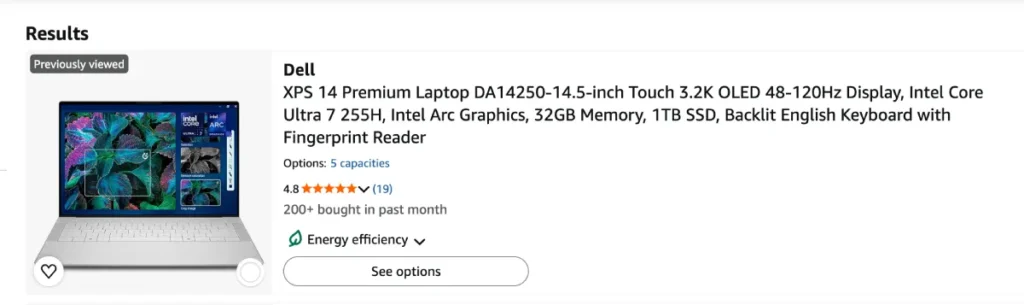
The catch is price. Dell launched it at $1,599 to $1,699, but pricing has climbed: Dell’s own store lists mainstream configurations around $2,000 to $2,150, with periodic sales (one in mid-October took a mid-range model from $2,149 to $1,989). OLED and 32GB configurations run closer to $2,800.
Specifications
| Spec | Details |
|---|---|
| Processor | Intel Core Ultra 5 325, Ultra 7 355, Ultra X7 358H or Ultra X9 388H (Panther Lake) |
| Memory | 16GB to 64GB LPDDR5X (soldered) |
| Storage | 512GB to 2TB SSD |
| Display | 14-inch 16:10: 1920 x 1200 IPS (non-touch) or 2880 x 1800 tandem OLED touch |
| Graphics | Intel integrated (Arc B390 with 12 Xe3 cores on X7/X9 chips) |
| Battery | 70Wh |
| Ports | All USB-C |
| Weight and size | About 3.0 lb (1.38 kg), 14.6 mm thick |
| List price | About $1,999 and up in typical configurations |
Reasons to Buy
- Premium aluminum design that finally feels like an XPS again.
- Optional tandem OLED display with deep contrast and strong brightness.
- Panther Lake performance and graphics that approach an entry-level RTX 4050, according to Notebookcheck.
- Very good battery life for a Windows laptop.
- Copilot+ PC features and Windows Hello sign-in.
Reasons to Avoid
- Prices are notably higher than at launch.
- The OLED version trades some battery life for the nicer screen.
- Some reviewers were not impressed by the keyboard feel.
- All-USB-C ports mean dongles for HDMI and USB-A.
- RAM is soldered, so choose the right amount up front.
Performance and Everyday Usability
Notebookcheck scored the XPS 14 around 87 percent and called it the easiest XPS to recommend in years. In daily use, the Core Ultra X7 versions are fast enough for coding, spreadsheets and light creative work, and Intel’s newest integrated graphics handle casual gaming better than older Intel laptops. A low-refresh display mode helps stretch battery life when you’re just reading and typing.
The screen choice matters. The base 1920 x 1200 IPS panel is fine but forgettable at this price. If you’re paying XPS money, the 2.8K OLED is where the laptop earns it.
Who Should Buy It?
Choose the XPS 14 if you want the best Windows laptop with a Mac-like feel, and you’re comfortable paying a premium for design and display. It’s a strong pick for professionals who split time between work and personal use. If your budget stops near $1,000, skip to our best laptops under $1,000 guide. Check the Dell XPS 14’s current Amazon price, and compare it with Dell’s own sale price.
3. Apple MacBook Neo — Best Budget Laptop
The MacBook Neo changed what a budget laptop looks like. For the first time, a $600-to-$700 laptop has an aluminum body, a bright display, a good webcam and software that stays fast for years. It was reported to be the top-selling laptop on Amazon globally in June, and it’s still the budget benchmark.
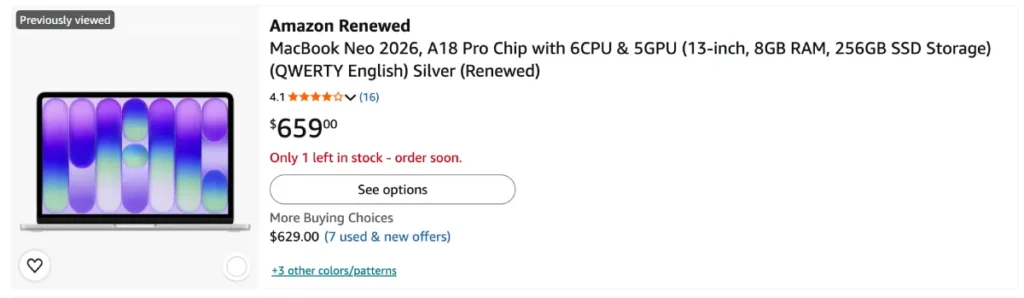
Apple raised the price on June 25: $699 for 256GB and $799 for 512GB with Touch ID. Education pricing is $599 and $699. Deals are rare (Amazon typically trims just $9 to $10), so don’t wait for a big discount.
Specifications
| Spec | Details |
|---|---|
| Processor | Apple A18 Pro, 6-core CPU, 5-core GPU |
| Memory | 8GB unified (not upgradable) |
| Storage | 256GB or 512GB SSD (Touch ID on 512GB) |
| Display | 13-inch Liquid Retina IPS, 60Hz |
| Battery | 36.5Wh; about 11 hrs 51 min tested by Expert Reviews |
| Ports | 1 x USB-C (USB 3 with DisplayPort), 1 x USB-C (USB 2) |
| Wireless | Wi-Fi 6E, Bluetooth 6 |
| Weight | About 2.7 lb (1.23 kg) |
| Colors | Blush, Citrus, Indigo, Silver |
| List price | $699 (256GB), $799 (512GB + Touch ID) |
Reasons to Buy
- The best build quality and display you can get under $800.
- Fast, smooth everyday performance from Apple’s A18 Pro chip.
- Silent, fanless design and strong battery life.
- Fun colors and a clean, notch-free screen.
- Education pricing brings the 256GB model to $599.
Reasons to Avoid
- 8GB of RAM is thin for heavy multitasking and can’t be upgraded later.
- No keyboard backlight, no MagSafe and only two USB-C ports with different speeds.
- Wi-Fi 6E rather than Wi-Fi 7, and a 60Hz display.
- The $100 price hike removes the “$599 Mac” headline.
Performance and Everyday Usability
The A18 Pro is the same chip family as a recent iPhone Pro, and macOS runs well on it. Web browsing, email, streaming, Microsoft Office, Google Docs and light photo edits feel snappy. Where it struggles is memory. Open lots of Chrome tabs, a video call and a few apps at once and the 8GB limit shows up sooner than on a 16GB laptop. For one-or-two-app workflows it’s very good.
The keyboard lacks a backlight, which matters if you type in dim rooms, and there’s no Thunderbolt, so docking and fast external drives are limited.
Who Should Buy It?
The Neo is the best budget laptop for students, first-time Mac owners, parents and anyone whose work lives in a browser. If you edit video, run multiple heavy apps or keep laptops for six-plus years, step up to the MacBook Air or save for it. Students should compare current Neo pricing on Amazon against Apple’s education store, and our best laptops for college students guide covers more options.
4. Lenovo ThinkPad X1 Carbon Gen 14 Aura Edition — Best Business Laptop
If your laptop is a daily work tool, the ThinkPad X1 Carbon is still the one to beat. The Gen 14 Aura Edition keeps the legendary keyboard and restrained black design, then adds something rare in an ultralight: real repairability. It’s one of the best business laptops and the best laptop for small business owners who care about uptime.
It’s not cheap. Lenovo started around $1,999 at announcement, and retail configurations now start near $2,139 with 32GB of RAM.
Specifications
| Spec | Details |
|---|---|
| Processor | Intel Core Ultra Series 3 (Panther Lake), up to Ultra X7 |
| Memory | 32GB on the entry configuration |
| Storage | 256GB to 512GB and up (PCIe Gen 4) |
| Display | 14-inch: Full HD+ IPS or 2880 x 1800 OLED, 120Hz with Eyesafe |
| Battery | Under 70Wh; 13 hrs in Tom’s Guide testing |
| Ports | 3 x Thunderbolt 4, HDMI 2.1, USB-A, 3.5mm audio |
| Security | Windows Hello (face and fingerprint in power button), Copilot+ PC |
| Weight and size | About 2.2 lb, 12.3 x 8.7 x 0.8 in (per Consumer Reports) |
| List price | From about $2,139 |
Reasons to Buy
- Among the best laptop keyboards, full-size and spill-resistant.
- Very light for a 14-inch business laptop at roughly 2.2 pounds.
- A “space frame” design that lets you replace the battery, keyboard, ports and fans. HotHardware reported an iFixit repairability score of 9 out of 10.
- Great port selection, including HDMI 2.1 and a full-size USB-A.
- Excellent OLED option and decent speakers.
Reasons to Avoid
- Expensive, even by premium-laptop standards.
- Battery capacity is modest, and results vary: Tom’s Guide measured 13 hours, while Consumer Reports reported much longer runtimes.
- The ultralight frame is slightly less rigid than heavier rivals.
- It’s a business machine first, so it’s less flashy than the XPS or MacBook.
Performance and Everyday Usability
Panther Lake fixes the thermal limits that held back last year’s Lunar Lake ThinkPad. The redesigned chassis pushes more air through the laptop, and reviewers noted it stays quiet under normal work. For spreadsheets, video meetings, CRM tools and dozens of tabs, it never feels strained.
The Aura Edition software adds “smart modes” that tune performance and battery for focus or travel, and the 65W GaN charger is small enough to toss in a bag. Day to day, it feels like a tool built to survive years of meetings, trips and airport coffee.
Who Should Buy It?
This is the best laptop for business and personal use if you want one ultralight, serviceable machine that can handle IT policies, travel and weekends. Freelancers and small business owners who rely on their laptop for income will appreciate the repairability and keyboard. Budget buyers should look at the XPS 13 or MacBook Air first. See the ThinkPad X1 Carbon Gen 14 on Amazon, and compare it with Lenovo’s direct price. For more options, see our best business laptops roundup.
5. Lenovo Yoga Slim 7i Aura Edition — Best Lightweight Laptop
Weight is the one spec you feel every day. The 2026 Yoga Slim 7i Aura Edition (Lenovo also calls it the Yoga Slim 7i Ultra Aura Edition) is the lightest premium Windows laptop in this guide. At around 2.1 pounds with a big OLED screen, it makes most ultrabooks feel hefty.
Lenovo announced it at CES 2026 starting at $1,499.99. Reviewers have since found configured models closer to $1,630 to $1,890, so price it carefully.
Specifications
| Spec | Details |
|---|---|
| Processor | Intel Core Ultra 7 355 up to Core Ultra X9 (Panther Lake) |
| Memory | Up to 32GB LPDDR5X |
| Storage | Up to 1TB and larger SSD options |
| Display | 14-inch 2880 x 1800 OLED, 120Hz, Dolby Vision HDR, no touch |
| Battery | 75Wh; over 18 hours in PCMark 10 (Windows Central) |
| Body | Magnesium alloy, 13.9 mm thick |
| Weight | About 2.14 lb (0.97 kg) |
| Cooling | Two fans; about 45.5 dB at max load |
| List price | About $1,630 to $1,890 configured |
Reasons to Buy
- The lightest laptop of this quality you can buy: a true portable laptop.
- Gorgeous 120Hz OLED display for the weight.
- Exceptional battery life: Windows Central measured over 18 hours in productivity and video tests.
- Fast Panther Lake performance in a magnesium body that feels solid.
- Copilot+ PC features.
Reasons to Avoid
- Pricing crept up well past the CES estimate.
- No touchscreen, despite the Yoga name.
- Fans can get audible under heavy load.
- RAM is soldered, so buy the capacity you need.
Performance and Everyday Usability
This is a thin-and-light laptop that doesn’t feel like a compromise. The 40-watt-class sustained power budget lets it keep speed during long tasks better than many ultrabooks, and the bigger 75Wh battery is the reason its runtime beats nearly everything here. The 120Hz OLED makes streaming, scrolling and photo review a pleasure.
Windows Central’s review was positive overall but not unqualified, and the price creep since CES is the most obvious reason to shop carefully. It doesn’t undercut the main point: this is the lightest laptop here, and it still gets through a full travel day.
Who Should Buy It?
Frequent travelers, commuters and students who carry their laptop all day should look here first. It’s also the best lightweight laptop if you want Windows, an OLED screen and all-day runtime. If you need a pen or tablet mode, the Yoga 9i 2-in-1 below is the better fit. Check the Yoga Slim 7i Aura Edition price on Amazon.
6. HP OmniBook Ultra 14 — Best Premium Windows Laptop
If you’ve written off HP as a maker of forgettable laptops, the OmniBook Ultra 14 changes that. It’s slim, tough (it’s tested to military standards), has a beautiful OLED display, and comes with either Qualcomm Snapdragon X2 or Intel Panther Lake chips. For many reviewers, it’s the strongest Windows alternative to the MacBook Air and the best HP laptop in years.
Pricing is the hurdle: HP’s original $1,549 CES price has moved up. Tom’s Guide lists the Snapdragon X2 Plus model at $1,899, with a top-end Snapdragon X2 Elite model at $3,599.
Specifications
| Spec | Details |
|---|---|
| Processor | Snapdragon X2 Plus or X2 Elite, or Intel Core Ultra 7 356H (Panther Lake) |
| Memory | 16GB LPDDR5X and up |
| Storage | 512GB SSD and up |
| Display | 14-inch OLED; base model 1920 x 1200 at 60Hz, higher-end models 3K |
| AI | Up to 85 NPU TOPS on Snapdragon X2 Elite |
| Battery | 18 hrs 33 min in an Engadget test |
| Weight | About 2.4 lb (Snapdragon) to 2.8 lb (Intel) |
| Durability | Military-standard tested, very slim chassis |
| List price | From $1,899 (Snapdragon X2 Plus) |
Reasons to Buy
- Elegant, slim design that feels more expensive than past HP laptops.
- Superb battery life, one of the longest in this group.
- Strong multi-core speed; Tom’s Guide found the Snapdragon X2 Elite model out-scored the MacBook Air M5 and Dell XPS 14 in Geekbench 6 multi-core.
- Choose Snapdragon for endurance or Intel for compatibility.
- Beautiful OLED screens on higher configurations.
Reasons to Avoid
- The base configuration’s display is lower resolution and dimmer than HP’s marketing suggests.
- Windows on Arm (Snapdragon) can still stumble with niche software, drivers and some games.
- Expensive, with a wide spread between base and top configs.
- Configuration choices are confusing. Check the exact chip and screen before you buy.
Performance and Everyday Usability
Snapdragon X2 chips are quick and cool, and they sip power during browsing, video calls and Office work. Most mainstream apps run natively or through Windows’ emulation, but if you rely on specialty business software, engineering tools or older VPN clients, test compatibility first or choose the Intel version.
Graphics are fine for creative work and casual gaming but not for modern AAA titles. The Intel Panther Lake option gives you stronger integrated graphics and broader software support at some cost to battery life.
Who Should Buy It?
Choose the OmniBook Ultra 14 if you want a premium, long-lasting Windows laptop and you’re comfortable either with Windows on Arm or with picking the Intel model. It’s a great pick for people who like HP’s ecosystem or want a lightweight laptop with a standout screen. Compare OmniBook Ultra 14 configurations on Amazon, and double-check the display spec on the product page.
7. Framework Laptop 13 Pro — Best Repairable Laptop
Most laptops are built to be replaced. The Framework Laptop 13 Pro is built to be fixed, upgraded and kept. Open it with a screwdriver, swap the battery, memory, storage, ports, display or even the mainboard, and you’ve got a laptop that can outlast three conventional ones. It’s also a legitimately good laptop, not just a principled one.
Framework sells it direct. Pricing starts at $1,199 for the DIY Edition (bring your own memory, storage and OS) and $1,499 for a prebuilt model with Ubuntu, climbing past $3,000 for top configs. Reviewers consistently point out that the memory shortage pushed pricing higher than the hardware deserves.
Specifications
| Spec | Details |
|---|---|
| Processor | Intel Core Ultra Series 3 (Panther Lake), Core Ultra 5 up to Ultra X9; AMD Ryzen AI 300 boards also offered |
| Memory | LPCAMM2 modules (user-replaceable) on Intel models |
| Storage | PCIe 5.0 SSD support, up to 8TB |
| Display | 13.5-inch 2880 x 1920 (3:2) matte touchscreen, 30 to 120Hz, up to 700 nits |
| Battery | 74Wh; 16 hrs 5 min in Engadget’s test |
| Ports | Four swappable Expansion Card bays (USB-C, USB-A, HDMI, DisplayPort, Ethernet and more) |
| Body | CNC-machined 6000-series aluminum, haptic touchpad |
| Weight | About 3.1 lb (1.4 kg) |
| List price | $1,199 (DIY) / $1,499 (prebuilt) and up |
Reasons to Buy
- The best repairability and upgradeability of any laptop in this guide.
- Backward compatible: parts fit older Framework 13 models, so existing owners can upgrade piece by piece.
- Engadget measured over 16 hours of battery life and called it the best Windows laptop its reviewer had used.
- Choose your own ports and swap them anytime.
- Excellent Linux support, plus Windows or no OS at all.
Reasons to Avoid
- Expensive, especially once you add LPCAMM2 memory and storage.
- Notebookcheck found it slower than some competing Panther Lake laptops.
- PC Gamer called the screen lackluster for the price; the speakers are also a weak spot.
- Assembly is a project for the DIY version.
Performance and Everyday Usability
Panther Lake gives the 13 Pro quiet, efficient speed. Under normal work, reviewers described it as nearly silent, and runtime is excellent. It won’t match a MacBook Pro for sustained heavy work, but it comfortably handles office work, coding, light creative tasks and casual gaming.
The hidden advantage is longevity. Laptop makers don’t usually let you upgrade RAM, storage or even the battery. With the Framework you can fix a cracked display or add memory later, and that matters more as component prices stay high. It’s the closest thing to a “buy once” laptop.
Who Should Buy It?
Developers, Linux users, tinkerers and anyone who hates e-waste should choose the Framework Laptop 13 Pro. It’s also a smart purchase for schools and small businesses that want machines they can repair in-house. If you’d rather not touch a screwdriver, the ThinkPad X1 Carbon offers a more conventional business experience. Configure your Framework Laptop 13 Pro on Framework’s site.
8. Apple MacBook Pro 14-inch (M5) — Best High-Performance Laptop
Update, October 28, 2026: Apple announced a 14-inch MacBook Pro with the new M6 chip on October 27. It has a 12-core CPU and GPU, Wi-Fi 7, and the same $1,999 starting price, with shipping from November 6. That makes the M5 model below a clearance-style bargain: Amazon has been discounting it by about $160 in October. If you can wait a week and want the newest chip, look at the M6. If you want the best deal today, the M5 is the better value.
The MacBook Pro 14-inch is the best high-performance laptop for people who edit video, produce music, write code or work in large photo libraries. The display alone separates it from the Air: a bright Liquid Retina XDR mini-LED panel that’s brilliant for HDR, color work and daylight use.
Apple raised the price on June 25. The 16GB/1TB model is now $1,999 (it launched at $1,599 with 512GB). During October, Amazon discounted the M5 14-inch by around $160, while the more powerful M5 Pro 14-inch (from $2,499 list) dropped to roughly $2,069 in some deals.
Specifications
| Spec | Details |
|---|---|
| Processor | Apple M5, 10-core CPU, 10-core GPU with Neural Accelerators (M5 Pro and M5 Max also sold) |
| Memory | 16GB base, up to 32GB |
| Storage | 1TB base (up to 4TB) |
| Display | 14.2-inch Liquid Retina XDR, 3024 x 1964, ProMotion, 1,600 nits HDR peak |
| Battery | 72.4Wh; Apple claims up to 24 hours of video |
| Ports | 3 x Thunderbolt 4, MagSafe 3, HDMI, SDXC card slot, headphone jack |
| Weight | About 3.4 lb |
| List price | $1,999 (16GB/1TB) |
Reasons to Buy
- One of the best laptop screens at any price, with an optional nano-texture matte finish.
- Full port selection: HDMI, SD card slot and three Thunderbolt 4 ports.
- Fast sustained performance with excellent battery life.
- Great speakers, mic array and webcam.
- Strong resale value, plus tempting discounts on the outgoing M5 model.
Reasons to Avoid
- Pricey compared with the Air for modest gains if you don’t need the display or ports.
- 16GB is the starting point; pros will want 24GB or 32GB, which costs more.
- Heavier than the Air at about 3.4 pounds.
- An OLED, touchscreen MacBook Pro redesign has been widely reported for higher-end models, so power users who want the newest design may prefer to wait.
Performance and Everyday Usability
The M5 has faster graphics, much quicker AI work and a faster SSD than the M4 it replaced, according to Apple, and Tom’s Guide’s testing agreed that it delivered stronger performance and “epic” battery life in the same elegant design. For 4K video editing, large Lightroom catalogs, Xcode builds and music production, it’s smooth and quiet.
If you routinely export long, multi-layer video or use 3D apps, step up to an M5 Pro or M5 Max configuration. For everything else, the base M5 is plenty, and the screen and ports are the real upgrades over the Air.
Who Should Buy It?
Choose the MacBook Pro 14 if you’re a creator, developer, photographer or student in a demanding program who wants a long-lasting laptop with the best display. It’s also the best laptop for video editing in this guide if you prefer macOS. If you mainly browse, write and stream, the MacBook Air is the smarter buy. Check the MacBook Pro 14-inch M5 price on Amazon. Read more in our best laptops for video editing and content creation guide.
9. Razer Blade 18 — Best Gaming Laptop
The 2026 Razer Blade 18 is the laptop you buy when you want a gaming desktop in a slim aluminum chassis. Intel’s Core Ultra 9 290HX Plus and up to an RTX 5090 laptop GPU make it one of the fastest portables available, and its 18-inch screen is stunning. It’s also painfully expensive.
Razer announced it in May at $3,999.99 with an RTX 5070 Ti, 32GB of RAM and 1TB of storage. The RTX 5080 model costs $500 more. The RTX 5090 version with 2TB of storage launched around $5,130, and Notebookcheck listed it at about $5,399 later. Notebookcheck also noted that the 2026 model costs more than last year’s for less RAM and storage.
Specifications
| Spec | Details |
|---|---|
| Processor | Intel Core Ultra 9 290HX Plus |
| Graphics | NVIDIA GeForce RTX 5070 Ti (12GB), RTX 5080 (16GB) or RTX 5090 (24GB), up to 175W |
| Memory | 32GB DDR5 base |
| Storage | 1TB to 2TB PCIe Gen 4 SSD (on listed configs) |
| Display | 18-inch dual-mode: UHD+ at 240Hz or FHD+ at 440Hz |
| Connectivity | Wi-Fi 7, Thunderbolt ports, five USB ports total |
| Weight | Roughly 7 lb (verify on your configuration) |
| List price | From $3,999.99; RTX 5090 around $5,100 to $5,400 |
Reasons to Buy
- Desktop-class gaming and creative performance.
- The dual-mode screen gives you 4K detail or ultra-fast 1080p, whichever your game needs.
- Quieter than most laptops with this much power, according to Notebookcheck.
- Premium aluminum design and strong connectivity.
- Works as a mobile workstation for 3D, video and AI work.
Reasons to Avoid
- The price is hard to justify unless you need top-tier performance.
- Heavy, with a bulky power brick; battery life is poor under load.
- Performance is nearly the same as the 2025 model.
- Cheaper gaming laptops deliver most of the fun.
Performance and Everyday Usability
Reviewers praised the Blade 18’s speed and cooling. TechRadar called it a monster of a gaming laptop that outclasses its rivals, with price as the main downside. Creative Bloq noted that it handles creative work as easily as games.
On battery, expect a few hours of light use at best. This is a “plug it in” machine. If your idea of gaming includes esports titles, the 440Hz FHD+ mode is a delight. For single-player AAA games, the 240Hz 4K mode is the showpiece.
Who Should Buy It?
Buy the Razer Blade 18 if you want maximum performance, you have the budget, and you rarely leave your desk. For most gamers, a cheaper RTX 5070-class laptop is the better value. Note that very few new gaming laptops with a dedicated GPU sell under $1,000 right now, and our best gaming laptops page covers more affordable choices.
Check the Razer Blade 18 on Amazon, since configurations and prices vary widely.
10. Lenovo Yoga 9i 2-in-1 Aura Edition — Best 2-in-1 Laptop
A great 2-in-1 laptop is more than a laptop with a flexible hinge. It should be a good laptop first, and a good tablet and sketchpad second. The Yoga 9i 2-in-1 Aura Edition (Gen 11) does both, with a vibrant OLED touchscreen, a good pen included and strong battery life.
Lenovo’s base price is $1,949, which is expensive. Which? in the UK called the price very lavish, though it noted the quality.
Specifications
| Spec | Details |
|---|---|
| Processor | Intel Core Ultra 7 355 (Panther Lake) and other Series 3 options |
| Memory | 32GB LPDDR5X on reviewed configs |
| Storage | Up to 2TB PCIe Gen 4 SSD |
| Display | 14-inch 2880 x 1800 OLED touchscreen, 120Hz |
| Battery | 75Wh with Rapid Charge Express; 15 hrs 39 min in LaptopMedia’s test |
| Ports | Thunderbolt 4, always-on USB-A (USB 3.2 Gen 2) and more |
| Pen | Yoga Pen Gen 2 included, plus a “Canvas Mode” case |
| Weight | About 2.9 lb (1.3 kg) |
| List price | From $1,949 |
Reasons to Buy
- Stunning OLED touchscreen with accurate color; LaptopMedia measured 15 hours 39 minutes of battery life.
- Pen included, with a case that props the laptop at a drawing angle.
- Great speakers for a convertible.
- Premium 360-degree hinge design with a full keyboard.
- Copilot+ PC features and fast charging.
Reasons to Avoid
- Expensive for what is mostly the same chip as cheaper laptops.
- Integrated graphics only.
- Slightly larger than the previous generation.
- Soldered RAM.
Performance and Everyday Usability
The Core Ultra 7 355 handles Office, browsing, video calls and light photo editing with ease. This isn’t a gaming or heavy-rendering machine. The point is flexibility: use it as a laptop at your desk, flip it into tent mode for presentations, or fold it flat for notes and sketches.
The keyboard and touchpad were refreshed for this generation, and the display is the same excellent OLED as last year’s, so image quality hasn’t regressed. Battery life above 15 hours means it also works as a travel laptop.
Who Should Buy It?
Choose the Yoga 9i 2-in-1 if you take handwritten notes, sketch, annotate PDFs or present to clients, and you want one device to do it all on Windows. If you rarely use tablet mode, the Yoga Slim 7i or XPS 14 offers better value. See the Lenovo Yoga 9i 2-in-1 price on Amazon.
Best Laptops by Budget and Use Case
The ten picks above are the best laptops overall. But the right laptop depends on your budget and what you do all day, so here’s how the list (and a few extra models) breaks down.
Best Laptops Under $500
The honest truth: $500 buys a much smaller laptop than it did a year ago. The MacBook Neo no longer fits here. It’s $699, or $599 with education pricing. Under $500, you’re choosing between a good Chromebook and a basic Windows laptop.
- Best overall under $500: ASUS Chromebook Plus CX34. PCWorld calls it the best all-around Chromebook. List price is $499, and Chrome Unboxed has tracked sales as low as $329 to $349.
- Best budget pick under $300: ASUS Chromebook CX15. It runs on modest hardware (Tom’s Guide listed 8GB of RAM and a Celeron N4500) but covers browsing, streaming and schoolwork at a very low price.
- Best Windows laptop near $500: Acer Aspire Go 15. Tom’s Guide named it its top laptop under $500. Check the exact RAM and storage before you buy.
What to watch: Avoid 4GB of RAM and slow eMMC storage. For Windows, 16GB is better than 8GB if you can find it at your price. Also see our best Chromebook for everyday use pick below.
Best Laptops Under $1,000
This is where most shoppers should look, and the choices are strong.
- MacBook Neo ($699 to $799): the best build quality under $1,000, if 8GB of RAM works for you.
- Dell XPS 13 (2026) (from $699 to $799): the best budget Windows laptop, according to Tom’s Guide, which measured 14 hours 26 minutes of battery life. The entry version uses an Intel Wildcat Lake chip with 8GB of RAM, so consider a step up.
- HP OmniBook 5 (14-inch from about $900; 16-inch OLED about $799): PCMag has praised the 14-inch as a top Windows laptop under $1,000, and the 16-inch OLED offers a larger, brighter screen.
- Acer Aspire 16 AI (about $700): a plain but capable 16-inch Windows laptop.
- Lenovo IdeaPad Slim 5x: named a top Windows value under $1,000 in a June 2026 round-up of tested laptops.
A discrete GPU is the catch: Gizmodo reports it’s very hard to find a new gaming laptop under $1,000 in 2026. The Acer Nitro V 16 hovered right around the line. For more picks, see our best laptops under $1,000 guide.
Best Laptops for Work and Everyday Use
For the best work laptops, prioritize keyboard, battery, webcam, security and a screen you can look at for eight hours. Our top choices:
- MacBook Air M5: best overall for remote work, office jobs and freelancing.
- Dell XPS 14: best premium Windows laptop for mixed work and personal use.
- HP OmniBook 5: best value for everyday office tasks on Windows.
- ThinkPad X1 Carbon: best when your laptop is your livelihood.
If you’re after the best laptop for home use, the MacBook Neo and Dell XPS 13 are the easiest to live with. A good rule for any of them: choose 16GB of RAM, a 14- to 15-inch screen at 1920 x 1200 or better, and a keyboard you like. Those three choices matter more than the chip name.
Best Laptop for Business and Personal Use
Many people want one laptop that survives a client presentation on Tuesday and a movie night on Friday. The right balance is a business-grade keyboard and security with a great screen.
- Best Windows: Lenovo ThinkPad X1 Carbon Gen 14. Windows Hello face and fingerprint login, a superb keyboard and repair-friendly construction.
- Best Mac: MacBook Air M5. Touch ID, a great trackpad and excellent resale value.
- Best for creative-plus-office: Dell XPS 14 with OLED.
For the best laptop for small business owners, add Windows 11 Pro (for BitLocker and domain features), a 3-year warranty if offered, and accidental damage coverage. Our best business laptops roundup compares more models.
Best Laptop for College Students
Students need battery life, light weight, durability and a price that doesn’t wreck a semester.
- Best overall: MacBook Neo. Education pricing is $599 for 256GB, and it’s fast enough for essays, research and streaming.
- Best for more power: MacBook Air M5. Education discounts apply, and 16GB lets it last through graduation.
- Best Windows: Dell XPS 13. Dell advertised a student price of $699 in October.
- Best on a tight budget: ASUS Chromebook Plus CX34.
- Best for long days on campus: Lenovo Yoga Slim 7i Aura Edition if you can afford it.
Engineering, architecture and some business majors require Windows-only software, so check your department’s requirements before you pick a Mac. Our best laptops for college students guide has dorm-friendly extras.
Best Laptop for Video Editing and Content Creation
Creators need a color-accurate display, fast storage, strong graphics and enough RAM for large files.
- Best overall: MacBook Pro 14-inch (M5). Best display and sustained performance. Step up to M5 Pro if you edit 4K for hours.
- Best lighter option: MacBook Air M5 with 24GB. Fine for photo work and short video edits.
- Best Windows creator laptop: Lenovo Yoga Pro 9i Aura Edition. Lenovo’s US model starts at $2,799 with Intel Core Ultra 9 386H, RTX 50-series graphics and a 92.5Wh battery, according to Ubergizmo.
- Best for 3D and heavy GPU work: Razer Blade 18.
Get at least 32GB of RAM for serious video editing and a 1TB SSD. Our best laptops for video editing page goes deeper.
Best Chromebook for Everyday Use
If your life runs in Chrome, Gmail, Google Docs and Netflix, a Chromebook is the simplest laptop you can own. Look for Chromebook Plus models, which meet higher hardware requirements.
- Best overall: ASUS Chromebook Plus CX34. PCWorld’s top pick, with a $499 list price and regular sales.
- Best premium: Lenovo Chromebook Plus 14. A 14-inch OLED touchscreen and 16GB of RAM in PCWorld’s tested configuration, typically priced between $649 and $749.
- Best budget: ASUS Chromebook CX15.
Our best Chromebook guide compares more models, including 2-in-1s.
How to Choose the Best Laptop
Specs sheets are designed to confuse. Here’s what actually matters in 2026, in plain English.
How Much Should You Spend on a Laptop?
Here’s the framework we use:
- Under $500: Chromebooks and basic Windows laptops for browsing and homework.
- $600 to $900: the sweet spot for most people (MacBook Neo, XPS 13, HP OmniBook 5).
- $1,100 to $1,500: premium thin-and-lights with better screens, 16GB RAM and strong battery life (MacBook Air M5 on sale).
- $1,800 and up: specialized machines for creators, business users and gamers.
Because RAM and storage have gotten more expensive, “cheap” costs more than it used to. Apple’s June increases ranged from $100 on the MacBook Neo to $300 on the 14-inch MacBook Pro, and Windows makers have followed. Spend more on the things you can’t upgrade later (RAM on most laptops, screen quality) and less on things you can (external storage, accessories).
How Much RAM Do You Need in 2026?
- 8GB: usable for light browsing and documents, but tight. It’s fine only on the MacBook Neo and basic Chromebooks.
- 16GB: the new baseline for Windows and Mac laptops. Choose this for work, school and everyday multitasking.
- 24GB to 32GB: best for video editing, programming, virtual machines and heavy multitasking.
- 64GB: only for specialized workloads.
Almost every laptop here has soldered memory, so you can’t add more later. The Framework 13 Pro is the exception, using swappable LPCAMM2 modules. For background, see how the global memory shortage is affecting prices.
How Much SSD Storage Do You Need?
- 256GB: acceptable only if you use cloud storage heavily.
- 512GB: the practical minimum for most people.
- 1TB: best for photos, video, games and large project files.
- 2TB and up: creators and professionals.
External SSDs are cheap insurance, but they’re clumsy for a main drive. If the price gap between 512GB and 1TB is small, take the 1TB.
Intel vs. AMD vs. Apple Silicon vs. Qualcomm
Picking the best processor for a laptop in 2026 is really about trade-offs.
- Apple silicon (M5, A18 Pro, M6): the best mix of speed, battery life and quiet. macOS only.
- Intel Core Ultra Series 3 (Panther Lake): the strongest x86 chip family this year, with much-improved efficiency and integrated graphics. Best for software compatibility.
- AMD Ryzen AI: strong value and performance, and Framework still offers AMD boards. You’ll see it more in mid-priced and gaming laptops.
- Qualcomm Snapdragon X2: excellent battery life and fast multi-core speed. Best if your software supports Windows on Arm.
If you want an Intel vs AMD vs Snapdragon laptop decision in one sentence: choose Intel for compatibility, Snapdragon for endurance, AMD for value, and Apple silicon if you’re happy in macOS.
Integrated Graphics vs. Dedicated Graphics
Most people don’t need a dedicated GPU anymore. Intel’s top Panther Lake integrated graphics (Arc B390) come close to an entry-level RTX 4050, according to Notebookcheck, and Apple’s GPUs are strong for creative work.
You need dedicated graphics (NVIDIA RTX or AMD Radeon) for modern AAA gaming, 3D rendering and some AI workloads. They add cost, weight, heat and battery drain, and they’re rare under $1,000. Laptops with high performance and discrete graphics, like the Razer Blade 18, are best when you stay near a power outlet.
OLED vs. IPS: Which Laptop Display Is Better?
OLED screens offer deep blacks, vivid color and fast response. They’re best for movies, photos and anyone who looks at a screen all day. The trade-offs: higher cost, a modest battery penalty at high brightness and a theoretical risk of image retention if you leave static content on screen for long periods.
IPS screens are cheaper, often brighter in sunlight and slightly easier on battery life. A good IPS panel is fine for work.
For most buyers, an OLED upgrade is worth it at $1,500 and above. Below that, a bright, accurate IPS is the smarter use of money. Apple’s MacBook Pro uses mini-LED, which offers excellent brightness and HDR without OLED’s drawbacks. Learn more about OLED display technology if you’re curious how it works.
What Laptop Screen Size Should You Choose?
- 13 to 14 inches: best for portability and travel. The best choice for most people.
- 15 to 16 inches: more screen for spreadsheets, editing and multitasking, with more weight.
- 17 to 18 inches: desktop-replacement gaming and workstation laptops.
A taller 16:10 or 3:2 screen shows more of a document than a 16:9 panel of the same size, which is why laptops like the MacBook Air and Framework feel bigger than their dimensions suggest.
How to Compare Laptop Battery Life
Manufacturer claims like “up to 24 hours” typically come from low-intensity video playback. Independent tests use web browsing or productivity loops, and results can differ by several hours. That’s why this guide credits the lab and test type next to each number.
Practical rules: expect 60 to 75 percent of a manufacturer’s claim, favor tests that match your use, and remember that a bright OLED, 120Hz mode and heavy multitasking all shorten runtime. Battery capacity (in Wh) is useful but not decisive, because efficient chips like Apple’s M-series and Snapdragon X2 do more with less.
Why Laptop Weight, Keyboard, and Ports Matter
You’ll feel your laptop’s keyboard thousands of times a day and carry its weight on every commute. Under 3 pounds is light, around 2 pounds is exceptional, and over 4 pounds means you’ll notice it.
For ports, count what you actually use: HDMI for presentations, USB-A for older accessories, an SD card slot for photography. The MacBook Pro offers HDMI and an SD card slot, and the ThinkPad X1 Carbon has HDMI and a full-size USB-A port; many thin laptops have neither. Dongles work, but they’re annoying.
Are AI PCs Worth Buying in 2026?
“AI PC” and Copilot+ PC labels mean a laptop includes a neural processing unit (NPU) for on-device AI tasks. Snapdragon X2 Elite machines advertise up to 85 NPU TOPS. Most premium laptops in this guide qualify.
Our view: don’t pay extra for an AI badge. The AI features that matter today (live captions, background blur, local transcription, writing tools) work on all modern laptops, and the software keeps evolving. Choose on screen, battery, keyboard and speed, and treat NPU performance as a nice bonus.
Upgradeable vs. Non-Upgradeable Laptops
Almost every thin laptop solders its memory to the motherboard, and Apple builds memory and storage into its Macs. That’s a tradeoff for thin designs and efficiency, but it means you have to choose your RAM and storage at purchase.
Two exceptions in this guide: the Framework Laptop 13 Pro, which is built to be upgraded and repaired, and the ThinkPad X1 Carbon Gen 14, which lets you swap parts like the battery and keyboard. With memory prices high, buying the right amount of RAM the first time is the best way to avoid overspending later.
Where to Buy the Best Laptops and Find Deals
Compare Laptop Prices at Amazon, Best Buy, Walmart and Manufacturer Stores
The same laptop can differ by $100 to $300 between stores, and the cheapest store changes week to week. Here’s where each retailer tends to win.
| Retailer | Best for | Watch out for |
|---|---|---|
| Amazon | Apple laptops (frequent $100 to $200 discounts on MacBook Air and Pro), fast Prime shipping, easy returns | Third-party sellers and “renewed” listings; buy items sold and shipped by Amazon or the brand’s official storefront |
| Best Buy | Price matching, in-store pickup, open-box deals, quick exchanges | Prices often match Amazon rather than beat it |
| Walmart | Budget Chromebooks and entry Windows laptops, rollbacks on older models | Stock of premium laptops can be thin; check the configuration carefully |
| Apple, Dell, Lenovo, HP direct | Education pricing (the MacBook Neo is $599 for students), custom configurations, coupons and student discounts | Inflated “was” prices and bundles; Framework sells only direct |
Deal trackers logged Amazon discounts of $150 to $200 on several MacBook Air M5 configurations in October, matching Prime Big Deal Days levels. MacBook Neo discounts are much rarer, typically about $10, so don’t expect a sale. Check current Amazon pricing on Apple laptops before buying elsewhere, and compare against Dell’s and Lenovo’s direct prices for Windows models.
How to Spot a Good Laptop Deal and Avoid Overpaying
Laptop discounts are easy to fake. Use these checks:
- Know today’s real list price. Apple, Dell and Razer all raised prices this year. A “20 percent off” tag on an old price is meaningless.
- Compare configurations, not names. A $999 MacBook Air or XPS 14 with 8GB of RAM and 256GB of storage isn’t the same product as the 16GB/512GB model.
- Ignore “estimated value” anchors. Dell’s store, for example, shows a crossed-out “estimated value” that sits well above its own regular price. Compare the final price to what other stores charge.
- Check price history. A good deal is lower than the typical sale price, not just lower than list. Price-tracking tools show the pattern.
- Confirm the seller. On Amazon, prefer “ships from and sold by Amazon” or the brand’s own storefront.
- Read the return policy and warranty. A few extra days of returns can be worth more than $30 off.
- Time your purchase. Black Friday is November 27 and Cyber Monday is November 30. Because Apple just announced the M6 14-inch MacBook Pro, the outgoing M5 MacBook Pro is already seeing discounts. Apple’s refurbished store, which started selling Neo units in June, is another low-risk option.
The memory shortage means deep discounts are rarer than in past years, but retailers are still cutting prices on older stock. See today’s Amazon laptop deals.
Frequently Asked Questions About the Best Laptops
What is the best laptop to buy in 2026?
For most people, the Apple MacBook Air 13-inch (M5) is the best laptop to buy in 2026. It combines fast performance, a silent fanless design, a great keyboard and about 15 hours of tested battery life. Windows users should look at the Dell XPS 14, while budget shoppers should consider the $699 MacBook Neo. Check current Amazon pricing, because discounts of $150 or more have been common.
What is the best laptop for work?
The best laptop for work depends on your job, but the MacBook Air M5 and Lenovo ThinkPad X1 Carbon Gen 14 are the strongest all-rounders. The MacBook Air offers speed, battery life and simplicity, while the ThinkPad adds a top-tier keyboard, strong security and repairability. Whatever you choose, get 16GB of RAM. See our best laptops for work guide for more options.
What is the best Windows laptop?
If you’re shopping for a PC laptop or Windows notebook, the Dell XPS 14 (2026) is the best Windows laptop for most buyers, thanks to its premium design, optional tandem OLED screen and Intel Panther Lake performance. The HP OmniBook Ultra 14 is the best choice if you want longer battery life, and the Lenovo Yoga Slim 7i is best for light weight. Prices vary widely, so compare Amazon with each manufacturer’s store.
Which laptop brand is the most reliable?
No single brand is the most reliable in every year, and owner surveys vary between editions, so check the latest ones. Among laptop brands, Apple led Amazon’s global laptop sales by units and revenue in June, according to LaptopMedia’s tracking, but sales rank isn’t the same as reliability. Apple MacBooks and Lenovo ThinkPads are commonly named among the most dependable, but reliability depends more on the specific model line, warranty coverage and build quality than on the logo. Business-class laptops usually offer stronger warranties and easier repairs.
How much should you spend on a good laptop?
Most people get the best value between $700 and $1,300. In that range you can find 16GB of RAM, fast processors and all-day battery life. Spend less ($300 to $500) if you mostly use a browser, and more ($1,800 and up) if you edit video, game or need a premium OLED screen. Our best laptops under $1,000 guide shows where to start.
Is a MacBook better than a Windows laptop?
Neither is universally better. MacBooks usually win on battery life, silence, trackpads and resale value, and they keep their performance on battery. Windows laptops offer more choice, touchscreens, 2-in-1s, upgradeable options and the widest software and gaming support. If your required software runs on macOS and you want a long-lived laptop, choose a MacBook. If not, choose Windows.
Final Verdict: Which Laptop Should You Buy?
Laptops cost more in 2026 than they did in the spring, but the best laptops of 2026 are also better than ever: faster, quieter and far more efficient. The right choice comes down to a few questions.
| If you want… | Buy this | Why |
|---|---|---|
| One laptop that suits almost everyone | MacBook Air 13″ (M5) | Speed, silence, battery and a full 16GB of RAM |
| The best Windows laptop | Dell XPS 14 | Premium build, OLED option, strong Panther Lake performance |
| The cheapest great laptop | MacBook Neo | $699 ($599 for students) with premium build quality |
| A serious work machine | ThinkPad X1 Carbon Gen 14 | Keyboard, ports and repairability |
| The lightest laptop | Yoga Slim 7i Aura Edition | About 2.1 lb with a 120Hz OLED |
| Long battery life on Windows | HP OmniBook Ultra 14 | 18-plus hours in testing |
| A laptop you can repair | Framework Laptop 13 Pro | Modular and upgradeable |
| Pro-level power | MacBook Pro 14″ (M5) | Best screen and sustained speed (the M6 ships Nov. 6) |
| Top-tier gaming | Razer Blade 18 | Desktop-class power, if you can afford it |
| A pen-friendly 2-in-1 | Yoga 9i 2-in-1 | OLED touchscreen and pen included |
If I had to pick one for a friend, I’d tell them to buy the MacBook Air M5 if Amazon has it at $150 or more off, or the Dell XPS 14 if they need Windows. If their budget is firm at about $700, I’d tell them to buy the MacBook Neo and not look back.
Waiting has a cost too. Memory prices haven’t fallen, and holiday discounts are the best shot at relief you’ll see this year. Check today’s price on the MacBook Air M5, compare it with the Dell XPS 14, and lock in the right configuration before the Black Friday rush. If you’re still deciding, our best laptop for college students and best business laptops guides narrow the field further.
Prices, specs and availability were verified on October 28, 2026 and are updated as deals and list prices change.
