

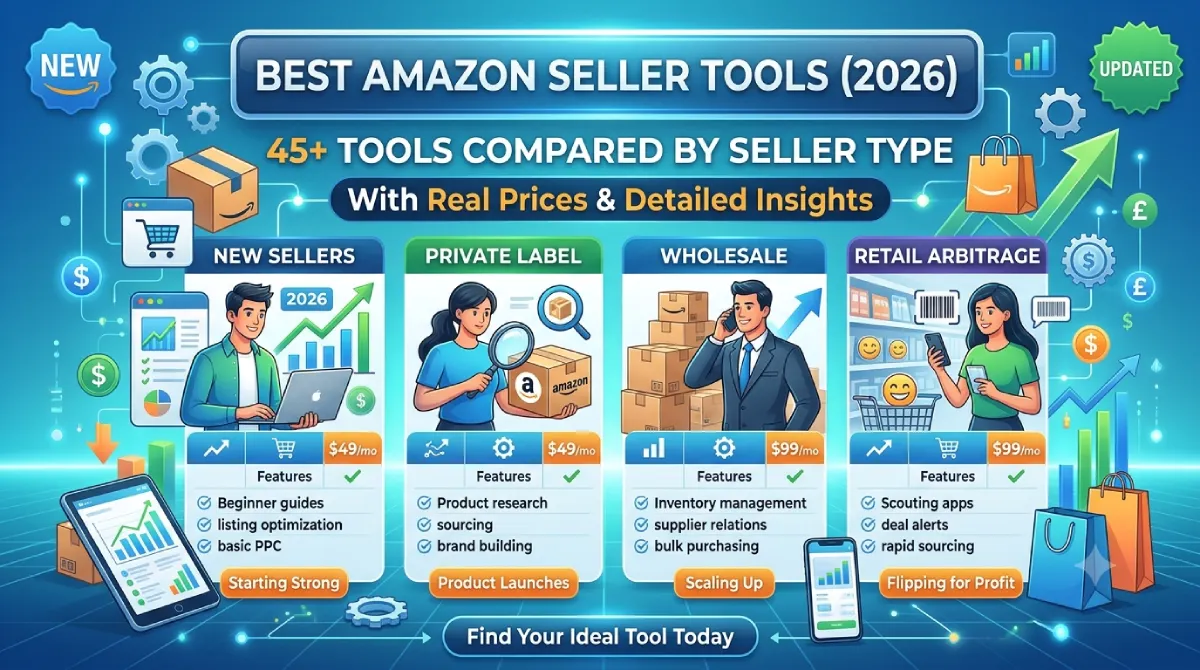
Quick Answer: The best Amazon seller tool depends on the job. Helium10 is the strongest all-in-one suite for private-label sellers, Jungle Scout is the easier first platform for product research, Sellerboard is the best-value profit tracker, Keepa is essential for resellers, and Amazon’s free tools (Seller Central, Product Opportunity Explorer, Brand Analytics, the FBA Revenue Calculator) cover more than most beginners realize. Most sellers need only two or three tools, not ten.
Key Takeaways
- Start with Amazon’s own free tools. Add one paid research tool and one profit tracker before anything else.
- Pick tools by the problem you have today, not by the longest feature list.
- Prices moved a lot in 2026. Helium 10 in particular has been repriced, so check official pricing pages before you buy.
- Ad automation only pays off at meaningful ad spend. Under roughly $1,000 a month, manual management plus Amazon’s console is usually enough.
- Revenue is not profit. A profit tracker is the cheapest way to find out which of your SKUs are quietly losing money.
Most “best Amazon seller tools” lists are written by people who read feature pages. This one is written by someone who judges software by a harder question: did it change a decision I was about to make?
I spend my working week on search and software, so I look at Amazon tools the way I look at the best SEO tools: a tool earns its subscription only if it saves time, prevents an expensive mistake, or finds money you would have missed. Dashboards that look impressive but never change what you do are the real cost center in most seller stacks.
And that cost adds up. A seller who stacks five overlapping subscriptions pays for the same keyword data three times, then still exports CSVs by hand. A seller with none can pour $2,000 into a product with no real demand, or run ads at a loss for a month before noticing.
This guide covers 45+ tools across research, keywords, advertising, profit, inventory, repricing, reviews, reimbursements, accounting and AI. For each one I tell you what it’s best at, what it costs, where it falls short, and who should skip it. You’ll also get three priced tool stacks, the math behind the decisions, and a list of tools I’d cancel.
How I Evaluate Amazon Seller Tools
Every tool in this guide gets the same five questions. They come from watching where sellers actually waste money.
- Setup time. How long until the tool shows real data from my account or niche? If the answer is “after a week of configuration,” that’s a cost.
- Data you can act on. Does the output say what to do next, or does it just show a chart?
- Accuracy against a source of truth. Sales estimates from research tools are estimates. I compare them against Seller Central, Brand Analytics, or my own sales whenever I can.
- Overlap. If a tool duplicates something I already pay for or get free from Amazon, it needs a reason to exist.
- Price against stage. A $250-a-month forecasting tool is wasteful for a seller with three SKUs and brilliant for one with sixty.
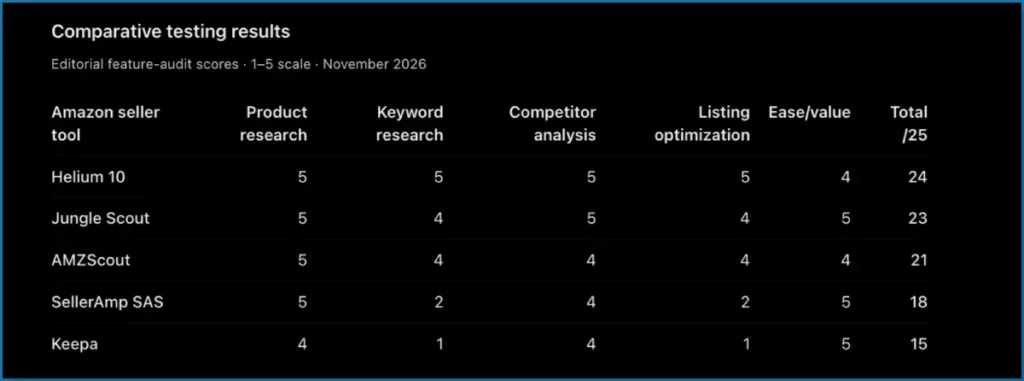
A note on prices and data. Software pricing in this category changes constantly. The figures below are ranges I found while updating this guide in November 2026 across vendor pages and recent comparisons. They don’t always agree, and the inconsistency is itself a finding: older articles still quote Helium 10 entry prices that more recent comparisons say were retired. Treat every number as a starting point and confirm it on the vendor’s official pricing page before you pay.
A note on sales estimates. Tools like Helium 10, Jungle Scout and AMZScout estimate sales from public signals such as sales rank and category. They are directionally useful, not accounting records. I use them to rank ideas, never to forecast revenue to the dollar.
Best Amazon Seller Tools at a Glance
If you only read one section, read this one.
| Job | My pick – Amazon Seller Tools | Typical price (verify) | Free option? | Best for |
|---|---|---|---|---|
| Run the store | Amazon Seller Central | Included with selling plan | Yes | Everyone |
| Validate product ideas (free) | Product Opportunity Explorer | Free in Seller Central | Yes | Beginners, new brands |
| All-in-one research suite | Helium 10 | About $99-$359/mo depending on plan and billing | Limited, check current terms | Private label |
| Beginner product research | Jungle Scout | About $49-$149/mo | No (refund window) | New sellers |
| Market and brand intelligence | SmartScout | About $25-$300/mo depending on source and tier | Trial | Wholesale, brands |
| Price history | Keepa | About $17/mo | Free extension | Resellers, everyone |
| Keyword clustering | Data Dive | About $32-$490/mo | Trial | Listing optimization |
| Profit tracking | Sellerboard | About $19-$69/mo | Trial | Almost every seller |
| PPC automation | Perpetua | Roughly $150-$250+/mo mid-market | No | $5K+/mo ad spend |
| Inventory forecasting | SoStocked | From about $250/mo | Trial | 20+ SKUs |
| Repricing | Seller Snap | About $250-$800/mo | No | Resellers with big catalogs |
| FBA reimbursements | GETIDA | Commission-based | No monthly fee | Larger FBA sellers |
| Accounting | A2X or Seller Ledger | Varies; Seller Ledger about $10-$20/mo | Trial | Anyone with an accountant or books to fix |
| Arbitrage buy decisions | SellerAmp SAS | From about $20/mo | Trial | Online and retail arbitrage |
No single tool wins every row. A private-label brand and a wholesale reseller should end up with almost completely different stacks, which is why the rest of this guide is organized by job.
1. Free Amazon Seller Tools: Use These Before You Pay for Anything
Amazon has quietly built a decent toolkit, and in my experience the most common beginner mistake is buying software before opening these. Spend your first week here.
Seller Central
Seller Central is the control room: listings, orders, returns, inventory, reports, account health and advertising. Third-party tools mostly read from it. If you don’t understand its Business Reports and Account Health pages, no paid dashboard will make up for it.
Two habits I’d build immediately. First, check Account Health weekly, because a policy problem that sits for a month is far more expensive than one caught in a day. Second, learn the Business Reports by ASIN, because “Unit Session Percentage” (your conversion rate) is the single number that tells you whether a listing or an ad is the problem.
Product Opportunity Explorer
This is Amazon’s own demand-and-niche research inside Seller Central. It shows search behavior, niche size, and patterns in customer reviews and returns. Availability depends on your account and marketplace.
Its best use is the second half of research. Once you have a shortlist, read the customer-feedback patterns for each niche. If three of the top products share the same complaint (say, a lid that leaks), that’s a product brief, not just a data point. Its weakness is that it won’t tell you what competitors sell or earn at ASIN level, which is where paid tools take over.
Brand Analytics
For brand-registered sellers, Brand Analytics shows what shoppers actually search, which products get bought together, and how often customers come back. Amazon’s own search term and search query data is the closest thing to ground truth for keyword demand, because third-party tools infer volume while this comes from the source.
Use it to settle disagreements between keyword tools. When two tools disagree about whether “insulated lunch bag” is bigger than “lunch box for adults,” Brand Analytics is the tiebreaker, if you have access.
FBA Revenue Calculator
It’s the most boring tool on this page and the one I’d run before every purchase order. Enter price, dimensions, weight and category, and it estimates referral and fulfillment fees so you can see profit per unit before you buy inventory.
Here’s the habit that matters. Run it with a pessimistic price (your price minus 10%), then subtract ad spend and returns by hand. If a product only works at the optimistic price with zero advertising, it doesn’t work.
Manage Your Experiments and A+ Content
Manage Your Experiments lets brand-registered sellers A/B test titles, images and A+ Content against real traffic. Most guides skip it, which is a mistake: guessing which main image converts better is exactly what a free split test replaces. Pair it with A+ Content once a product has traffic but a conversion rate below its category norm.
Listing Quality Dashboard, Automate Pricing and Growth Opportunities
The Listing Quality Dashboard flags missing attributes on your listings. Automate Pricing is Amazon’s free rules-based repricer. Growth Opportunities surfaces account-level suggestions. None is sophisticated, and all three are worth trying before paying a third party for the same thing.
One caution on Automate Pricing: it will lower your price to a rule’s floor, so set a minimum that protects margin. More on that in the repricing section.
Veeqo, Seller App and Amazon’s AI dashboard
Veeqo is Amazon’s free multichannel shipping and order tool for eligible sellers, useful if you also sell on Shopify or elsewhere. The Seller App handles alerts and quick checks on mobile. Recent comparisons also describe a free AI dashboard called Dynamic Canvas for US and UK sellers. Treat that as a claim to verify in your own Seller Central before building a workflow around it.
Google Trends
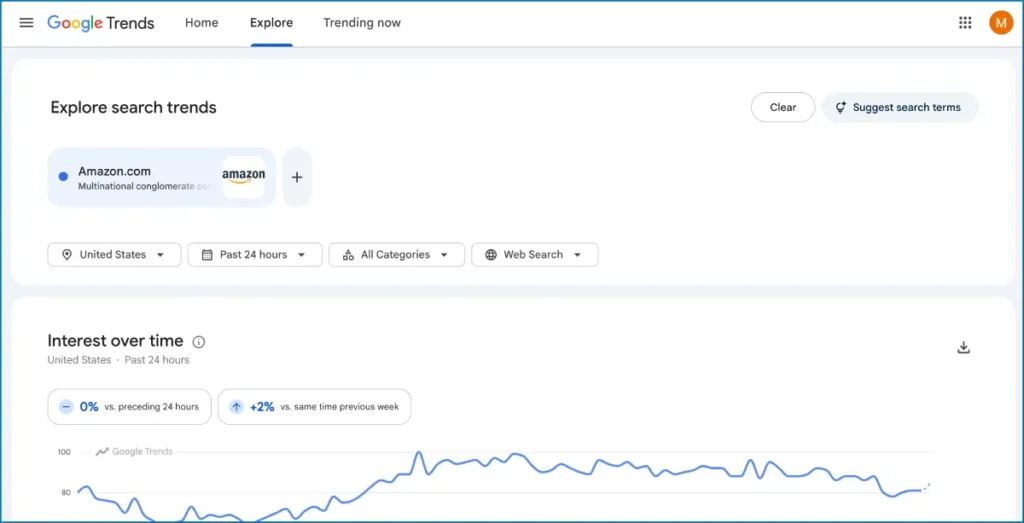
Google Trends isn’t an Amazon tool, but it’s the fastest way to check whether interest in a product is seasonal, growing or fading. A search spike isn’t Amazon demand, so use it to rule ideas out and time launches, not to prove demand.
2. Best Amazon Product Research Tools
Research tools answer one question: is this product worth the money I’m about to put into inventory? They estimate demand and competition so you can say no cheaply.
Helium 10 (best all-in-one suite)
Helium 10 bundles product research (Black Box, Xray), keyword research (Magnet, Cerebro), listing work, PPC (Adtomic), reimbursements and more. Recent comparisons describe its 2026 pricing as restructured: Platinum around $129 a month ($99 billed yearly) and Diamond around $359 ($279 yearly), with an Enterprise tier far above that. Older pages still show cheaper entry plans, so check the current page.
The tool I’d learn first is Cerebro, the reverse-ASIN keyword tool. Type in a competitor’s ASIN and you see the search terms that product ranks or advertises for. For a new listing, that is a head start on a keyword list you’d otherwise build over weeks.
Where it hurts: the suite is overwhelming for beginners, and the features that matter most (full PPC automation, higher limits) sit on the pricier plans. I’d call it the right tool for a seller who already knows what they’re doing and the wrong one for a seller still choosing a first product.
Skip it if: you only need price history or profit tracking. You’d be renting a toolbox for one screwdriver.
Jungle Scout (best for beginners and supplier sourcing)
Jungle Scout is the gentler platform. Its product database, Opportunity Finder, Keyword Scout and supplier database make it a clean path from idea to factory. Recent comparisons list plans at roughly $49, $79 and $149 a month, with a cheaper annual rate on the entry tier.
Its supplier database is the differentiator. Helium 10 won’t help you find a manufacturer, and for first-time private-label sellers that gap is real. Its weaker side is advertising automation and listing tools, which are more basic than Helium 10’s.
Skip it if: you’ll also buy Helium 10. Paying for both research platforms is the most common duplication I see.
AMZScout (best for quick, browser-based checks)
AMZScout leans on a Chrome extension that scores products while you browse Amazon. It suits beginners and arbitrage sellers who want a fast yes-or-no on a product page rather than a research dashboard. Entry pricing is lower than the big suites. Don’t treat its sales estimates as final; cross-check with a second source before committing money.
SmartScout (best for brand and market intelligence)
SmartScout maps categories, brands and sellers. Instead of asking “can this product sell?”, it asks “who owns this market, and where is the gap?” That makes it the tool I’d point wholesale sellers, resellers and established brands toward. It’s less useful to a beginner, and it doesn’t handle listings, reviews or inventory. Pricing varies widely across sources, from the mid-$20s on annual billing up to a few hundred dollars a month on higher tiers, so confirm before buying.
SellerSprite and SellerApp (worth a trial if you want a second opinion)
SellerSprite covers product, keyword and competitor research and is popular with cross-border sellers. SellerApp combines research, PPC analytics and listing tools at flat pricing. I’d reach for either only when the big two leave a gap, such as a marketplace they cover poorly. Always confirm that a tool has real data for your marketplace, because coverage for Amazon.com is often deeper than for other country stores.
Keepa (the tool I’d install first)
Keepa records price, sales rank, offer count and Buy Box history for almost any ASIN and overlays it on the product page. The core extension is free, and paid data access runs about $17 a month according to recent comparisons.
Here’s why it earns the “install first” label. A product at $40 today may have sat at $25 for most of the last six months. Without history you’d call $40 the market price, build your margin around it, and discover your mistake when the price snaps back. Seasonal products are the same: a rank graph shows whether last month’s “bestseller” is a December spike.
Skip it if: never. It’s free to start.
How I combine research tools
My rule: one suite, one history tool, one free source of truth. For a private-label launch that means Helium 10 or Jungle Scout, plus Keepa, plus Product Opportunity Explorer and Brand Analytics. Everything else is optional.
If your selling model is arbitrage, shrink that further. A buy-decision tool such as SellerAmp SAS or BuyBotPro plus Keepa does the work, and a full research suite is wasted money. I cover those below.
3. Best Amazon Keyword Research and Listing Optimization Tools
Keywords and listings are the same job from two angles: finding the words shoppers use, then placing them where they help you rank without reading like spam.
Helium 10 Magnet and Cerebro (best if you already own Helium 10)
Magnet starts from a seed term and expands it. Cerebro starts from a competitor and shows what that listing ranks for. Together they cover discovery and competitor reverse-engineering in one login.
Data Dive (best for keyword clustering)
Data Dive gathers keyword and competitor data into a master list and groups terms into clusters, so you can see which themes matter instead of staring at 400 loose phrases. Recent comparisons list pricing from about $32-$39 a month at the low end, scaling much higher. It’s the tool I’d choose when listing optimization is the main goal.
The clustering matters because an Amazon title can’t hold every keyword. Clusters tell you which three themes deserve the title and which belong in bullets or backend terms.
MerchantWords, Keywords.am and ZonGuru
MerchantWords is a dedicated Amazon keyword database, useful for expanding beyond obvious terms. Keywords.am scores keywords by relevance and purchase intent and supports many marketplaces. ZonGuru has repositioned in 2026 around a managed listing-rebuild service according to one recent comparison, so check what it offers today before assuming it’s still a budget suite.
ProductScope AI and AI drafting tools
AI listing generators produce a fast first draft of titles, bullets and A+ copy. I use them as a rough draft, never as a final version. The risk isn’t bad grammar; it’s confident claims about materials, certifications or compatibility that your product doesn’t actually have. A wrong claim on a listing causes returns, bad reviews and sometimes policy trouble.
The keyword rule I follow
Don’t add every keyword you find. Choose the terms that describe your product accurately, order them by shopper value, and write the title for a person first. If a keyword makes the sentence awkward, it probably isn’t worth the space.
This is the same discipline I apply to web pages. If you also run a brand site, the logic behind the best on-page SEO tools carries over: match intent first, then optimize.
4. Best Amazon PPC and Advertising Tools
Advertising is where sellers burn money fastest, which is also why it’s where good tools pay for themselves fastest. Both statements are true at the same time.
Know your break-even ACOS before you touch a tool
ACOS is ad spend divided by ad-attributed sales. A low ACOS isn’t automatically good, and a high one isn’t automatically bad. What matters is your break-even ACOS, the ACOS at which an ad-driven sale makes zero profit.
Here’s an illustrative example, so use your own numbers:
- Price: $30
- Landed product cost: $8
- Amazon referral and fulfillment fees: about $10
- Profit before ads: $12
Break-even ACOS = $12 / $30 = 40%. Any campaign running above 40% ACOS loses money on each sale, ignoring the long-term value of ranking and repeat buyers. A launch campaign might deliberately run at 45%; an established product should sit well under 40%.
Most beginners skip this step and optimize toward an arbitrary “good” ACOS number. Do the division first. It’s pay-per-click economics, and the same arithmetic applies to any ad platform.
Amazon Ads console (start here)
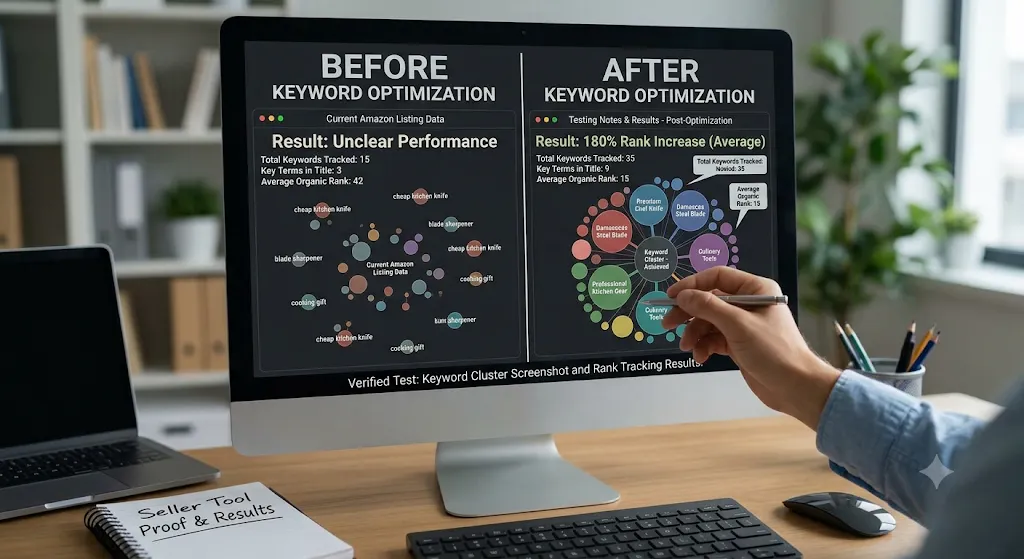
The native console lets you run Sponsored Products, Sponsored Brands and Sponsored Display, set budgets and bids, and read search-term reports. For ad spend under roughly $1,000 a month, I’d stay manual in the console. Reading the search-term report weekly and adding negatives costs nothing and teaches you what shoppers actually type.
Helium 10 Adtomic (best if you already pay for Helium 10)
Integrated PPC with keyword harvesting and bid automation. It sits on higher-priced plans, so it only makes sense if you were buying that plan anyway. As a standalone ad tool it’s weaker than the dedicated platforms.
Perpetua (best goal-based automation at higher spend)
Perpetua works from goals like a target ACOS or sales velocity and adjusts bids across ad types. Recent comparisons put mid-market accounts around $150-$250+ a month, priced against ad spend. The limitation is context: it optimizes advertising without knowing your stock levels or margins, so it can happily push traffic to a product about to sell out.
Teikametrics, Quartile, Scale Insights and Intentwise
- Teikametrics differentiates with inventory-aware bidding and Walmart support, and is reported to price at a percentage of managed ad sales.
- Quartile targets larger advertisers who want AI bid automation and DSP support.
- Scale Insights gives rule-based control at flat pricing, good for people who want to stay hands-on.
- Intentwise is about reporting and analytics (Sponsored Ads, DSP, Amazon Marketing Cloud), not bidding.
When PPC software is worth it
My thresholds, which you should adjust to your margins:
| Monthly ad spend | What I’d use |
|---|---|
| Under about $1,000 | Amazon Ads console, weekly search-term review |
| About $1,000-$5,000 | Console plus your suite’s ad tools, or a flat-price tool like Scale Insights |
| Above about $5,000 | A dedicated platform such as Perpetua or Teikametrics is worth testing |
| Enterprise budgets and DSP | Quartile, Intentwise or similar |
Automation still needs supervision. Review the first two weeks of any automated campaign daily. A bad rule can spend a month’s budget in a weekend.
5. Best Amazon Profit Tracking and Analytics Tools
Revenue is vanity, profit is sanity. A SKU can show $10,000 in monthly sales and still lose money after the cost of goods, fees, storage, returns and ads. A profit tracker is the cheapest insurance in this guide.
Sellerboard (my default recommendation)
Sellerboard calculates profit per product, per day, with fees, ad spend, refunds and cost of goods included. It also handles basic inventory alerts and reimbursement tracking. Recent comparisons put plans around $19-$69 a month depending on order volume, and one comparison prices a standard annual plan at $179.
What I like is that it shows the uncomfortable truth quickly. Sort SKUs by profit instead of revenue and the best-selling product is often not the best earner.
The catch: a profit tracker is only as accurate as the costs you enter. If your cost of goods is guessed, your profit is guessed. Enter landed cost by batch, including freight and duties, and update it when a new shipment arrives at a different price.
Shopkeeper, Conjura, Nova Analytics and ManageByStats
- Shopkeeper focuses on in-depth profit analytics, with entry pricing reported around $20 a month tied to order volume.
- Conjura frames results around contribution margin and EBITDA, handy when you think like an investor.
- Nova Analytics is aimed at higher-volume sellers who want faster data refreshes.
- ManageByStats has a free tier worth testing before you commit to a paid dashboard.
Helium 10 Profits and SellerApp analytics
Both work, and both make sense only if you already pay for the parent suite. Buying either one just for profit tracking is poor value next to Sellerboard.
A simple weekly profit routine
Once a week, I’d check three numbers per SKU: profit per unit after ads, total contribution after returns, and days of inventory left. Any SKU that’s negative on the first for two weeks in a row needs a decision: raise price, cut ad spend, fix the listing, or stop buying more.
6. Best Amazon Inventory Management Tools
Stockouts cost more than the lost sales. You lose ranking momentum, and ads keep running into an empty listing. Too much stock, on the other hand, ties up cash and triggers storage fees.
Learn the reorder-point formula first
Here’s the logic every forecasting tool runs, shown with illustrative numbers:
- Daily sales: 20 units
- Production time: 30 days
- Shipping to the warehouse: 25 days
- Receiving delay: 7 days
- Safety stock: 14 days
Reorder point = 20 units x (30 + 25 + 7 + 14 days) = 20 x 76 = 1,520 units. When your total available stock hits 1,520, you needed to have placed the order already.
Notice how lead time dominates. A seller who only counts the factory time (30 days) would reorder at 600 units and stock out for about seven weeks. That single miscalculation is what forecasting tools exist to prevent.
SoStocked (best for complex multi-SKU operations)
SoStocked builds forecasts from sales velocity, seasonality, lead times and promotions. One comparison describes it as now sold through SPS Commerce, with pricing starting around $250 a month for the plan with inventory features. I’d only pay that at roughly 20 or more active SKUs, because below that a spreadsheet and the formula above work fine.
RestockPro (best for FBA restock workflows)
RestockPro covers restock suggestions, purchase orders and supplier tracking, with recent pricing reported from about $49 to $249 a month based on order volume. It suits FBA sellers who want a tidy buying workflow without enterprise cost.
Inventory Lab, Linnworks and Sellerboard’s planner
Inventory Lab is a practical option for smaller FBA and arbitrage operations. Linnworks centralizes stock across Amazon, eBay, Shopify and Walmart. Sellerboard’s built-in planner is enough for small catalogs and keeps inventory and profit in one place.
My advice for beginners: don’t buy a forecasting tool until you’ve stocked out once or sit on more than a few SKUs. Use the formula, a spreadsheet and Seller Central’s restock reports first.
7. Best Amazon Repricing and Arbitrage Tools
Repricing matters when several sellers compete on the same listing and the Buy Box moves with price. For private-label products you own alone, it matters far less.
Set a price floor before anything else
Every repricer will chase the lowest price unless you stop it. Calculate a floor:
- Landed cost: $8
- Amazon fees: $10
- Minimum profit you accept: $3
- Floor price: $21
If a repricer ever sells below $21, it’s costing you money on every order. This is the most common repricing mistake, and the cause of most “I sold 500 units and lost money” stories.
Seller Snap, Feedvisor, Repricer.com, BQool, RepricerExpress and Aura
- Seller Snap uses algorithmic pricing aimed at long-term Buy Box share. Reported pricing runs from the low hundreds to several hundred dollars a month, so it fits resellers with large catalogs.
- Feedvisor is goal-based and aimed at brands, with pricing not published.
- Repricer.com emphasizes speed across many marketplaces.
- BQool is the budget entry point, reported from about $22.50 a month.
- RepricerExpress and Aura are rule-based options for teams that want direct control.
Before paying any of them, test Amazon’s free Automate Pricing with a conservative floor. It’s often enough for simple catalogs.
Arbitrage tools: SellerAmp SAS, BuyBotPro and Keepa
Arbitrage sellers buy cheaply and resell for more, so the whole business is the buy decision. Tools like SellerAmp SAS (reported from about $20 a month) and BuyBotPro show profit, fees and restrictions on a product page in seconds. Pair either with Keepa’s price history to avoid buying at a price spike.
Always check category restrictions and authenticity requirements before buying inventory. A great margin on a product you can’t legally sell is worth nothing.
8. Best Tools for Reviews, FBA Reimbursements and Accounting
These are the unglamorous categories that quietly protect margin.
Reviews and feedback
Amazon’s own Request a Review button is free and policy-compliant, so you don’t need software just to ask. FeedbackWhiz adds monitoring and automated, compliant request sequences. FeedbackFive (reported around $24 a month) covers review alerts and hijacker detection. Helium 10 Follow-Up is the natural pick if you already use that suite.
Never buy reviews, incentivize positive ones or pressure customers. Policy violations can suspend an account, and no review is worth the whole store.
FBA reimbursements
Amazon sometimes loses or damages inventory and miscalculates fees, and it generally pays only if you claim. GETIDA audits your account and files claims for a commission, reported at about 25% of recovered funds. Helium 10’s Refund Genie and Sellerboard’s reimbursement features help you find claims yourself without paying a percentage.
Reimbursement is never guaranteed, and each case follows Amazon’s evidence rules and deadlines. Read the agreement before connecting any service to your account. For smaller sellers, a manual monthly check of Seller Central’s inventory reports often recovers most of the value.
Accounting
Amazon payouts bundle hundreds of line items into one settlement, which generic bookkeeping software handles badly.
- A2X posts clean, categorized settlement summaries to QuickBooks, Xero or Sage. Accountants tend to like it.
- Seller Ledger is a simpler, cheaper option, reported around $10-$20 a month.
- Link My Books is strong for UK and EU sellers who need VAT handling.
- Finaloop pairs software with a human bookkeeping team.
- QuickBooks and Xero work as general ledgers once the settlement data is cleaned up.
If you do your own books at an early stage, a simple Amazon-specific tool beats raw QuickBooks. If you have an accountant, ask which they prefer before you subscribe.
9. Best AI and Automation Tools for Amazon Sellers
Every vendor now says “AI.” The useful split is between AI that drafts things and automation that actually runs a task for you.
Where AI helps
- Listing drafts. Fast first versions of titles and bullets, reviewed by a human for accuracy.
- Review mining. Summarizing hundreds of reviews into the top five complaints, which is a product-improvement list.
- Keyword grouping. Sorting a long keyword export into themes.
- Report summaries. Turning a sales or ad export into plain-language questions to investigate.
Where AI hurts
AI doesn’t know your sales, margins or Amazon’s current rules. It can invent keyword volumes, certifications and product claims. Never publish AI output without checking facts, and verify every number against Seller Central or a trusted research tool.
Automation tools
Zapier and n8n connect apps with workflows, though Amazon-specific setups can need technical effort. Jarvio positions itself as an Amazon-native automation layer. Gorilla ROI pulls Amazon, Shopify and Walmart data into Google Sheets automatically, which suits teams that live in spreadsheets and are tired of manual exports.
My test for automation: does it replace a task you repeat more than twice a week? If yes, it’s worth a trial. If not, it’s another dashboard.
If you want the wider picture on this topic, I’ve covered how AI changes search in my guide to AI SEO and the best AI SEO tools. Shoppers increasingly ask AI assistants what to buy, which makes accurate, well-structured product information more valuable than ever.
10. When Amazon Is Only Part of Your Business
Many sellers I talk to eventually want a brand site, a Shopify store or both, so that Amazon isn’t their only source of customers. That changes the tool question in two ways.
First, you need tools that handle more than one channel. Veeqo, Linnworks, Teikametrics (with Walmart support), Repricer.com and Gorilla ROI all do. Check which marketplaces each supports before paying, because coverage varies.
Second, your own site needs SEO, and it behaves differently from Amazon. Amazon ranks listings by sales signals and keyword relevance inside a closed marketplace. Google rewards content depth, links, site structure and trust, and it takes longer. If you’re planning a brand site, read how long SEO takes to work so you set realistic expectations. A technical SEO audit before launch catches crawl and indexing problems early, and dedicated ecommerce SEO services can help with product pages, categories and structured data.
None of that replaces your Amazon tools. It simply means your stack should grow with the business instead of staying locked to one marketplace.
11. Three Amazon Seller Tool Stacks, Priced
Here’s how I’d assemble tools by stage. Prices use the ranges above and will drift, so recalculate with current vendor pricing. Amazon’s own selling-plan fees are separate and aren’t included.
Starter stack: validating your first products
| Need | Tool | Approx. monthly cost |
|---|---|---|
| Store management and free research | Seller Central, Product Opportunity Explorer, FBA Revenue Calculator | $0 beyond your selling plan |
| Product research | Jungle Scout (entry plan) | About $29-$49 |
| Price history | Keepa | About $17 |
| Profit tracking | Sellerboard | About $19 |
| Bookkeeping | Seller Ledger | About $10 |
| Total | About $75-$95 |
The aim here is signal, not automation. You need to know whether a product can sell and whether it earns money after fees.
Growth stack: scaling a product line
| Need | Tool | Approx. monthly cost |
|---|---|---|
| Research, keywords and basic PPC | Helium 10 (Platinum) | About $99-$129 |
| Keyword clustering | Data Dive | About $32+ |
| Profit tracking | Sellerboard | About $19-$69 |
| Price history | Keepa | About $17 |
| Bookkeeping | Seller Ledger | About $10-$20 |
| Total | About $207-$267 |
At this stage ad spend is high enough, and mistakes costly enough, for better keyword data and profit visibility to pay for themselves.
Advanced stack: an established brand
| Need | Tool | Approx. monthly cost |
|---|---|---|
| Research and PPC suite | Helium 10 (Diamond) | About $279-$359 |
| PPC automation | Perpetua | About $150-$250+ |
| Inventory forecasting | SoStocked | From about $250 |
| Profit analytics | Sellerboard | About $69 |
| Price history | Keepa | About $17 |
| Accounting integration | A2X plus accounting software | About $80 combined |
| Reimbursements | GETIDA | Commission only |
| Total (excluding commissions) | About $845-$1,025 |
Add a repricer only if you resell products with competing sellers on the listing. The cost makes sense only with enough catalog and margin to justify it.
12. Tools I’d Skip, and Mistakes That Waste Money
A short list of things I’d cancel or never buy.
- A second research suite. If you have Helium 10, you don’t also need Jungle Scout for the same job. Pick one unless you’ve found a specific gap.
- A standalone profit tracker when your suite includes one. If you already pay for Helium 10 Profits and it covers your needs, skip Sellerboard. Otherwise Sellerboard is better value.
- PPC automation below meaningful ad spend. At low budgets there isn’t enough data for automation to learn from.
- A repricer for a private-label product only you sell. There’s no competition on the Buy Box.
- Forecasting software at five SKUs. The reorder-point formula and a spreadsheet are enough.
- Review-request software when Amazon’s button is free. Pay for monitoring, not for asking.
- Anything you haven’t opened in 30 days. Cancel it. You can resubscribe in a minute.
The same discipline applies to SEO subscriptions. If you’re comparing tools for your own site, my notes on affordable SEO tools apply the same logic.
Four mistakes I see over and over
- Buying tools before understanding the marketplace. Learn Seller Central first. A tool amplifies your understanding; it doesn’t replace it.
- Trusting estimates as facts. Sales and keyword-volume numbers are modeled. Use them to rank options, then verify with Amazon’s own data.
- Ignoring margin when chasing ranking. Ad spend and price cuts that win rank but lose money per sale aren’t growth.
- Auto-renewing and forgetting. Free trials with automatic renewal quietly become annual charges. Set a calendar reminder the day you sign up.
13. How to Choose the Right Amazon Seller Tools
Use this checklist before you pay for anything.
- Name the one problem. Can’t find products? Wasting ad money? Don’t know your profit? Pick a tool for that single problem.
- Check marketplace coverage. Many tools have deeper data for Amazon.com than other stores. Confirm yours is supported properly, not just listed.
- Compare price against the features you’ll actually use. Cheapest isn’t best, and the longest feature list isn’t either.
- Test data against your own account. During a trial, compare the tool’s numbers with Seller Central. Large gaps are a red flag.
- Review permissions before connecting your account. Authorize only software you trust, and understand what data it can read or change.
- Check support and learning material. Tutorials and responsive support matter most for beginners.
- Mind the trial terms. Look for cancellation rules and auto-renewal before you enter a card.
- Revisit quarterly. Your needs change as you grow. Prune your stack every three months.
Frequently Asked Questions About Amazon Seller Tools
What are the best Amazon seller tools?
For most sellers, the best starting set is Amazon Seller Central with its free tools, Keepa for price history, one research platform (Helium 10 or Jungle Scout) and a profit tracker like Sellerboard. Add PPC, inventory, repricing and accounting tools only when a specific problem justifies the cost.
What tools do beginner Amazon sellers need?
Beginners need Seller Central, Product Opportunity Explorer if available, the FBA Revenue Calculator, Keepa and Google Trends. When you’re ready for deeper data, add Jungle Scout or Helium 10’s entry plan. Don’t buy several subscriptions before your first sale.
Are there free Amazon seller tools?
Yes. Seller Central, Product Opportunity Explorer, Brand Analytics (for brand-registered sellers), the FBA Revenue Calculator, Manage Your Experiments, Seller University and the Amazon Ads console are free to use. Keepa and Google Trends add free price-history and demand-timing data, and some paid tools offer limited free tiers or trials.
Is Helium 10 better than Jungle Scout?
They suit different needs. Helium 10 is broader and stronger on keyword research, listing work and PPC. Jungle Scout is gentler for beginners and includes a supplier database. You rarely need both, so choose based on whether keyword depth or product and supplier research is your priority.
What’s the best Amazon seller software for profit tracking?
Sellerboard is my default for value, with reported plans from about $19 a month. Shopkeeper, Conjura, Nova Analytics and ManageByStats are alternatives with different strengths. Whatever you use, enter accurate cost of goods or the profit numbers will mislead you.
Do I need paid tools to sell on Amazon?
No. You can list, ship, advertise and analyze using Seller Central alone. Paid tools save time and add research, automation and analytics as you grow, but they’re optional.
How much do Amazon seller tools cost?
A lean beginner stack can run roughly $75-$95 a month, a growth stack about $207-$267, and an established brand stack around $845-$1,025 excluding commission-based services. Prices change often, so confirm current vendor pricing before buying.
What’s the best Amazon PPC software?
Perpetua and Teikametrics are commonly recommended for higher ad budgets, while Helium 10’s Adtomic suits existing Helium 10 users. Under roughly $1,000 a month in ad spend, Amazon’s own console with a weekly search-term review is usually enough.
Which tool is best for Amazon arbitrage?
SellerAmp SAS and BuyBotPro speed up buy decisions, and Keepa shows whether a price is normal or a spike. Always check category restrictions and authenticity rules before buying inventory.
Can AI tools replace Amazon seller software?
Not fully. AI helps with drafts, review summaries and keyword grouping, but it doesn’t know your real sales or margins and can state wrong facts. Use it as an assistant and verify numbers in Seller Central.
Final Take: Build the Smallest Stack That Solves Your Real Problem
Here’s what I’d want you to leave with. Amazon’s free tools cover more than most beginners realize. One research suite, one history tool and one profit tracker handle most decisions for most sellers. Everything else, whether PPC automation, forecasting, repricing or reimbursements, earns its place only when a specific, measurable problem shows up.
The sellers who struggle usually aren’t short on tools. They’re short on clarity about which number they’re trying to move. Decide whether that number is profit per SKU, break-even ACOS, days of inventory or Buy Box share, then pick the cheapest tool that moves it.
If you’re also building a brand site beyond Amazon, I can help you do that properly. Start with a free SEO audit, or look at how our SEO content writing services build pages that rank and convert. Either way, keep your Amazon stack lean and your decisions tied to real numbers.
I update this guide when pricing or features change. If a price here has moved, tell me and I’ll correct it.
