

On-page SEO is where your SEO strategy meets the actual page.
You can choose the right topic, publish consistently and earn links, but if your pages have weak titles, poor structure, missing internal links, thin coverage or technical problems, you’re still leaving organic traffic on the table.
The challenge is that different tools solve different parts of the problem. Some analyze content against competing pages, others crawl an entire website for technical issues, and some work directly inside WordPress.
I’ve been running SEO campaigns since 2017, and I use different tools depending on the page and the problem I’m trying to solve. For this guide, I’ve focused specifically on tools that help with on-page SEO, rather than turning it into another general list of best SEO tools.
Best On-Page SEO Tools at a Glance
| Tool | Best for | Free option | Type |
|---|---|---|---|
| Surfer SEO | Content optimization | Limited | Content optimizer |
| Ahrefs Site Audit | Technical and on-page issues | Yes | Site audit |
| Semrush On Page SEO Checker | Competitive recommendations | Limited | SEO platform |
| Screaming Frog SEO Spider | Large-scale page audits | Yes | Crawler |
| Clearscope | Content quality and topic coverage | No | Content optimizer |
| PageOptimizer Pro | Detailed on-page optimization | Limited | Content optimizer |
| Rank Math | WordPress on-page SEO | Yes | WordPress plugin |
| Yoast SEO | WordPress optimization | Yes | WordPress plugin |
| PageSpeed Insights | Page speed and Core Web Vitals | Yes | Performance tool |
| Frase | Content briefs and optimization | Limited | Content optimizer |
| SEOptimer | Quick website audits | Limited | SEO audit tool |
What Is an On-Page SEO Tool?
An on-page SEO tool analyzes elements you can control on your website.
Depending on the software, that can include:
- SEO titles and meta descriptions
- H1 and other headings
- Content structure and topic coverage
- Keyword usage
- Internal links
- Images and alt text
- Canonical tags
- Indexability
- Structured data
- Page speed and Core Web Vitals
- Duplicate or missing page elements
- Search performance
This is different from broader SEO software.
A keyword research tool helps you decide what to target. A backlink platform helps you analyze links. A rank tracker shows where your pages appear.
An on-page SEO tool helps answer a more practical question:
What should I improve on this page?
That distinction matters because you don’t necessarily need an expensive all-in-one platform to fix a weak title or find missing internal links.
How I Evaluated These On-Page SEO Tools
I didn’t choose tools simply because they have the longest feature lists.
Instead, I looked at how useful each one is for the actual work involved in improving a page:
- Page analysis: Does it identify meaningful problems?
- Content optimization: Can it identify useful topic and coverage gaps?
- SERP comparison: Can it show what competing pages are doing?
- Technical checks: Can it identify issues affecting crawling and indexing?
- Workflow: Can you move easily from recommendation to implementation?
- Scale: Is it useful for one page or hundreds?
- Cost: Does the pricing make sense for the type of website?
I also don’t recommend treating an optimization score as a ranking score.
A tool’s score is a diagnostic. It isn’t a Google ranking factor.
1. Surfer SEO

Best for: Content optimization and SERP-based recommendations
Surfer SEO is primarily a content optimization platform. It analyzes the search results around a target query and gives you recommendations for improving the page you’re writing or updating.
This makes it particularly useful when you’ve already chosen a topic and need to make the content more complete and competitive.
Its Content Editor is the feature most relevant to on-page SEO. It helps you compare your draft with ranking pages and identify related terms, topics and content characteristics that may be worth considering.
What Surfer SEO can help with
- Content structure
- Related terms and topics
- Heading ideas
- Content comparisons
- SERP analysis
- Content scoring
- Content audits
- Topic research
- Internal content opportunities
The main advantage is speed. Instead of manually opening several competing pages and comparing them, you can get much of that information in one workflow.
I wouldn’t write an article simply to increase the Surfer score, though. If a suggested phrase makes a sentence awkward or doesn’t add anything useful, leave it out.
The goal is better content, not a higher software score.
For readers interested in how AI is changing content optimization and search visibility, our guide to AI SEO tools covers the broader AI-powered SEO software landscape.
Best fit: Content writers, SEO teams, agencies and websites publishing regularly.
2. Ahrefs Site Audit

Best for: Finding technical and on-page problems across a website
Ahrefs is well known for backlinks and competitive research, but Site Audit is particularly useful when on-page problems exist across many URLs.
It crawls your website and identifies issues involving:
- Missing or duplicate title tags
- Missing meta descriptions
- Heading problems
- Broken links
- Redirects
- Canonicalization
- Indexability
- Duplicate content
- Structured data
- Internal linking
- Performance-related issues
The biggest advantage is scale.
Checking ten pages manually isn’t difficult. Checking thousands is.
Ahrefs Site Audit helps you identify patterns, which is especially useful when a problem has been introduced across an entire website template.
For example, if hundreds of pages have duplicate title tags, you can identify the pattern instead of opening every page individually.
It’s also useful for internal linking because you can identify pages that need stronger connections to other relevant content.
That fits naturally with the broader principles covered in our technical SEO resources.
Best fit: Growing websites, agencies and technical SEO teams.
3. Semrush On Page SEO Checker
Best for: Competitive page-level SEO recommendations
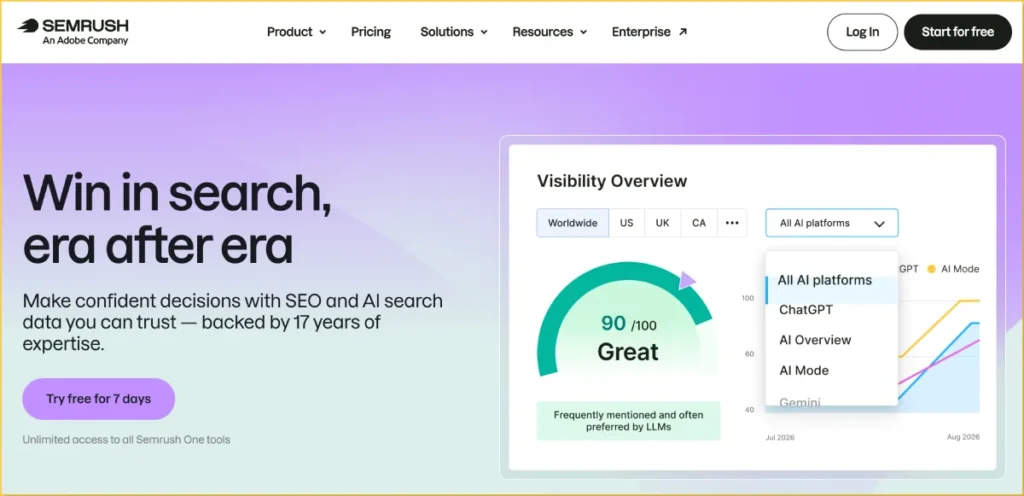
Semrush‘s On Page SEO Checker takes a more competitive approach than a basic SEO analyzer.
It compares your target pages with competing pages ranking for the same keywords and generates recommendations based on the comparison.
These can cover areas such as:
- Content
- Semantic terms
- Backlinks
- Technical SEO
- User experience
- SERP features
- Strategy
This is useful when you already have a page ranking but want to identify opportunities to improve it.
For example, you may discover that competing pages consistently address a particular subtopic that your page doesn’t cover. That’s more actionable than simply being told to use your keyword more often.
The tool becomes particularly useful when you’re already using Semrush for broader SEO research, because you can move from identifying opportunities to page-level recommendations without switching platforms.
Best fit: Agencies, in-house SEO teams and businesses already using Semrush.
4. Screaming Frog SEO Spider
Best for: Deep technical and on-page crawling
Screaming Frog is one of the most useful tools when you need to inspect what is actually happening across a website.
It crawls your site and extracts important on-page elements, including:
- Page titles
- Meta descriptions
- H1s and H2s
- Canonical URLs
- Status codes
- Internal links
- Word counts
- Images
- Redirects
- Indexation directives
- Structured data
You can export the information and work with it in a spreadsheet, which makes Screaming Frog particularly useful for larger audits.
For example, if you’re working on a website with hundreds of product pages, you can quickly find duplicate titles or missing descriptions instead of checking every URL manually.
The free version is enough for smaller sites, while larger websites and advanced audits benefit from the paid version.
Best fit: Technical SEOs, agencies, developers and large websites.
5. Clearscope
Best for: Content quality and topic coverage
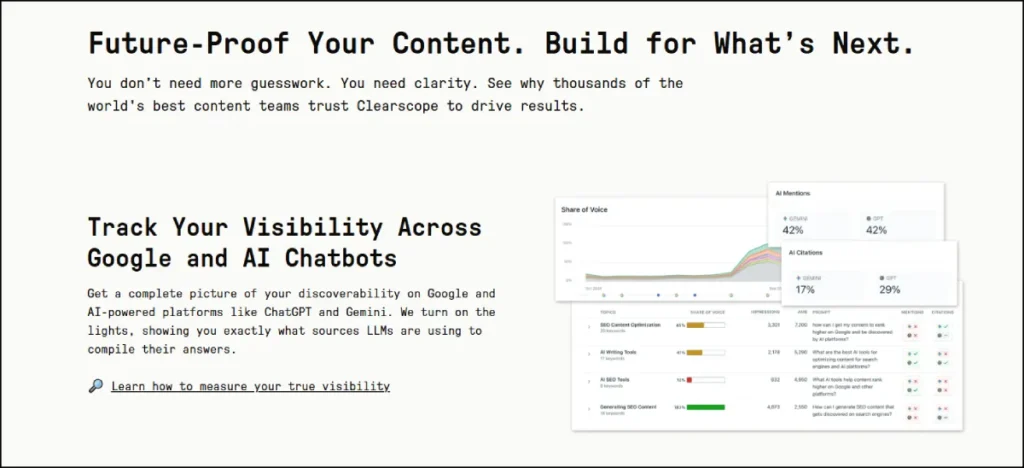
Clearscope focuses on the content side of on-page SEO.
It analyzes search results around a target topic and identifies relevant terms and concepts that appear across competing content.
That makes it useful when you’re editing an article and want another way to identify potential coverage gaps.
It can help writers answer questions such as:
- Which concepts should this article explain?
- Are there important subtopics I’m missing?
- How comprehensive is this draft compared with competing pages?
- Does the content cover the subject naturally?
This is especially useful for teams with multiple writers because everyone can work from a consistent optimization process.
But topic recommendations should still be treated as suggestions.
A term appearing frequently in competitor content doesn’t automatically mean you need to add it.
Best fit: Content teams, publishers and businesses producing SEO content at scale.
6. PageOptimizer Pro
Best for: Detailed, data-driven on-page optimization
PageOptimizer Pro takes a more granular approach to on-page optimization.
Instead of focusing mainly on broad content recommendations, it analyzes ranking pages and provides detailed guidance around on-page factors.
This can be useful for SEOs who want more control over individual elements rather than a general content score.
Depending on the project, you can use it to investigate things such as:
- Keyword placement
- Content optimization
- Heading usage
- Page elements
- Competitor comparisons
- On-page signals
The approach is more technical than some content-first platforms, so it may feel excessive if you simply want help writing a better article.
For experienced SEOs, though, that level of detail can be useful when testing and refining an already competitive page.
Best fit: SEO professionals, affiliate marketers, agencies and advanced content optimizers.
7. Rank Math
Best for: On-page SEO directly inside WordPress
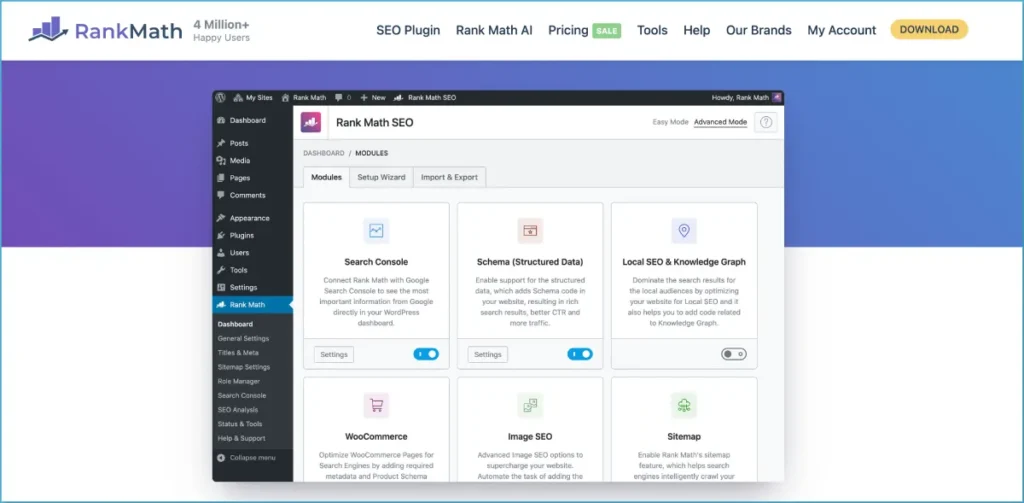
If your website runs on WordPress, Rank Math puts many everyday SEO controls directly inside the editor.
You can use it to manage:
- SEO titles
- Meta descriptions
- Focus keywords
- Schema
- XML sitemaps
- Canonicals
- Redirects
- 404 monitoring
- Social metadata
- Internal linking suggestions
The main advantage is convenience.
You don’t need to open a separate platform every time you want to change a title, update a meta description or check basic SEO settings.
I use Rank Math across our sites because it handles a lot of routine WordPress SEO work in one place.
I wouldn’t treat its SEO score as the goal, though. A page doesn’t become better simply because a plugin changes from orange to green.
Use the recommendations as a checklist, then make the final decision based on search intent, clarity and the quality of the page.
Best fit: WordPress websites, bloggers, publishers and small businesses.
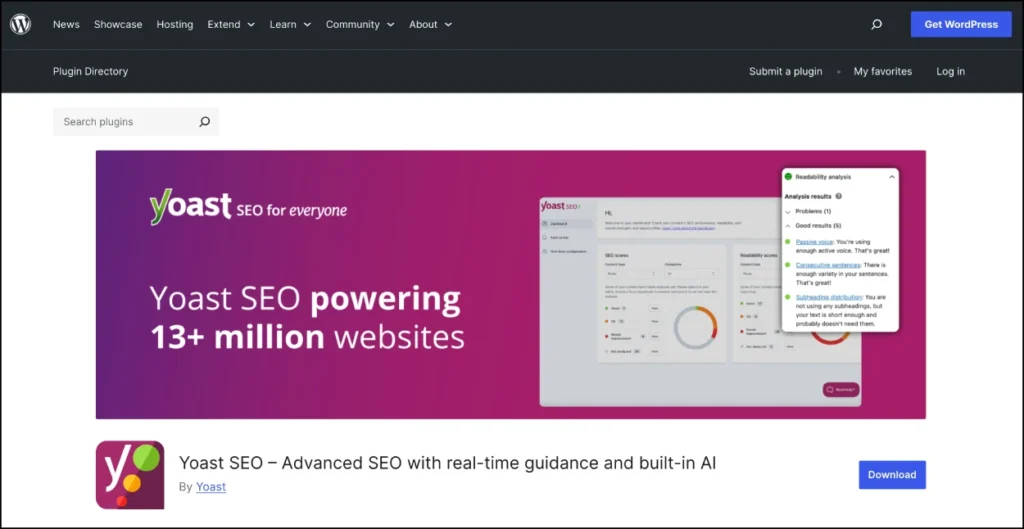
8. Yoast SEO
Best for: Straightforward WordPress SEO and content checks
Yoast SEO is another established WordPress option.
It provides on-page guidance while you’re editing a page and handles important technical elements such as:
- SEO titles
- Meta descriptions
- Canonical URLs
- XML sitemaps
- Schema
- Breadcrumbs
- Readability
- Keyphrase optimization
- Redirects on supported plans
The traffic-light system makes it approachable for people who are new to SEO.
That simplicity is the main attraction.
If you’re managing a WordPress website and want a plugin that handles the basic technical setup while giving writers on-page guidance, Yoast covers the fundamentals without requiring a separate SEO platform.
Like Rank Math, though, I wouldn’t optimize for green lights alone.
A naturally written page with a yellow recommendation can be better than a keyword-stuffed page that scores green across the board.
Best fit: WordPress beginners, publishers and small business websites.
9. PageSpeed Insights
Best for: Page speed and Core Web Vitals
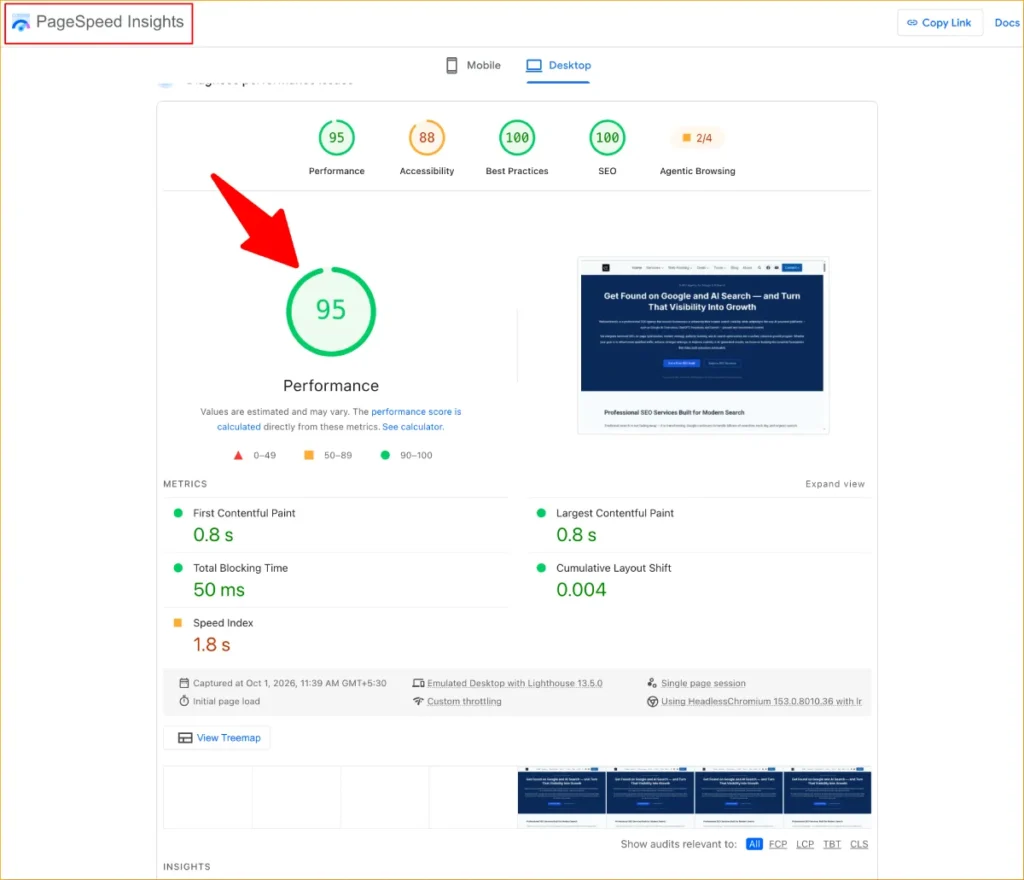
PageSpeed Insights is Google’s free tool for analyzing the performance of individual URLs.
It combines lab testing with available real-user data and reports on performance metrics including Core Web Vitals.
I use it when:
- A page feels slow
- A website has undergone a redesign
- New scripts or plugins have been installed
- Images have been changed
- Core Web Vitals need investigation
- A page needs a performance baseline
Don’t focus entirely on the score.
Look at the underlying problems and decide which fixes are actually worth making.
A page doesn’t need to become a perfect 100/100 project if the remaining issues have little practical impact.
Best fit: Anyone who wants a free way to investigate page performance.
10. Frase
Best for: Content briefs and search-intent optimization
Frase is built around the research and writing side of on-page SEO.
It can analyze search results, identify common topics and questions, and help turn that research into a content brief.
That makes it useful before you start writing as well as during the editing stage.
A practical workflow is:
- Enter the target topic.
- Review the search results and common subtopics.
- Build an outline.
- Write the article.
- Compare the finished draft with the topic research.
- Fill genuine coverage gaps.
- Edit the final article for clarity and originality.
This can be especially useful for informational content because it helps you understand what the searcher expects before you start writing.
Frase is more content-focused than technical SEO-focused, so I’d pair it with a crawler or site audit tool for larger websites.
Best fit: Bloggers, content teams, freelancers and publishers.
11. SEOptimer
Best for: Quick website and page-level SEO checks
SEOptimer is useful when you want a quick overview without setting up a full technical crawl.
It can identify common issues involving:
- Metadata
- Headings
- Content
- Links
- Images
- Mobile optimization
- Performance
- Security
- Technical SEO
That makes it useful for a quick first-pass audit or when you’re reviewing a website you don’t manage directly.
It’s not designed to replace a deep crawler or dedicated content optimization platform, but that’s not necessarily a weakness.
Sometimes you don’t need a 500-page audit. You need a quick list of obvious problems before deciding what to investigate next.
Best fit: Freelancers, small businesses and quick website audits.
On-Page SEO Tools Compared
| Tool | Content optimization | Technical checks | Site crawling | WordPress | Best use |
|---|---|---|---|---|---|
| Surfer SEO | Excellent | Limited | Limited | No | Content optimization |
| Ahrefs Site Audit | Good | Excellent | Yes | No | Site-wide auditing |
| Semrush On Page SEO Checker | Excellent | Good | Yes | No | Competitive recommendations |
| Screaming Frog | Limited | Excellent | Excellent | No | Technical crawling |
| Clearscope | Excellent | Limited | No | No | Content optimization |
| PageOptimizer Pro | Excellent | Limited | No | No | Detailed page optimization |
| Rank Math | Good | Good | No | Yes | WordPress SEO |
| Yoast SEO | Good | Good | No | Yes | WordPress optimization |
| PageSpeed Insights | No | Performance | Single URL | No | Page speed |
| Frase | Excellent | Limited | No | No | Content briefs |
| SEOptimer | Good | Good | Limited | No | Quick audits |
Which On-Page SEO Tool Should You Use?
The right tool depends on what you’re trying to improve.
If you’re optimizing one article
Start with Surfer SEO, Frase, Clearscope or PageOptimizer Pro.
These tools are useful when the main question is whether your content covers the topic well and matches the intent behind the search.
If you’re auditing an entire website
Look at Ahrefs Site Audit or Screaming Frog.
They’re better suited to finding patterns across hundreds or thousands of URLs.
If you use WordPress
Rank Math or Yoast SEO can handle many everyday on-page tasks directly inside WordPress.
You may still want a separate crawler or content optimizer for deeper analysis.
If you want real Google search data
Use Google Search Console alongside your other tools.
It tells you which queries are generating impressions and clicks for your actual pages, which makes it particularly useful when deciding what existing content deserves another round of optimization.
If page speed is the problem
Start with PageSpeed Insights.
There’s no reason to pay for an expensive SEO platform just to investigate the performance of a single URL.
If you’re working on AI search visibility
On-page SEO remains the foundation. Clear structure, useful content, crawlability and strong internal connections all matter when content needs to be understood by both traditional search engines and AI-powered search.
For the broader picture, see our guide to AI SEO.
If you’re specifically tracking whether your brand or content appears in AI-generated answers, our guide to AI visibility tools covers that separate measurement layer.
How to Use On-Page SEO Tools Without Over-Optimizing
One of the biggest mistakes with SEO tools is assuming every recommendation needs to be implemented.
It doesn’t.
Think of an on-page SEO tool as an assistant that identifies potential problems. You still need to decide whether the recommendation makes sense.
For example, a content optimizer might tell you that a competing page uses a particular phrase several times.
That doesn’t automatically mean you should repeat the phrase.
Ask:
- Does it help answer the searcher’s question?
- Is the concept genuinely relevant?
- Does the page need more detail?
- Can I explain it more clearly?
- Would adding it improve the reader’s experience?
If the answer is no, skip it.
The same applies to word count.
If ranking pages average 2,500 words, that doesn’t mean your page needs exactly 2,500 words. A useful 1,500-word answer can be better than 3,000 words of repetition.
The purpose of on-page SEO is not to make your page look like the pages already ranking.
It’s to make your page more useful, understandable and relevant to the searcher.
A Simple On-Page SEO Workflow
You don’t need to run every tool on every page.
A simple workflow is enough for most websites.
Step 1: Check the page’s existing performance
Open Google Search Console and look at the queries, impressions, clicks and average position associated with the page.
This tells you whether you’re optimizing a page with existing search visibility or starting from scratch.
Step 2: Check the page itself
Review:
- Title
- Meta description
- H1
- Subheadings
- URL
- Internal links
- Images
- Content structure
- Search intent
- Schema where appropriate
A crawler can speed this process up when you have many pages.
Step 3: Compare the search results
Look at the pages currently ranking.
Don’t copy them.
Instead, identify:
- Questions they answer
- Topics they cover
- Important information they provide
- Content formats being used
- Missing information you can explain better
Step 4: Improve the content
Use a content optimizer if you need help identifying topic gaps, but keep the final writing natural.
Add original examples, first-hand experience, data, screenshots or explanations where they genuinely improve the page.
Step 5: Fix technical problems
Check indexing, canonicalization, redirects, broken links, structured data and performance.
This is where a broader technical SEO checklist can help you work through issues beyond the content itself.
Step 6: Strengthen relevant internal links
Internal links help users and search engines discover related pages.
Don’t add links just to increase the number of links on the page. Add them where the reader naturally needs more information.
For example, if you’re explaining the broader SEO software landscape, point readers to our best SEO tools guide. If you’re explaining AI-driven optimization, link to our AI SEO guide.
The destination should add information that the current page doesn’t need to repeat.
Step 7: Measure the result
After making changes, monitor the page in Search Console.
Don’t expect every optimization to produce an immediate ranking increase. SEO changes need time and enough search data before you can properly evaluate them.
Are On-Page SEO Tools Worth Paying For?
Sometimes.
If you have a small website with 10 or 20 pages, you can do a surprising amount with free tools.
Google Search Console, PageSpeed Insights and a free crawler can cover many basic checks.
Paid software becomes more useful when:
- You manage hundreds of pages.
- You work with multiple websites.
- You publish content frequently.
- You need competitor comparisons.
- You want automated recommendations.
- You need scheduled audits.
- You have multiple writers or SEO specialists.
- Manual auditing is taking too much time.
The important thing is to buy the tool that solves your actual bottleneck.
If your problem is content quality, a crawler won’t solve it.
If your problem is thousands of duplicate titles, a content optimizer isn’t the answer.
And if your problem is slow pages, you don’t need a keyword research platform.
If budget is the main concern, our guide to affordable SEO tools covers lower-cost options worth considering.
What On-Page SEO Tools Can’t Do
Even the best on-page SEO software has limits.
A tool can identify missing headings. It can compare content. It can find broken links and technical errors.
It can’t reliably decide:
- Whether your article is genuinely useful
- Whether your experience adds credibility
- Whether your explanation is better than a competitor’s
- Whether a recommendation makes sense for your audience
- Whether a page deserves to rank
- What your business should prioritize commercially
That’s why I don’t recommend chasing optimization scores.
Use the software to reduce the amount of manual checking you have to do. Then spend your time making the actual page better.
Final Takeaway
The best on-page SEO tool isn’t necessarily the one with the longest feature list.
If you’re improving content, Surfer SEO, Frase and Clearscope are built around that workflow.
If you’re looking for technical and site-wide problems, Screaming Frog and Ahrefs Site Audit are more appropriate.
If you want first-party search data, Google Search Console should be part of your workflow.
And if you’re managing a WordPress site, Rank Math or Yoast SEO can handle many everyday on-page tasks without requiring another platform.
For most serious SEO campaigns, I wouldn’t try to make one tool do everything. A small stack covering search data + page auditing + content optimization is usually more useful than paying for ten tools and using three features from each.
The software can show you where the opportunity is.
Your job is to make the page worth ranking.
