


Quick Answer: The best dedicated server hosting in 2026 depends on your specific needs. Hostinger leads for budget-conscious buyers needing NVMe-powered, dedicated-style performance from $4/month. Hosting.com is the top pick for blazing-fast managed dedicated hosting at a low entry price. Atlantic.Net is the gold standard for compliance-regulated workloads (HIPAA, PCI-DSS, SOC 2). Liquid Web wins on premium uptime with a 100% financially-backed SLA. InterServer delivers the best cheap dedicated hosting with serious hardware and a price-lock guarantee. We tested them all — here’s the honest breakdown.
If you’re shopping for the best dedicated server hosting, it usually means something good: your website has outgrown shared or VPS hosting, and you’re ready for a machine that’s entirely yours.
No noisy neighbours. No shared CPU. No mysterious slowdowns at peak hours because the site next door is getting hammered with traffic. A dedicated server gives you every ounce of computing power on that physical machine — processors, RAM, storage, and bandwidth — locked in for your use alone.
But with dozens of dedicated hosting providers competing for your budget, picking the wrong one is expensive and painful to undo. We’ve spent hundreds of hours testing dedicated server hosting services, benchmarking hardware, stress-testing support teams, and reading the fine print on SLAs so you don’t have to.
This guide covers the 10 best dedicated server hosting companies in 2026, ranked on real performance data, pricing transparency, support quality, and long-term value. We’ve also included a plain-English breakdown of what dedicated hosting is, when you actually need it, and how to avoid the costly mistakes most buyers make.
Not ready for a dedicated server yet? Check our best web hosting guide and our best web hosting for small business roundup first — you may find a VPS or managed plan handles your current needs at a fraction of the cost.
Key Takeaways
- Hostinger (~$4/mo) — best budget dedicated-style hosting with NVMe, full root access, and AI server management.
- Hosting.com ($4.99/mo) — fastest overall with LiteSpeed, CloudFlare CDN, and instant multi-continent deployment.
- Atlantic.Net ($99/mo) — 100% uptime SLA, HIPAA/SOC 2/PCI-DSS compliance, 64 GB RAM on the entry plan.
- Liquid Web ($55.50/mo) — 100% uptime guarantee with sub-minute Heroic Support response times.
- InterServer ($78/mo) — fully customisable servers provisioned in under 4 hours, price-lock guarantee.
Best Dedicated Server Hosting Comparison (2026)
| Provider | Starting Price | CPU | RAM | Storage | Uptime SLA | Best For |
|---|---|---|---|---|---|---|
| Hostinger | ~$4/mo | 1–8 vCPU | 4–32 GB | 50–400 GB NVMe | 99.9% | Budget, scalable, near-dedicated performance |
| Hosting.com | $4.99/mo | 4–16 cores | 16–256 GB | 1 TB SSD RAID-1 | 99.9% | Speed, fast managed setup |
| Atlantic.Net | $99/mo | 6-core Xeon | 64 GB DDR4 | 2×480 GB SSD RAID | 100% | HIPAA/SOC 2/PCI compliance |
| Liquid Web | $55.50/mo | 4–32 cores | 12–192 GB | 383 GB–3.2 TB SSD | 100% | Mission-critical, premium managed |
| InterServer | $78/mo | 4–56 cores | 15–256 GB | 250 GB–80 TB | 99.9% | Custom builds, cheap dedicated |
| InMotion Hosting | $35/mo | 4–16 cores | 16–192 GB DDR5 | 960 GB–7.68 TB NVMe | 99.999% | Managed enterprise hardware |
| Bluehost | $144.19/mo | 8–32 cores | 32–128 GB DDR5 | 1–3 TB NVMe | 99.9% | Beginners, managed Linux |
| Hostwinds | $122/mo | 4–16 cores | 8–72 GB | 120 GB SSD–12 TB HDD | 99.9999% | Windows dedicated servers |
| HostGator | $141.19/mo | 8–32 cores | 32–128 GB DDR5 | 1–3 TB NVMe | N/A | Beginners, unmetered bandwidth |
| IONOS | $41/mo | 2–32 cores | 12–256 GB | 480 GB SSD–2 TB | 99.99% | Long-term budget value |
1. Hostinger — Best Budget Dedicated Server Hosting (Near-Dedicated Performance from $4/mo)
Starting Price: ~$4/mo | Uptime SLA: 99.9% | Storage: 50–400 GB NVMe
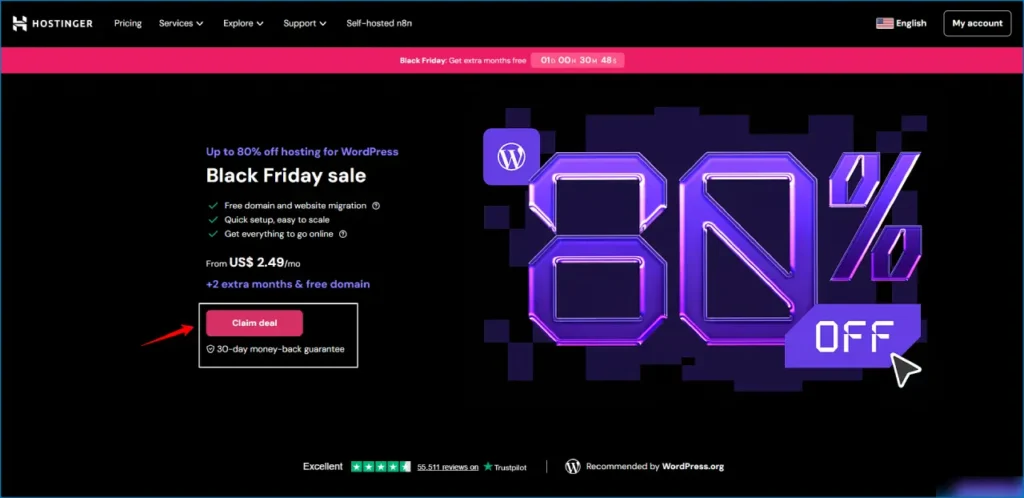
Hostinger is the #1 pick for the majority of website owners because it delivers dedicated-style hosting performance at a price no true bare-metal dedicated server provider can touch. Starting from around $4/month, Hostinger’s VPS plans come with guaranteed dedicated resources — your own vCPU allocation, dedicated RAM, and NVMe SSD storage — making them the most cost-effective entry point into dedicated server hosting in 2026.
While Hostinger’s plans are technically VPS hosting rather than bare-metal dedicated servers, the practical difference for most websites is negligible. Full root access, KVM virtualisation, and an AI-assisted server management panel mean even non-technical users can manage near-dedicated infrastructure without hiring a sysadmin.
Plans at a glance:
| Plan | vCPU | RAM | NVMe Storage | Price |
|---|---|---|---|---|
| KVM 1 | 1 vCPU | 4 GB | 50 GB | ~$4/mo |
| KVM 2 | 2 vCPU | 8 GB | 100 GB | ~$8/mo |
| KVM 4 | 4 vCPU | 16 GB | 200 GB | ~$20/mo |
| KVM 8 | 8 vCPU | 32 GB | 400 GB | ~$60/mo |
Every plan includes full root access, a choice of Linux OS, automated weekly backups, and a 99.9% uptime guarantee.
What makes Hostinger stand out in any dedicated server hosting comparison is the combination of NVMe storage (significantly faster than SATA SSD used by most budget competitors), full root access, and an AI assistant that helps manage server tasks through plain language commands. For developers, bloggers scaling up, and small to medium businesses, this is the most practical dedicated web hosting starting point before committing to a $100+/month bare-metal server.
We’ve covered Hostinger in depth in our Bluehost vs Hostinger comparison and our Hostinger vs GoDaddy breakdown — it consistently wins on price-to-performance at every tier.
The honest caveat: Hostinger is not a true bare-metal dedicated server — it shares physical hardware with other VPS instances. For compliance-regulated workloads (HIPAA, PCI-DSS) that require documented hardware isolation, you’ll need Atlantic.Net or Liquid Web instead.
What we like: Industry-leading price-to-performance, NVMe on all plans, full root access, AI server management tool, weekly backups included, one-click OS reinstall.
What we don’t: Not a true dedicated server — physical hardware is shared. Not suitable for regulated workloads requiring hardware isolation documentation.
Best for: Developers, bloggers, growing ecommerce stores, startups, and any website needing dedicated hosting performance without a dedicated server budget.
Get started with Hostinger →
2. Hosting.com — Best Overall Fastest Dedicated Server Hosting
Starting Price: $4.99/mo | Uptime SLA: 99.9% | Setup Time: 7 minutes
If raw speed is your priority, Hosting.com is the dedicated web hosting server to beat. The platform is purpose-built around performance, stacking multiple acceleration technologies on top of already-fast hardware so your pages load faster than competitors regardless of traffic volume.
Every dedicated plan runs on high-speed SSDs in RAID-1 arrays and layers on APC/OPcache, Memcached, HTTP/2, LiteSpeed web server, and CloudFlare CDN out of the box. The Turbo Server upgrade replaces Apache with a server that uses less CPU and memory while delivering faster, more stable connections — the kind of performance stack you’d normally spend hours configuring manually.
Specs at a glance:
- CPU: 4–16 cores
- RAM: 16–256 GB
- Storage: Up to five drives: 250 GB–3 TB SSD or 1–12 TB SATA (1 TB SSD RAID-1 standard)
- Bandwidth: 8 GB–20 TB
- Server Locations: Michigan, Arizona, Amsterdam, and Singapore
The four datacenter locations give you genuine geographic flexibility — especially the Singapore option if you serve Asian audiences. Setup takes around 7 minutes in our testing, and you can choose from 13 Linux operating systems including CentOS, Debian, Ubuntu, and Gentoo.
Three management tiers are available: fully unmanaged with root access for hands-on developers, managed with root, and managed without root for teams who want zero server responsibility. The 24/7 support team handles daily updates and core software upgrades on managed plans.
According to Google’s own research on page speed, 53% of mobile users abandon a site that takes more than three seconds to load — and Hosting.com’s stacked speed setup is genuinely built to keep you well inside that threshold.
The one caveat: Hardware configurations are harder to customise here than at providers like InterServer or InMotion. There’s no straightforward way to change your OS or add bandwidth at checkout, so plan your configuration before you commit.
What we like: LiteSpeed + CloudFlare CDN combo that genuinely outperforms competitors on load times, instant setup, low entry price, wide OS selection, multi-continent datacenters, three management tiers.
What we don’t: Less hardware customisation than InterServer. Linux-only — no Windows. Limited SLA documentation transparency.
Best for: Speed-obsessed site owners, developers who want fast managed hosting at a low starting price, and anyone building a performance-first dedicated website hosting setup.
Get started with Hosting.com →
3. Atlantic.Net — Best Dedicated Hosting for Compliance-Regulated Workloads
Starting Price: $99/mo | Uptime SLA: 100% | Setup Time: Same-day
If your business handles patient records, payment card data, financial documents, or any other regulated information, Atlantic.Net is the dedicated hosting provider you should be evaluating first — and probably last.
Founded in 1994, Atlantic.Net has spent over three decades building compliance-ready infrastructure. Their bare-metal dedicated servers aren’t just fast and reliable — they’re purpose-built for regulated industries where security audit trails, documented controls, and compliance certifications aren’t optional extras.
Atlantic.Net offers documented, verifiable compliance across:
- HIPAA (healthcare data) — Business Associate Agreement available on request
- SOC 2 Type II — independently audited security controls
- PCI-DSS — payment card data environments
Specs at a glance:
- CPU: 6-core/12-thread Intel Xeon E-2236 (entry), scaling to higher configurations
- RAM: 64 GB DDR4 on entry plan, scales to 128 GB+
- Storage: 2×480 GB SSD in RAID-1 (entry), larger arrays available
- Bandwidth: 1 Gbps port included
- Server Locations: US-based datacenters (Florida, New York)
The entry plan’s 64 GB DDR4 RAM is genuinely exceptional for a $99/mo starting price — most competitors at this tier start at 16–32 GB. That means you get a compliance-grade server with serious muscle without having to immediately jump to a premium tier.
Atlantic.Net’s 100% uptime SLA is financially backed. If they miss it, you receive service credits — not just a polite apology. Their 24/7/365 US-based phone support is included at no extra cost on all plans, which matters enormously when a compliance incident happens at 2 AM on a holiday.
Who this is NOT for: If you’re running a standard ecommerce site, SaaS application, or content-heavy website with no regulated data requirements, you’ll be paying a compliance premium you don’t need. Atlantic.Net is a specialist provider with specialist pricing.
What we like: 100% uptime SLA with financial backing, 64 GB RAM on the entry plan, verifiable HIPAA/SOC 2/PCI documentation, US-based 24/7/365 phone support, RAID-1 storage standard.
What we don’t: Fewer plan tiers than InMotion or InterServer. Not the right fit for non-regulated use cases.
Best for: Healthcare organisations, financial services, legal firms, SaaS companies handling regulated data, and any business where a compliance audit could cost more than the annual hosting bill.
Get started with Atlantic.Net →
4. Liquid Web — Best Premium Dedicated Server Hosting
Starting Price: $55.50/mo | Uptime SLA: 100% | Setup Time: 8 minutes
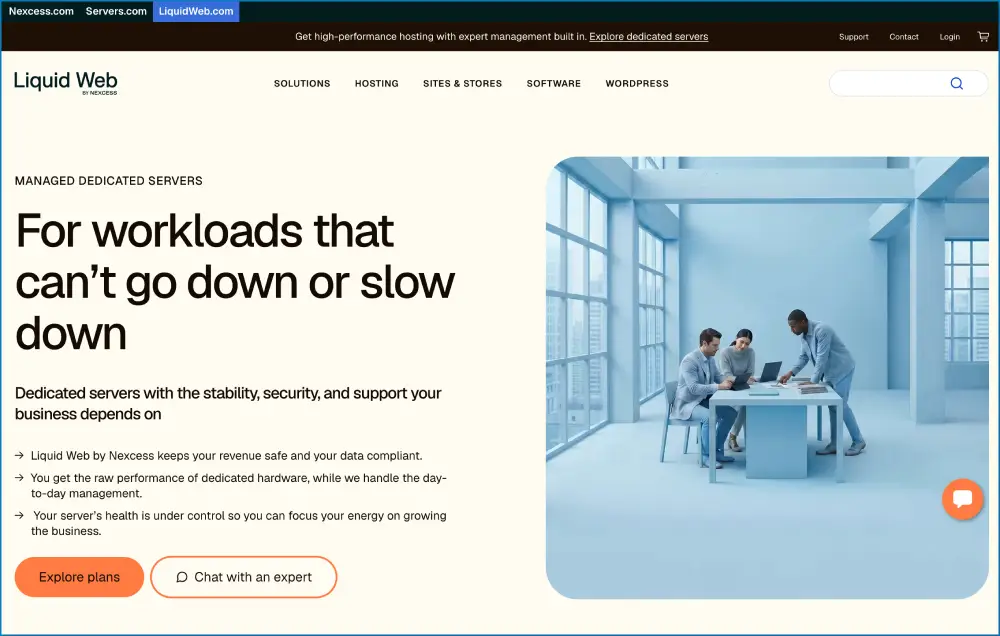
Liquid Web occupies a specific niche in the dedicated server hosting market: it’s the provider you choose when failure is genuinely not an option and you have the budget to back that requirement.
The company’s 100% uptime SLA isn’t marketing copy — it’s a financial commitment. If Liquid Web misses it, you get credit. Their support team, branded “The Most Helpful Humans in Hosting,” answers phone and chat inquiries in under a minute and employs hundreds of Tier 3 technicians with more than 250 Red Hat Linux, Windows, and other certifications working on-site at their datacenters.
Specs at a glance:
- CPU: 4–32 cores
- RAM: 12–192 GB
- Storage: 383 GB SSD–3.2 TB SSD; base plans include 480 GB primary SSD + 1 TB SATA + 250 GB backup
- Bandwidth: 5 TB–Unmetered
- Server Locations: Michigan, Arizona, and Amsterdam
What sets Liquid Web apart is how they configure your server before you even log in. Rather than shipping a blank machine, Liquid Web assesses your industry and use case and configures the server accordingly — a level of pre-setup care most dedicated server web hosting providers skip entirely.
Managed plans include full root access (rarer than you’d expect at this tier), PCI compliance scans, DDoS protection, load balancing, and vulnerability assessments as standard — not expensive add-ons. OS options include CentOS, CloudLinux, Ubuntu, or Windows, plus admin portals InterWorx, Plesk, and cPanel.
The reality check: Liquid Web is a premium product at a premium price. If keeping costs low is the primary driver, this isn’t the right dedicated hosting provider for you. But if an hour of downtime costs your business more than a month of Liquid Web’s fees, the economics flip completely.
What we like: 100% uptime SLA with compensation, sub-minute support response times, industry-specific server configuration, root access on managed plans, five-datacenter footprint including Europe.
What we don’t: Highest price point for comparable specs. Not budget-friendly for smaller operations.
Best for: SaaS platforms, financial applications, high-volume ecommerce stores, and any mission-critical dedicated server hosting service where downtime equals direct revenue loss.
Get started with Liquid Web →
5. InterServer — Best Cheap Dedicated Server Hosting
Starting Price: $78/mo | Uptime SLA: 99.9% | Setup Time: 8 minutes (provisioned in under 4 hours)
InterServer has built its reputation on two things: affordability and flexibility. It’s the best cheap dedicated hosting option for buyers who refuse to sacrifice serious hardware specs just to stay on budget.
Unlike most dedicated hosting providers, InterServer owns and operates its own datacenters. That matters — it means the people managing your server are literally in the same building as the hardware. No third-party infrastructure contracts, no middlemen, and no surprises when something needs fixing fast.
Specs at a glance:
- CPU: 4–56 cores (Intel Xeon, AMD EPYC, AMD Ryzen — 80+ configurations available)
- RAM: 15–256 GB
- Storage: Up to eight drives, 250 GB SSD to 80 TB HDD
- Bandwidth: 10 TB–Unmetered (1 Gbps and 10 Gbps ports)
- Server Locations: New Jersey and Los Angeles
Every plan includes:
- IPMI remote access (hardware-level access even if your OS fails)
- Zero setup fees
- Price-lock guarantee — your rate never increases at renewal
- InterShield protection with ML firewall, DDoS mitigation, and malware cleanup
- 18 OS choices including FreeBSD, Fedora, CentOS, Ubuntu variants, and Windows
- Free data migration completed within 24–48 hours
- 20 GB/s DDoS protection (upgradeable to 100 GB/s)
The price-lock guarantee deserves specific attention. Most dedicated server hosting companies attract you with a promotional rate, then quietly raise it at renewal. InterServer locks your price for life.
We also covered InterServer in our best web hosting for small business guide — it consistently appears for buyers who want more power than shared hosting without the premium pricing of enterprise dedicated servers.
Be aware: InterServer’s interface is dated compared to InMotion or Liquid Web. If you’re not comfortable with server administration, invest in their managed support tier.
What we like: Price-lock guarantee, 80+ hardware configurations, owned datacenters, IPMI access, unmetered bandwidth option, 20 GB/s free DDoS protection.
What we don’t: Interface feels dated. Only two datacenter locations. 99.9% SLA is lower than top-tier competitors.
Best for: Budget-conscious buyers needing serious hardware, developers with specific CPU/RAM requirements, and anyone who hates surprise renewal price increases.
Get started with InterServer →
6. InMotion Hosting — Best Dedicated Server for Storage and Power Users
Starting Price: $35/mo | Uptime SLA: 99.999% | Setup Time: 7 minutes
InMotion Hosting earns its spot as the best for storage-heavy and enterprise workloads. Every single dedicated plan includes two to four hours with an InMotion system administrator — a real sysadmin who helps with site transfers, performance tuning, security setup, and custom configurations.
No support rep touches a customer ticket without completing 160 hours of internal training on InMotion’s LAMP stack, email clients, CentOS, and dedicated server management. That’s a quality assurance standard almost no other dedicated server hosting company enforces.
Specs at a glance:
- CPU: 4–16 cores (Intel Xeon to AMD EPYC)
- RAM: 16–192 GB DDR5
- Storage: Up to six drives, 500 GB–8 TB SSD or 1–8 TB HDD (top plans: dual NVMe up to 3.84 TB)
- Bandwidth: 6–15 TB
- Server Locations: California and Virginia
The hardware is legitimately impressive: DDR5 RAM is standard (meaningfully faster than DDR4 still used by many competitors), AMD EPYC processors are available at the top tiers, and InMotion claims 20x faster page load speeds compared to standard HDD configurations.
Managed plans include real-time monitoring, proactive maintenance, a two-hour hardware replacement policy, Monarx security, and 500 GB backup storage on Premier Care plans. You also get up to 15 free dedicated IP addresses — far more than most providers.
The honest downside: InMotion’s checkout is the most à la carte of any provider here. cPanel licensing, server management, hardware firewall, remote KVM, and Softaculous are all priced separately. You won’t be shocked by the final bill, but expect to work through the add-on menu.
What we like: AMD EPYC + DDR5 + NVMe, 2–4 sysadmin hours included, 99.999% uptime SLA, two-hour hardware replacement, 15 free dedicated IPs.
What we don’t: Add-on pricing model at checkout. California and Virginia only — no international datacenters.
Best for: Businesses and agencies needing enterprise hardware without building a sysadmin team. High-traffic ecommerce, large databases, media hosting, and resellers.
Get started with InMotion Hosting →
7. Bluehost — Best Linux Dedicated Server Hosting
Starting Price: $144.19/mo | Uptime SLA: 99.9% | Setup Time: 8 minutes
Bluehost’s approach to dedicated web hosting is quality over quantity. Rather than offering a sprawling range of plans, the company focuses on executing a few configurations exceptionally well — all on modern AMD EPYC processors with DDR5 RAM and NVMe SSD storage.
Specs at a glance:
- CPU: 8–32 cores (AMD EPYC)
- RAM: 32–128 GB DDR5
- Storage: 1–3 TB NVMe
- Bandwidth: Unmetered
- Server Locations: Undisclosed (EIG infrastructure)
Every plan includes RAID-1 storage mirroring, automated offsite backups, DDoS protection exceeding 2 Tbps via Cloudflare Enterprise CDN, full root access with WHM/cPanel, and 24/7 Tier 3 support with a sub-30-second chat response time commitment.
We covered how Bluehost compares head-to-head with Hostinger in our Bluehost vs Hostinger comparison — the takeaway being that Bluehost wins on managed enterprise features while Hostinger wins on price-to-performance for leaner setups.
The honest limitation: Bluehost is part of Endurance International Group (EIG) and is notably opaque about datacenter locations and SLA terms. We haven’t personally hit unexpected downtime, but the absence of a published SLA is a gap that InMotion and Liquid Web don’t have.
What we like: AMD EPYC + DDR5 + NVMe on all plans, RAID-1 standard, Cloudflare Enterprise CDN included, fast Tier 3 support response times.
What we don’t: No SLA published. Datacenter locations undisclosed. Higher starting price than competitors with comparable specs.
Best for: Businesses wanting managed dedicated Linux hosting with modern hardware who don’t need granular control over datacenter location.
Get started with Bluehost →
8. Hostwinds — Best Windows Dedicated Server Hosting
Starting Price: $122/mo | Uptime SLA: 99.9999% | Setup Time: 6 minutes
When it comes to Windows dedicated server hosting, Hostwinds offers the most comprehensive OS selection we’ve seen: six different Windows versions including Windows Server and Datacenter editions from 2008 to 2016, alongside the standard Linux options.
Specs at a glance:
- CPU: 4–16 cores, 8–20 threads
- RAM: 8–72 GB
- Storage: Up to four drives, 120 GB–4 TB SSD or 1–12 TB HDD
- Bandwidth: 10 TB–Unmetered
- Server Locations: Washington, Texas, and Amsterdam
Hostwinds lets you configure your machine before adding it to the cart — a small UX detail that saves hours of back-and-forth with sales. Every server is custom-built on order with full IPMI access to VNC KVM and power controls.
Eight dedicated IP addresses come standard (far more than most competitors), expandable to 128 IPs. The 99.9999% uptime SLA is one of the highest guarantees in the industry, and Hostwinds backs it with a one-hour hardware replacement commitment.
What we like: Six Windows OS versions, 99.9999% uptime SLA, 8 dedicated IPs standard (expandable to 128), one-hour hardware replacement, IPMI access included.
What we don’t: Lower RAM ceiling (72 GB max) than some competitors. Control panel not included by default.
Best for: Windows-native applications, .NET developers, businesses running Windows Server workloads needing dedicated server windows hosting at a competitive price.
Get started with Hostwinds →
9. HostGator — Best Dedicated Server Hosting for Beginners
Starting Price: $141.19/mo | Uptime SLA: N/A | Setup Time: 6 minutes
HostGator strips dedicated hosting down to its essentials — three plans, clear specs, and minimal configuration complexity. For someone moving from shared or VPS hosting to their first dedicated server, that simplicity is genuinely valuable.
Specs at a glance:
- CPU: 8–32 cores (AMD EPYC)
- RAM: 32–128 GB DDR5
- Storage: 1–3 TB NVMe
- Bandwidth: Unmetered
- Server Locations: Utah, Texas, and others
HostGator includes WHM/cPanel or Plesk on all plans (unlike competitors that charge extra), doesn’t charge for unmetered bandwidth, and doesn’t add a Windows OS licensing fee. The 100 Gbps port speed is notably fast for this price tier. An online knowledge base with 500+ video tutorials and 700+ articles gives beginners solid self-help resources.
Be aware: HostGator may migrate your server to a different machine in another datacenter for maintenance without advanced notice — unusual for a dedicated server hosting provider at this tier.
What we like: cPanel/Plesk included, unmetered bandwidth, no Windows surcharge, AMD EPYC + DDR5 + NVMe, 100 Gbps port, extensive knowledge base.
What we don’t: No published SLA. No guaranteed datacenter placement. Less flexibility than InterServer or InMotion for power users.
Best for: Small businesses and first-time dedicated server buyers who want a straightforward, low-friction setup.
Get started with HostGator →
10. IONOS — Best Dedicated Hosting for Long-Term Budget Value
Starting Price: $41/mo | Uptime SLA: 99.99% | Setup Time: Same-day
IONOS offers the most competitive entry price for a true bare-metal dedicated server on this list — $41/month for a 2-core machine with 8 GB RAM and 480 GB SSD. Not a VPS. Real hardware, real isolation, real SLA.
Specs at a glance:
- CPU: 2–32 cores
- RAM: 12–256 GB
- Storage: 480 GB SSD–2 TB HDD or SSD
- OS: CentOS, Debian, Ubuntu, or Windows Server
- Billing: Monthly, 12, 24, and 36-month options
Every IONOS customer gets a dedicated personal advisor — a specific human who handles your account rather than a generic support queue. For non-technical business owners who still need dedicated hosting performance, this model is genuinely different from every other provider here.
Long-term pricing is where IONOS consistently wins comparisons. Their renewal rates are more predictable than most competitors, and the hardware range scales from a 2-core entry server to 32-core enterprise configurations.
What we like: Lowest reliable entry price for true dedicated hosting, personal advisor model, wide hardware range, predictable long-term pricing, 99.99% uptime SLA.
What we don’t: Entry-plan RAM (8 GB) is low by 2026 standards. First-term promotional pricing can be significantly cheaper than renewals — read the contract carefully.
Best for: Small to medium businesses needing dedicated server performance at the lowest reliable price, and long-term buyers who want cost predictability.
Get started with IONOS →
What Is Dedicated Server Hosting?
Dedicated server hosting means you lease an entire physical machine from a hosting provider — and that machine serves only you.
No shared processors. No shared RAM. No shared storage or bandwidth. Every resource on that physical server is exclusively allocated to your websites and applications. This is what makes dedicated hosting fundamentally different from shared hosting (where hundreds of sites share one machine) and VPS hosting (where one machine is virtualised into multiple isolated slices).
If you want a detailed breakdown of all three hosting types side by side, our web browser and web server explainer covers the underlying technology, and our best web hosting guide walks through every hosting tier from shared to dedicated.
The practical benefits of dedicated hosting break into three categories:
Performance — All CPU cores, all RAM, and all storage IOPS are yours. Your site handles traffic spikes without throttling. A flash sale, a viral post, or a product launch won’t crash your server because a neighbour’s site got hammered with traffic at the same moment.
Security — Shared tenancy creates shared risk. On a dedicated server, software vulnerabilities or misconfigurations from other tenants cannot affect your environment. This is especially important for businesses collecting payment information, health records, or other sensitive data.
Control — Root access on a dedicated server means you can install any software, configure any service, set custom firewall rules, and optimise your environment exactly the way your workload demands. No hosting platform restrictions, no approved software lists.
Why Do You Actually Need Dedicated Hosting?
Moving to dedicated hosting is a significant investment — typically $40 to $200+ per month versus $5 to $30 for VPS. Here’s how to know if it’s actually the right move:
Traffic volume.
Consistently handling 100,000+ monthly visitors? Standard VPS plans start showing strain at peak periods. A dedicated server gives you the headroom to absorb traffic spikes without degrading. According to marketing firm WebFX, your infrastructure should handle surges up to 30 times your daily average without performance issues — a dedicated server makes that feasible.
Security requirements.
If you process credit card payments, handle patient health records, or store regulated financial data, shared infrastructure creates compliance problems that dedicated hosting solves cleanly. PCI-DSS, HIPAA, and SOC 2 compliance are dramatically simpler on a dedicated server where you control the entire environment.
Performance-sensitive applications.
Video streaming, game servers, machine learning inference, large-scale databases, and high-volume ecommerce platforms all benefit from dedicated CPU and RAM not competing with any other tenant.
SLA commitments to your own customers.
If you’ve promised guaranteed response times or uptime to clients, the “noisy neighbour” effect on VPS becomes an unacceptable risk. A dedicated server removes that variable entirely.
The honest middle ground: If none of these apply today, a high-tier VPS — like Hostinger’s KVM 8 at ~$60/month — probably handles your current workload at a fraction of the cost. The smart move is watching your metrics. When performance starts degrading, when traffic costs spike, or when compliance requirements land, that’s your signal to move. Our best web hosting for bloggers, agencies, and ecommerce guide covers the bridge options in detail.
How to Choose the Best Dedicated Server Hosting Provider
With dozens of dedicated hosting providers competing for your budget, here’s the framework we use to separate genuinely good options from expensive disappointments:
1. Hardware Specifications
Start with the CPU. Intel Xeon and AMD EPYC processors are the standard for server workloads — EPYC generally wins on multi-threaded performance per dollar, while Xeon has better single-thread performance for latency-sensitive workloads. Beyond the processor, check RAM type (DDR5 is meaningfully faster than DDR4), storage type (NVMe SSD > SATA SSD > HDD for most workloads), and whether RAID protection is included or an add-on.
2. Managed vs. Unmanaged
If you have in-house sysadmin expertise, unmanaged dedicated hosting gives you full control at lower cost. If you don’t, managed hosting is worth the premium — but verify what “managed” actually covers. Some providers call it managed if they monitor uptime but won’t touch your software stack.
3. Uptime SLA
99.9% sounds solid but allows 8.7 hours of downtime per year — real revenue loss for any active business. Target 99.99% or better for ecommerce and SaaS. Liquid Web, Atlantic.Net, and DreamHost offer 100% SLAs with financial backing.
4. Support Quality
Dedicated server issues take your entire operation offline. You need support that responds in minutes, not hours, and has the technical depth to diagnose hardware and software problems at root cause. Check whether 24/7 phone support is included at base tier or locked behind premium plans.
5. Network and Datacenter Locations
Your server should live geographically close to your primary audience. US customers: Virginia or California datacenters give you the best coast-to-coast performance. European or Asian audiences benefit from Amsterdam or Singapore options. CDN integration compensates for a suboptimal datacenter location.
6. Bandwidth Policy
Unmetered bandwidth (InterServer, Bluehost, HostGator) removes the risk of surprise overage charges. Metered plans can be cheaper if your traffic is predictable and consistently low, but one traffic spike can generate an unexpected bill.
7. All-In Cost
The advertised price is rarely the all-in price. Check for: cPanel licensing (~$30–$45/month extra at many providers), hardware firewall, DDoS protection tier, backup storage, SSL certificates, and dedicated IPs. A $55/mo Liquid Web plan that includes all of these may be cheaper than a $40/mo plan where each is priced separately.
How Much Does Dedicated Server Hosting Cost?
Expect to pay $20–$200/month for a solid dedicated server hosting plan in 2026. Where you land on that range depends on hardware specs, management level, and how many features come included versus charged separately.
Budget tier ($40–$80/month): IONOS at $41/mo and InterServer at $78/mo are the strongest options. Real bare-metal hardware, legitimate SLAs — not VPS plans with creative marketing language.
Mid-range ($80–$150/month): Hosting.com, InMotion, Bluehost, and Hostwinds live here. AMD EPYC or Intel Xeon processors, DDR5 RAM, NVMe SSD storage, and meaningful managed support services.
Premium tier ($150–$300+/month): Liquid Web and Atlantic.Net command premium prices for genuine differentiators — financially-backed 100% uptime SLAs, compliance infrastructure, and support that responds in under a minute.
Cost factors that move the needle most:
- Storage type: NVMe SSD > SATA SSD > HDD. Each step down saves money but costs performance.
- OS choice: Windows Server adds $20–$50+/month in licensing fees. Linux is free.
- Control panel: cPanel licensing runs ~$30–$45/month at most providers. Plesk or DirectAdmin are cheaper alternatives.
- Management level: Fully managed plans typically add $50–$100/month compared to unmanaged on the same hardware.
- DDoS protection: Some providers include base DDoS mitigation; others charge for it. InterServer includes 20 GB/s free; Liquid Web includes it on all managed plans.
The most common mistake buyers make: focusing on the base monthly price without calculating the true all-in cost. For a full picture of what you should expect to pay at each hosting tier — from shared to dedicated — see our comprehensive best web hosting guide.
Dedicated Server Hosting vs. VPS vs. Shared Hosting: Which Do You Actually Need?
| Shared Hosting | VPS Hosting | Dedicated Server | |
|---|---|---|---|
| Monthly cost | $2–$15 | $4–$100 | $41–$500+ |
| Resource isolation | None | Partial | Full |
| Performance | Low | Medium | High |
| Security | Basic | Good | Maximum |
| Root access | No | Yes | Yes |
| Compliance-ready | No | Sometimes | Yes |
| Hardware neighbours | Hundreds | Several | None |
| Best for | Blogs, small sites | Growing sites, devs | Enterprise, high traffic |
Shared hosting puts your site on a machine with hundreds or thousands of others. Cheap, easy, and fine for small blogs or starter business sites. Once you consistently pass 50,000 monthly visitors or run resource-intensive applications, shared hosting becomes a real bottleneck.
VPS hosting gives you a virtualised slice of a physical server with guaranteed resource allocations, root access, and dedicated RAM/CPU. It performs significantly better than shared hosting at much lower cost than dedicated. The limitation: you still share physical hardware with other VPS instances, and a misconfigured neighbour can affect your performance. If you’re not sure which VPS option is right for you, our best WordPress hosting guide covers the best managed VPS options for WordPress-specific workloads, and our best cloud hosting services guide covers cloud VPS alternatives.
Dedicated hosting eliminates the shared hardware variable entirely. You lease a physical machine that serves only you. This is the right choice when performance, security, or compliance requirements are non-negotiable business needs — not just preferences.
Dedicated Server Hosting Popularity and Tips for Choosing a Plan
The dedicated server hosting market continues to grow alongside the broader web hosting industry, which expanded from USD 16.9 billion in 2023 toward a projected USD 81.49 billion by 2032. That growth has brought more providers, more competitive pricing, and more fine print to navigate.
One trend worth noting: the pricing gap between high-tier VPS and entry-level dedicated has narrowed significantly. IONOS offers a bare-metal dedicated server at $41/month. InterServer’s entry dedicated plan at $78/month includes 4 cores and 32 GB RAM. Hostinger’s top VPS at ~$60/month delivers near-dedicated NVMe performance. The decision is less binary than it used to be — meaning the choice increasingly comes down to whether you specifically need physical hardware isolation (compliance, extreme performance, or contractual requirements) or whether near-dedicated VPS performance handles your workload.
Security is non-negotiable at this level. Online theft is the fastest-growing crime category globally, with attacks generating more illegal revenue than the drug trade, according to Cybersecurity Ventures. At the dedicated server tier, the expectation is that your environment is hardened, monitored, and backed by a provider that takes security seriously. Always verify:
- DDoS protection tier and whether it’s included or an add-on
- Hardware firewall availability
- Managed security monitoring on managed plans
- PCI compliance support if you process card payments
For businesses with ecommerce operations, Bluehost and HostGator both offer PCI-ready environments. For the highest level of compliance documentation, Atlantic.Net is the standout option. Our best web hosting for small business guide also covers security features across hosting tiers if you want a broader comparison.
FAQs: Best Dedicated Server Hosting
What is the best dedicated server hosting provider in 2026?
The best dedicated server hosting depends on your use case. For budget-conscious buyers wanting near-dedicated performance, Hostinger leads from ~$4/month. For the fastest managed dedicated setup at low cost, Hosting.com is our top speed pick. For compliance-regulated workloads, Atlantic.Net is the clear choice. For a 100% uptime SLA with premium support, Liquid Web sets the benchmark. For custom hardware on a budget with a price-lock guarantee, InterServer wins on value.
How much does dedicated server hosting cost per month?
True dedicated server hosting starts at around $41/month (IONOS entry plan) and scales to several hundred dollars for high-core, high-RAM enterprise configurations. Mid-range plans with solid hardware and managed support typically run $80–$150/month. Always calculate the all-in price including control panel licensing, DDoS protection, backup storage, and management fees — the base price is rarely the full price.
What is the difference between managed and unmanaged dedicated hosting?
Managed dedicated hosting means the provider handles OS updates, security patches, server monitoring, and often control panel management. You manage your websites and applications. Unmanaged (bare-metal) hosting gives you raw server access and complete control — but every configuration decision from firewall rules to software updates is your responsibility. Managed costs more but is the right choice for most businesses without dedicated IT staff.
Which dedicated hosting providers offer a 100% uptime SLA?
Liquid Web, Atlantic.Net, and DreamHost all offer 100% uptime guarantees with financial compensation if the SLA is missed. InMotion Hosting offers 99.999%, Hostwinds offers 99.9999%, and IONOS offers 99.99%. A standard 99.9% SLA still allows up to 8.7 hours of annual downtime — for high-traffic ecommerce that’s significant revenue loss.
Is dedicated hosting worth it for small businesses?
It depends on your traffic, security requirements, and performance needs. Most small businesses with under 50,000 monthly visitors don’t need dedicated hosting — a solid VPS handles their workload at lower cost. Our best web hosting for small business guide covers the most cost-effective options at that stage. Dedicated hosting makes sense when you process sensitive customer data requiring compliance documentation, consistently face performance issues at peak traffic, or have contractual uptime obligations to your own clients.
What should I look for when comparing dedicated server hosting providers?
Focus on: CPU type and core count, RAM capacity and generation (DDR5 vs DDR4), storage type (NVMe vs SATA SSD), RAID configuration, managed vs unmanaged options, uptime SLA terms and financial backing, support availability and response time, bandwidth policy (metered vs unmetered), datacenter locations relative to your audience, and all-in pricing including add-ons.
Can I upgrade my dedicated server plan as my site grows?
Most top dedicated hosting providers allow hardware upgrades on existing plans — adding RAM, swapping CPUs, expanding storage. InterServer and Liquid Web offer the most flexible upgrade paths. Major hardware changes typically require migrating to a new server configuration, which most managed providers handle for you.
What is the best cheap dedicated server hosting?
InterServer at $78/month is the best cheap dedicated hosting that still delivers serious hardware — 4+ cores, 15+ GB RAM, unmetered bandwidth, and a price-lock guarantee. IONOS at $41/month is the cheapest true bare-metal option, though the entry-level specs (2 cores, 8 GB RAM) are modest for high-traffic workloads.
Is Windows or Linux better for dedicated server hosting?
Linux is cheaper (no OS licensing fees), more widely supported for web hosting stacks, and generally more stable for server environments. Windows is essential for .NET applications, Microsoft SQL Server, Active Directory, or other Microsoft-stack workloads. Windows dedicated server plans typically cost $20–$50/month more due to licensing fees.
How does dedicated hosting compare to cloud hosting?
A dedicated server is a single physical machine leased exclusively to you. Cloud hosting draws resources from a pool of virtual machines distributed across multiple physical servers. Cloud hosting offers more elasticity and a pay-as-you-go model; dedicated hosting delivers better single-tenancy security, more consistent performance, and is often required for specific compliance certifications. Our best cloud hosting services guide covers the cloud side in detail if you’re weighing the two.
Our Testing Methodology
Every provider on this list was evaluated against the same criteria:
- Hardware specifications — actual CPU, RAM, storage, and bandwidth at each pricing tier
- Setup speed — time from payment to a live, accessible server
- Support quality — response times, technical depth, and availability across phone, chat, and ticket
- Uptime SLA — the terms, what’s financially backed, and historical reliability data
- Pricing transparency — all-in cost including control panels, management, DDoS protection, and renewal rates
- Managed services depth — what “managed” actually covers at each tier
- Value for use case — not just price, but performance and feature delivery relative to the specific workload
We don’t accept payment for ranking positions. Providers are ranked on merit against the criteria above.
Final Verdict: Best Dedicated Server Hosting in 2026
For buyers who need dedicated-style performance without a dedicated server budget, Hostinger is the smartest starting point — NVMe-powered VPS from $4/month with full root access, AI management tools, and weekly backups. We’ve tested it extensively across our Hostinger vs GoDaddy and Bluehost vs Hostinger comparisons, and it consistently delivers the best price-to-performance ratio in its category.
For outright speed on a true managed dedicated platform, Hosting.com is the benchmark — LiteSpeed, CloudFlare CDN, and four global datacenters for $4.99/month.
For compliance-regulated industries, Atlantic.Net is a clear first choice. Verifiable HIPAA, SOC 2, and PCI documentation, a 100% financially-backed uptime SLA, and 64 GB RAM on the entry plan make it the most compliance-ready dedicated hosting provider on this list.
For enterprise workloads where every minute of downtime has a dollar figure attached, Liquid Web remains the most reliable premium dedicated server in the market — 100% uptime SLA, sub-minute support response times, and industry-configured server setups.
For serious hardware on a budget with a price-lock guarantee that protects you at renewal, InterServer is the best cheap dedicated hosting that still delivers genuine power.
Whatever your use case, the right dedicated server hosting plan is the one that matches your workload requirements — not the one with the most aggressive promotional pricing. Use the comparison table at the top of this guide to match your specific needs, verify all-in pricing before committing, and always check renewal rates before signing a long-term contract.
Need help choosing between hosting tiers? Start with our best web hosting guide, then check our best web hosting for small business guide if you’re not yet at dedicated traffic levels. When you’re ready to scale, come back here.
Pricing data verified as of August 2026. Always check provider websites for current rates — promotional pricing and renewal rates change frequently.
