

Let me say the quiet part out loud. Most “best ASO tools” lists are written by people who have never sat in a dashboard at 11pm trying to figure out why an app dropped six spots overnight. They rank tools by who pays the biggest affiliate commission, quote one price that is wrong by next quarter, and never tell you the part that actually costs you money.
I have spent years inside these platforms, paying for them with real budgets across both stores. So this is the guide I wish I had when I started: the 11 best ASO tools for 2026, what each one is genuinely good at, where it quietly bleeds your budget, and which aso optimization tool I would hand to a solo developer versus a growth team with money to spend.
App Store Optimization (ASO) tools are software platforms that help you research aso keywords, track your app’s ranking, analyze competitors, optimize your store listing, and grow organic downloads on the Apple App Store and Google Play. The best aso tool for you depends almost entirely on your stage and budget, and by the end of this you will know exactly which one that is.
A quick honesty note: I have no sponsorship deal with any tool below. Some pricing changes monthly, so I have flagged the numbers worth double-checking before you buy.
Quick verdict: the best ASO tools at a glance
If you want the short version before the deep dives:
- Best overall keyword intelligence: AppTweak
- Best enterprise app intelligence: Sensor Tower
- Best value for indie developers: Appfigures
- Best for review management plus ASO: AppFollow
- Best for combining ASO with paid Apple Search Ads: MobileAction
- Best streamlined metadata workflow: App Radar
- Best conversion (A/B) testing: SplitMetrics Optimize
- Best for solo Apple developers on a budget: Astro
- Best free option: ASOTools
- Best all-in-one on a small budget: ASOMobile
- Best for iOS-heavy teams that live in reviews: Asodesk
Here is the full comparison so you can scan everything in one place.
| ASO Tool | Best for | Starting price (mid-2026)* | Free option | Stores covered | Standout strength |
|---|---|---|---|---|---|
| AppTweak | Growth teams, deep keyword research | ~$65–$99/mo (per module) | Trial only | iOS + Android | Keyword intelligence + ASA |
| Sensor Tower | Enterprise market intelligence | Custom, annual (~$25k+/yr) | Limited free data | iOS + Android | Download/revenue/ad data |
| App Radar | Streamlined metadata + tracking | ~€58 / $75/mo | Trial only | iOS + Android | AI-assisted publishing |
| AppFollow | Review management + ASO | Free; paid ~$111–$179/mo | Yes | iOS, Android, Amazon, Microsoft | Centralized reviews |
| Appfigures | Indie devs, ROI tracking | ~$9.99–$25/mo | Free Starter | iOS + Android | Analytics + ASO in one |
| MobileAction | ASO + paid UA together | Free; Lite ~$15, paid ~$69/mo | Yes | iOS + Android | Apple Search Ads intel |
| Asodesk | iOS reviews + keyword work | Custom (free trial) | Trial | iOS + Android | Review automation |
| ASOMobile | All-in-one on a budget | Free tools; low-cost paid | Yes (free tools) | iOS + Android | AI ASO Creator |
| SplitMetrics Optimize | Creative A/B testing | Custom / enterprise | Demo | iOS + Android | Pre-launch experiments |
| Astro (TryAstro) | Solo Apple developers | $99/year flat | Trial | Apple only (no Android) | Unlimited apps + keywords |
| ASOTools | Free keyword + competitor data | Free | Yes (free core) | iOS + Android | Zero-cost intelligence |
*Prices are starting points gathered from public pricing pages and vendor listings in mid-2026. Several tools sell features as separate modules, so your real cost can run higher. Always confirm on the vendor’s pricing page before committing.
What are ASO tools?
ASO tools are platforms that help you increase an app’s organic visibility and downloads in the Apple App Store and Google Play. In plain terms, they do for apps what SEO software does for websites. If you already run on-page SEO software for your site, the mental model transfers almost one to one, and my breakdown of the best on-page SEO tools covers that web side in the same hands-on way.
A complete aso optimization tools stack usually handles five jobs. It finds and scores aso keywords people actually search. It tracks where your app ranks for those keywords over time. It estimates your competitors’ downloads, revenue, and keyword strategy. It helps you write and test your title, subtitle, description, and screenshots. And it manages reviews and ratings, which quietly drive conversion more than most teams realize.
The reason a dedicated aso tool exists at all is that neither store hands you clean data. Apple and Google give you fragments through App Store Connect and Google Play Console, but they hide search volumes, competitor performance, and reliable keyword difficulty. ASO tools fill that gap by modeling the data the stores will not show you.
One thing worth understanding early: “ASO” is not one discipline. It splits into keyword optimization (getting found) and conversion optimization (getting the tap once you are found). Some tools nail the first and ignore the second. The best tools for ASO cover both, or at least play nicely with a tool that handles the other half.
Why ASO matters more in 2026 than it ever has
Search is still how most people find apps. The widely cited Apple figure is that roughly 65 to 70 percent of App Store downloads start with a search, and that has not changed in 2026. If your app does not surface for the terms your buyers type, you are invisible to the majority of your potential market, no matter how good the product is.
What has changed is the cost of getting it wrong. Paid user acquisition keeps getting more expensive, with typical cost per install on Apple Search Ads landing anywhere from $1 to $8 depending on the category. Organic installs from strong ASO cost you nothing per download after the upfront work. That math is why every serious mobile team treats ASO as infrastructure, not a one-time launch task.
There is also a discovery shift happening. People increasingly ask AI assistants like ChatGPT, Gemini, and Perplexity for app recommendations, and those engines pull from store metadata, reviews, and the broader web. Optimizing for that new surface is the mobile cousin of generative engine optimization, and the teams that figure it out early will own the next few years of organic growth.
The brutal truth is simple. App stores are saturated, paid acquisition is pricey, and discovery is fragmenting across search and AI. ASO is the one growth lever that compounds instead of resetting to zero the day you pause your ad budget.
How ASO tools actually improve visibility and downloads
ASO tools improve visibility and downloads by turning guesswork into a measurable feedback loop. Without one, you are editing your store listing on vibes. With one, every change is tied to a keyword, a ranking, and a conversion number.
Here is the actual mechanism, stripped of marketing language. First, the tool surfaces high-traffic, winnable keywords by combining search popularity scores with difficulty estimates, so you stop targeting terms you can never rank for. Second, it tracks your position daily across countries, so you can see whether a metadata change helped or hurt within days instead of guessing for a month. Third, it benchmarks you against competitors, showing which keywords they rank for that you are missing entirely.
The download lift comes from compounding small wins. Move from position 30 to position 5 on a keyword that gets real traffic and your impressions can multiply several times over. Improve your screenshots and your conversion rate from impression to install climbs, which both increases downloads directly and feeds the ranking algorithm positive signals. Good aso tools make both of those loops fast and visible.
The part nobody puts in a sales deck: the tool does not optimize anything. You do. The tool removes the blindfold. I have watched teams buy a $400 a month platform, never change their metadata, and wonder why nothing improved. The software is a microscope, not a magic wand.
The 11 best ASO tools (tested and ranked)
I ranked these by overall value across real-world use, not by raw feature count. The “best aso tools” for a 50-person growth team are overkill for a solo developer, so read the “Best for” line on each before you reach for your card.
1. AppTweak
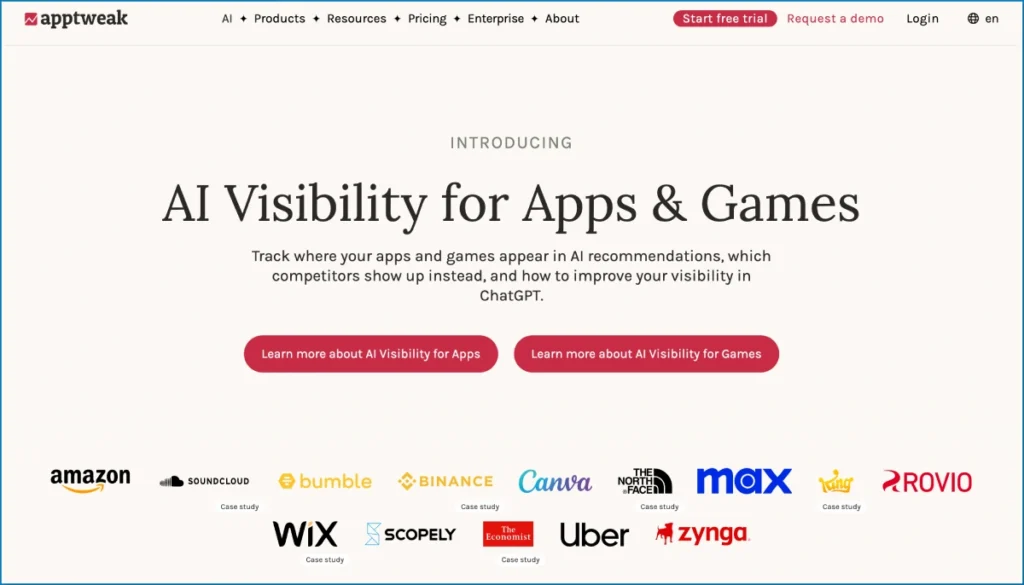
AppTweak is the platform I reach for when keyword intelligence is the priority and there is a real budget behind it. It is one of the most respected ASO platforms on the market, and the depth of its keyword data genuinely earns that reputation. Where cheaper tools give you a keyword and a vague popularity score, AppTweak gives you difficulty, relevancy, the keywords your competitors are paying for, and how all of it ties into Apple Search Ads. For a growth-stage app expanding across markets, that connective tissue between organic and paid is the real value.
The catch, and it is a big one, is the pricing structure. AppTweak splits its product into ASO Intelligence, Market Intelligence, Search Ads Manager, and Reviews Manager, each sold separately. The advertised entry price covers basic ASO Intelligence only. Need download estimates? That is Market Intelligence, another subscription. So the headline number around $65 to $99 a month can realistically become two to three times that once you assemble a complete workflow. The Essential tier also caps you at 500 tracked keywords, which sounds generous until you are tracking 25 keywords across a dozen countries.
Real-world fit: a SaaS or game team that has outgrown indie tools, runs Apple Search Ads, and needs to expand into new locales with confidence. For a solo developer, it is more tool and more cost than you need.
- Key features: keyword research and difficulty, daily rank tracking, Apple Search Ads integration, market intelligence, review management, localization data
- Pros: deepest keyword intelligence in the category, strong ASA workflow, excellent for multi-market expansion
- Cons: modules sold separately so real cost climbs fast, keyword limits on lower tiers, some long-time users report plan downgrades
- Pricing: from roughly $65 to $99/mo for entry ASO Intelligence; full stacks run higher; free trial
- Best for: growth teams and agencies doing serious keyword and paid work
- Platforms: iOS and Android
2. Sensor Tower
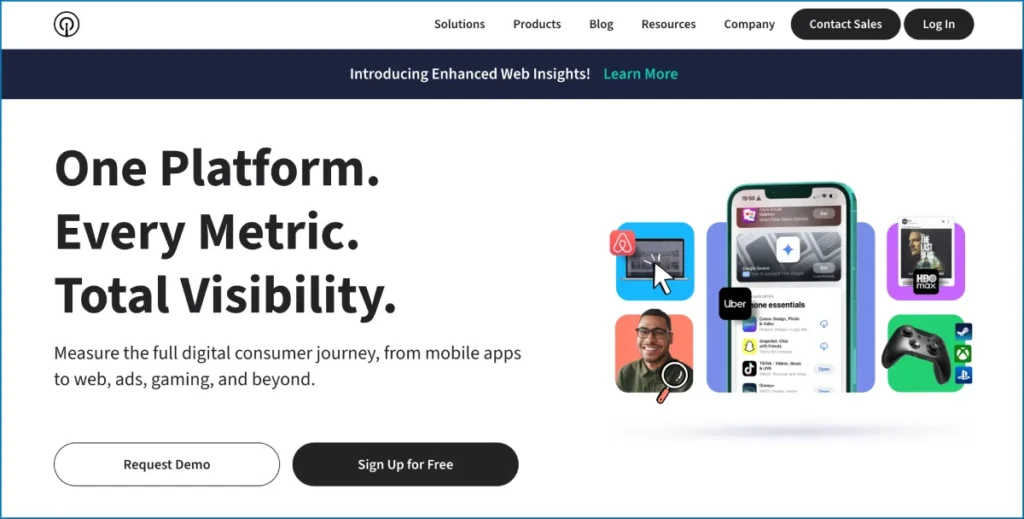
Sensor Tower is the enterprise heavyweight, and in 2026 it is more dominant than ever after absorbing data.ai (formerly App Annie) in 2024. This is not really a scrappy ASO tool. It is a full market intelligence platform that happens to include ASO features. Its strength is the breadth and quality of its data: download and revenue estimates, advertising intelligence, usage metrics, and competitive benchmarks across the entire app economy. If you need to understand a whole category, size a market, or brief an executive team with credible numbers, nothing matches it.
That power comes with enterprise friction. Sensor Tower typically requires an annual contract with no monthly billing option, and the minimum commitment lands in the tens of thousands of dollars per year. There are buried auto-renewal and price-escalation clauses you want your finance team to read. For pure keyword work on a single app, you are paying for a fleet of capabilities you will never touch.
Real-world fit: a publisher with a portfolio, an investment or analytics team, or a brand that needs market-level intelligence to make budget decisions. Indie developers should run, not walk, to a cheaper option.
- Key features: download and revenue estimates, ad intelligence, usage analytics, competitive benchmarking, keyword and store data
- Pros: the most comprehensive and trusted market data available, deep competitive insight, post-data.ai coverage is enormous
- Cons: enterprise pricing and annual lock-in, overkill for single-app ASO, contract clauses to watch
- Pricing: custom, annual contracts, commonly starting around $25,000+/year
- Best for: enterprises, publishers, analysts needing market intelligence
- Platforms: iOS and Android
3. App Radar
App Radar is the tool I recommend when a team wants a clean, streamlined workflow rather than a sprawling intelligence suite. It pulls keyword tracking, metadata optimization, competitor monitoring, and Apple Search Ads management into one tidy interface, and it added genuinely useful AI assistance for drafting and translating store listings. The one-workspace experience means a small marketing team can manage organic and paid in the same place without a data-science degree.
After being acquired by SplitMetrics, App Radar has tilted more toward the mid-market and enterprise, and its entry price reflects that, starting around €58 to $75 a month with no permanent free plan. It is not the cheapest option, and its keyword database is not as deep as AppTweak’s or Sensor Tower’s. But the usability is excellent, and for teams that value getting things done over having every possible data point, that tradeoff is often worth it.
Real-world fit: a lean marketing team at a funded startup that wants to optimize listings, track a sensible keyword set, and run Apple Search Ads without juggling three tools. It is the friendly middle ground between indie tools and enterprise platforms.
- Key features: keyword tracking, AI-assisted metadata and localization, competitor analysis, Apple Search Ads management, automated publishing
- Pros: clean and approachable interface, strong AI writing and translation help, organic plus paid in one place
- Cons: no free plan, keyword depth trails the leaders, increasingly enterprise-priced
- Pricing: from roughly €58 / $75/mo; four tiers; free trial
- Best for: small to mid-size marketing teams wanting a streamlined workflow
- Platforms: iOS and Android
4. AppFollow
AppFollow earns its place because it solves a problem most ASO tools treat as an afterthought: reviews and ratings. It is the closest thing the category has to a reputation-management platform built for apps, with centralized review monitoring across the App Store, Google Play, Amazon Appstore, and Microsoft Store, plus sentiment analysis, response templates, and integrations with Slack, Zendesk, and other helpdesks. On top of that it carries respectable keyword tracking and competitor research, so it functions as an ASO tool too.
The reason this matters: ratings directly affect conversion and ranking, and a flood of unanswered one-star reviews will quietly tank your downloads no matter how good your keywords are. For teams where support and marketing overlap, AppFollow’s unified view saves real hours. Pricing starts on the higher side for paid tiers, commonly around $111 to $179 a month for the Essential plan, though a limited free plan exists for basic tracking, which makes it a reasonable free aso tool entry point.
Real-world fit: an app with an active user base generating lots of reviews, where the support team and the ASO effort need to share data. If reviews are not your bottleneck, the keyword-only tools give you more ASO value per dollar.
- Key features: multi-store review management, sentiment analysis, ratings tracking, keyword monitoring, helpdesk integrations, alerts
- Pros: best-in-class review workflow, covers four stores, strong free tier for basics, good integrations
- Cons: paid plans pricey for pure ASO, keyword depth secondary to its review focus
- Pricing: free limited plan; paid from roughly $111–$179/mo
- Best for: teams that live in reviews and want ASO alongside
- Platforms: iOS, Android, Amazon, Microsoft Store
5. Appfigures
Appfigures is the tool I hand to indie developers and lean teams more than any other, because it delivers most of what a growing app needs at a fraction of enterprise cost. Around since 2008, it combines app analytics, ASO, and app intelligence in one clean platform. You get your own download and revenue analytics, daily keyword rank tracking, keyword suggestions with popularity scores, competitor download estimates, and even SDK intelligence that shows which technologies competitors are running. The hourly data updates are a genuinely nice touch at this price.
The honest limitation is that its keyword research database is smaller and less authoritative than AppTweak’s or Sensor Tower’s, so it is stronger for tracking and analytics than for raw keyword discovery at scale. But for an indie watching ROI, that is an easy trade. Paid plans start low, commonly in the $9.99 to $25 a month range, with a free Starter tier and higher Grow and Market Intelligence tiers (around $599.99) if you scale up. The pricing is transparent and you can start and stop without a sales call.
Real-world fit: a solo developer or small studio that wants their own analytics, keyword tracking, and competitor estimates in one affordable place. This is the best aso tool for the money for most people reading this.
- Key features: download and revenue analytics, keyword tracking and suggestions, competitor estimates, SDK intelligence, review monitoring, hourly updates
- Pros: excellent value, transparent pricing, analytics plus ASO in one, no sales call required
- Cons: keyword research database smaller than the leaders, better for tracking than deep discovery
- Pricing: free Starter; paid from roughly $9.99–$25/mo; higher tiers to ~$599.99; 14-day trial
- Best for: indie developers and lean teams watching ROI
- Platforms: iOS and Android
6. MobileAction
MobileAction is the pick when your ASO and your paid acquisition need to talk to each other. For about a decade it has blended organic ASO data with Apple Search Ads intelligence, and that combination is unusual at its price point. Through its SearchAds.com side it surfaces ASA keyword data, creative insights, and competitor ad targeting, then ties that back to organic ranking movement. If you run both organic and paid for the same app, seeing them in one view stops you from optimizing the two in conflicting directions.
It offers a free starter plan, a budget Lite tier around $15 a month, and fuller plans starting around $69 a month, which keeps it accessible to teams that are not enterprise but have outgrown free tools. The interface is dense and there is a learning curve, and the keyword data, while good, is not quite AppTweak-deep. But for the specific job of aligning organic and paid, it is one of the best tools for ASO at this budget.
Real-world fit: a performance marketing team running Apple Search Ads that wants to validate converting keywords with paid spend before baking them into organic metadata. That validation loop is a pro move most teams skip.
- Key features: ASO keyword tracking, Apple Search Ads intelligence, creative and ad insights, competitor analysis, market data
- Pros: unique organic-plus-paid view, accessible pricing tiers, strong ASA data
- Cons: dense interface with a learning curve, keyword depth trails the top tier
- Pricing: free starter; Lite ~$15/mo; paid plans from ~$69/mo
- Best for: teams running ASO and Apple Search Ads together
- Platforms: iOS and Android
7. Asodesk
Asodesk is a full-cycle ASO platform with an unusually strong review and customer-support automation layer, which makes it a natural fit for iOS-heavy teams where reviews and metadata both matter. It covers keyword research, rank tracking, competitor analysis, and metadata work, then adds reply automation and support workflows on top. User ratings for it are consistently high, often around 4.6 out of 5, and the support team gets specific praise, which counts for a lot when you are stuck.
The friction points are real though. Its package naming is genuinely confusing, with core keyword research features sometimes gated behind higher “ASO-Research” tiers, and there is no public API at the time of writing. Pricing is not transparently listed and usually comes by request, which means a sales conversation before you know your real cost. Its Google Play traffic and search-volume estimates also draw criticism for accuracy, so treat Android numbers as directional.
Real-world fit: an iOS-leaning team that wants serious ASO plus automated review handling and is willing to talk to sales. If you want instant transparent pricing, Appfigures or ASOMobile will get you moving faster.
- Key features: keyword research and tracking, competitor analysis, metadata tools, review and support automation, alerts
- Pros: strong review automation, high user ratings, responsive support, full-cycle coverage
- Cons: confusing package naming, no public API, pricing by request, Android estimates can be off
- Pricing: custom / by request; free trial available
- Best for: iOS-focused teams that need ASO plus review automation
- Platforms: iOS and Android
8. ASOMobile
ASOMobile is the all-in-one I point budget-conscious teams toward when they still want a real toolbox rather than scattered free utilities. It packs a genuinely wide feature set: a Keyword Finder, an AI-powered ASO Creator for metadata, App Keywords indexing, an ASO Dashboard that scores your listing in one click, a Search Ads Spy for watching competitors’ Apple Search Ads, and keyword traffic forecasting across more than 60 countries. It covers both stores and even offers a set of free tools for keyword suggestions, ranking history, and text analysis, which makes it relevant to the aso keyword tool free crowd too.
The AI in the ASO Creator is a real time-saver for drafting localized metadata, and the one-click dashboard is a friendly entry point for people new to ASO. The downsides reviewers consistently mention are that some tools run slowly and occasionally need a page refresh, and that the sheer number of separate tools can feel disorganized until you learn the layout. Pricing sits comfortably below the enterprise platforms.
Real-world fit: an indie developer, small game publisher, or agency that wants broad ASO coverage and AI metadata help without an enterprise invoice. The free tools alone make it worth a look before you spend anything.
- Key features: Keyword Finder, AI ASO Creator, ASO Dashboard scoring, Search Ads Spy, keyword traffic forecast, free tools, 60+ countries
- Pros: wide feature set at a low price, useful AI metadata help, real free tools, both stores
- Cons: some tools slow to load, layout can feel cluttered, keyword data not enterprise-grade
- Pricing: free tools; affordable paid plans below enterprise tiers
- Best for: budget teams wanting an all-in-one with AI help
- Platforms: iOS and Android
9. SplitMetrics Optimize
SplitMetrics Optimize is the specialist on this list, and it does one thing better than anyone: conversion rate optimization through real A/B testing of your store creative. It made its name letting iOS marketers test app icons, screenshots, previews, titles, and descriptions with live traffic and get statistically significant results on which variant drives more installs. It also ships benchmark data drawn from thousands of experiments, so you start with informed hypotheses rather than blind guesses. For game publishers and performance teams chasing every fraction of a conversion point, that is gold.
Two things to weigh in 2026. First, Apple’s native Product Page Optimization and Google Play’s Store Listing Experiments now offer free on-store A/B testing, which has narrowed the case for paid testing tools for simpler needs. SplitMetrics still wins for pre-launch testing, web-traffic experiments, and sophisticated setups, but the free native options handle basic tests. Second, pricing is enterprise-oriented and usually custom, with serious testing programs adding meaningful monthly cost.
Real-world fit: a team with paid traffic to spend on experiments and conversion as the bottleneck, especially iOS games. Pair it with a keyword tool, because it is not a keyword research platform.
- Key features: store creative A/B testing, pre-launch and web experiments, statistical significance modeling, benchmark data, ASA tools via the wider suite
- Pros: best-in-class conversion testing, strong benchmarks, trusted by game publishers
- Cons: narrow focus (not keyword research), enterprise pricing, native free A/B testing now covers basics
- Pricing: custom / enterprise; testing programs can add $1,000–$5,000/mo
- Best for: teams optimizing creative conversion at scale
- Platforms: iOS and Android
10. Astro (TryAstro)
Astro is my favorite recommendation for solo Apple developers, and it exists precisely because the rest of this list prices indies out. Built by an independent developer specifically for the Apple ecosystem, it charges a flat $99 a year to track unlimited keywords across unlimited apps. No per-keyword fees, no per-app surcharges, no enterprise quote form. For someone running a portfolio of niche utility apps or small games, that pricing is the cleanest in the entire category. Running comprehensive ASO across ten small apps on Astro costs less per year than a single month of AppTweak.
The honest tradeoff is scope. Astro is Apple-only, covering iOS, iPadOS, macOS, tvOS, and watchOS, so Android developers should look elsewhere entirely. It is also a focused keyword and ranking tool, not a sprawling intelligence platform, so you will not find deep ad analytics or enterprise market data. But for its target user, that focus is the point. It does the core job, charges almost nothing, and gets out of your way.
Real-world fit: a solo iOS developer, an indie studio with a multi-app portfolio, or an ASO consultant managing several small Apple clients. If your world is Apple and your budget is real, start here.
- Key features: unlimited keyword tracking, unlimited apps, Apple-ecosystem ASO, portfolio-level workflow
- Pros: unbeatable flat pricing, unlimited apps and keywords, perfect for portfolios, no sales friction
- Cons: Apple only (no Android), focused feature set, not for enterprise needs
- Pricing: $99/year flat; trial available
- Best for: solo Apple developers and indie portfolios
- Platforms: Apple only (iOS, iPadOS, macOS, tvOS, watchOS)
11. ASOTools
ASOTools rounds out the list as the genuinely useful free option, which is why it captures so much “asotools” and aso keyword tool free search traffic. It positions itself as a free Sensor Tower alternative and delivers real-time app rankings, download and revenue estimates, competitor monitoring, and keyword research at zero cost for the core features. For a developer who needs to sanity-check a keyword, eyeball a competitor’s estimated performance, or do early research before committing budget, it removes the price barrier entirely.
Free always comes with limits, and here they are: the data depth and historical range do not match a paid platform, accuracy on estimates is directional rather than precise, and you will eventually want a paid tool once ASO becomes a serious channel. But as a starting point, a second-opinion data source, or a permanent tool for hobby projects, it is hard to argue with free. I keep it in my stack purely as a quick cross-reference against paid estimates.
Real-world fit: a brand-new developer validating an idea, a side-project builder who will never justify a subscription, or anyone wanting a free second data source alongside a paid tool. It is the best aso tool to start with when your budget is exactly zero.
- Key features: free keyword research, real-time rankings, download and revenue estimates, competitor monitoring
- Pros: genuinely free core, fast, good for validation and second opinions, both stores
- Cons: limited data depth and history, directional accuracy, you will outgrow it
- Pricing: free core features
- Best for: beginners, side projects, and free competitive checks
- Platforms: iOS and Android
Free vs paid ASO tools: where the line actually is
The free-versus-paid question is really a stage question. Free aso tools are perfect when you are validating an idea, working on a side project, or learning the discipline. They show you the shape of the data: which keywords look popular, roughly how a competitor is doing, whether your listing is obviously broken. ASOTools, ASOMobile’s free utilities, AppFollow’s free tier, and Appfigures’ free Starter all do this well, and you should exhaust them before paying a cent.
Paid aso optimization tools earn their cost the moment ASO becomes a channel you are accountable for. The difference is not the existence of data, it is the trust you can place in it and the time it saves. Paid tools give you historical depth, daily multi-country tracking, accurate difficulty scores, and the competitor estimates you can actually plan around. When a single keyword position can shift thousands of installs, guessing with free directional data gets expensive fast.
Here is the honest dividing line I use. If your app is pre-launch or earning under roughly $1,000 a month, stay free or near-free with ASOTools plus first-party data. Once you are spending on user acquisition or the app is a real revenue line, the $10 to $100 a month tier (Appfigures, MobileAction, ASOMobile, Astro for Apple) pays for itself in saved hours and avoided mistakes. Enterprise tools like Sensor Tower and full AppTweak stacks only make sense when you have a dedicated ASO budget and the data feeds real financial decisions.
The trap to avoid: buying an expensive tool to feel serious, then never changing your metadata. The tool is worthless without the work. Spend on the tool that matches your stage, not your ambition.
Best ASO tools for Android developers
ASO on Google Play plays by different rules than the App Store, and not every tool handles it equally well. Google Play indexes your full long description for keywords, weights ratings and reviews heavily, and offers free native A/B testing through Store Listing Experiments. So the best aso tools for android are the ones with reliable Play Store data and good keyword coverage on Google’s side.
For most Android developers, AppTweak and Sensor Tower offer the deepest Google Play data if budget allows, while Appfigures is the standout value pick with solid Android keyword tracking and analytics at indie prices. ASOMobile and MobileAction both cover Google Play competently and add useful free tools and paid-ad intelligence respectively. AppFollow is the natural choice if Play Store reviews are central to your strategy, since review volume on Android tends to dwarf iOS.
One tool to skip if you are Android-only: Astro, which is Apple ecosystem exclusive. And treat Asodesk’s Google Play search-volume estimates as directional, since accuracy complaints there are common. For a free Android starting point, lean on ASOTools plus Google Play Console’s own search-term data and the autocomplete suggestions in Play search, which together form a surprisingly capable free aso keywords tool for the Android side.
Best free ASO keyword tools
If keyword research is all you need and budget is zero, you have more options than the paid-tool marketing would suggest. The best free aso keyword tool free options combine third-party software with first-party store data, and used together they cover most of what a beginner needs.
On the software side, ASOTools gives you free keyword research and competitor data, ASOMobile’s free tools include keyword suggestions and ranking history, Appfigures’ free Starter offers basic keyword tracking, and AppFollow’s free tier handles basic monitoring. None of these will match a paid platform’s depth, but for finding and validating a starter keyword set they are genuinely useful.
The free data sources most beginners overlook are the stores themselves. Apple Search Ads’ keyword popularity scores (free to view inside the ASA dashboard even if you never run an ad) are some of the most reliable iOS keyword signals available anywhere. Google Play Console shows you the actual search terms bringing installs. And both stores’ search autocomplete reveals real demand in real time. I have built complete starter keyword lists using nothing but Apple Search Ads popularity, Play autocomplete, and a free tool to cross-check, before spending a single dollar on software.
The ASO checklist I run for every app
Tools are only as good as the process you run them through. This is the aso checklist I work through for every app, whether it is a solo project or a client engagement. Run it top to bottom before you obsess over which subscription to buy.
- Pin down your seed keywords. List the terms a real person would type to find an app like yours. Pull ideas from competitors, autocomplete, and your reviews.
- Research and score keywords. Use an aso keywords tool to layer popularity against difficulty. Target winnable, high-traffic terms, not vanity terms you can never rank for.
- Optimize your title and subtitle. These carry the most keyword weight. Lead with your strongest keyword while keeping it readable and brand-safe.
- Write the description for the right store. Google Play indexes the full description, so place keywords naturally throughout. Apple does not index the description, so write it to convert.
- Fill the iOS keyword field deliberately. Use all 100 characters, no spaces after commas, no repeating words already in your title.
- Design screenshots to convert. Your first two or three screenshots decide most installs. Show the core value in the first frame.
- Build a review and ratings engine. Prompt happy users at the right moment, respond to negatives, and watch sentiment trends.
- Localize for your real markets. Translating metadata for your top countries is one of the highest-ROI moves in ASO and most teams skip it.
- Track rankings weekly and tie changes to outcomes. Every metadata edit should be a measurable experiment.
- A/B test your creative. Use SplitMetrics or the free native experiments to test icons and screenshots, not guess.
- Audit quarterly. Keyword demand shifts, competitors move, and your listing needs to keep up.
If that workflow feels familiar, it should. It is the same disciplined, measure-everything mindset behind good content marketing and SEO writing on the web, just pointed at the stores instead of Google.
Common ASO mistakes to avoid
I have audited enough listings to see the same expensive mistakes on repeat. Avoiding these will put you ahead of most of your competitors before you optimize a single keyword.
Treating ASO as a one-time launch task. The single biggest error. ASO is ongoing. Demand shifts, competitors react, and a listing you set and forgot a year ago is leaking installs right now.
Chasing high-volume keywords you cannot rank for. Targeting “games” or “fitness” as a new app is a fantasy. Win specific, winnable terms first, build authority, then climb. This is the exact mistake people make with website SEO when they ignore difficulty, the same trap I cover in Ahrefs DR vs Moz DA for the web side.
Ignoring conversion in favor of rankings. Ranking number one means nothing if your screenshots do not earn the tap. Visibility without conversion is wasted reach.
Neglecting reviews and ratings. Ratings feed both conversion and the ranking algorithm. A wall of unanswered one-star reviews quietly kills downloads no matter how clean your keywords are.
Keyword stuffing the iOS keyword field or repeating terms. Repeating a word you already used in your title wastes characters. Apple only needs each keyword once.
Forgetting localization. Defaulting everything to US English leaves entire markets invisible to you.
Buying a tool and skipping the work. I said it earlier and I will say it again because it is the most common waste of money in this category. The platform does not optimize anything. You do.
Optimizing organic and paid in conflicting directions. If your ASA team and your ASO effort never talk, you can end up bidding on keywords your organic listing ignores, and vice versa. Tools like MobileAction exist to stop exactly this.
The future of ASO: AI-driven optimization and what is changing
ASO in 2026 is being reshaped by three forces, and the teams that adapt will pull away from the ones still running 2022 playbooks.
AI metadata generation is now table stakes. App Radar, ASOMobile, and a wave of newer tools generate and translate store listings with AI, collapsing days of localization work into minutes. Used well, this is a real productivity gain. Used lazily, it produces generic listings that read like every competitor. The edge goes to teams that use AI for the first draft and human judgment for the keyword and conversion decisions.
AI assistants are becoming a discovery surface. A growing share of people ask ChatGPT, Gemini, Perplexity, and Claude to recommend apps, and those engines synthesize from store metadata, reviews, and the web. Showing up there is the mobile extension of generative engine optimization, and it rewards clear, well-structured listings and strong third-party coverage. If you want to understand that shift before your competitors do, my guide to the best AI monitoring tools covers how to track your brand’s visibility across these engines.
The platforms keep consolidating. Sensor Tower swallowing data.ai and SplitMetrics acquiring App Radar are not isolated events, they are a trend toward fewer, larger suites. That means more bundling, more enterprise pricing, and a widening gap between heavyweight platforms and the indie tools serving everyone else. Expect the middle to keep getting squeezed.
The constant through all of it: data plus human strategy wins. The aso optimization tool landscape will keep evolving, but the teams that combine good tooling with disciplined execution, the same way the best operators approach SEO services on the web, will keep winning regardless of which logo is on the dashboard.
FAQ
What are ASO tools?
ASO tools are software platforms that help you optimize an app’s visibility and downloads on the Apple App Store and Google Play. They handle keyword research, rank tracking, competitor analysis, metadata optimization, and review management. Think of them as SEO software built specifically for app stores, filling the data gaps that App Store Connect and Google Play Console leave open.
Are ASO tools worth it?
ASO tools are worth it once app store optimization becomes a channel you are accountable for. For pre-launch or hobby apps, free tools and first-party store data are enough. Once you are spending on user acquisition or earning real revenue, a paid aso tool pays for itself in saved time and avoided mistakes, because guessing with bad data costs far more than a subscription.
What is the best free ASO tool?
ASOTools is the best fully free ASO tool for keyword research and competitor data, with ASOMobile’s free utilities and Appfigures’ free Starter as strong companions. For the best free aso keyword tool free results, pair them with Apple Search Ads keyword popularity scores and Google Play autocomplete, which are some of the most reliable free signals available.
How much do ASO tools cost?
ASO tools range from free to over $25,000 a year. Free tools like ASOTools cost nothing. Indie-friendly paid tools such as Appfigures, MobileAction, and ASOMobile start around $10 to $69 a month. Astro charges a flat $99 a year for Apple apps. Enterprise platforms like Sensor Tower and full AppTweak stacks run into thousands per month or require annual contracts.
What are the best ASO tools for Android developers?
The best aso tools for android are Appfigures for value, AppTweak and Sensor Tower for depth if budget allows, and ASOMobile or MobileAction for affordable all-in-one coverage. AppFollow is ideal if Google Play reviews drive your strategy. Avoid Astro for Android, since it is Apple-only, and treat some tools’ Play Store volume estimates as directional.
What is the difference between ASO and SEO?
ASO optimizes apps for visibility in the Apple App Store and Google Play, while SEO optimizes websites for search engines like Google. They share the same logic of keyword research, ranking, and conversion, but ASO works with store metadata, ratings, and screenshots, whereas SEO works with web pages, backlinks, and content. Many growth teams run both in parallel.
Which ASO tool is best for Apple Search Ads?
MobileAction and AppTweak are the best ASO tools for Apple Search Ads. MobileAction’s SearchAds.com side blends organic ASO with paid keyword and creative intelligence at accessible pricing, while AppTweak’s Search Ads Manager offers deeper integration for teams with bigger budgets. Both let you validate converting keywords with paid spend before committing them to organic metadata.
Can I do ASO without paying for a tool?
Yes, you can do effective ASO without paying, especially early on. Combine a free tool like ASOTools for keyword and competitor data with Apple Search Ads keyword popularity, Google Play Console search terms, and store autocomplete. This free stack covers research, basic tracking, and validation. You will eventually want paid depth, but it is not required to start ranking.
What is the best ASO tool for beginners?
Appfigures is the best ASO tool for beginners who can spend a little, thanks to transparent low pricing and a clean interface that combines analytics and ASO. For zero budget, start with ASOTools and ASOMobile’s free tools. For solo Apple developers, Astro at $99 a year is the simplest paid entry point with no per-app or per-keyword surprises.
How do ASO tools improve app downloads?
ASO tools improve downloads by turning optimization into a measurable loop. They surface winnable keywords, track your ranking daily, and benchmark competitors, so every metadata and creative change becomes a testable experiment. Climbing for high-traffic keywords multiplies impressions, and better screenshots lift the conversion from impression to install, which compounds into more organic downloads over time.
Do ASO tools work for both the App Store and Google Play?
Most major ASO tools cover both the Apple App Store and Google Play, including AppTweak, Sensor Tower, Appfigures, App Radar, AppFollow, MobileAction, ASOMobile, and ASOTools. The main exception is Astro, which is Apple ecosystem only. Keep in mind that keyword and search-volume accuracy can vary between the two stores, since Google and Apple expose different data.
What is the best ASO tool overall in 2026?
There is no single best ASO tool for everyone, because the right choice depends on your stage. AppTweak is the strongest for deep keyword intelligence, Sensor Tower for enterprise market data, Appfigures for indie value, AppFollow for reviews, and Astro for solo Apple developers. Match the tool to your budget and the part of ASO that is actually your bottleneck.
Final word
App store optimization is the rare growth channel that compounds instead of resetting to zero the day you stop paying. The right aso tool does not do the work for you, but it removes the blindfold so the work actually pays off. Start with a free tool to learn the shape of your market, graduate to an affordable paid platform like Appfigures or Astro once ASO becomes a real channel, and only reach for enterprise tools when the data feeds real money decisions.
Pick the tool that matches your stage, run the checklist above, and treat every metadata change as an experiment. Most of your competitors will not do this. That is exactly why it works.
If you want help building an organic growth engine across both your app and your website, reach out through Webseotrends and let’s map it out. Now go optimize that listing.

