

Every time you visit a website, two invisible systems spring into action within milliseconds: the web browser on your device and the web server somewhere on the internet. They exchange information, cooperate on a precise protocol, and deliver the page you see. Yet despite working together constantly, a web browser and web server are fundamentally different in purpose, location, function, and design.
This guide explains exactly what each is, how they differ, how they communicate, and how understanding the web browser and web server difference helps you make better decisions for your own website, hosting infrastructure, and digital presence.
What Is a Web Browser?
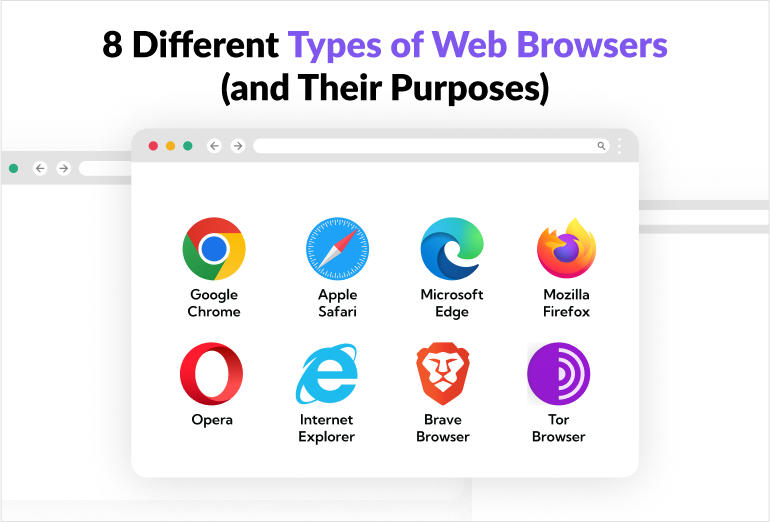
A web browser is a client-side software application that allows users to access, retrieve, and interact with content published on the World Wide Web. It runs on the user’s device, whether that is a laptop, smartphone, tablet, or desktop computer, and its primary function is to translate raw code into the visual, interactive experience the user sees on screen.
When you open Chrome, Firefox, Safari, Edge, or Opera and type in a URL, you are using a web browser. The browser acts as the user’s representative on the internet: it makes requests on your behalf, receives the response from the server, and renders that response into something a human can read and interact with.
What a Web Browser Actually Does
The journey from typing a URL to seeing a finished webpage involves a series of precise operations your browser performs automatically:
DNS resolution.
The browser first translates the human-readable domain name (for example, webseotrends.com) into the numerical IP address that identifies the server hosting that domain. This translation is performed by the Domain Name System.
HTTP or HTTPS request.

The browser opens a connection to the server’s IP address on port 80 (HTTP) or port 443 (HTTPS) and sends a structured request specifying which resource it wants, which methods it accepts, its preferred language, cookies stored from previous visits, and other metadata.
Receiving the response.
The server responds with a status code (200 for success, 404 for not found, 301 for a redirect) and the requested file, typically an HTML document.
HTML parsing and DOM construction.
The browser reads the HTML line by line, constructing a Document Object Model (DOM) that represents the page as a tree of elements. As it encounters references to external resources, it makes additional requests for stylesheets, scripts, fonts, and images.
CSS rendering.
Stylesheet rules are applied to DOM elements to determine layout, spacing, color, typography, and visual appearance.
JavaScript execution.
JavaScript files are downloaded, parsed, and executed, enabling interactive behavior such as dropdown menus, form validation, dynamic content loading, and single-page application functionality.
Painting the screen.
The final step is compositing all the visual layers and painting the complete rendered page to the user’s screen.
Key Features of a Modern Web Browser
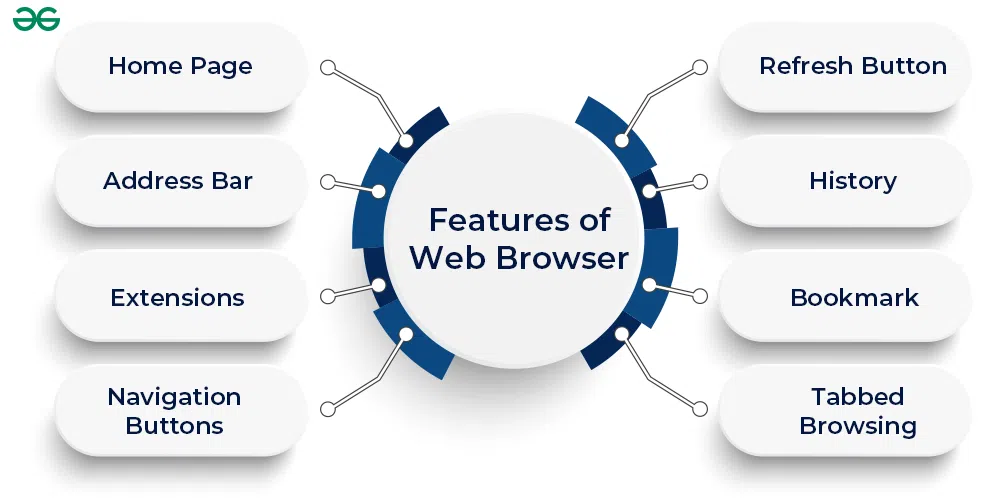
- HTML rendering engine: converts raw HTML, CSS, and JavaScript into the visual web pages users see and interact with
- Supports HTML5, CSS3, JavaScript ES2022+ and newer web standards
- Multi-tab interface allowing concurrent sessions across multiple websites
- Extension and add-on ecosystem (ad blockers, password managers, developer tools)
- Developer tools panel for inspecting the DOM, network requests, console errors, and performance timelines
- Private or incognito mode that discards session data after closing
- Password manager and autofill capabilities
- Built-in security: HTTPS enforcement, certificate validation, phishing and malware warnings
- Bookmark management and reading list features
What Is a Web Server?
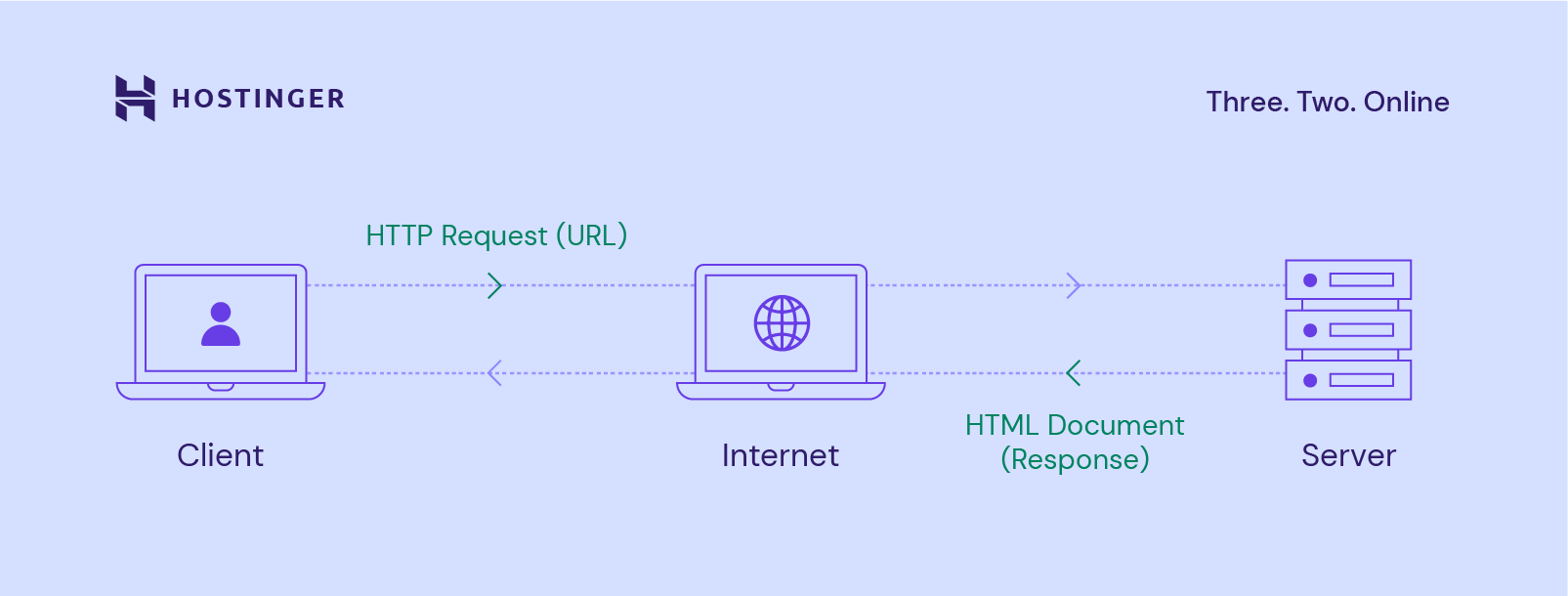
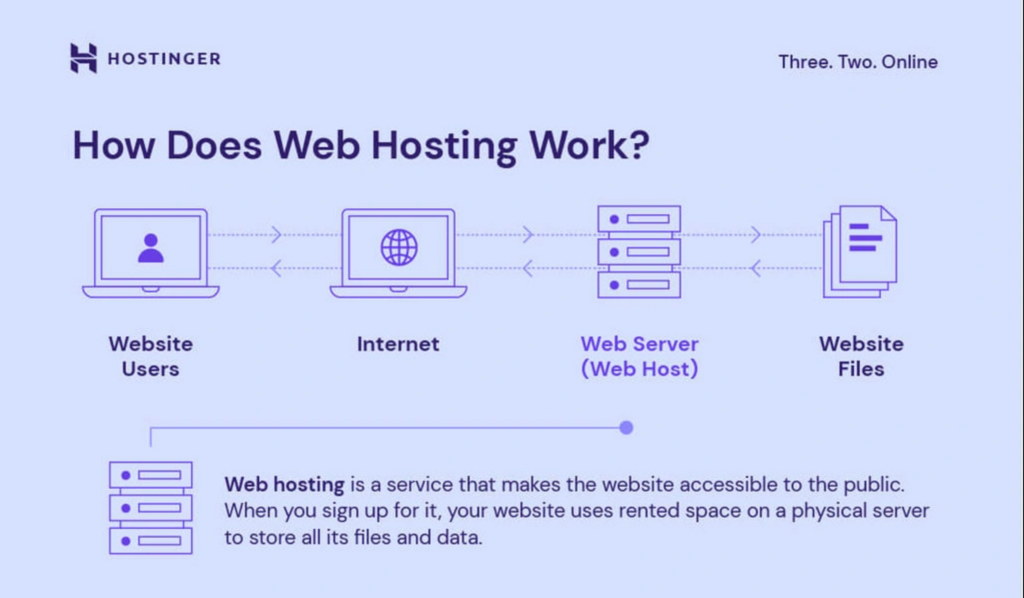
A web server is a software application (and by extension, the hardware it runs on) that listens for incoming network requests from clients such as web browsers, processes those requests, and sends back the appropriate responses. A web server stores website files and delivers them on demand to anyone who requests them through the internet. Every website you see online is hosted on a web server of some kind, which is why choosing the right web hosting is one of the first decisions every new website owner must make.
The web server does not have a screen, a user interface, or a user sitting in front of it. It operates continuously in the background, waiting for requests, processing them, and responding. It has no awareness of who is on the other end of the connection. It simply receives a request, finds the appropriate resource, and sends it back.
What a Web Server Actually Does
Listening on a port.
A web server continuously listens on a designated network port, typically port 80 for HTTP and port 443 for HTTPS, for incoming connection requests from clients.
Parsing HTTP requests.
When a connection arrives, the server reads the request headers to determine what resource is being requested, which HTTP method is being used (GET, POST, PUT, DELETE), and what conditions or preferences the client has specified.
Locating and serving the resource.
For a static resource such as an HTML file, image, or PDF, the server locates the file on its storage system and sends it back in the HTTP response. For dynamic content, the server may pass the request to a backend application (PHP, Python, Node.js) that generates the response programmatically.
Managing concurrent connections.
A production web server handles thousands of simultaneous connections efficiently through asynchronous I/O, connection pooling, and worker thread management.
Logging.
Every request received is recorded in access logs with details including the requesting IP address, the timestamp, the requested URL, the HTTP method, the response code, and the response size.
Security enforcement.
The web server handles SSL/TLS termination for HTTPS connections, manages authentication requirements for protected resources, and can enforce rate limiting, IP blocking, and other security policies.
Key Features of a Production Web Server
- HTTP/1.1, HTTP/2, and HTTP/3 protocol support
- SSL/TLS certificate management for encrypted HTTPS connections
- Virtual hosting: serving multiple websites from a single server instance
- URL rewriting and redirect management
- Gzip and Brotli compression to reduce response file sizes
- Caching of frequently requested resources to reduce load and response time
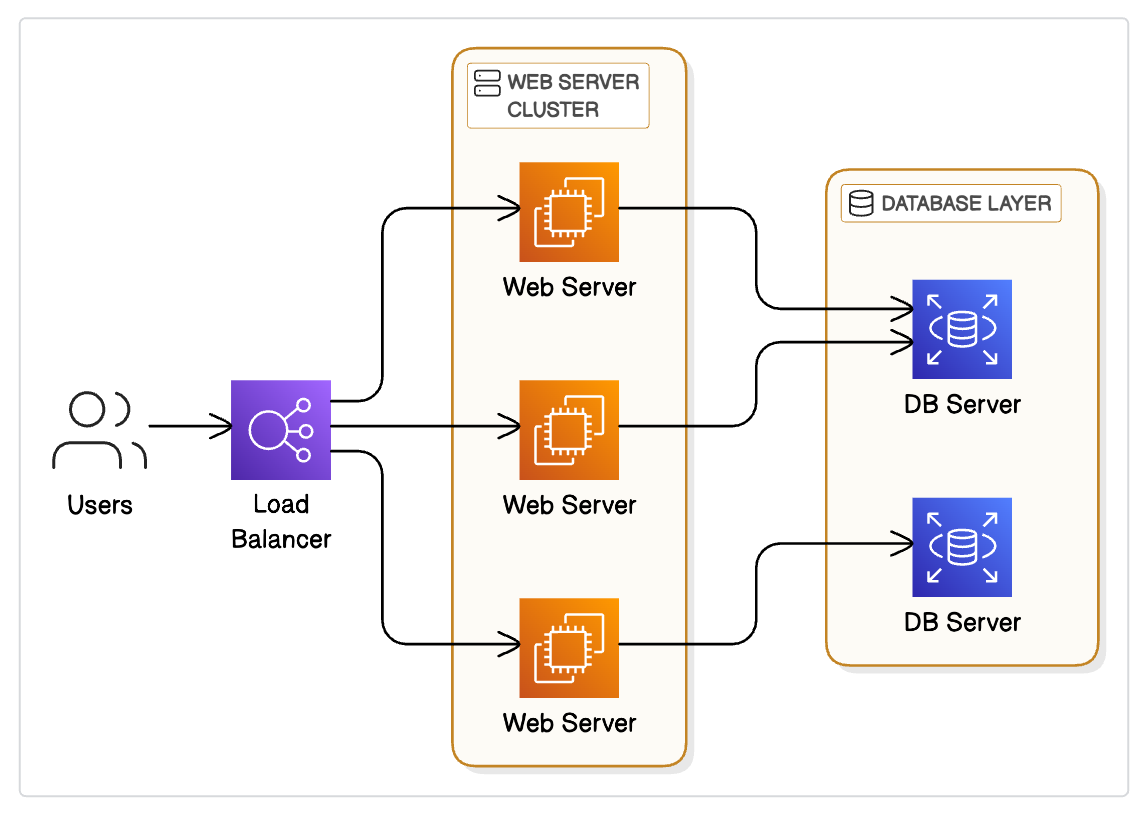
- Load balancing across multiple backend application instances
- Access control and basic authentication
- Detailed request and error logging
Web Browser and Web Server: Key Differences at a Glance
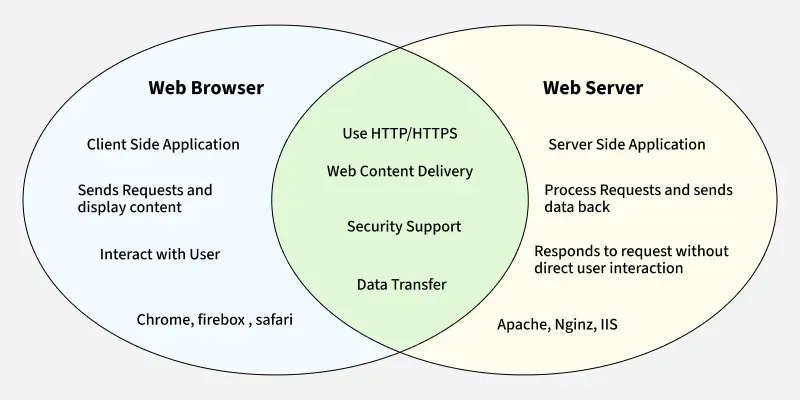
The fastest way to understand the web browser and web server difference is through a direct comparison across every relevant dimension.
| Attribute | Web Browser | Web Server |
|---|---|---|
| Role | Client: requests and renders content | Server: stores, processes, and delivers content |
| Location | Runs on the user’s device | Runs on remote server hardware or cloud infrastructure |
| Who uses it | End users navigating websites | Webmasters, developers, and hosting providers |
| Primary function | Send HTTP requests and render HTML/CSS/JS responses | Listen for HTTP requests and send appropriate responses |
| Direction of data | Initiates requests, receives responses | Receives requests, sends responses |
| User interaction | Direct: the user sees and interacts with it | None: operates silently in the background |
| Examples | Chrome, Firefox, Safari, Edge, Opera, Brave | Apache, Nginx, Microsoft IIS, LiteSpeed, Caddy |
| Protocol | Uses HTTP/HTTPS to make requests | Uses HTTP/HTTPS to respond to requests |
| Content handling | Renders HTML, CSS, JavaScript, images, video | Stores and serves HTML files, images, scripts, databases |
| Intelligence | Interprets and renders content visually | Processes and routes requests logically |
| Where it runs | Windows, macOS, Linux, iOS, Android | Linux servers, Windows Server, cloud VMs |
| Performance concern | Rendering speed, JavaScript execution, Core Web Vitals | Response time, throughput, uptime, concurrent connection handling |
| Output | Visual web page displayed to the user | HTTP response containing files, data, or error codes |
| Awareness of each other | Knows the server’s IP address and port | Knows the client’s IP address and request details only |
How a Web Browser and Web Server Communicate: The Full Request-Response Cycle
Understanding the web browser and web server relationship requires understanding the HTTP request-response cycle. This is the fundamental protocol through which all web communication occurs.
Step 1: You Enter a URL
You type https://webseotrends.com/seo/ into your browser’s address bar and press Enter.
Step 2: DNS Lookup
Your browser checks its local cache for the IP address of webseotrends.com. If it is not cached, it queries a DNS resolver, which returns the IP address of the server hosting the domain. This typically takes 20 to 120 milliseconds.
Step 3: TCP Connection and TLS Handshake
Your browser opens a TCP connection to the server’s IP address on port 443 (HTTPS). For a secure connection, a TLS handshake occurs: the server presents its SSL certificate, the browser verifies it against trusted certificate authorities, and both sides agree on encryption keys. This adds 1 to 2 round trips before any content is requested.
Step 4: The Browser Sends an HTTP Request
The browser sends a structured HTTP request to the server. It looks something like this in simplified form:
GET /seo/ HTTP/2
Host: webseotrends.com
Accept: text/html,application/xhtml+xml
Accept-Language: en-US,en;q=0.9
Cookie: [session data]
Step 5: The Server Processes the Request
The web server software (Apache, Nginx, or another) receives the request, identifies which website is being requested (if the server hosts multiple sites through virtual hosting), locates the requested resource (/seo/ resolves to a specific HTML file or triggers a PHP/Python process), and prepares a response.
Step 6: The Server Sends an HTTP Response
The server returns an HTTP response containing a status code and the content:
HTTP/2 200 OK
Content-Type: text/html; charset=UTF-8
Content-Encoding: gzip
Cache-Control: max-age=3600

[Compressed HTML content follows]
Step 7: The Browser Renders the Page
Your browser receives the HTML, parses it, and begins rendering. As it discovers references to CSS files, JavaScript files, images, and fonts, it sends additional HTTP requests to the same server (or to CDN servers and third-party domains) to retrieve those resources. The rendering engine assembles the DOM, applies styles, executes scripts, and paints the final visual output to your screen.
Step 8: Ongoing Interaction
As you scroll, click, submit forms, or interact with the page, JavaScript running in your browser may send additional HTTP requests (called AJAX or fetch requests) to the server without reloading the full page, receiving data responses (often in JSON format) and updating specific parts of the DOM dynamically.
The entire cycle for a typical page: DNS (50ms) plus TLS handshake (80ms) plus server response (100ms) plus rendering (200ms to 1,000ms depending on page complexity) equals a total of 430ms to 1,230ms for a fully loaded page under normal conditions. This is exactly the timeline that Google’s Core Web Vitals framework (LCP under 2.5 seconds) is designed to incentivize through search rankings.
Web Server vs Application Server: An Important Distinction
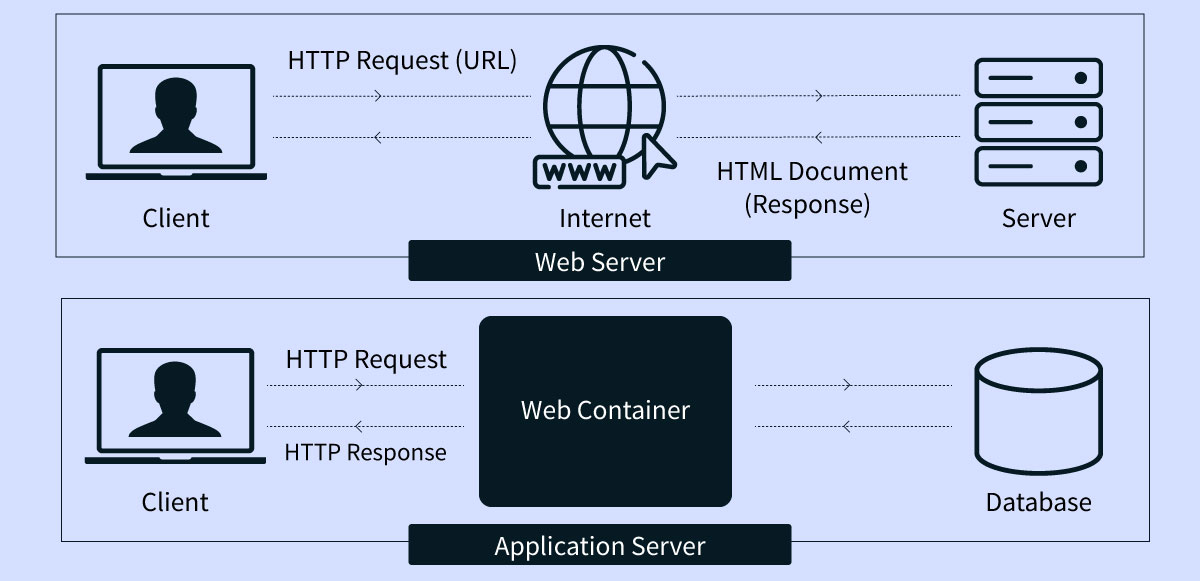
One of the most common points of confusion for developers and website owners is the difference between a web server and an application server. They frequently run on the same machine, but they serve fundamentally different roles.
| Attribute | Web Server | Application Server |
|---|---|---|
| Primary function | Serves static files (HTML, CSS, images, JS) via HTTP | Executes business logic and generates dynamic content |
| Examples | Apache HTTP Server, Nginx, IIS, LiteSpeed | Node.js, Tomcat, JBoss/WildFly, Gunicorn, PHP-FPM |
| Content type | Static: pre-existing files retrieved from disk | Dynamic: content generated at request time by code |
| Protocol | HTTP, HTTPS | HTTP, but also WebSockets, RPC, messaging queues |
| Compute intensity | Low: primarily I/O operations | High: business logic, database queries, computation |
| State management | Stateless by design | Maintains session state and application context |
| Common use | Serving a brochure website or delivering a React bundle | Running the logic behind an eCommerce checkout, a CMS like WordPress, or a SaaS application |
In a typical modern architecture, the web server and application server work together. Nginx (the web server) sits at the front of the stack, handling incoming HTTPS connections, serving static assets like images and CSS directly from disk, and forwarding requests for dynamic content to the application server (such as PHP-FPM for WordPress). The application server generates the dynamic HTML response, passes it back to Nginx, and Nginx returns it to the browser.
WordPress as a practical example: When you visit a WordPress site, Nginx receives the HTTP request, checks if a cached static version exists, and if not, passes the request to PHP-FPM. PHP executes the WordPress application code, queries the MySQL database, assembles the HTML page, and returns it to Nginx, which then sends it back to the browser.
Web Browser vs Web Server vs Web Client: Clearing Up the Confusion
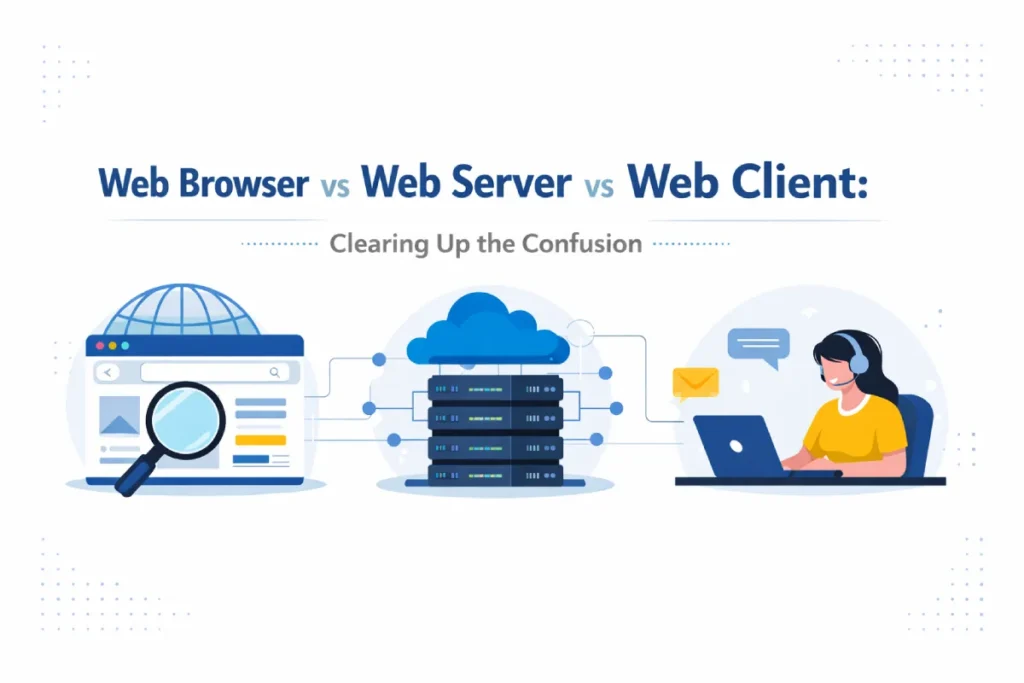
You may encounter the terms web browser, web client, and web server used interchangeably in some contexts. They are not exactly the same thing, though they are related.
A web client is the broader category: any software that sends HTTP requests to a web server. A web browser is the most common type of web client, but it is not the only one. Command-line tools like curl and wget, mobile apps that fetch data from APIs, IoT devices that report sensor readings to a cloud server, and automated bots that crawl web pages for indexing purposes are all web clients.
A web browser is a specialized web client that adds a rendering engine, a user interface, JavaScript execution, and user interaction capabilities to the basic client behavior of making HTTP requests.
So: all web browsers are web clients, but not all web clients are web browsers. And a web server serves all of these clients in the same way, through the HTTP protocol, regardless of whether the client has a visual interface or not.
This distinction matters for website owners because a significant portion of the traffic hitting your web server is not from human users in web browsers. It includes search engine crawlers (Googlebot, Bingbot), performance monitoring tools, security scanners, API consumers, and potentially malicious bots. Your web server handles all of these requests through the same HTTP protocol regardless of the nature of the client.
Static vs Dynamic Content: What the Server Decides and What the Browser Renders

One of the most practically useful distinctions within the web browser and web server difference is the concept of static versus dynamic content.
- Static content (also called static files or static assets) is content that exists as a pre-built file on the server and is delivered identically to every visitor who requests it. An HTML file, a CSS stylesheet, a JavaScript bundle, a PNG image, a PDF document: these are static assets. When your browser requests a static resource, the server simply reads the file from disk and sends it. The web server alone handles this, with no application logic required.
- Dynamic content is content that is generated on the server at the moment of the request, tailored to the specific user, their session state, their query parameters, or real-time database data. The HTML for your Amazon shopping cart, your personalized social media feed, and your bank account balance page are all examples of dynamic content. The web server receives the request, passes it to the application server, which executes logic, queries a database, and assembles a unique HTML response for that specific user and moment.
From the browser’s perspective, there is no visible difference between static and dynamic content: both arrive as an HTTP response containing HTML, CSS, and JavaScript. The browser renders both the same way.
For website owners, the static vs dynamic distinction has significant performance and SEO implications. Static pages load faster (no application server processing time, easily cacheable at CDN edge nodes) and require less server resources. This is why static site generators (Gatsby, Next.js static export, Hugo) and caching plugins for WordPress are so valuable: they pre-generate static HTML versions of dynamically generated pages, delivering the performance characteristics of static files from a database-driven site.
Popular Web Browsers and Web Servers in 2026
Most Used Web Browsers
| Browser | Engine | Market Share (2026 est.) | Key Strength |
|---|---|---|---|
| Google Chrome | Blink | ~65% | Developer tools, extension ecosystem, Google integration |
| Safari | WebKit | ~19% | iOS/macOS default, battery efficiency, privacy controls |
| Microsoft Edge | Blink | ~5% | Windows integration, compatibility mode, enterprise features |
| Mozilla Firefox | Gecko | ~3% | Open source, privacy-first, advanced developer tools |
| Opera | Blink | ~2% | Built-in VPN, sidebar tools, lower resource usage |
| Brave | Blink | ~2% | Ad blocking by default, privacy focus, crypto wallet |
Most Used Web Servers
| Web Server | Primary Use Case | Market Position |
|---|---|---|
| Nginx | High-performance static serving, reverse proxy, load balancer | Most widely deployed globally |
| Apache HTTP Server | Traditional web server, .htaccess configurability | Long-standing default on shared hosting |
| Microsoft IIS | Windows Server environments, .NET applications | Enterprise Windows deployments |
| LiteSpeed | High-performance WordPress and cPanel hosting | Growing in managed hosting market |
| Caddy | Automatic HTTPS, developer-friendly, Go-based | Increasing adoption in developer toolchains |
What This Means for Your Website, Hosting, and SEO
Understanding the web browser and web server difference has direct practical implications for anyone who owns, builds, or optimizes a website.
Web Server Choice Affects Page Speed and Core Web Vitals

The web server software and configuration directly affect how quickly your server responds to browser requests. A server response time above 600 milliseconds is flagged by Google’s PageSpeed Insights as a Time to First Byte (TTFB) issue and can negatively affect your Largest Contentful Paint score. Nginx typically outperforms Apache for high-concurrency static file serving due to its asynchronous, event-driven architecture. LiteSpeed further outperforms both for WordPress-specific workloads.
If your website is hosted on a shared server where dozens of other websites share the same resources, server response time is often the primary cause of poor Core Web Vitals scores. Upgrading to a VPS or managed hosting environment with dedicated resources is frequently the highest-impact technical SEO improvement available to small business websites. Our technical SEO audit service includes a server response time assessment and specific hosting upgrade recommendations where relevant.
How Web Servers Are Configured Determines What Google Can Crawl
Googlebot is a web client: it makes HTTP requests to your web server exactly as a browser does. Your web server’s robots.txt configuration, your redirect rules, your canonical URL responses, your sitemap availability, and your server-level noindex headers all determine what Google can discover and index. A misconfigured web server can block Googlebot from crawling your most important pages regardless of how well those pages are optimized. This is one of the most common causes of organic traffic decline we identify in client audits at Webseotrends.
Browser Rendering Determines Core Web Vitals
Core Web Vitals (LCP, CLS, INP) are measured from the browser’s perspective: they measure how the browser renders your page in real user sessions. They are affected by factors on both sides of the browser-server relationship: server response time affects LCP directly, while JavaScript execution, layout shift from late-loading images, and interaction latency are browser-rendering issues that are independent of server performance.
This means optimizing for Core Web Vitals requires understanding both the server-side and browser-side contributors to each metric. Our WordPress SEO services specifically address this dual-layer optimization for WordPress sites.
HTTPS is Required, Not Optional
Your web server must have a valid SSL certificate installed and all traffic must redirect from HTTP to HTTPS. Modern browsers display a “Not Secure” warning for non-HTTPS sites and refuse to execute certain browser APIs (including geolocation, service workers, and camera access) without HTTPS. Google has confirmed HTTPS as a ranking signal. Any website that is not serving all traffic over HTTPS in 2026 is losing both user trust and organic search visibility.
If you want to understand how your server configuration is affecting your website’s search performance, our free SEO and technical audit covers server response time, HTTPS configuration, crawlability, and Core Web Vitals alongside all other ranking factors.
For businesses that need a fully optimized website built on a properly configured server from day one, our web design services include server configuration, Core Web Vitals optimization, SSL setup, and technical SEO architecture as part of every build.
Frequently Asked Questions About Web Browser and Web Server
What is the main difference between a web browser and a web server?
A web browser is a client-side application that runs on the user’s device and sends HTTP requests for web content. A web server is a remote server-side application that receives those requests and sends back the requested content. The browser initiates communication and renders the response. The server waits for connections, processes requests, and delivers files or data. They cooperate through the HTTP protocol but serve entirely different roles in the client-server architecture.
How do a web browser and web server communicate?
They communicate through the HTTP or HTTPS protocol. The browser sends an HTTP request specifying the URL, method (GET, POST, etc.), and headers. The web server receives the request, processes it, and returns an HTTP response containing a status code (200, 404, 301, etc.) and the requested content. This request-response exchange is the foundation of all web communication.
What is the difference between a web server and an application server?
A web server handles HTTP requests and primarily serves static files such as HTML, CSS, images, and JavaScript. An application server executes business logic and generates dynamic content using a programming language runtime such as PHP, Python, Node.js, or Java. In a typical architecture, the web server sits in front and handles incoming connections, serving static assets directly and forwarding requests for dynamic content to the application server.
How do you differentiate between a web server and a web browser?
To differentiate between web server and web browser: a web browser is what users interact with on their own devices to access websites. A web server is the remote system that stores and delivers website content. The browser is the client that requests. The server is the host that responds. The browser renders content visually. The server processes and delivers content programmatically. They never see each other directly: they only exchange HTTP messages over the internet.
Can a computer act as both a web browser and a web server?
Yes. A single computer can run both web server software and a web browser simultaneously. This is commonly done in web development: a developer runs a local web server (such as Apache, Nginx, or Node.js server) on their own machine and accesses it through their browser using the address localhost or 127.0.0.1. The browser sends HTTP requests to the locally running server, which responds just as a remote server would, but without any network latency.
What is the role of HTTP in the web browser and web server relationship?
HTTP (HyperText Transfer Protocol) is the communication language that both the browser and the server use to exchange information. It defines the format of requests (verb, URL, headers, body) and responses (status code, headers, body). HTTPS is the encrypted version of HTTP that uses TLS to protect the data in transit. Without HTTP, the browser and the server would have no shared language to communicate through. Every web page you have ever visited was delivered through an HTTP or HTTPS exchange.
Why does the web server not directly interact with the user?
The web server’s only interface is the network. It receives incoming connections as raw bytes over TCP/IP, parses them as HTTP requests, and returns HTTP responses. There is no screen, no visual interface, no keyboard input. It is designed purely for automated, high-volume request handling rather than human interaction. The browser handles all human interaction elements: the visual interface, the navigation controls, the input handling, and the content rendering.
How does web server performance affect my website’s SEO?
Web server performance directly affects Time to First Byte (TTFB), which is a component of Largest Contentful Paint (LCP), one of Google’s Core Web Vitals. A slow server response delays the browser from receiving the HTML it needs to begin rendering, which pushes LCP out and can negatively affect your search rankings. Google has stated a target TTFB of under 600ms. Server performance is therefore a direct SEO factor, not just a user experience consideration.
Summary: Web Browser and Web Server at a Glance
The web browser is your window to the internet. It runs on your device, sends HTTP requests on your behalf, and renders the responses it receives into the web pages you interact with. The web server is the building the window looks into. It operates on remote hardware, stores website files, listens for incoming requests, and delivers the right content to the right client at the right moment.
Every webpage load is a collaboration between these two systems: the browser asking and the server answering, across a connection secured by HTTPS, completed in fractions of a second, repeated billions of times every day across the global internet.
For website owners and marketers, this relationship has real practical consequences for your Core Web Vitals scores, your Google rankings, your site security, and the experience you deliver to visitors. Understanding how the browser and server interact helps you diagnose performance issues, make better hosting decisions, and work more effectively with developers and SEO specialists.
If you want to know exactly how your web server configuration and browser-side rendering are affecting your search rankings and organic traffic, our free technical SEO audit covers both layers in full detail and delivers a prioritized action plan within 24 hours.
Related Reading from Webseotrends
- SEO Services Overview : How we optimize both the server-side technical layer and the browser-rendered content layer of your website
- Best Web Hosting Services : Independently tested web hosting providers ranked by TTFB, uptime, and Core Web Vitals performance
- Best Cheap Web Hosting : Affordable shared hosting plans that still deliver solid server response times for small business sites
- Best WordPress Hosting : WordPress-specific hosting providers running LiteSpeed servers for optimal web server performance
- Bluehost vs Hostinger : Head-to-head comparison of two of the most popular shared hosting web servers for small businesses
- Best Web Hosting in India : Top-ranked hosting providers with Indian data centres for faster TTFB and LCP for Indian audiences
- GoDaddy Alternatives : Better domain registration and web hosting providers if you are looking to move away from GoDaddy
- How to Start a Blog : Step-by-step guide to choosing hosting, setting up a web server environment, and publishing your first site
- WordPress SEO Services : CMS-specific optimization covering server configuration, Core Web Vitals, and WordPress technical SEO
- Web Design Services : Performance-first website builds with proper server configuration, SSL, and Core Web Vitals from day one
- Digital Marketing Packages : Full-service programs integrating technical SEO, content, link building, and paid channels
- Link Building Guide : How backlinks and server authority combine to drive sustainable organic rankings
- SEO Packages and Pricing : Transparent monthly SEO plans starting at $199/month
