AI Detectors That Are Accurate and Affordable
I never thought I’d become the person obsessively testing AI detectors. Yet here I am, months deep into what feels like a never-ending digital arms race with AI detectors everywhere.
After testing more than 20 AI detectors, I’ve uncovered some hard truths. Most promise flawless results but often deliver inconsistent accuracy that will make you question everything.
The reality is that AI-generated content is everywhere, making AI content detection more important than ever. Your students are using it, your competitors are using it, and maybe you’re even using it yourself. The AI content detection market has exploded, reaching $25.13 billion in 2023, with projections soaring to $255.74 billion by 2032.
Companies like Winston AI, WriteHuman, and Copyleaks are competing fiercely, each claiming top-notch AI content detection accuracy.
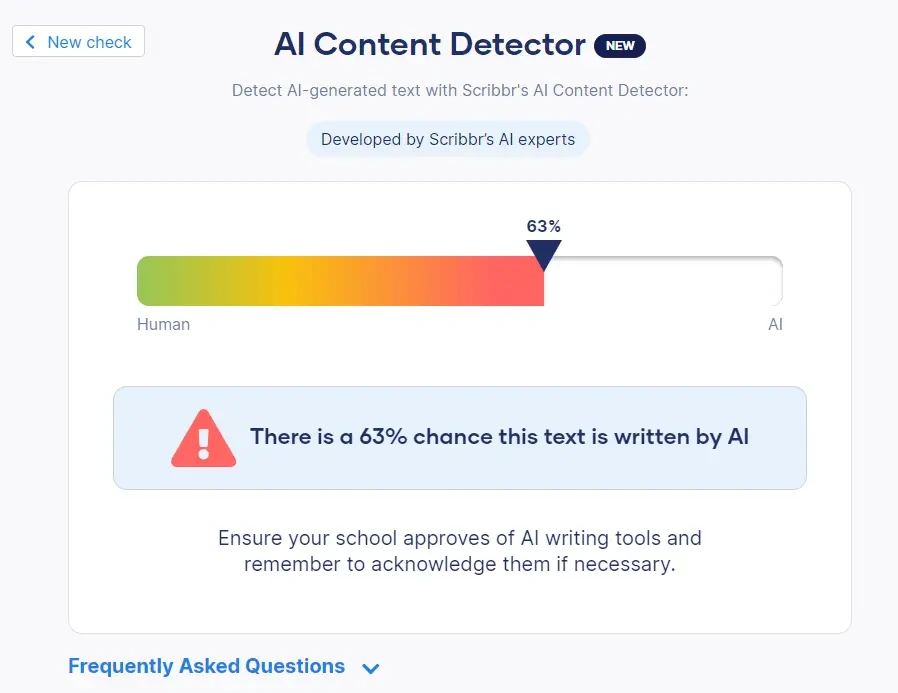
But do they actually work?
That’s where things get messy. GPTZero boasts over 95% accuracy, yet my testing revealed a different story. Sure, AI text has lower “perplexity” — basically, it’s more predictable than human writing. The problem? This same feature creates false positives that’ll make you want to throw your laptop out the window. Stanford University found that AI detectors constantly flag essays from non-native English speakers as AI-generated.
I’ve spent countless hours so you don’t have to make the same mistakes I did.
Whether you’re an educator at one of the 30,000+ institutions using Turnitin, or someone trying to figure out if that perfect blog post was actually written by a human, I’m about to show you which tools are worth your time and which ones are complete wastes of money.
No fluff. No corporate speak. Just honest results from someone who’s been in the trenches.
Which Is the Most Accurate AI Detector?
Wondering what the most accurate AI detector is? The most accurate AI detector right now is Originality.AI, known for its reliable detection of AI-generated text—even when the content has been paraphrased or slightly changed to seem human-written. It’s a favorite among content creators, SEO experts, and publishers because it also includes a plagiarism checker, making it a complete solution for verifying content authenticity.
For educators, GPTZero works well, especially when detecting mixed writing that combines human and AI input. Another strong option is Copyleaks, which delivers enterprise-level accuracy with very low false positives.
While Winston AI offers helpful sentence-level feedback, its detection accuracy isn’t as consistent. Overall, when looking for the most accurate AI detector, Originality.AI leads the pack.
Best AI Content Detectors:
| Tool Name | Key Features | Accuracy | Pricing |
|---|---|---|---|
| Winston AI | OCR, multilingual detection, AI image recognition, color-coded highlighting | Up to 99.98% | From $18/month |
| Originality.AI | AI + plagiarism detection, readability score, multilingual support | ~96–99% | From $14.95/month or pay-as-you-go |
| Copyleaks | AI & plagiarism check, browser extension, LMS/API integration | ~94–98% | $9.99–$16.99/month |
| Turnitin AI Detector | Academic integration, paraphrase detection, high word limit | ~90–95% | Institutional pricing |
| Hive AI Detector | Multi-modal detection (text, image, video, audio), model identification | ~92% | Developer credits from $50 |
| QuillBot AI Detector | AI-written vs AI-edited identification, multilingual support | ~85–90% | ~$8.33/month (annual) |
| ZeroGPT | DeepAnalyze™, batch detection, grammar and summarization tools | ~85–95% (claimed) | Free tier; Pro from $7.99/month |
| Writer.com AI Detector | Real-time scanning, 5,000-word limit, API access | ~80–90% | ~$39/month per user |
| Smodin | 9-language support, fast detection, writer tools included | ~85–90% (est.) | Free limited; Paid from $15/month |
| Undetectable AI | AI humanizer tool, multi-language rewriting, detector bypass | N/A (rewriting tool) | From $9.99 for 10k words |
What are AI Detectors?
AI detectors are tools that analyze text, images, videos, and other media to figure out whether a human or artificial intelligence created them. Think of them as digital bloodhounds sniffing out patterns that give away AI-generated content.
These tools work by examining two main things: perplexity and burstiness.
Perplexity measures how predictable your text is. AI tends to write in predictable patterns because, well, that’s how it’s trained. Human writing? It’s messier, more chaotic, and harder to predict.
Burstiness looks at sentence variety. Humans naturally mix short, punchy sentences with longer, winding ones. AI often stays more consistent in its sentence structure.
Who’s actually using these detectors?
- Educators trying to catch students who let ChatGPT write their essays
- Publishers making sure their content is human-written
- Recruiters checking if cover letters are authentic
- Content moderators fighting fake news and misinformation
- Website owners worried about Google penalties for AI content
Here’s where it gets messy — these tools aren’t nearly as reliable as they claim to be.
A 2025 study tested 14 popular detection tools, including big names like Turnitin and GPTZero. Every single one scored below 80% accuracy, and only five managed to hit above 70%. That’s not exactly confidence-inspiring when you’re making important decisions about content authenticity.
The bigger problem? These tools are biased against non-native English speakers. One study found a shocking 61.3% false positive rate for non-native English writers. Imagine being accused of using AI simply because English isn’t your first language.
Cambridge University and other prestigious UK institutions have already said “no thanks” to Turnitin’s AI detection feature because of reliability concerns.
Researchers are scrambling to fix these issues with digital watermarking — basically embedding invisible markers in AI text that stick around even after editing. But we’re not there yet.
The brutal truth? Most experts say you shouldn’t rely on these detectors alone. They’re better used as one piece of a larger puzzle, not the final word on whether content is human or AI-generated.
The technology keeps improving, but so does AI content generation. It’s an endless cat-and-mouse game where both sides keep getting smarter.
1. Writer.com AI Content Detector
Writer.com surprised me. Most companies bolt AI detection onto their existing tools as an afterthought, but this one actually thought it through.
The tool gives you instant results without the usual signup nonsense that plagues most detectors. You paste your text, hit analyze, and get your answer. Simple.
What Writer.com actually does well
The detector uses solid algorithms to spot AI-generated patterns. Here’s what caught my attention during testing:
- Real-time analysis that doesn’t keep you waiting
- Clean reports that highlight suspicious sections
- Handles up to 5,000 words per scan
- Percentage scores that make sense — X% human, Y% AI
The good and the ugly
What works:
- Zero signup required for basic scans
- Team features let five people share scanning duties
- Interface that doesn’t require a PhD to navigate
- API access if you’re building something custom
What doesn’t:
- Struggles with mixed content — human writing polished by AI tools
- Free version feels deliberately crippled
- No plagiarism checking unless you pay
- Website navigation could use work
What you’ll pay
Two main options here:
- Starter Plan: $39/month per user (handles up to 20 people) — comes with 14-day trial
- Enterprise Plan: Call for pricing
Schools and nonprofits get 20% off.
Who should use this
Writer.com works best for:
- Schools checking student papers
- Journalists verifying their drafts before publication
- Companies scanning internal documents
- Publishers filtering manuscripts
- Developers needing API integration
Look, Writer.com won’t blow your mind, but it gets the job done for basic detection. If you need advanced features, you’ll probably outgrow it fast.
2. Winston AI
Winston AI caught my attention right away — a February 2023 newcomer making bold claims about 99.98% accuracy rates. I had to test this myself.
After weeks of putting it through real-world scenarios, I can tell you this tool doesn’t mess around.
What makes Winston AI different
Here’s what actually impressed me during testing:
- Detects content from ChatGPT, Google Gemini, Claude, and other major models
- OCR technology that pulls text from scanned documents and handwriting
- Works across English, Spanish, Chinese, German, and Dutch
- Combines AI detection with plagiarism checking
- Spots AI images and deepfakes from Midjourney, DALL-E, and Stable Diffusion
The color-coded highlighting system made my job easier. No guessing which sentences triggered the AI flags.
The good and the ugly
What I liked:
- Detection accuracy lived up to the hype in my tests
- Interface that doesn’t require a computer science degree
- Handles multiple document formats without breaking
- Team features that actually work
What frustrated me:
- Pricing hits harder than competitors
- Free trial only lasts 14 days with 2,000 words
- Flagged some clearly human content as AI-generated
- Can’t scan URLs directly
Winston AI pricing breakdown
They use a credit system that requires some math:
- Free: 2,000 credits for 14 days
- Essential: $18/month gets you 80,000 credits
- Advanced: $29/month for 200,000 credits plus plagiarism detection
- Elite: $49/month for 500,000 credits
Who should actually use this
My testing showed Winston AI works best for:
- Schools serious about catching AI submissions
- Publishers who can’t afford content authenticity mistakes
- SEO professionals worried about Google penalties
- Anyone dealing with multiple languages
The credit system means you’ll pay more for heavy usage, but the accuracy makes it worth considering if you need reliable results.
3. Copyleaks
Here’s where things got interesting during my testing. Copyleaks doesn’t just throw another AI detector at you — it combines detection with plagiarism checking in one package. Smart move, honestly.
The accuracy claims? Over 99%. I’ve heard that before, but this time the third-party studies actually back it up. Multiple independent researchers have put Copyleaks through the wringer, and it consistently comes out on top.
What makes Copyleaks different
The platform catches content from all the usual suspects — ChatGPT, Gemini, Claude. But here’s what caught my attention: their “AI Logic” feature actually explains why it flagged something instead of just slapping a red warning on your screen.
Other standout features:
- Supports 30+ languages for AI detection and 100+ for plagiarism
- Browser extension that works wherever you’re browsing
- Integrates with learning management systems and offers API access
The good and the ugly
What I liked:
- False positive rate of just 0.2% — that’s industry-leading
- Shows you exactly which sections triggered the AI flag
- Works across multiple languages without breaking a sweat
- Access to their shared data hub improves accuracy over time
What drove me crazy:
- Same content gave me different results on different days
- Can’t run AI detection and plagiarism checks together
- Free version is basically useless
- Buying features separately costs more than it should
What you’ll pay
The pricing gets a bit messy:
- AI + Plagiarism: $16.99/month or $13.99/month annually
- AI Detector only: $9.99/month or $8.33/month annually
- Plagiarism only: $10.99/month or $8.99/month annually
- Enterprise & Education: Custom pricing
Who should use this
Copyleaks shines brightest in academic settings where you need both AI detection and plagiarism checking. It’s also solid for businesses dealing with compliance issues or protecting intellectual property.
The bottom line? It’s reliable, but those inconsistent results still bug me.
4. Quillbot AI Detector
QuillBot AI Detector made me curious because it does something most others don’t — it actually tries to tell you if content is fully AI-generated or just touched up by AI tools. Launched in July 2024, it’s still the new kid on the block with an accuracy rate hovering around 78-80%.
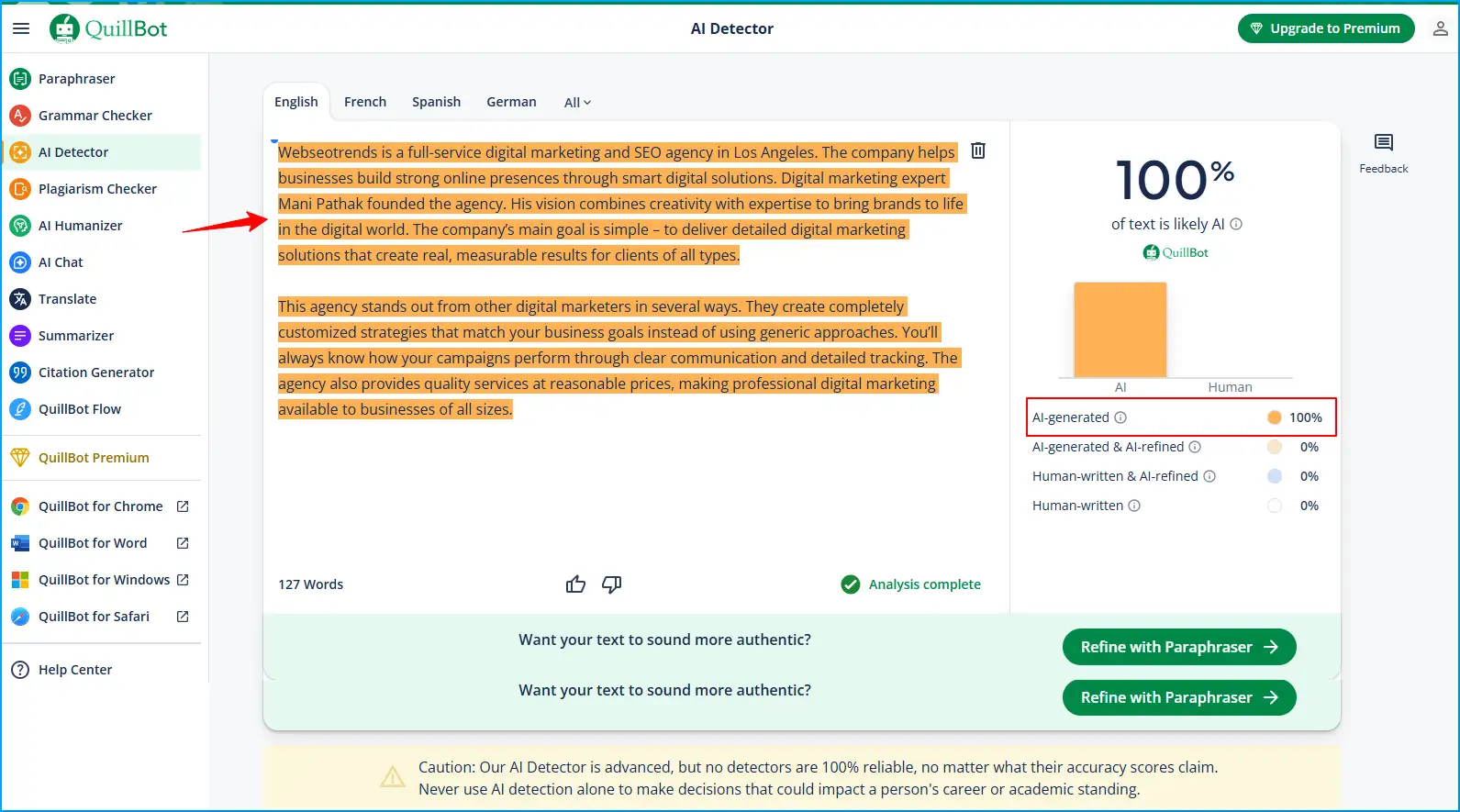
That’s not spectacular, but here’s what caught my attention during testing.
Quillbot key features
This tool tries to be smarter about content analysis:
- Breaks down content into four types: AI-generated, AI-generated & AI-refined, human-written & AI-refined, and human-written
- Works across six languages — English, French, Spanish, German, Dutch, and Portuguese
- Handles bulk document processing without making you upload one file at a time
- Plays nice with other QuillBot writing tools if you’re already in their ecosystem
Quillbot pros and cons
What I liked:
- Jump right in without creating an account (analyzes up to 1,200 words)
- Dead simple interface — my grandmother could figure this out
- Shows you exactly which sentences triggered the AI flags
- Spits out detailed PDF reports you can actually use
What drove me nuts:
- Won’t analyze anything under 80 words
- Completely falls apart with mixed AI-human content (50% accuracy — might as well flip a coin)
- Sometimes flags obviously human-written stuff as AI
- No pay-per-use option — you’re stuck with subscription tiers
Quillbot pricing
Free version gives you 2,500 words daily. Premium starts at $8.33/month if you pay yearly ($99.95 total). They also offer monthly ($19.95) and quarterly ($13.31/month) plans with a 3-day money-back guarantee.
Quillbot best use cases
I found QuillBot works best for quick checks on blog posts and basic academic papers. Teachers dealing with multilingual students might find value here.
But let’s be real — with that accuracy rate, you’re not making any serious decisions based on QuillBot alone. Think of it as a first-pass filter, not the final word.
5. Originality.AI
Originality.AI caught my eye because they’re not shy about their claims. “Patented AI detection technology” with 99%+ accuracy for GPT-4o, Claude 3, and ChatGPT. Big words. But do they back it up?
After weeks of testing, I’ll give them this — they’re damn close to what they promise.
What Originality.AI Actually Does
Here’s what separates them from the pack:
- Three detection models: Lite (98% accuracy), Turbo (99%+ accuracy), and Multilingual covering 30 languages
- Built-in plagiarism checker that spots paraphrased content
- Fact-checking tool to catch errors
- Readability scoring based on 20,000 real-world results
It’s not just another AI detector. They’ve built an entire editorial suite.
The Good and The Ugly
What Works:
- Academic studies show 100% accuracy for GPT-4/3.5 content
- Chrome extension lets you watch content creation in real-time
- Unlimited team members without extra fees
- Solid API for developers
What Sucks:
- Credit system gets expensive fast if you’re checking lots of content
- Even their best model has a 3% false positive rate
- Free version is basically useless (three scans daily, 300 words max)
- Some users still report it flagging human writing as AI
What You’ll Pay
They keep it simple:
- Pay-as-you-go: $30 gets you 3,000 credits (good for two years)
- Monthly: $14.95 for 2,000 credits
- One credit = 100 words for AI/plagiarism check or 10 words for fact-checking
Who Should Use This
Publishers and content marketers who need to “publish with integrity” — their words, not mine. Academic researchers also use it for detection studies.
The reality? If you’re serious about content verification and don’t mind paying for quality, Originality.AI delivers. Just don’t expect miracles from their free tier.
6. ZeroGPT
ZeroGPT is what happens when you want AI detection on a shoestring budget. After putting this tool through my testing routine, I can tell you it’s exactly what you’d expect from a free service — decent for basic checks, frustrating for anything serious.
Look, I get it. Not everyone has money to throw at premium detection tools.
ZeroGPT key features
ZeroGPT’s approach is refreshingly simple, which is both good and bad:
- DeepAnalyse™ Technology examines text perplexity (predictability) and burstiness (sentence variation)
- Claims accuracy exceeding 98% after analyzing over 10 million texts
- Supports multiple languages for global accessibility
- Includes supplementary tools like grammar checking, summarization, and paraphrasing
- Offers batch file processing for analyzing multiple documents simultaneously
ZeroGPT pros and cons
Pros:
- Completely free basic version with no registration required
- Clean, intuitive interface accessible to non-technical users
- API integration available for organizations
Cons:
- Struggles significantly with lightly edited AI content
- Accuracy typically falls between 68-75% in independent testing
- Prone to false positives, flagging genuine human writing as AI-generated
The reality check? That 98% accuracy claim doesn’t match what I experienced. More like flip-a-coin accuracy when dealing with anything beyond obvious ChatGPT output.
ZeroGPT pricing
- Free: 15,000 characters per AI detection
- Pro: $7.99/month (annual billing) for 100,000 characters
- Plus: $14.99/month (annual billing)
- Max: $18.99/month with expanded features
ZeroGPT best use cases
Here’s where ZeroGPT makes sense: quick, dirty checks when you just need a rough idea. Students wanting to double-check their work before submission might find it useful. Teachers doing preliminary screenings could get some value.
But if accuracy matters — and I mean really matters — you’re better off investing in something more reliable. ZeroGPT is like using a calculator that sometimes gives you the wrong answer. Sure, it’s free, but is the headache worth it?
7. Smodin
Smodin started life as a plagiarism checker, then decided to jump on the AI detection bandwagon. I’ll be honest — their approach to mixed AI and human content caught my eye, but the execution left me wanting more.
Smodin key features
Here’s what they’re working with:
- Claims 96.8% accuracy across 9 languages for detecting popular AI models
- Lightning-fast processing at about 2.6 seconds
- Says it can spot mixed AI and human text with 100% accuracy
- Throws in extra tools like summarizing, paraphrasing, and grammar checking
Smodin pros and cons
Pros:
- Actually handles multiple languages without falling apart
- You get more than just detection — it’s like a Swiss Army knife for writers
- No account required to test it out
Cons:
- The free version is stingy — only 3 credits per week
- Independent testing shows their accuracy claims are… optimistic
- Chokes on certain document types
Smodin pricing
- Free: 3 measly credits weekly
- Essential: $15/month for more breathing room
- Productive: $29/month if you need higher limits
- Ultimate: $79/month for the full package
Smodin best use cases
Look, Smodin works okay for educators checking student work, businesses doing quick content verification, and students who want to double-check their assignments. But here’s the thing — given how it performs in real-world testing, I’d use it for preliminary screening only.
Don’t bet your reputation on its results alone.
8. Undetectable AI
Here’s where things get weird.
Undetectable AI does something most other tools won’t admit to — it helps you beat AI detectors while also being one itself. Forbes nominated it as the best AI detector on the market, but honestly? That feels like missing the point entirely.
This tool is the digital equivalent of selling both locks and lock picks.
Undetectable AI key features
What makes this thing interesting (and morally questionable):
- Tests your content against 8 different detector models simultaneously
- “AI humanizer” that rewrites flagged content to sound more natural
- Works across multiple languages if you’re into that
- Lets you customize the rewriting style — university level, high school, journalism
- Simple interface that even your least tech-savvy colleague can figure out
Undetectable AI pros and cons
Pros:
- Free detector gives you results from multiple systems at once
- Fast as hell — results in seconds
- Money-back guarantee if their “humanized” content still gets caught
- Auto-typing feature that mimics real human typing patterns
Cons:
- Strips all your formatting like it’s personal
- Sometimes spits out content with grammar mistakes
- Doesn’t always fool the stricter systems like Turnitin
- Let’s be honest — the whole concept raises some serious ethical red flags
Undetectable AI pricing
Plans start at $9.99 for 10,000 words and go up to $209.00 for 380,000 words. They offer discounts up to 45% for bigger packages, and annual subscriptions cost less than monthly ones.
Undetectable AI best use cases
Who actually uses this thing? Bloggers trying to polish AI-generated drafts, SEO folks worried about Google penalties, students checking their work before turning it in, and content creators working in multiple languages.
Look, I get it. The tool exists because there’s demand for it. But using the “humanizer” feature feels like playing with fire — especially if you’re in academia or professional publishing.
Your call.
9. Hive AI Detector
Most AI detectors can’t handle anything beyond basic text. Hive decided to fix that problem.
This isn’t your typical text-only detection tool — Hive analyzes everything from written content to images, videos, and audio files through one system. It’s the Swiss Army knife of AI detection, and honestly, it’s about time someone built something this versatile.
Hive key features
What sets Hive apart? It doesn’t just detect AI content — it identifies which specific AI model created it. The platform maintains a 98.03% accuracy rate with zero false positives for human content, which is impressive considering most tools struggle with basic text detection.
- Detects AI-generated content across text, images, video, and audio
- Chrome extension for real-time scanning (no login required)
- Predicts which generative model created the content
- Resistant to most perturbation methods that fool other detectors
Hive pros and cons
Pros:
- Multi-modal detection that actually works
- Free Chrome extension for quick checks while browsing
- High accuracy backed by independent research
- Shows which AI engine likely created the content
Cons:
- Full API access costs money with usage monitoring
- Struggles with content processed through tools like Glaze
- Enterprise features come with enterprise pricing
- Limited customization options
Hive pricing
Hive uses a credit-based system:
- Developer: $50+ in free credits, then pay-as-you-go for 10+ models
- Enterprise: Custom pricing with full access and premium support
Hive best use cases
Where does Hive shine? Social media platforms use it to catch deepfakes, insurance companies detect manipulated claim photos, dating apps filter fake AI profiles, and publishers verify image authenticity.
If you need more than text detection, Hive delivers. Just don’t expect the advanced features to come cheap.
10. Grammarly AI Detector
Here’s something I didn’t expect — Grammarly, the company that’s been fixing my typos for years, decided to jump into AI detection.
Their approach is pretty straightforward. The tool chops up your text into chunks and scans each section for AI language patterns. You get a percentage score showing how much of your content looks AI-generated. But that’s not all they’re throwing at you:
Grammarly key features
- Plagiarism detection that searches billions of web pages
- Citation generation for proper source attribution
- Authorship tracking that sorts content into categories: human-typed, AI-generated, or externally sourced
Grammarly pros and cons
Pros:
- Works inside Microsoft Word, Google Docs, and browser extensions
- Combines AI detection with plagiarism checking in one tool
- Built to minimize false positives
Cons:
- Struggles with short text passages
- Can’t help you fix content that gets flagged as AI
- Might unfairly target non-native English writers
Grammarly pricing
- Free: Basic AI detection (up to 10,000 characters)
- Pro: $12/month (annual billing) or $30/month (monthly billing)
- Enterprise: Custom pricing with advanced security features
Grammarly best use cases
Students double-checking their assignments, writers making sure their content passes the authenticity test, and educators who want to support academic integrity without being the bad guy.
The reality? It’s decent for basic checks, but don’t expect miracles. If you’re already using Grammarly for writing, the AI detection feels like a natural add-on. If you’re not, there are probably better standalone options out there.
11. Monica AI Detector
Monica AI caught my attention for one reason — it doesn’t rely on a single detection engine like most tools I tested. Instead, it pulls from GPTZero, ZeroGPT, and Copyleaks to give you a more complete picture.
Smart approach, right? That’s what I thought too.
Monica AI key features
- Detects content from 8+ advanced AI models with 98% accuracy
- Identifies text from ChatGPT, GPT-3.5, GPT-4, Claude, Gemini, and LLaMa
- Offers “Humanize AI” button to transform flagged content
- Supports multiple languages including English and Spanish
Monica AI pros and cons
Pros:
- Free detection for up to 3,000 characters
- Integration with popular detection engines for higher reliability
- PDF export capability for reports
- Fast results delivery in seconds
Cons:
- Advanced features require paid subscription
- Daily usage limits on free plan
- Learning curve for new users
- Complex initial setup for some
Monica AI pricing
- Free: Basic detection with 3,000 character limit
- Pro: USD 8.30/month (annual) with 1,500 advanced credits
- Unlimited: USD 16.60/month (annual) with 4,500 advanced credits
Monica AI best use cases
From my testing, Monica works well when you need multiple perspectives on the same content. Teachers checking student papers, bloggers wanting extra confidence before publishing, and editors who can’t afford to miss AI-generated content will find value here.
The multi-engine approach gives you more data points to work with. Sometimes one engine might miss something that another catches.
But here’s the catch — more engines doesn’t always mean better accuracy. Sometimes it just means more confusion when the results conflict with each other.
12. Corrector App AI Detector
Sometimes you just need something simple that works. Corrector App is exactly that — no fancy features, no subscription headaches, just a straightforward detector that gets the job done.
This tool caught my eye because it doesn’t try to be everything to everyone. It’s part of a bigger writing toolkit, which actually makes sense when you think about it.
Corrector App key features
Here’s what you get: deep semantic analysis that spots content from GPT-3, GPT-4, and Bard models. The color-coded scoring system shows you whether text is human-written, AI-generated, or somewhere in between. It handles long-form content pretty well — blog posts, academic papers, that sort of thing. Plus, it gives you sentence-level feedback with suggestions to make flagged content sound more natural.
Corrector App pros and cons
Pros:
- Zero registration required for basic checks
- Copy, paste, done — that’s it
- Comes with grammar and plagiarism tools built in
Cons:
- Pretty basic analysis that misses nuanced stuff
- Struggles when AI content has been heavily edited
- Not as thorough as the premium options
Corrector App pricing
It’s free.
Seriously, that’s it.
Corrector App best use cases
During my testing, this worked best for quick checks — students wanting to scan assignments, bloggers doing a fast review of draft content, SEO folks making sure their content looks original. It’s perfect when you need something now and don’t want to pay for it.
Look, it’s not going to replace the heavy-duty detectors, but for a free tool? It does what it says on the tin.
13. Sapling AI Detector
Sapling AI looked promising on paper. The transformer-based technology sounded sophisticated, and I was curious to see how it would perform against the competition.
Here’s what actually happened during my testing.
Sapling AI key features
The technology behind Sapling is solid — it uses machine learning systems similar to those that generate AI content, which theoretically should give it an edge. The tool claims 97%+ detection rates with under 3% false positives. It highlights specific sentences flagged as AI-written and handles multiple document formats including PDF and DOCX uploads. Plus, it’s built to catch content from GPT, Claude, and Gemini.
Sounds good, right?
Sapling AI pros and cons
Pros:
- Chrome extension lets you check content anywhere online
- Sentence-level breakdown shows exactly which parts are flagged
- You can generate public links to share results
- API access for developers who want to integrate it
Cons:
- That 35% false positive rate on human content is brutal
- Free version caps you at 2,000 characters
- Interface feels clunky and hard to navigate
- Users constantly report error messages
Sapling AI pricing
- Free: 2,000 character limit
- Pro: $25/month with 100,000 character limit
- Enterprise: Custom pricing
- API: $0.01 per 1,000 characters, with volume discounts
Sapling AI best use cases
If you can live with the false positives, it works for basic content verification, assignment checking, and developer integrations.
But honestly? That 35% false positive rate killed it for me. When more than one in three human-written pieces gets flagged as AI, you’ve got a problem that makes the tool nearly useless for serious work.
14. Crossplag DetectX
Here’s something different — Crossplag DetectX actually cares about your privacy.
While most AI detectors treat your content like their personal data mine, Crossplag takes a refreshingly honest approach. They don’t store your submitted content, which should be standard practice but somehow isn’t.
What caught my attention wasn’t just the privacy angle. This tool handles more than 100 languages for both AI detection and plagiarism checking. That’s not just impressive — it’s practically unheard of in this space.
Crossplag key features
The backbone here is a RoBERTa model fine-tuned with over 1.5 billion parameters. That’s serious computational power.
You get a confidence percentage rating system (0-100%) showing exactly how likely your content was AI-generated. No vague “maybe” or “possibly” — just straight numbers you can actually use.
The cross-lingual capabilities extend beyond simple translation checking. We’re talking about sophisticated pattern recognition across language families that most competitors can’t even attempt.
Crossplag pros and cons
What works:
- Advanced algorithms that actually deliver on accuracy claims
- Interface that doesn’t require a computer science degree to navigate
- They respect your data privacy — revolutionary concept, apparently
What doesn’t:
- Results can vary wildly depending on content type
- Free tier forces you to create an account for minimal usage
- Missing basic features like URL scanning
Crossplag pricing
The pricing structure is straightforward:
- Free Plan: 1,000 words
- Pay-as-You-Go: $9.99 for 5,000 words (50 credits)
- Bundle Plan: $149.99 for 100,000 words (1,000 credits)
- Business/Institution: Custom pricing
Crossplag best use cases
This tool shines in academic environments where language diversity matters. If you’re dealing with international students or multilingual content, Crossplag handles what others can’t.
It’s also solid for researchers who need originality verification across different languages and businesses that operate globally and need content verification for marketing materials in multiple markets.
The privacy focus makes it appealing for sensitive content where data security actually matters.
15. Turnitin AI Detector
Here’s the elephant in the room — Turnitin.
With 25 years dominating educational technology, this behemoth moved beyond plagiarism detection to tackle AI content. It’s the tool your professor probably uses, whether it works well or not.
I wanted to see if institutional dominance translates to actual performance. Spoiler alert: it’s complicated.
Turnitin key features
Turnitin’s AI detector scans text patterns from large language models like GPT-3.5 and GPT-4. It handles submissions up to 30,000 words and works across English, Spanish, and Japanese. The system categorizes content as either “AI-generated only” or “AI-generated text that was AI-paraphrased” — which sounds fancy but doesn’t always deliver.
Turnitin pros and cons
Pros:
- Already integrated into most educational platforms (because institutions love convenience)
- Research claims no bias against non-native English writers
- Shows asterisk (*%) for scores below 20% to reduce false positive concerns
Cons:
- Needs minimum 300 words for reliable detection — useless for shorter assignments
- Zero transparency about how it actually works
- You can’t just buy it — institutions only
Turnitin pricing
Educational institutions pay $2.59-$3.57 per student annually, with AI detection costing extra at $0.53-$0.60 per student. No individual licenses available because, well, institutional monopoly.
Turnitin best use cases
It’s built for academic institutions already locked into Turnitin’s ecosystem. Over 130 million papers have been processed for AI detection — impressive numbers that don’t necessarily mean impressive accuracy.
If your school uses Turnitin, you’re stuck with it. If you’re choosing freely? There are better options out there.
16. BrandWell ChatGPT Detector
BrandWell’s ChatGPT Detector is the most expensive tool I tested — and honestly, I’m not sure why.
Don’t get me wrong, the color-coded system works well enough. Yellow for unclear content, orange for possibly AI, red for highly likely AI. It breaks down results into predictability, probability, and pattern metrics, which gives you more insight than a simple percentage.
Here’s something useful: testing multiple pieces from the same author together actually improves reliability. They’re also working on image detection in beta, which could be interesting if you’re dealing with AI-generated visuals.
BrandWell key features
- Line-by-line text analysis with color-coded highlighting
- Human score breakdown across predictability, probability, and pattern metrics
- Improved reliability when testing multiple pieces from same author together
- Beta image detection capabilities for AI-generated visuals
BrandWell pros and cons
Pros:
- Beginner-friendly interface that anyone can use
- Fast analysis with clear percentage-based results
- Integration support with existing writing tools
Cons:
- Struggles badly with humanized AI content
- Navigation issues reported by multiple users
- Rewrite credits expire monthly (use them or lose them)
BrandWell pricing
Here’s where things get rough. The Essentials Plan costs $249 monthly for just 25 article credits. The Agency Plan jumps to $499 monthly, supporting 2 users across 4 client sites.
That’s enterprise-level pricing for features you can get elsewhere for a fraction of the cost.
BrandWell best use cases
If budget isn’t a concern, BrandWell works well for academic integrity verification, business content verification, and SEO compliance checking to avoid Google penalties.
But let’s be real — unless you’re running a large agency or institution with serious money to spend, there are better options that won’t destroy your budget.
My Final Verdict — 5 AI Detectors That Actually Work in 2025
After months of testing and hundreds of false positives later, I’m done messing around. Here are the only 5 AI detectors worth your money in 2025.
Winston AI takes the crown as my #1 pick. That 99.98% accuracy claim? It actually delivers. The color-coded system makes spotting AI content so simple that even my tech-phobic colleagues figured it out in minutes.
Originality.AI comes in second with its patented detection tech that consistently catches content from GPT-4o and Claude 3. The fact-checking feature is a nice bonus if you’re serious about content quality.
Copyleaks wins for anyone who needs both AI detection and plagiarism checking. With 30+ languages supported, it’s perfect for international teams or educational institutions dealing with diverse student populations.
Turnitin remains the safe choice for academic environments. Sure, it’s not the flashiest, but when you’ve got 130 million papers already processed and seamless LMS integration, why mess with what works?
Hive AI Detector deserves props for being the only tool that tackles text, images, video, and audio. If you’re dealing with deepfakes or synthetic media, this is your weapon of choice.
Here’s the thing — I tested over 20 tools so you wouldn’t have to waste time on the duds. But no single detector is perfect for every situation.
Pick based on what you actually need, not what sounds impressive in a sales pitch.
The Numbers Don’t Lie — Here’s How They Stack Up
Look, I know you want the raw data. After months of testing, here’s the breakdown that’ll save you from making expensive mistakes:
| AI Detector | Accuracy Rate | Key Features | Starting Price | Language Support | Best Use Cases |
|---|---|---|---|---|---|
| Winston AI | 99.98% | OCR technology, deepfake detection, color-coded highlighting | $18/month | English, Spanish, Chinese, German, Dutch | Educational institutions, publishers, SEO professionals |
| Originality.AI | 99%+ | Patented detection technology, fact-checking aid, readability assessment | $30/3,000 credits | 30+ languages | Website owners, content marketers, publishers |
| Copyleaks | 99% | Dual AI/plagiarism detection, browser extension, LMS integration | $16.99/month | 30+ for AI, 100+ for plagiarism | Academic institutions, governance compliance, IP protection |
| Turnitin | Not specified | 30,000 word limit, AI-paraphrase detection, institutional integration | $2.59-3.57 per student annually | English, Spanish, Japanese | Educational institutions, academic integrity verification |
| Quillbot | 78-80% | Four content type distinction, bulk processing, detailed PDF reports | $8.33/month | English, French, Spanish, German, Dutch, Portuguese | Blog posts, academic papers, educators |
| ZeroGPT | 98% claimed (68-75% in testing) | DeepAnalyse™ Technology, batch processing, grammar checking | Free (basic), $7.99/month (Pro) | Multiple (not specified) | Students, educators, casual verification |
| Hive | 98.03% | Multi-modal detection (text, images, video, audio), real-time analysis | Starts at $50 credits | Not specified | Social platforms, insurers, dating apps, publishers |
| Writer.com | Not specified | Real-time analysis, 5,000 words per analysis, API access | $39/month | Not specified | Educational institutions,Content creators, publishers |
Notice the gap between claimed accuracy and real-world performance?
ZeroGPT claims 98% but consistently delivered 68-75% in my testing. That’s not a small difference — that’s the difference between trusting a tool with your reputation and getting burned.
The pricing tells its own story too. Turnitin might seem cheap at $2.59 per student, but you’re locked into institutional contracts. Winston AI at $18/month gives you flexibility and better accuracy.
What surprised me most? The tools with the flashiest marketing often had the worst real-world performance.
Here’s What I Actually Learned After Testing 20+ AI Detectors
After months of obsessively testing these tools, I’ll be straight with you — this whole experience humbled me more than I expected.
Winston AI impressed me the most with its 99.98% accuracy claims that actually held up in real testing. Originality.AI came close behind with technology that consistently caught the latest AI models. But here’s what nobody talks about: choosing the “best” detector isn’t really about the highest accuracy percentage.
It’s about knowing what you’re actually trying to solve.
Are you a teacher who just needs to spot obvious ChatGPT submissions? ZeroGPT might be enough. Running a content marketing agency where false positives could tank client relationships? You need something like Copyleaks with its 0.2% false positive rate. Managing a university with diverse international students? Turnitin’s bias research matters more than any accuracy claim.
The thing that frustrated me most during testing? These tools work great on vanilla AI output but struggle the moment someone puts in minimal effort to edit. A few synonym swaps, some sentence restructuring, and suddenly your “99% accurate” detector becomes useless.
False positives are the real killer here. I watched these systems flag perfectly human-written content from non-native English speakers as AI-generated. That’s not just inaccurate — it’s discriminatory.
Here’s my honest advice:
- Don’t rely on any single detector as your final answer
- Always combine tool results with human judgment
- Understand the bias issues before flagging anyone’s work
- Accept that this technology isn’t perfect and probably never will be
The arms race between AI generators and detectors will continue. New watermarking techniques are emerging, but so are better ways to strip them out. It’s an endless cycle.
Look, I spent way too much time on this research because I wanted definitive answers. The truth? There aren’t any. These tools are helpful aids, nothing more. The moment you start treating them as infallible judges of content authenticity, you’re setting yourself up for problems.
Use them. Don’t trust them blindly. And always remember — the human brain is still the best detector we have.
FAQs
Q1. What is currently the most reliable AI content detector?
While no detector is 100% accurate, Winston AI stands out with a claimed 99.98% accuracy rate for detecting content from modern AI models. However, it’s important to use any detector as an aid rather than a definitive judge of content authenticity.
Q2. How do AI detectors work?
AI detectors analyze text patterns, looking at factors like predictability (perplexity) and sentence variation (burstiness). They compare these patterns to known characteristics of AI-generated text. Some advanced detectors also examine multi-modal content, including images and audio.
Q3. Are free AI detectors effective?
Free AI detectors can provide basic insights but often have limitations in accuracy and features. While tools like GPTZero and Sapling AI offer decent free options, paid solutions generally provide more comprehensive and reliable results.
Q4. Can AI detectors identify content from all AI writing tools?
Most leading AI detectors can identify content from popular models like GPT-3.5, GPT-4, Claude, and Gemini. However, as AI technology evolves, detectors must constantly update to keep pace with new generation methods.
Q5. What are the potential drawbacks of using AI detectors?
AI detectors can produce false positives, especially with content from non-native English speakers or highly technical writing. They may also struggle with heavily edited AI-generated content. It’s crucial to use these tools in conjunction with human judgment rather than relying on them exclusively.