Best AI Writing Tools for Creating High-Quality Content
(And Reviews)
I spent weeks testing over 20 AI writing tools to find out which ones actually work—and honestly, most of them don’t.
Everyone’s talking about AI writing tools these days. According to a recent poll of SEOs and content marketers, 68% felt that ChatGPT was the most reliable and trustworthy AI chat model, while only 9.9% believed Gemini was most reliable. But here’s what I discovered: just because a tool is popular doesn’t mean it’s good.
[ez-toc]
👉 Try my favorite AI Writing tool – WriteSonic for Free!
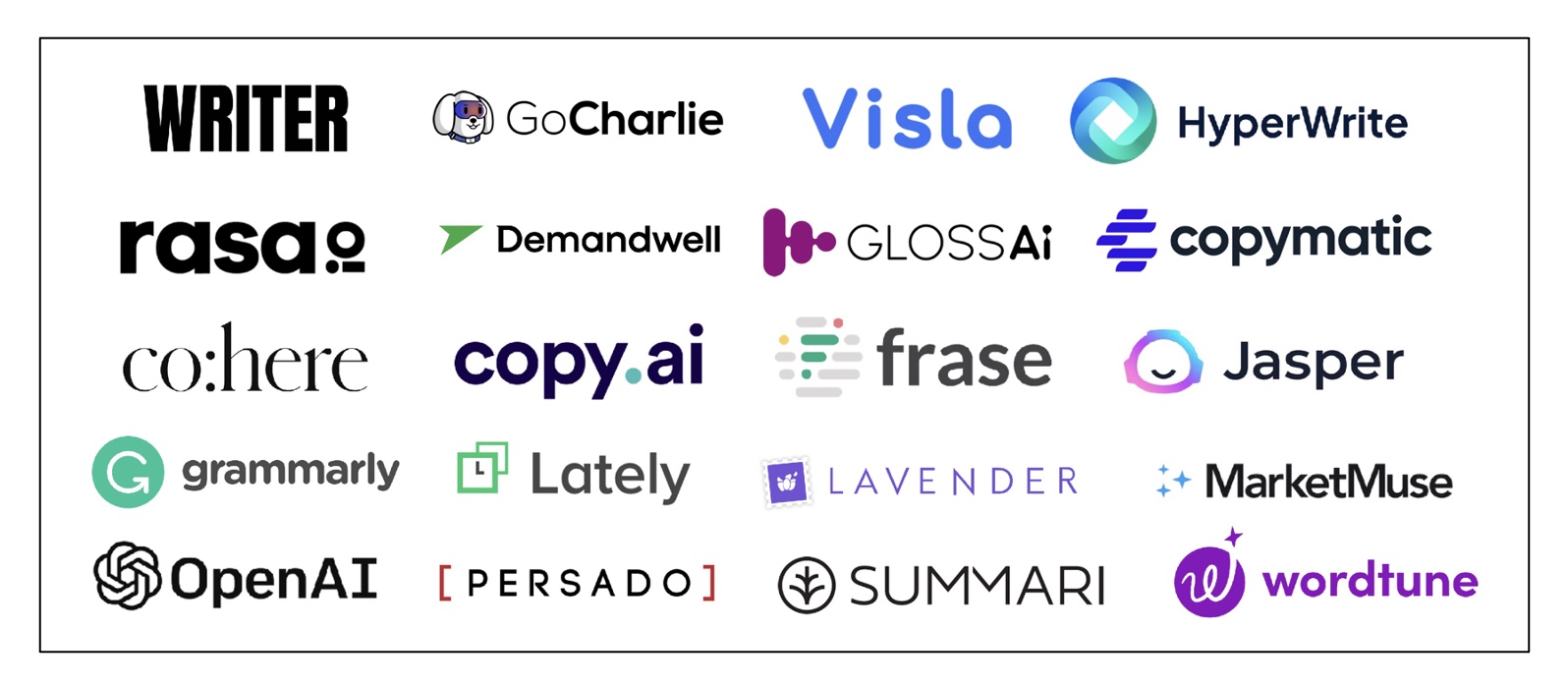
Sure, the best AI writing tools can make your life easier. They turn simple ideas into full articles and help you get past that blank page problem. But most tools I tested were pretty disappointing. They claim to be amazing, but when you actually use them? Not so much.
That’s why I decided to test everything myself. I wanted to save you the trouble of signing up for tools that don’t deliver.
I’ve tested every single tool so that you don’t need to. I tried free versions, paid plans, and everything in between. Some surprised me in good ways. Others were complete wastes of time.
Let me show you exactly what I found.
Best AI Writing Tools Comparison (2025)
Best AI writing tools can boost your content creation in 2025. With so many options available, choosing the right one can be overwhelming. This comparison highlights the top AI writers, their key features, pricing, and my personal ratings to help you make an informed decision and elevate your writing game.
| Tool | Features | Pricing | My Rating (out of 5) |
|---|---|---|---|
| Writesonic | Best for fast, flexible content creation- Rapid content generation- Built-in SEO optimization- Multilingual support- Bulk content creation- Integration with Zapier and WordPress | Starts at $15/month (Basic plan), custom pricing for enterprise | ⭐⭐⭐⭐⭐ |
| ChatGPT | Best all-around AI writer- Versatile content generation- Supports multiple languages- Integration with plugins like Zapier and Shopify | Free tier available; Plus plan $20/month; API pricing varies | ⭐⭐⭐⭐ |
| Gemini | Best for Google integration and real-time data- Deep integration with Google Workspace- Real-time data analysis- Enhanced contextual understanding | Free for casual use; Pro plan $19.99/month; Ultra plan $249.99/month | ⭐⭐⭐⭐ |
| Jasper | Best for teams and maintaining brand voice- Extensive template library- SEO-focused tools- Collaboration features for teams | Starts at $49/month (Starter), $99+/month (Boss Mode) | ⭐⭐⭐⭐ |
| Copy.ai | Best for marketing workflows- Specialized templates for marketing content- Supports SEO blog posts- User-friendly interface | Free plan available; Pro plan starts at $49/month | ⭐⭐⭐⭐ |
| Anyword | Best for data-driven content- Engagement score analytics- Supports brand guidelines- Optimized for SEO | Starts at $79/month; custom enterprise pricing | ⭐⭐⭐⭐ |
| Claude | Best for creative writing- Focus on tone and style- Supports long-form content- Ideal for storytelling | Free tier available; Pro-level capabilities for demanding needs | ⭐⭐⭐⭐ |
| Frase | Best for content research and outlines- SEO-focused content scoring- Assists in content outlining- User-friendly interface | Solo plan $14.99/month; Basic plan $44.99/month; Team plan $114.99/month; Pro add-on $34.99/month | ⭐⭐⭐⭐ |
| Sudowrite | Best for fiction and storytelling- Tailored for creative writing- Provides narrative suggestions- Supports long-form content | $10/month (basic), $40/month (premium) | ⭐⭐⭐⭐ |
| RivalFlow | Best for optimizing existing content- Identifies content gaps- Provides SEO recommendations- Enhances existing content performance | Starter plan $79/month; Pro plan $119/month; Elite plan $199/month | ⭐⭐⭐ |
1. Writesonic: Best for fast, flexible content creation
Writesonic is my top pick from all the AI writing tools I tested. This thing combines multiple writing features into one platform, which is pretty handy if you need to create content quickly.
Writesonic is a leading AI writing tool that combines multiple powerful features into one easy-to-use platform. It’s designed for content creators who need to produce high-quality content quickly without sacrificing creativity or accuracy.
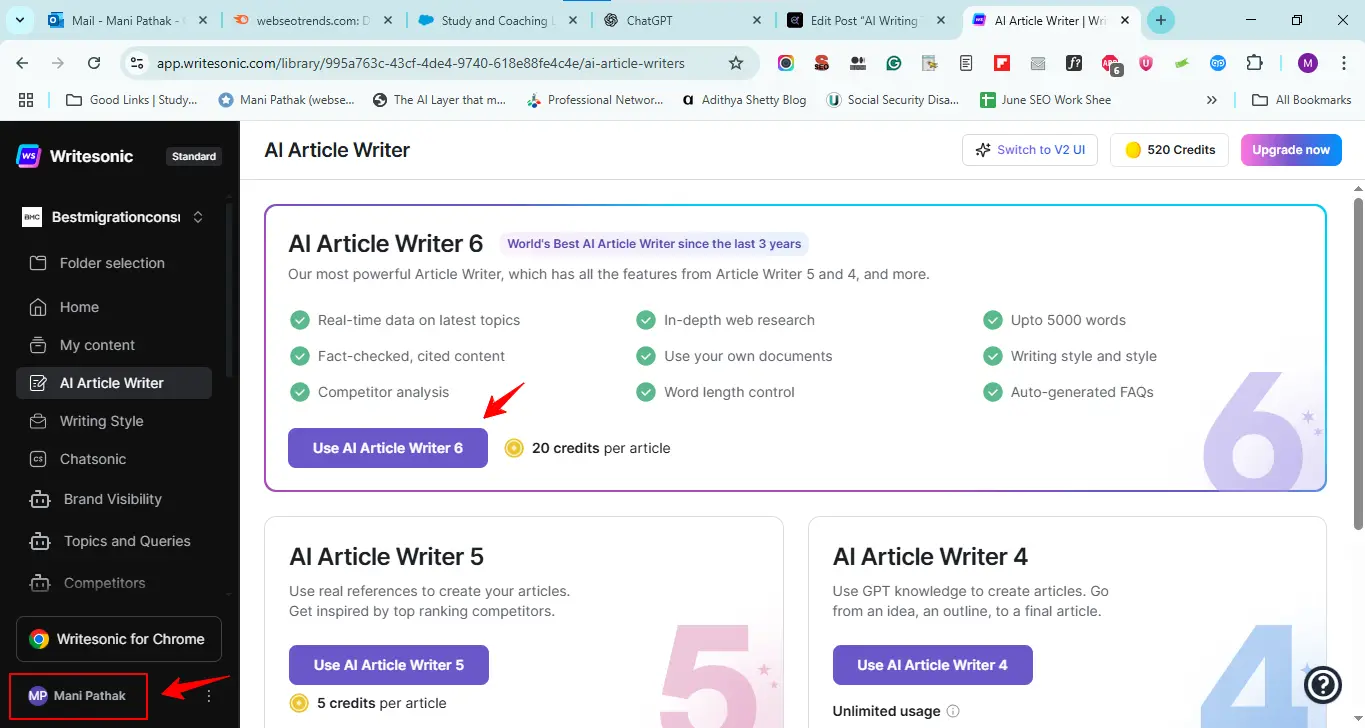
With over 100 customizable templates, Writesonic supports a wide range of content types including blog posts, social media updates, advertisements, and product descriptions. Users can easily adjust tone, style, and length to fit their unique needs, making it a versatile choice for bloggers, marketers, and businesses.
Writesonic’s advanced AI engine generates SEO-optimized content that helps improve search rankings and drives organic traffic. Its intuitive interface makes it accessible for users of all experience levels, enabling faster content creation and efficient workflow management.
For anyone looking to scale their content production while maintaining quality, Writesonic is a reliable and flexible AI writing solution.
What makes Writesonic stand out?
The speed blew me away. Writesonic can generate high-quality, SEO-optimized articles over 5,000 words in just 40-60 seconds. That’s insane! The platform uses GPT-3.5, GPT-4, GPT-5, and their own technology to deliver solid results. It also supports content creation in 25+ languages, making it great for global marketing.
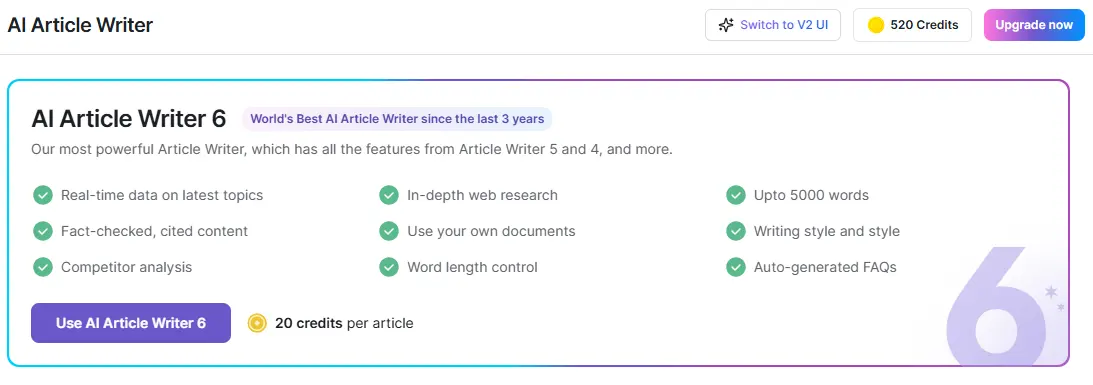
They’ve got over 80 content writing templates designed to beat writer’s block. Everything from blog posts to social media captions, product descriptions, and even TikTok scripts. The AI Article Writer 6.0 is their main feature—many consider it the best long-form article writer available online.
Who should use Writesonic?
Based on my testing, Writesonic works best for:
- Content writers & bloggers who need article drafts fast
- Marketing teams that need high-converting ad copy across multiple platforms
- eCommerce businesses needing product descriptions
- Agencies juggling multiple client deadlines
If you’re a solopreneur, marketing agency, or business that needs faster content turnaround, this is perfect. The interface is clean and easy to use, even for beginners.
Results
Let me be honest about what I found.
The good stuff: Writesonic delivers fast content generation, has built-in SEO tools, and connects with platforms like SEMrush, SurferSEO, and WordPress. They also have an AI art generator for images, which saves you time hunting for the perfect illustration.
The not-so-good: I noticed, Like all AI writing tools, you’ll need to edit the output to make it shine.
Noteworthy
At $19 per month for 100,000 words, Writesonic offers solid value. The extensive feature set makes it my top recommendation among AI writing tools in 2025.
But remember—no AI tool is perfect. You’ll still need to review and edit the content before publishing.
2. ChatGPT: Best all-around AI writer
ChatGPT is more than just a traditional writing tool. It acts like a knowledgeable conversational partner who has absorbed vast amounts of information from across the internet. Unlike basic grammar checkers or spellcheckers, ChatGPT can generate original content on virtually any topic, making it an incredibly versatile AI writing assistant.
Whether you need help drafting emails, brainstorming ideas, writing creative stories, or producing detailed articles, ChatGPT adapts its tone and style to suit your specific needs. Its ability to understand context and maintain a natural flow of conversation sets it apart from other AI tools that focus solely on correcting grammar or suggesting synonyms.
Thanks to its extensive training on diverse content, ChatGPT can assist with a wide range of writing tasks—from technical documents to casual blog posts—making it the best all-around AI writer for individuals and businesses alike.
👉 ChatGPT vs. Gemini: Which AI Writing Assistant Reigns Supreme?
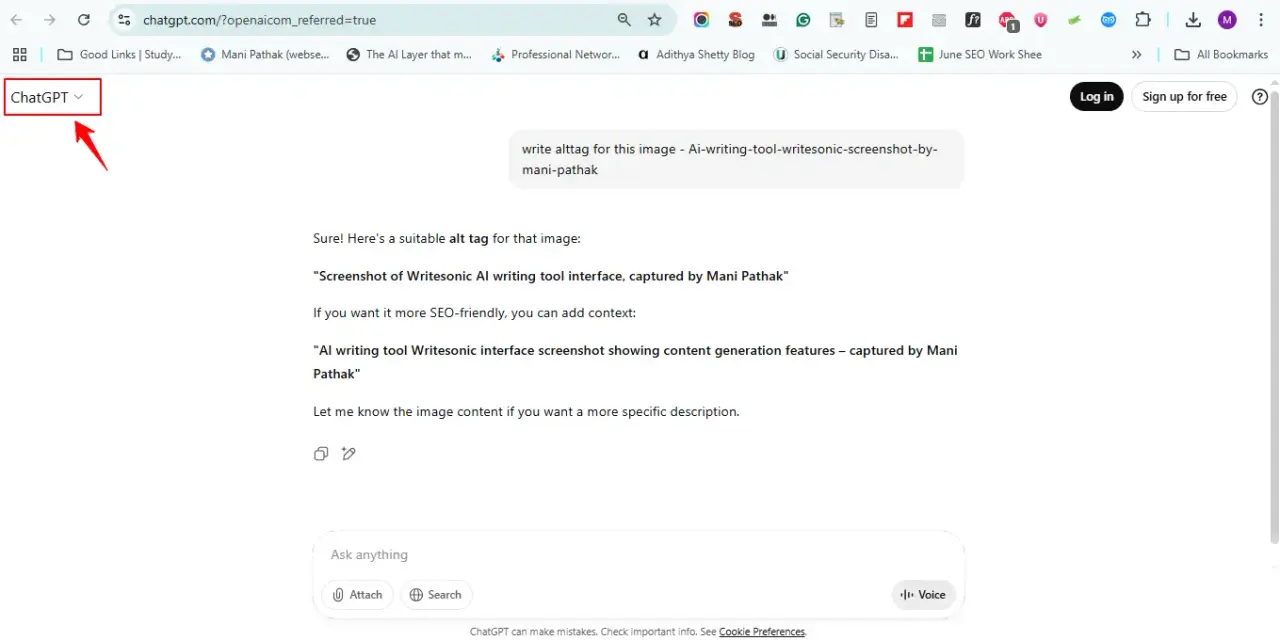
After testing it against dedicated writing platforms, here’s what I found: ChatGPT works best as a writing assistant, not a content generator.
How does ChatGPT help with writing?
Think of ChatGPT as your brainstorming buddy. During my testing, it proved invaluable for:
- Overcoming blank page syndrome by expanding basic ideas into coherent paragraphs
- Acting as a research assistant to gather preliminary information on topics
- Providing continuous feedback on structure, flow, and grammar
- Assisting with word-finding when you’re stuck (better than any thesaurus)
- Creating outlines that jumpstart the drafting process
The tool excels at automating tedious writing tasks, freeing up time for creative thinking and analysis. When I was stuck on complex pieces, ChatGPT helped me think through ideas before putting them on paper.
But here’s the thing: it’s not going to write your content for you.
What are its limitations?
ChatGPT has some serious problems. The biggest one? It makes stuff up.
During my tests, it confidently presented incorrect information. I caught it inventing quotes and generating non-existent citations. That’s not good when you’re trying to create trustworthy content.
Other issues I noticed:
- Uneven factual accuracy, especially with specialized topics
- Inherent biases in responses
- Overly formal, redundant, and lengthy explanations
- Limited knowledge cutoff (currently April 2023 for GPT-4)
The most concerning part? ChatGPT prioritizes giving you a complete-sounding answer over admitting it doesn’t know something.
Is it good for SEO content?
For SEO content, ChatGPT is hit or miss. It can help with keyword research and generate content outlines, but you need to babysit it.
Google has said they don’t oppose AI-generated content as long as it adds value. But that’s a big “if.”
Here’s my take: use ChatGPT for brainstorming and drafting, not for final content. Always fact-check everything and edit heavily to avoid that robotic AI voice.
The tool works best when you treat it as a starting point, not the finish line.
3. Gemini: Best for Google integration
If you live inside Google’s ecosystem, Gemini might be worth a shot. But it’s not perfect.
I tested Gemini because I wanted to see if the Google integration hype was real. Spoiler alert: it’s pretty useful if you’re already using Google Workspace for everything.
How does Gemini work with Google Workspace?
Here’s what I found when I tested the integration:
- Gmail – It can summarize long email threads and draft responses
- Google Docs – Creates content from scratch and helps refine what you’ve written
- Google Sheets – Organizes data and predicts values for incomplete columns
- Google Meet – Generates custom background images and provides translated captions
The side panel feature caught my attention. You can analyze content from emails and documents to get contextual help across 25 languages. It’s handy when you don’t want to jump between different apps.
But here’s the thing: this only matters if you’re already deep into Google’s tools.
Is Gemini good for real-time data?
This is where Gemini surprised me. It pulls fresh news directly from headlines, which most other AI tools can’t do. The 1-million-token context window means it can handle about 750,000 words without losing track.
I tested it with video and audio analysis too. It can process about 2 hours of video or 22 hours of audio. That’s useful for transcribing meetings or analyzing multimedia content.
But don’t expect miracles. It’s good, not great.
What are the drawbacks?
The accuracy issues are real. Gemini has a hallucination rate of 9.1%, which means it makes stuff up about once every 10 responses. I caught it giving weird answers when it couldn’t tell reliable sources from unreliable ones.
It’s also overly cautious. Ask it anything slightly controversial and you’ll get these bland, neutral responses that don’t help anyone.
And if you’re a small business? The pricing might not make sense compared to what you actually get.
Look, Gemini works best if you’re already using Google for everything and need that seamless integration. But if you want the most accurate AI writing tool, this isn’t it.
4. Jasper: Best for teams and brand voice
If you’re working with a team and need everyone’s content to sound like it comes from the same brand, Jasper is your best bet.
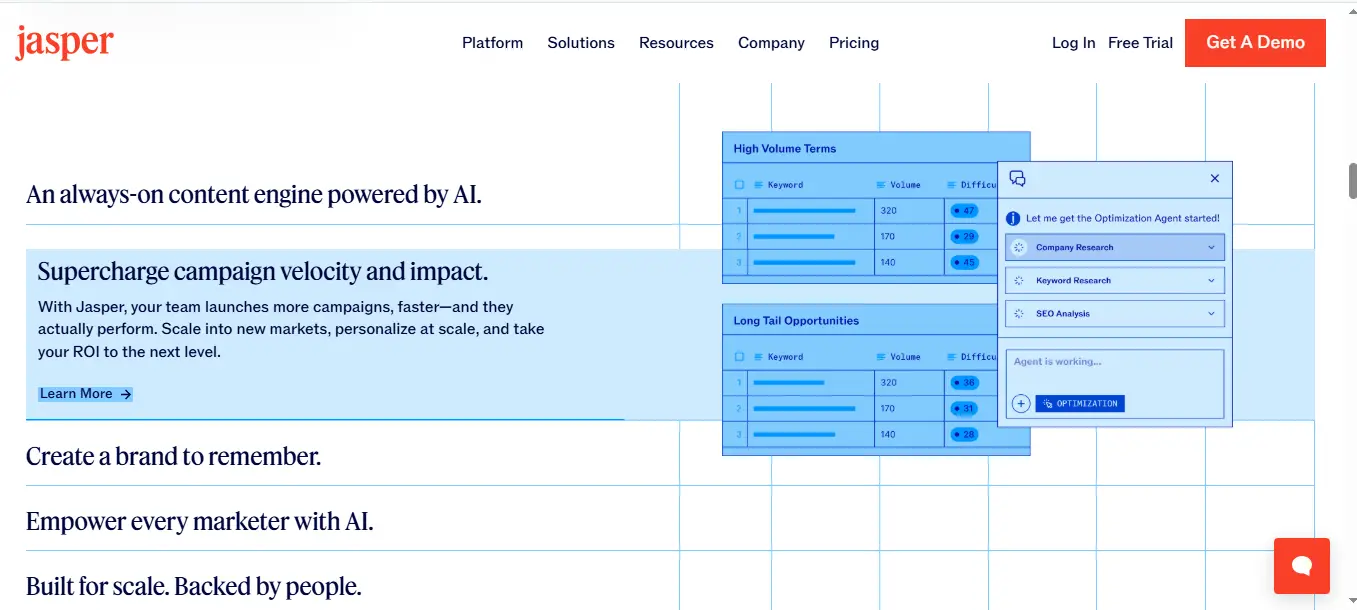
I tested Jasper specifically because so many teams struggle with this exact problem. You know the drill—one person writes like Shakespeare, another sounds like a robot, and somehow you need it all to feel cohesive.
What templates does Jasper offer?
Jasper gives you over 100+ templates that actually follow marketing best practices. Here’s what worked best for me:
- One-Shot Blog Post for generating complete articles
- SEO-optimized title tags and meta descriptions
- Content Summarizer for extracting key points
- Email Subject Lines for improving open rates
You can also create custom templates, which is handy if your team has specific workflows. I liked this feature because most tools force you into their way of doing things.
How does it handle SEO?
Here’s where Jasper impressed me. The tool connects directly with Surfer SEO, so you can optimize content while you write instead of fixing everything later. It also helps structure your content with proper headings and readable formatting.
What I found interesting is that Jasper maintains SEO best practices without losing your brand voice. Most AI tools make you choose between sounding like yourself or ranking well. Jasper does both.
Is it worth the price?
Jasper has three plans: Creator ($39/month), Pro ($59/month), and a Business plan that varies by needs. The Pro plan gets you 3 Brand Voices, Jasper Chat, and SEO mode.
For teams that need consistent output across multiple writers, the Business plan offers unlimited Brand Voices and API access.
I’ll be honest—it’s not cheap. But if you’re managing a team of writers or need brand consistency across lots of content, Jasper pays for itself pretty quickly.
5. Copy.ai: Best for marketing workflows
Copy.ai has grown far beyond a simple content generator. Today, it functions more like a powerful marketing automation platform with advanced AI writing capabilities. One of its standout features is Workflows, which lets you automate multi-step marketing tasks by combining content creation with process automation.
With Workflows, you can set up sequences that automatically gather information, create tailored content, and update your marketing tools—saving time and boosting productivity. For example, you might automate product descriptions, email campaigns, and customer data updates all in one streamlined process.
In addition, Copy.ai offers helpful tools like Copy Agents for personalized messaging, Prospecting Cockpit for managing leads, and Brand Voice to keep your content consistent across channels. These features work together to simplify and scale your marketing efforts.
Whether you’re crafting personalized emails, generating SEO-friendly blog content, or automating lead nurturing, Copy.ai provides a versatile platform that can help marketers work smarter, not harder.
What workflows does Copy.ai support?
Here’s where Copy.ai gets interesting. It’s not just about writing anymore—it’s about automating your entire marketing process.
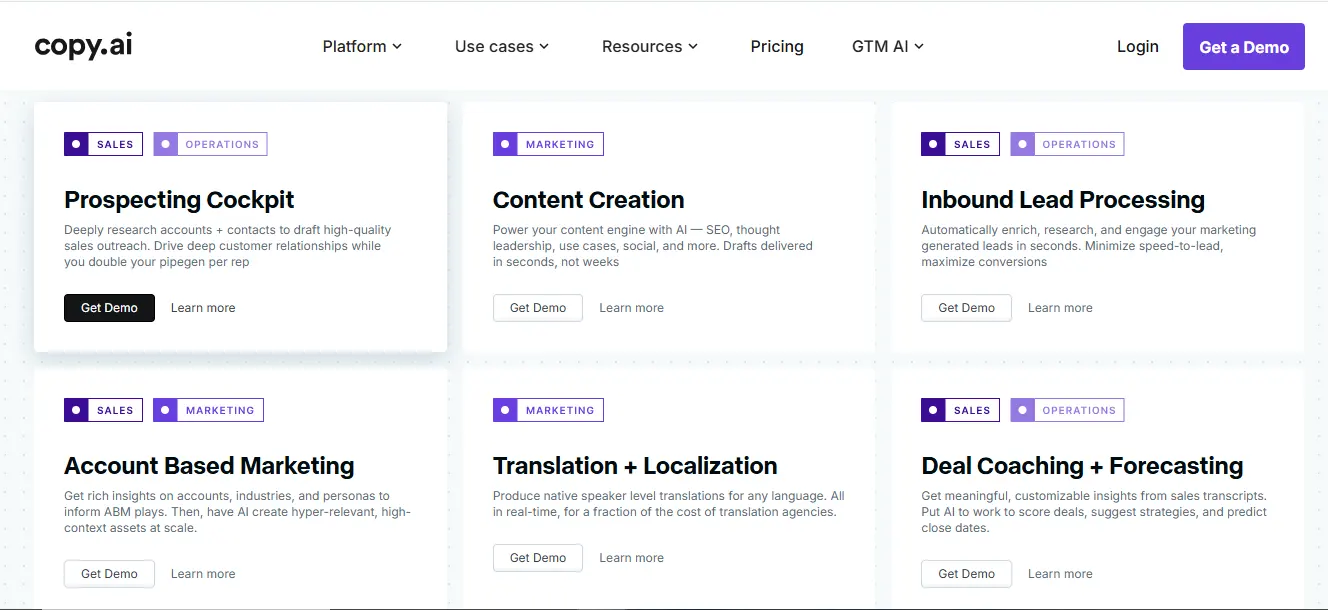
The platform offers pre-built workflows for:
- Lead contact enrichment from LinkedIn profiles
- SEO-optimized content creation
- Email outreach campaigns
- Sales call insights
- Company data scraping
What caught my attention is how you can create custom workflows using plain English instructions—basically, you describe tasks like you’re talking to an assistant. During my testing, I found that automating these repetitive marketing tasks saved significant time, with most marketers reporting time savings as automation’s biggest benefit.
But does it actually work? Let me show you what I discovered.
How does it handle SEO blog posts?
Copy.ai has this Blog Post Wizard that promises to generate drafts in about five minutes. You give it a title and keywords, then it creates an outline, generates talking points, and writes the body text.
Sounds good in theory. But here’s what actually happened during my tests.
This feature is still in beta, and it shows. More than half the time, the talking points were completely random. I’d ask for a post about email marketing, and it would give me talking points about social media instead. Not helpful.
Also, Copy.ai lacks direct integration with major SEO tools, so you’ll need external keyword research tools for proper optimization.
What are its strengths and weaknesses?
The good stuff:
- Powerful workflow automation
- Brand voice customization
- Five users even on basic plans
- Project folders with access control
The not-so-good stuff: no built-in SEO features, limited long-form content editing capabilities, and no Chrome extension. The pricing starts with a free plan offering just ten credits, while the paid “Pro” plan costs $49/month.
Bottom line? Copy.ai works if you need marketing automation more than great writing. For teams wanting to automate content workflows rather than just generate text, it’s worth a look.
6. Anyword: Best for data-driven content
Anyword caught my attention because it’s the only AI writing tool that actually shows you data before you publish anything.
Most tools just spit out content and hope for the best. Anyword is different. It helps marketers achieve an average 30% increase in conversion rates by predicting which content will perform better.
What is an engagement score?
Here’s what makes Anyword interesting: it has this Predictive Performance Score that tells you how well your content might perform before you hit publish.
The tool analyzes millions of successful marketing campaigns to give each piece of copy a score. Higher score means your content is more likely to drive conversions, sales, or revenue. Pretty smart, right?
Each score comes with details showing:
- Who your content appeals to (age and gender data)
- Whether it follows platform rules
- What emotions it triggers
- Key messaging elements it covers
How does Anyword support brand rules?
Anyword lets you set up brand rules through something called Brand Vocabulary. You can create three types of word lists:
- “Approved” terms that get used automatically
- “Don’t Use” terms that get replaced with better options
- “Use Carefully” terms for specific situations
You can also save your company descriptions and key messages for quick access. It’s like having brand guidelines built right into your writing tool.
Is it good for SEO?
For SEO content, Anyword includes automatic keyword optimization and SEO scoring. The tool tries to predict how well your content will perform in search results.
Some users report pretty good results. One person saw their email click-through rates jump from 2.5% to 8%. That’s a solid improvement.
But remember, no tool is perfect. Anyword works best when you use its data to guide your decisions, not replace your judgment.
7. Claude: Best for creative writing
Claude caught my attention because it doesn’t sound like a robot when it writes.
Most AI writing tools have this problem where they use the same boring phrases over and over. You know the ones—”in today’s ever-changing landscape” and all that corporate nonsense. Claude actually avoids this stuff, which is pretty rare.
How does Claude handle tone and style?
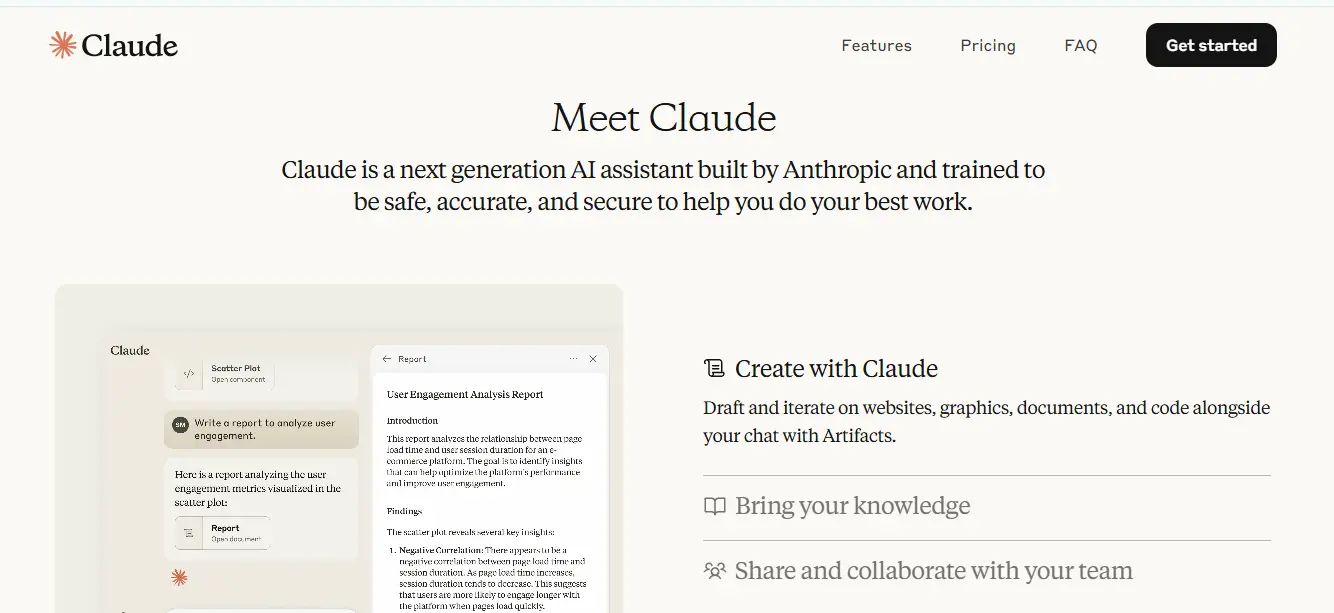
Here’s what makes Claude different: it has this Styles feature that lets you teach it how to write like you.
You’ve got your basic presets—Formal, Concise, and Explanatory. But the cool part is the custom styles where you can upload your own writing samples. Claude learns from them and starts mimicking your voice.
I tested this with some of my blog posts. The results were surprisingly good. It picked up on my casual tone and even some of my weird word choices.
Is Claude good for long-form content?
Yes, but here’s the thing—Claude actually remembers what it wrote earlier in your document.
That might sound basic, but you’d be surprised how many AI tools forget what they said three paragraphs ago. Claude keeps track of everything and stays consistent throughout long pieces.
I threw a 3,000-word article at it for editing, and it caught inconsistencies I missed. Pretty impressive for creative projects that need that human touch.
What are its unique features?
Claude does a few things that other tools struggle with:
- It learns your specific writing style from examples you give it
- It can switch between different voices—formal reports, creative stories, whatever you need
- It works like an editing buddy that actually understands what you’re trying to say
The best AI writing tools should make you more creative, not replace your creativity. Claude gets this right. It sounds human while adapting to however you want to write.
8. Frase: Best for content research and outlines
I really like Frase for one specific thing: it makes content research way easier than doing it manually. This tool scrapes the top-ranking pages in just 20 seconds to show you what actually works for your topic.
How does Frase help with SEO?
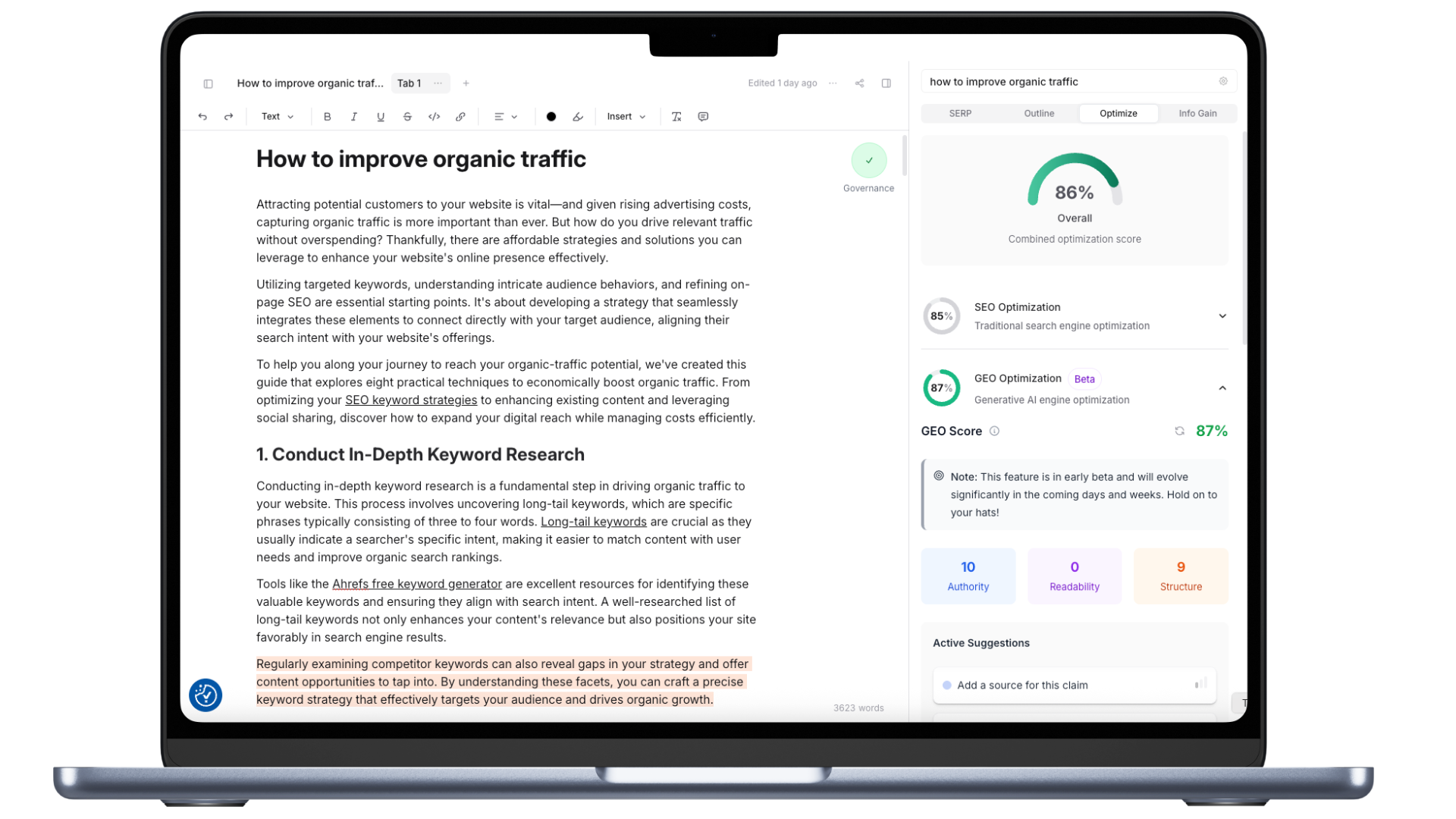
Here’s what impressed me about Frase. It breaks down competitor content into five categories: Long Tail Topics, Top Topics, Title Topics, Header Topics, and Topic Clusters. So you can see exactly what’s working in the top results without having to analyze each page yourself.
But here’s the cool part—Frase optimizes for both search engines and generative AI with dual scoring systems. That’s pretty smart considering how AI search is changing the game.
What is its content scoring system?
Frase uses a Topic Score from 0-100% that compares your content against competitors. It shows you exactly where you need improvements. The tool recommends aiming for a score at least 30% higher than the average competitor.
They also have something called a GEO Score based on authority, readability, and structure—which matters for AI-driven platforms. I found this helpful for understanding how my content might perform across different search systems.
Is it easy to use?
The interface feels like Google Docs and saves automatically. You can research, outline, write, and optimize all in one place.
Creating outlines is straightforward—either let the AI generate headings automatically or pick and choose headings from the top search results with a click. I used both approaches depending on the project.
Frase works well if you want data-driven insights before you start writing. It’s not going to write amazing content for you, but it’ll show you what you need to cover to compete.
9. Sudowrite: Best for fiction and storytelling
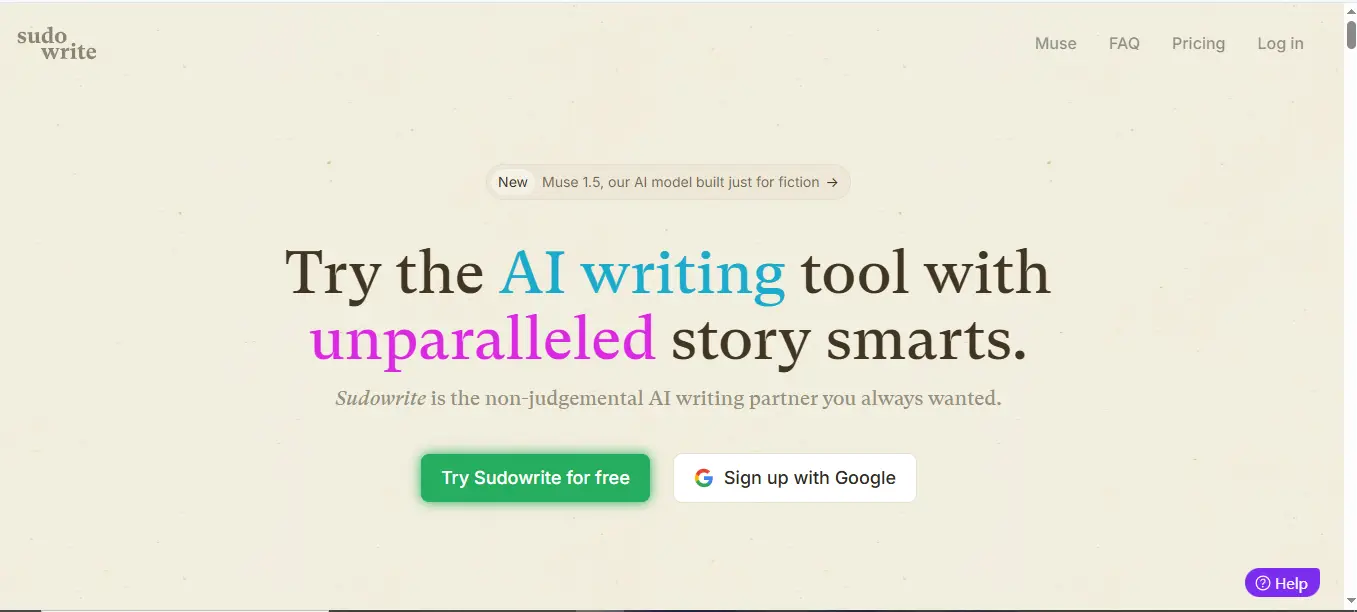
Sudowrite is different from every other AI writing tool I tested. This one’s built specifically for fiction writers, and it shows.
What makes Sudowrite different?
Sudowrite has its own AI model called “Muse” that’s designed specifically for creative writing. After testing it, I can tell you it actually understands how stories work. The prose sounds natural, and it gets scene structure in ways other tools just don’t.
It’s like having a writing partner who actually knows what they’re doing. When I hit a wall with my writing, Sudowrite helped me push through it.
How does it help with creative writing?
Here’s what I found most useful:
- “Write” feature continues your story when you’re stuck
- “Describe” turns basic ideas into rich, detailed paragraphs
- “Story Bible” keeps all your character details organized
- “Brainstorm” generates character names and plot ideas
The “Describe” feature impressed me the most. I’d write something like “the old house” and it would give me this beautiful, atmospheric description that actually fit my story’s tone.
Is it beginner-friendly?
You get 10,000 credits to try it for free, which is pretty generous. They also run live classes every week, have an active Discord community, and tons of tutorials on YouTube.
The interface is clean and easy to figure out. Even if you’re new to AI tools, you won’t get lost trying to use Sudowrite.
If you write fiction, this is the tool to try first.
10. RivalFlow: Best for optimizing existing content
RivalFlow does something different from most AI writing tools—it focuses on fixing what you already have instead of creating new content from scratch. I found this approach pretty smart.
How does RivalFlow identify content gaps?
RivalFlow compares your content directly with higher-ranking competitors. The AI analysis finds specific questions and topics your competitors cover that you don’t. The tool breaks this down into actionable suggestions, showing you missing topics and unanswered questions that might be hurting your performance.
I like that it doesn’t just tell you “add more content.” It shows you exactly what’s missing.
Can it improve SEO rankings?
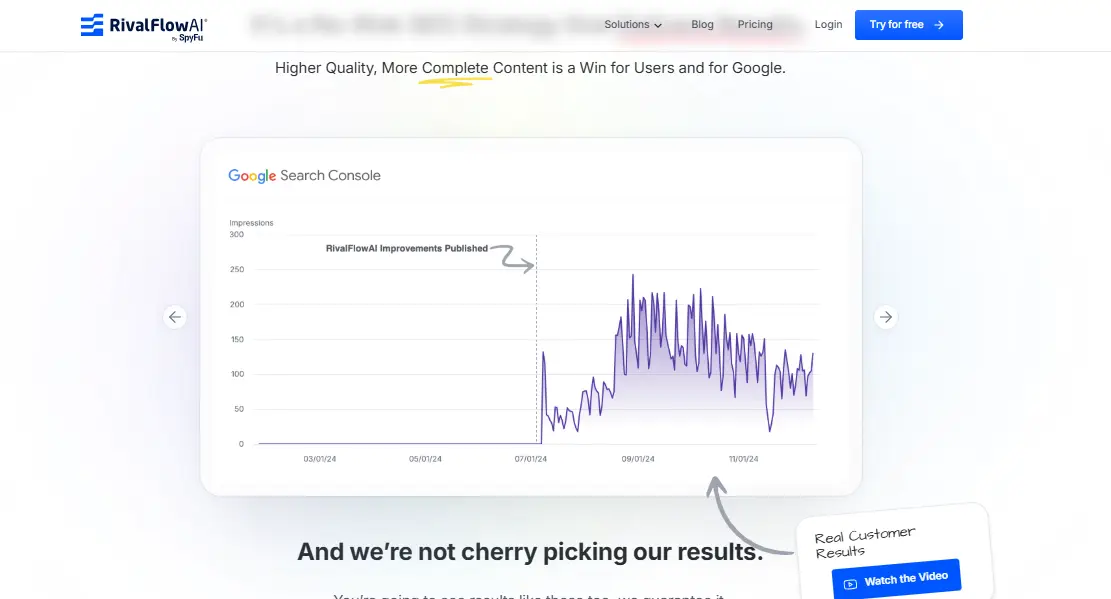
The results speak for themselves. Users have reported 50% growth in site visibility within weeks and impressions consistently trending upward. The tool’s approach works well with Google’s focus on helpful content, making your pages more thorough and user-focused. When you expand existing content with relevant information, RivalFlow helps pages that were stuck start climbing the rankings.
That’s pretty impressive for a tool that doesn’t create new content.
What are its limitations?
Some users note RivalFlow has limited features compared to full AI writing software. Others mention occasional inaccuracies in side-by-side comparisons. A few customers have also experienced difficulties canceling their plans.
But if you’re looking to maximize what you already have, RivalFlow offers a straightforward approach that actually works.
How I tested these AI writing tools
I wanted to give you honest results, so I tested every tool the same way. No marketing fluff—just real testing to see what actually works.
What did I look for?
I tested each AI writing tool on four main things:
- Data quality – Does it give accurate information and specific details?
- Expertise level – Can it handle complex topics and score content properly?
- Technical health – Will it help with SEO?
- Security measures – Does it make stuff up or plagiarize?
I used the same prompt for every tool: “NBA Playoffs 2025 Recap”. This let me see how each one handled current events and gave me a fair comparison.
How did I compare them?
I kept it simple. For each tool, I rated the output with thumbs up or down and kept generating content until I hit their free trial limits.
Here’s what I found interesting: I took ideas from one tool and fed them into another. This showed me how differently each AI processes the same information. Some tools were way better at building on concepts than others.
What tools did I use to grade them?
I used Clearscope as my main grading tool. When one of the tools gave me about 800 words of content, Clearscope gave it a C- grade. That tells you something about the quality you can expect.
I also tracked how much time each tool took to learn. Some were intuitive. Others felt like studying for an exam.
The results surprised me. Some tools I expected to be great were disappointing. Others I’d never heard of blew me away.
Key features to look for in AI writing tools
After testing over 20 AI writing tools, I can tell you exactly what separates the good ones from the junk.
Most tools promise everything. But only a few deliver on the basics that actually matter.
Ease of use
This one’s huge. The best AI writing tool should work without making you read a manual. Look for platforms with clear instructions, decent support, and tools that don’t require a PhD to figure out.
The winners save your work automatically and get you writing within minutes of signing up. If a tool takes forever to learn, skip it.
SEO optimization
Here’s where most tools fail. Good AI writing software builds SEO into the writing process. You want tools that check what’s already ranking, track your keywords, and spot trends. Some newer tools even calculate GEO scores based on authority, readability, and structure.
But don’t just take their word for it. Test the SEO features yourself.
Brand voice support
This feature matters more than most people realize. The best AI content writing tools let you upload examples of your writing. Top-tier options create different voices for different channels, content types, or team members. This keeps your content authentic across platforms and preserves what makes your brand unique.
Without this, everything sounds generic.
Content variety
You need templates that actually work for different content types. Blog posts, social media, product descriptions, email sequences—versatile AI tools adapt to whatever format you need. This variety saves time when you’re creating content across multiple platforms.
Look for tools with templates you’ll actually use, not just a long list of options you’ll never touch.
Free vs paid AI writing tools: What’s the difference?
The pricing gap between free and paid AI writing tools is huge—we’re talking $20 to $500+ monthly. But do you actually need to pay?
What do free tools offer?
Free AI writing tools come with serious limitations. Most give you 1,000-5,000 words per month, which sounds like a lot until you try writing a few blog posts. They also stick watermarks on your content or make you credit them.
The AI models they use are usually older versions too. So while you can test the waters with free tools, don’t expect amazing results.
When should you upgrade?
Once you start creating content regularly, those word limits become annoying fast. I hit the wall pretty quickly when testing these tools.
You’ll also want to upgrade if you need:
- Team collaboration features
- Content without attribution
- Better AI models
- More templates and customization options
Most professional writers find free tools frustrating after the first week or two.
Are paid tools worth it?
For businesses and serious content creators, yes. Paid tools typically give you 10-100x more monthly words, way better AI models, and actual customer support when things go wrong.
The math works out too. Quality AI writing tools can cut your content production costs by 30-60% compared to hiring writers, while still maintaining decent quality standards.
But here’s the thing: even the best paid tools need human editing. They’re assistants, not replacements.
Best AI Writing Tools for SEO Content
When you’re trying to rank on Google, not all AI writing tools are created equal. Some claim to be SEO-friendly but barely scratch the surface.
Let me show you which ones actually understand SEO.
Which tools optimize for search intent?
Here’s what I found after testing dozens of tools:
Writesonic impressed me with its built-in SEO prompts that actually understand search intent. It doesn’t just stuff keywords—it creates content that matches what people are really looking for.
Surfer SEO takes a different approach. It analyzes the top-ranking pages and tells you exactly what topics and terms you need to include. Pretty smart.
Frase scrapes SERP data in real-time, so you know what’s working right now. That’s useful because SEO changes fast.
How do they handle keyword integration?
Most tools just throw keywords around randomly. The good ones don’t.
Semrush shows you personalized metrics for how your specific domain might rank for keywords. That’s way more useful than generic keyword difficulty scores.
Ahrefs goes deeper by identifying the actual intent behind keywords. So you’re not just targeting “best coffee maker”—you understand that people want buying guides, not history lessons.
The coolest find? SEOpital can track how your content shows up in AI search engines like ChatGPT. Because that’s where search is heading.
What’s the editing workload?
Don’t expect magic. Even the best AI writing tools need human help.
When I tested content from these tools with Clearscope, most scored around C-. That means you’ll still need to edit, fact-check, and add your own expertise.
The tools work best as assistants, not replacements.
AI-Assisted vs. AI-Generated Content: What’s the Difference?
There’s a big difference between these two approaches:
AI-assisted content means you use AI for research, outlines, or first drafts, then add your expertise. This usually works better for SEO.
AI-generated content is when AI does everything with minimal human input. Google can often spot this, and it rarely ranks well.
The sweet spot? Use AI for the tedious stuff, but make sure a human with real knowledge shapes the final content.
Best AI tools for social media content
Social media content is different. You need something catchy, quick, and on-brand. I tested dozens of AI writing tools specifically for social posts.
Which tools generate captions and ads?
Writesonic tops my list with templates specifically designed for social captions that convert across platforms. Following closely, Hootsuite’s OwlyGPT distinguishes itself by analyzing real-time social feeds to craft captions informed by current trends.
Jasper works well for teams with social media templates for multiple formats. Copy.ai offers specialized workflows for social posts with prompt-based writing that generates multiple variations from simple inputs.
I also tested ContentStudio for pre-made templates across LinkedIn, X, Facebook and Instagram. SocialBu automatically suggests hashtags to improve visibility. That’s handy.
How do they handle tone and brevity?
Most tools now include tone selection—from playful to formal. Hootsuite offers a dropdown menu with various tones to match your brand voice. Pretty straightforward.
But here’s what impressed me: the top tools recognize platform-specific constraints. Quality tools automatically adjust for Twitter’s 280 characters, Instagram’s ideal 138-150 character range, and LinkedIn’s recommended 25-word limit.
Epic! These tools handle the annoying parts of social copywriting while keeping your unique voice intact.
👉 The key is finding tools that understand social media isn’t just shortened blog posts. It’s a completely different way of communicating.
Best AI tools for long-form blog posts
Writing long blog posts is where most AI tools fall apart. But a few actually handle the challenge pretty well.
Which tools support outlines and structure?
Writesonic impressed me here. Its AI Article Writer 5.0 creates outlines that actually make sense—not just random headings thrown together. Frase excels in content planning by analyzing search intent and extracting key topics from various sources.
I also tested Grammarly’s AI outline generator, which creates structured outlines that organize ideas effectively for any content type. HubSpot’s tool generates SEO-friendly outlines optimized for search engines, while Surfer transforms ideas into hierarchical structures maintaining logical progression.
But here’s what I noticed: most tools can create an outline, but keeping it logical throughout a 2,000+ word article? That’s where they struggle.
How do they handle flow and coherence?
This is where things get interesting. Quality AI writing tools incorporate coherence scorers that evaluate clarity, logical flow, and self-consistency of content. These coherence metrics directly impact user trust and experience across applications.
The best tools I tested help with:
- Creating clear text outlines with headings and subheadings for scannable content
- Adding appropriate transition words to signal relationships between ideas
- Maintaining consistent tone and writing style throughout lengthy articles
Writesonic and Frase stood out because they actually identify areas with poor coherence. Most other tools just pump out content and hope for the best.
But don’t expect magic. Even the best AI tools need serious editing for long-form content to flow naturally.
Best AI tools for product descriptions
E-commerce owners, listen up. I tested multiple AI writing tools specifically for product descriptions, and some are way better than others for retail.
Which tools work best for e-commerce?
Writesonic gets my top recommendation here. Their product description templates actually understand what sells. I tested them with different product types, and the results were solid.
Hypotenuse AI caught my attention because it’s built specifically for e-commerce. The descriptions it generates stay consistent with your brand voice, and you can customize the formatting. That’s something most generic tools mess up.
Jasper works well too, especially their marketing-focused templates. They know how to highlight benefits instead of just listing features. Ahrefs has a Product Description Generator that’s decent for emphasizing unique selling points. Copy.ai also does a good job highlighting key features quickly.
How do they handle bulk content?
Here’s where things get interesting. Most tools claim they can handle bulk content, but Hypotenuse AI actually delivers. I watched it process thousands of products in minutes. That’s impressive.
Describely is another tool that handles bulk generation well, regardless of how many products you throw at it. These tools can save you about 30 hours per week if you’re doing bulk uploads.
Narrato lets you customize everything – keywords, length, tone, format. Most platforms support CSV or Excel imports, so you can create hundreds or thousands of descriptions at once. Pretty handy if you’re managing a large inventory.
Best AI tools for email and ad copy
Email marketing and ad copy need tools that actually convert. Not just fancy templates that look good but don’t sell anything.
Which tools offer templates?
Writesonic leads the field with customizable templates for both email sequences and ad variations that boost conversion rates. Jasper provides over 100+ marketing-focused templates including email subject lines designed to improve open rates. Copy.ai offers a free Marketing Email Generator that analyzes your goals and audience to produce natural-sounding email copy optimized for conversions. HubSpot AI Content Writer excels at generating multiple variations of headlines and ad text, plus subject lines ranging from intriguing teasers to benefit-focused options. LeadScripts stands out with 1,000+ plug-and-play scripts specifically for sales emails and ad copy.
How do they support A/B testing?
AI Blaze outperforms competitors for crafting marketing emails with features that support testing multiple variations. Hypotenuse.AI enables efficient A/B testing through customization options for emails optimized for SEO and target audiences. Copy.ai generates 10-20 variations with a single click, streamlining the testing process for different emotional appeals and tones. Jasper produces multiple headlines and CTAs instantly, allowing marketers to test humor versus urgency approaches. For thorough analysis, tools like Kameleoon use AI to simulate test outcomes before launch, helping identify potential winners early.
Most of these tools make A/B testing way easier than doing it manually. That’s a big time-saver.
Can AI-Generated Content Boost Your SEO Results?
After testing all these tools, I wanted to know: does AI content actually help with SEO? The answer isn’t straightforward.
Google has made their position clear—they care about quality content that demonstrates E-E-A-T (Experience, Expertise, Authoritativeness, Trustworthiness), not how it’s made. So AI-generated content can rank if it’s helpful, original, and relevant.
The numbers look pretty good. About 13.08% of top-performing Google content now consists of AI-generated content. One study found 46% of people saying AI writing helped their pages rank higher. SEOwind ran an experiment with 116 AI-generated articles and saw a 77% increase in clicks and 124% boost in impressions. That’s impressive.
But here’s the catch—and it’s a big one.
Google specifically warns against using AI tools just to manipulate search rankings. Their quality raters now flag thin AI content that lacks originality. Content that’s just automated without adding real value gets demoted.
From my testing, here’s what actually works:
- Use AI as your writing assistant, not your replacement
- Always fact-check everything the AI produces
- Focus on creating genuinely helpful content for users
I’ve seen this work. When I use tools like Writesonic to help with research and drafting, then add my own expertise and insights, the content performs well. But when I tried publishing mostly AI-generated content without much human input? It didn’t rank nearly as well.
The key is treating these tools as helpers, not replacements. AI can handle the tedious parts while you focus on adding real expertise and value.
Key Takeaways
After testing 20+ AI writing tools, here are the essential insights that will help you choose the right solution for your content needs:
• Writesonic emerges as the top choice for fast, flexible content creation, generating 1,500+ word SEO-optimized articles in just 30-40 seconds with 80+ templates.
• ChatGPT excels as a versatile writing assistant rather than a specialized tool, best used for brainstorming, overcoming writer’s block, and refining ideas—but requires fact-checking due to hallucinations.
• Specialized tools outperform generalists for specific tasks: Jasper for brand voice consistency, Frase for content research, Claude for creative writing, and RivalFlow for optimizing existing content.
• AI-generated content can boost SEO results when used responsibly—77% of tested AI articles showed ranking improvements, but success requires human oversight and fact-checking.
• Free tools have severe limitations with restricted word counts and basic features, while paid options ($20-500/month) offer 10-100x more capacity and advanced optimization capabilities.
The key to success with AI writing tools lies in treating them as powerful assistants rather than replacements for human creativity and expertise. The most effective approach combines AI efficiency with human insight to create content that truly serves your audience.
Explore More AI Tools and Resources
If you’re looking to expand your knowledge and skills in AI-powered writing and content creation, check out these helpful resources:
- Best AI Fanfic Generators — Discover top AI tools designed to help you write engaging fanfiction stories, whether you’re a beginner or an experienced writer.
- Walter Writes AI Review — Learn how Walter Writes AI can make your AI-generated content sound more natural and human-like, improving reader engagement.
- Free Guest Posting Websites — Find a curated list of websites where you can submit guest posts to build backlinks and boost your online visibility.
- AI SEO Tools — Explore powerful AI-driven SEO tools that help optimize your website for better search engine rankings.
- Best AI Content Detectors — Discover tools that identify AI-generated content to ensure originality and authenticity in your writing.
These resources will help you take your content creation and marketing strategies to the next level with the power of AI.
Frequently Asked Questions (FAQ) for AI Writing Tools Users
Your top questions about AI writing tools, answered.
Q1. What is the top AI writing tool for 2025?
Based on extensive testing, Writesonic emerges as the leading AI writing tool for 2025. It offers fast content generation, producing 1,500+ word SEO-optimized articles in just 30-40 seconds, along with over 80 content templates for various needs.
Q2. How does ChatGPT compare to other AI writing tools?
ChatGPT excels as a versatile writing assistant rather than a specialized tool. It’s particularly useful for brainstorming, overcoming writer’s block, and refining ideas. However, it requires fact-checking due to occasional inaccuracies.
Q3. Are there AI tools specifically designed for creative writing?
Yes, Claude stands out as the best AI tool for creative writing. It excels at handling tone and style, adapting to different voices from formal documentation to creative storytelling, and serving as an editing partner that understands context.
Q4. Can AI-generated content improve SEO rankings?
AI-generated content can boost SEO results when used responsibly. Studies show that 77% of tested AI articles demonstrated ranking improvements. However, success requires human oversight, fact-checking, and focusing on creating helpful information for users rather than manipulating search rankings.
Q5. What’s the difference between free and paid AI writing tools?
Free AI writing tools typically offer basic content generation with strict limitations on word count and features. Paid options, ranging from $20 to $500 per month, provide 10-100 times more capacity, advanced optimization capabilities, and often include features like brand voice customization and dedicated support.