When you are serious about SEO, you have probably heard about 301 redirect backlinks. They are often mentioned in forums, blogs, and guides, but many people are confused about what they really are, how they work, and whether they are safe.
- But do they really work?
- Do they pass full link juice?
I am going to explain everything about backlink 301 redirects, why they matter, how to use them effectively, and what risks, like a 301 redirect SEO penalty, can mean for your website. Sometimes, I have seen people buy 301 redirect backlinks from third-party sites or purchase expired domains with high DA backlinks and redirect them to their own site. If not done carefully, this can be harmful to your SEO.
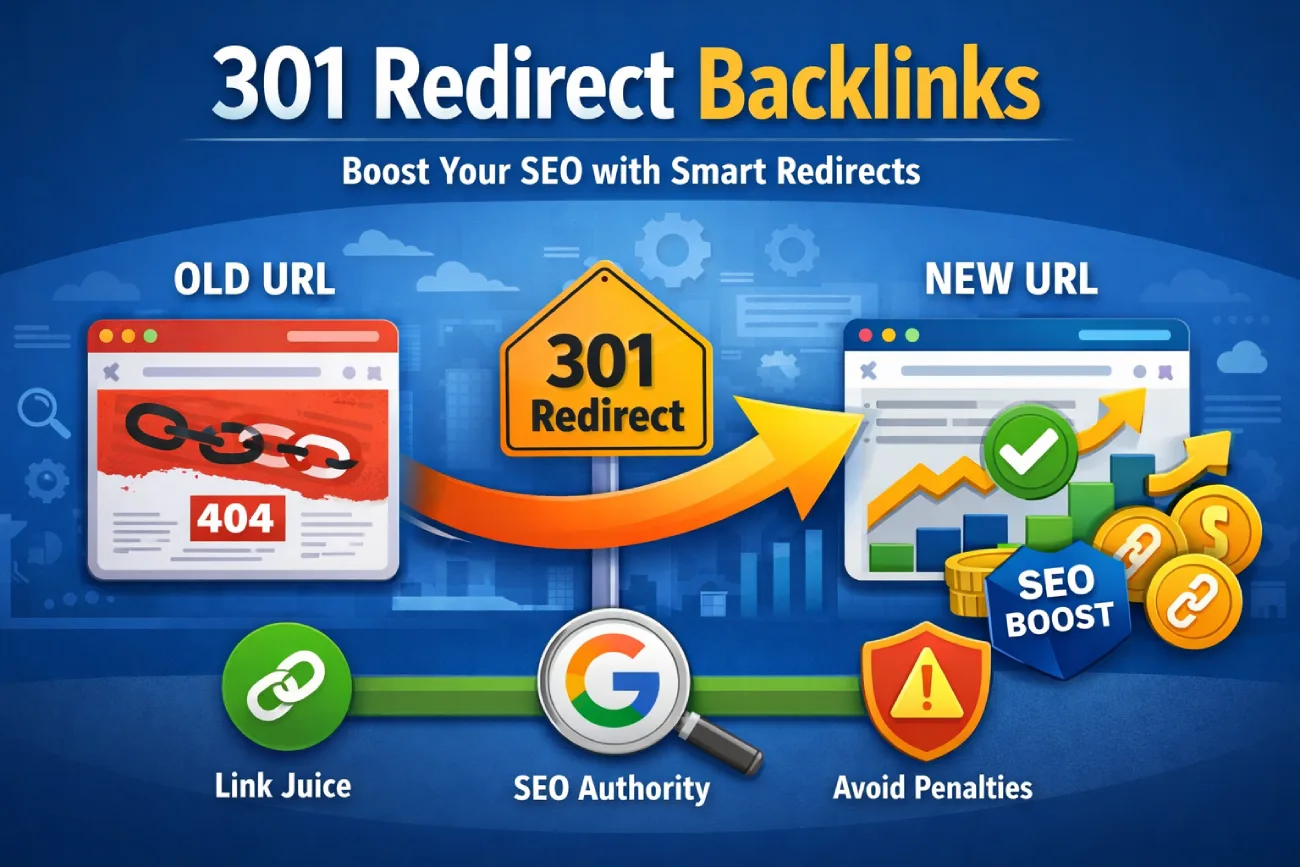
When you create a website or manage content, there will be times when URLs change, old pages are deleted, or content is merged. If handled poorly, you can lose valuable backlinks and the SEO authority associated with them. This is where 301 redirect backlinks become essential. A 301 redirect is a permanent redirect that tells both search engines and users that a page has moved to a new location. All the value, also called link equity or link juice, from the old page can flow to the new page, preserving your SEO efforts.
Let’s break it all down in simple terms.
How to Build 301 Redirect Backlinks Using Expired Domains
If you’re using expired domains:
Check backlink history carefully
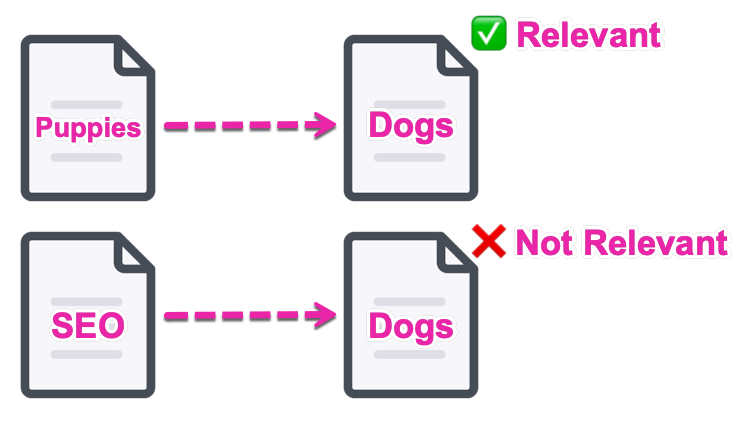
Make sure the topic is relevant
Avoid domains with spam or penalties
Prefer rebuilding content instead of blind redirects
Relevance matters more than raw authority.
Step 1: Identify High-Quality Expired Domains
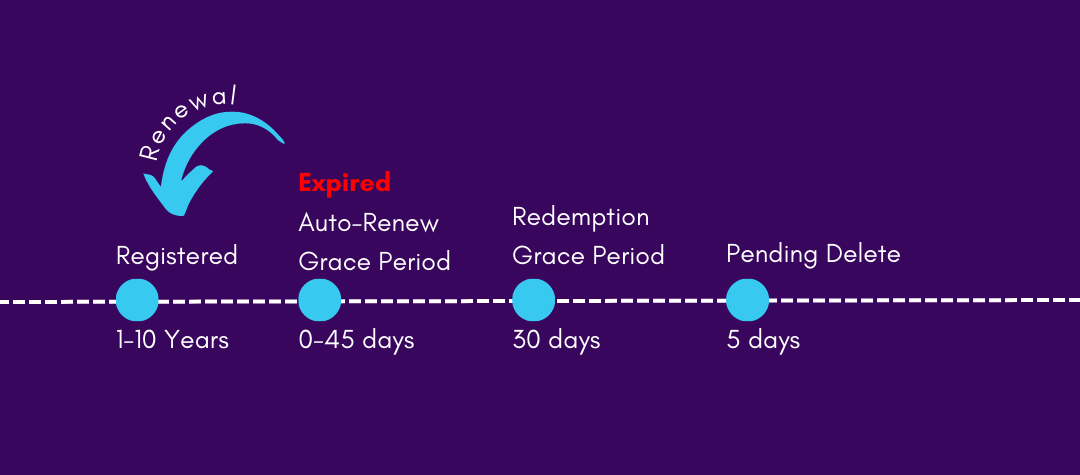
Start by finding expired domains that already have a strong backlink profile. Use tools like Ahrefs, SEMrush, or Majestic to analyze the domain authority, referring domains, and link quality. Look specifically for domains with backlinks relevant to your niche. Avoid spammy or low-quality domains, as these can hurt your SEO rather than help it.
Step 2: Analyze Domain History

Before buying or redirecting an expired domain, check its past activity using Archive.org (Wayback Machine). Ensure the domain previously hosted legitimate content in your niche. Domains previously used for spam, adult content, gambling, or irrelevant topics are risky and can trigger a 301 redirect SEO penalty if redirected to your site.
Step 3: Evaluate Backlink Quality and Relevance
Not all backlinks are created equal. Examine each backlink using SEO tools to determine its quality, domain authority, and topical relevance. Focus on backlinks from authoritative websites in your industry. These links will pass stronger link equity when redirected, helping your pages rank higher in search results.
Step 4: Rebuild Important Content on the Expired Domain
If the expired domain still receives traffic or has valuable backlinks, consider rebuilding relevant content before setting up redirects. Adding niche-relevant articles helps search engines recognize the domain as legitimate and ensures a smoother transfer of link equity through the 301 redirect backlinks.
Step 5: Plan Page-to-Page 301 Redirects
For maximum SEO benefit, redirect each old URL on the expired domain to a relevant page on your website. Avoid redirecting all pages to your homepage, as this can appear unnatural. A page-to-page strategy ensures that link equity flows correctly and maintains content relevance, which is critical for search engine trust.
Step 6: Implement 301 Redirects Correctly
Set up permanent 301 redirects using your server’s configuration, a reliable WordPress plugin like Redirection or Rank Math, or through your hosting control panel. Test all redirects to ensure they point to the correct pages and check that there are no redirect chains or loops. Proper implementation preserves link equity and avoids penalties.
Step 7: Monitor Performance and SEO Impact
After the redirects are live, monitor their effect on traffic, rankings, and indexation. Tools like Google Search Console, Ahrefs, and SEMrush can help you track backlinks, traffic flow, and keyword rankings. Watch for any negative trends and adjust redirects if necessary.
Step 8: Avoid Overusing Expired Domains for Backlinks
Redirecting multiple unrelated expired domains or relying too heavily on this strategy can be risky. Focus on quality over quantity. Ensure each domain is relevant, authoritative, and implemented carefully. When done properly, 301 redirect backlinks from expired domains can safely enhance your SEO authority and help boost rankings.
Step 9: Maintain Relevance and Avoid Penalties
Always prioritize relevance and natural link flow. Irrelevant redirects or spammy expired domains can lead to a 301 redirect SEO penalty. Use expired domains as a strategic tool, not a shortcut for instant rankings.
How 301 Redirect Backlinks Transfer Link Equity
The beauty of 301 redirect backlinks is that they pass link equity to the new page. Google has confirmed that 301 redirects transfer most, if not all, of the SEO value from the old page to the new one. In the past, there was a small loss of authority when using redirects, but modern search engines handle them very efficiently.
The effectiveness of a backlink 301 redirect depends on a few factors. First, the new page should be relevant to the old page. Irrelevant redirects may reduce the amount of link equity passed. Second, avoid redirect chains. For example, if page A redirects to B, and B redirects to C, link value can be diluted. Third, the quality of the original backlinks matters. High-quality backlinks transfer more authority than spammy or low-quality links.
Google has confirmed multiple times that 301 redirects pass most (and in many cases, nearly all) link equity.
Earlier, SEOs believed that redirects caused some loss of “link juice.” While that may have been true years ago, modern search engines handle 301 redirects much better.
That said, the effectiveness depends on:
- Relevance between old and new pages
- Redirect chains (too many = bad)
- Quality of the original backlinks
A clean, relevant 301 redirect usually performs very well.
Benefits of Using 301 Redirect Backlinks
Using 301 redirect backlinks strategically can benefit your website in many ways. First, it preserves the SEO value of existing backlinks. Losing backlinks can cause a drop in rankings, but a 301 redirect ensures the authority flows to the new URL. Second, it improves user experience. Visitors clicking a link to an old page are automatically sent to the correct page instead of a 404 error. Third, 301 redirects are crucial for site migrations, whether you are switching domains, moving from HTTP to HTTPS, or restructuring URLs. They ensure your hard-earned SEO authority is not lost.
Another benefit is content consolidation. If multiple articles cover similar topics, merging them and redirecting old URLs to a single authoritative page improves rankings. Search engines favor comprehensive content, and 301 redirect backlinks help consolidate authority into one page.
When to Use Backlink 301 Redirect
There are several scenarios where backlink 301 redirect is necessary. One common scenario is a website redesign or URL structure change. If you decide to create SEO-friendly URLs, a 301 redirect ensures that existing backlinks continue to provide value. Another scenario is merging similar content. Redirecting a weaker page to a stronger one consolidates authority and prevents internal competition.
Deleted or expired pages are also a case for using a 301 redirect. Redirecting them to relevant live pages preserves link equity and keeps users engaged. Domain migrations, such as moving to HTTPS or switching domains entirely, are other times when 301 redirect backlinks are essential. Without proper redirects, your backlinks and rankings can be lost.
301 Redirect vs 302 Redirect
It is crucial to understand the difference between 301 and 302 redirects. A 301 redirect is permanent and passes SEO authority to the new URL, while a 302 redirect is temporary and may not pass full link equity. If your page is moving permanently, always use a 301 redirect. Using a 302 incorrectly is a common mistake that can result in lost rankings. Always think long-term and plan your redirects carefully.
Best Practices for Using 301 Redirect Backlinks
To maximize the benefits of 301 redirect backlinks, follow these best practices. Redirect from page to page rather than sending all old URLs to the homepage. This is better for users and search engines. Ensure the content of the new page is relevant to the old page. Avoid redirect chains because every extra step can reduce link equity. Use server-side redirects whenever possible for reliability. Update internal links to point directly to the new page, instead of relying solely on the redirect. Following these practices ensures that your redirects are both user-friendly and SEO-friendly.
Common Mistakes to Avoid
Even though backlink 301 redirect is a powerful tool, misuse can hurt your SEO. One common mistake is redirecting irrelevant pages solely for link juice. Another is using expired domains for backlinks without checking their history. Redirecting low-quality domains can lead to penalties. Creating mass redirects without planning, leaving redirect loops, or randomly mixing 301 and 302 redirects can also reduce the effectiveness of your SEO strategy. Always prioritize relevance, quality, and a clear redirect structure.
How to Implement a 301 Redirect Backlink
There are several ways to create 301 redirect backlinks depending on your platform. WordPress users can use plugins like Redirection, Rank Math, or Yoast SEO for easy implementation. Apache servers use the .htaccess file, and NGINX servers handle redirects in the configuration file. If you use Cloudflare, page rules can manage 301 redirects. Regardless of the method, test your redirects thoroughly. Make sure the old URL redirects correctly, the new page loads properly, and there are no redirect chains or loops.
Do 301 Redirect Backlinks Transfer Full Link Equity?
Many ask if 301 redirect backlinks pass full link juice. In most cases, they do. The new page receives almost all authority from the old page, especially if the redirect is relevant and clean. The transfer may take time because search engines need to reprocess the links. Quality of backlinks, anchor text relevance, and the new page content also influence how much link equity is passed. Be patient, and the results will follow over time.
Risks and 301 Redirect SEO Penalty
Although 301 redirects themselves are safe, improper use can lead to risks or even a 301 redirect SEO penalty. Redirecting spammy domains, irrelevant niches, or expired domains with bad backlinks can trigger penalties or cause search engines to ignore the links. Avoid using redirects solely to manipulate rankings. Google values relevance and user experience. If your redirects make sense for users, they usually make sense for search engines, and you can avoid any potential penalties.
Using 301 Redirect Backlinks with Expired Domains
Using expired domains can be tempting to capture authority, but it requires caution. Check the history of the domain and analyze backlinks before redirecting. Make sure the content is relevant to your site. Avoid spammy or penalized domains. Ideally, rebuild the content on the expired domain before redirecting to your main site. Relevance is more important than raw authority because Google can detect unnatural or irrelevant redirects.
Monitoring and Maintaining 301 Redirect Backlinks
After implementing 301 redirect backlinks, monitoring is crucial. Use Google Search Console, Ahrefs, SEMrush, or Screaming Frog to track redirect performance. Check for broken redirects, monitor traffic, and ensure link equity is transferring properly. Regular maintenance prevents issues from developing and keeps your site SEO-friendly over time.
You can use tools like:
- Google Search Console
- Ahrefs
- Semrush
- Screaming Frog
Monitor:
- Redirect errors
- Lost backlinks
- Indexing status
- Traffic changes
This helps you catch issues early.
Conclusion
301 redirect backlinks are a powerful and essential tool for preserving SEO value, improving user experience, and consolidating authority. When used correctly, they can prevent lost rankings, maintain traffic, and support long-term growth. The key is to use them strategically, ensure relevance between old and new pages, and monitor performance regularly. Avoid shortcuts, irrelevant redirects, and risky expired domains. When implemented thoughtfully, backlink 301 redirect is one of the most effective tools in any SEO strategy, and it ensures your website continues to benefit from every backlink you earn.