

SEO isn’t a walk in the park. You must navigate hundreds of ranking factors and constant algorithm updates to become skilled at SEO in this complex and ever-changing landscape. The process takes months of work, testing, and fine-tuning—you definitely can’t do it overnight.
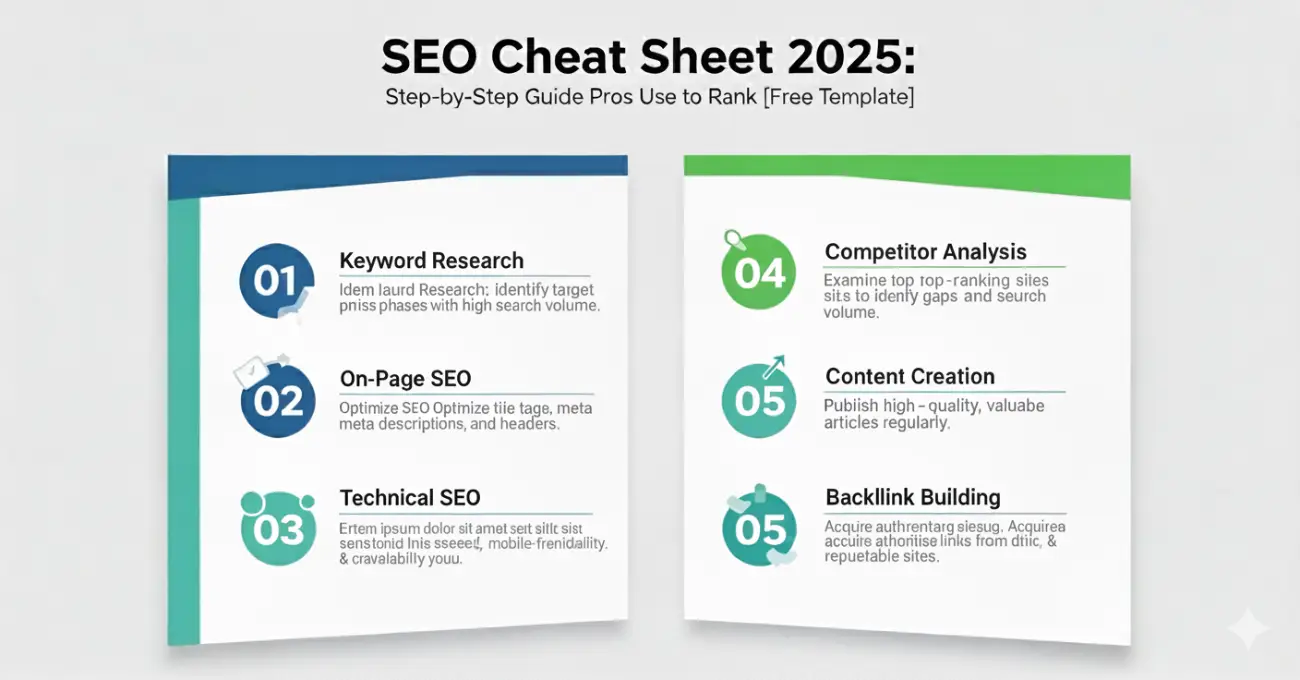
A detailed SEO cheat sheet will guide you through this maze. You won’t need to dig through long blog posts or Google’s documentation every time you need information because a well-laid-out cheat sheet puts everything you need right at your fingertips. This becomes extra valuable especially when you have to implement technical elements like proper title tag length or header structure.
Table of content:
- Why You Need an SEO Cheat Sheet?
- SEO Basics
- On-page SEO Cheat Sheet
- Off-Page SEO Checklist
- Technical SEO Checklist
- Internal Linking in SEO & URL Structure
- Image & Video Optimisation for on-page SEO
- SEO Tools and Template
Why You Need an SEO Cheat Sheet?
Many businesses miss everything in SEO, like keyword difficulty metrics, while planning their strategy. This mistake often results in wasted resources and poor campaign results. A quality cheat sheet points out these blind spots before they can derail your efforts.
Even the pros forget specific technical requirements sometimes. Your cheat sheet helps you remember complex elements like:
- Optimal keyword placement and density
- Technical crawlability requirements
- Internal linking best practices
- Image optimization standards
On top of that, a good SEO cheat sheet covers multiple disciplines—on-page, technical, and off-page SEO—offering a balanced point of view instead of focusing too much on one area. This detailed view ensures you tackle all factors that affect your rankings.
A good SEO cheat sheet also spots common mistakes you should avoid. These red flags can substantially affect your performance, from indexing wrong pages to keyword stuffing or ignoring mobile user experience. Clear warnings about these issues help you avoid potential penalties.
These SEO practices will become second nature with time. All the same, keeping your cheat sheet available among other reference materials helps maintain consistency across your website. This approach proves extra valuable for team collaboration, as it ensures everyone—from marketing to web development—works with the same basic understanding.
Your cheat sheet becomes even more valuable as search engines update their algorithms—helping you adapt your strategy quickly without starting over each time.
Search Engine Optimization (SEO) Basics
Learning how search engine algorithms work is essential for effective SEO. Google uses over 200 ranking factors in their algorithm. You should master the basics first to get the best results.
Google Ranking Factors
Google’s search engine depends on automated ranking systems. These systems analyze billions of web pages and deliver relevant results within seconds.
The most influential ranking factors include:
- Quality Content: The life-blood of SEO success, Google gives priority to informative, relevant content that matches user search intent
- Backlinks: These work like votes of confidence from other websites and signal authority to search engines
- Technical SEO: Your site’s speed, mobile-friendliness, and proper crawlability will give search engines the ability to index content efficiently
- User Experience: Google rewards sites with user-friendly navigation and satisfying interactions
- Schema Markup: This structured data helps search engines interpret your content better
Google’s crawlers keep exploring the web to find pages for their index.
They analyze how your pages link together through internal linking, which shows them your site’s hierarchy and content relationships.
Keyword Research & Optimization
Keyword research helps you find search terms your audience uses online. Google remains the top choice with 88% of people using it for searches. The landscape continues to vary—31% use social media and 12% use AI chatbots for search.
Your keyword optimization needs strategic placement throughout your content:
- Title Tags: Keywords near the beginning of titles create maximum impact
- Meta Descriptions: Well-crafted descriptions with keywords boost click-through rates, though they aren’t direct ranking signals
- Header Tags: Keywords in H1, H2, and H3 tags help Google understand your content structure
- First 100 Words: Keywords placed early in your content relate to better rankings
- Image Alt Text: Google can’t “see” images, so descriptive alt text with relevant keywords matters
You ended up needing more than just traffic—you need qualified visitors. Modern keyword research focuses on understanding what your audience needs instead of chasing high-volume terms. This approach works whatever platform your audience uses to search.
1. On-Page SEO Cheat Sheet
Your website’s on-page optimization forms the foundation of a successful SEO strategy. You control these elements directly, and becoming skilled at them will give you better search rankings and user experiences.
Here’s a concise On-Page SEO Cheat Sheet:
| On-Page SEO Element | Best Practice / Checklist |
|---|---|
| Title Tag | Include primary keyword, keep under 60 characters |
| Meta Description | Use keywords naturally, 150–160 characters, compelling CTA |
| URL Structure | Short, clean, include main keyword |
| Headings (H1–H6) | One H1 per page, use H2/H3 for subtopics with keywords |
| Keyword Placement | Add in intro, subheadings, and naturally in content |
| Content Quality | Unique, 1,000+ words, structured, adds value |
| Internal Linking | Link to 2–5 relevant internal pages |
| External Linking | Cite 2–3 high-authority external sources |
| Image Optimization | Descriptive filenames, alt text with keywords, compressed size |
| Mobile-Friendliness | Responsive design, easy navigation |
| Page Speed | Optimize images, minify code, use caching |
| Schema Markup | Add structured data (FAQ, Article, Product, etc.) |
| User Experience (UX) | Clear CTAs, proper formatting, no intrusive ads |
Content Optimization Checklist
Search engines and users have specific needs your content must meet. Your writing should naturally use keywords while giving readers valuable information. Put your target keyword in the first 100 words since this relates to better rankings. Your content needs a logical flow between sections with descriptive subheadings that show what’s coming next. Most importantly, your content should answer your audience’s specific questions.
Title tags and meta descriptions
Search results display title tags as your content’s headline. These tags are vital for rankings and click-through rates. Your primary keyword should appear near the start of your 50-60 character title tag to make the most impact. Meta descriptions don’t directly affect rankings but they help users decide whether to click your result. Write a clear 155-character description with your target keyword mentioned once or twice. This description should tell users exactly what they’ll find on your page.
Header tags and content structure
Header tags help readers and search engines find their way through your content. Each page needs just one H1 tag with your primary keyword. Main sections should use H2s and subsections H3s in a logical order without gaps. Google uses this structure to understand which parts matter most and how topics connect. This organization helps your content rank better.
Keyword placement and density
Your target keyword should appear 1-2 times per 100 words. Search engines might penalize your site for keyword stuffing, so don’t overdo it. Strategic placement matters more than frequency. Focus on natural keyword use in important spots like your first paragraph and subheadings.
Improving readability and user experience
Better readability leads to more user engagement and better SEO results. Short paragraphs of 2-3 sentences work best. Bullet points and white space make content easy to scan. Good formatting can improve reader understanding by almost 20%. This matters even more for mobile users since small screens make dense text harder to read.
Internal Linking Strategies
Internal links connect your website’s pages and distribute authority while creating clear site structure. Search engines use these links to find content and understand page relationships. Use keywords in your link text instead of “click here.” This helps users and search engines understand the linked content better.
Image SEO & Alt Tags
Well-optimized images make your site better for users and search visibility. Name your files descriptively (like “spinach-omelet.png” not “IMG07142025.png”). Add alt text that describes the image and includes natural keywords. Alt text makes your content available to visually impaired users and helps search engines understand images, which can improve your image search rankings.
Mobile-Friendly Optimization
Google ranks and indexes sites based on their mobile versions first. Your site should use responsive design that fits different screen sizes. Make buttons and links big enough to tap easily. Keep pop-ups minimal and load times fast on mobile devices. These features create a smooth mobile experience that works well for users and search algorithms.
2. Technical SEO Checklist for 2025
Technical SEO serves as the foundation of your website’s search visibility. Search engines need to crawl, understand, and index your content effectively. This checklist covers key elements that can determine whether your site ranks well or remains invisible in search results.
Here’s a Technical SEO Checklist:
| Technical SEO Element | Best Practice / Checklist |
|---|---|
| Site Speed & Core Web Vitals | Optimize LCP, FID, CLS; use CDN, compress images, lazy loading |
| Mobile Optimization | Fully responsive design, mobile-first indexing ready |
| Crawlability | Submit updated XML sitemap, ensure robots.txt isn’t blocking important pages |
| Indexing | Check Google Search Console for indexing issues, use canonical tags |
| HTTPS & Security | SSL certificate enabled, fix mixed content, secure cookies |
| Structured Data (Schema) | Add JSON-LD markup for Articles, FAQs, Products, Local Business |
| Canonicalization | Prevent duplicate content with canonical tags |
| URL Structure | Use short, descriptive, keyword-friendly URLs |
| 404 & Redirects | Fix broken links, use 301 redirects instead of 302 |
| Server & Hosting | Choose fast, reliable hosting; enable HTTP/2 or HTTP/3 |
| Log File Analysis | Monitor crawl budget, track Googlebot activity |
| Core AI SEO Readiness | Optimize for AI search & Google SGE (clear structure, factual data) |
| International SEO | Use hreflang for multilingual/multiregional sites |
| Regular Audits | Run quarterly technical SEO audits with tools like Screaming Frog & Sitebulb |
Site speed optimization: Site Speed & Core Web Vitals
Core Web Vitals affect both user experience and search rankings. These metrics include:
- Largest Contentful Paint (LCP): Your site should load in under 2.5 seconds for optimal performance
- Interaction to Next Paint (INP): Response time should stay under 200 milliseconds
- Cumulative Layout Shift (CLS): Keep this below 0.1 for stable visuals
Users typically wait between 0.3 and 3 seconds before they lose focus on slow sites. You can boost these metrics by compressing images, reducing HTTP requests, setting up browser caching, and eliminating unnecessary render-blocking JavaScript.
Mobile-first design principles
Google gives priority to mobile versions of websites for indexing and ranking. Your site needs a responsive design that fits different screen sizes instead of separate mobile and desktop versions. Short, descriptive URLs work better, and structured data should remain consistent across all versions. Remember that Google won’t load primary content that needs user interaction, so avoid lazy-loading these elements.
Crawlability & Indexing Checklist: Fixing crawl errors and broken links
Search results can only display content that’s crawlable and indexable. Your robots.txt file shouldn’t block important content. You can check indexed pages using the “site:” operator in Google (e.g., site:example.com). Regular monitoring of broken links helps preserve your crawl budget and keeps users happy.
Using structured data and schema markup
Search engines understand your content better with structured data, which can lead to rich results in search. Rotten Tomatoes saw a 25% higher click-through rate on pages with structured data. JSON-LD format works best for schema markup – Google recommends it. Focus on schema types that match your content.
HTTPS & Security Essentials
HTTPS has boosted rankings since 2014. Secure sites load faster because HTTPS handles security checks more efficiently than HTTP. Browsers label non-HTTPS sites as “not secure,” which can damage user trust. Setting up HTTPS is simple with free SSL certificates from services like Let’s Encrypt.
3. Off-Page SEO Tips That Still Work (Off-Page SEO Cheat Sheet)
The expansive world of off-page SEO extends well beyond your website’s boundaries. External factors substantially affect your search rankings. These strategies continue to work in 2025 despite algorithm changes.
Here’s your Off-Page SEO Cheat Sheet:
| Off-Page SEO Element | Best Practice / Checklist |
|---|---|
| Backlink Building | Focus on high-quality, relevant backlinks from authority sites |
| Guest Posting | Publish on niche-relevant blogs with natural anchor text |
| Brand Mentions | Earn unlinked brand mentions that build authority |
| Social Media Signals | Share content consistently on platforms (LinkedIn, X, Reddit, etc.) |
| Influencer Outreach | Collaborate with industry influencers for backlinks & visibility |
| Local SEO Citations | Build consistent NAP citations on directories (Google Business Profile, Yelp, etc.) |
| Forums & Communities | Provide helpful answers on Quora, Reddit, niche forums (avoid spam) |
| Content Marketing | Create shareable assets like infographics, stats, or case studies |
| Press Releases & PR | Leverage digital PR for authority links & brand exposure |
| Podcast & Interviews | Appear on niche podcasts, interviews, or webinars for backlinks |
| Broken Link Building | Replace broken links on authority sites with your content |
| Link Reclamation | Recover lost or broken backlinks pointing to your site |
| HARO & Journalist Outreach | Pitch insights to journalists via HARO/Help a B2B writer |
| AI-Driven Off-Page SEO | Use AI SEO tools to identify link prospects & track off-page growth |
Building high-quality backlinks
Backlinks remain a vital component of off-page SEO, though quality matters more than quantity. Your focus should be on getting authority links from relevant industry sites. Here are some effective backlink sources:
- Community connections with local businesses and suppliers
- Chamber of Commerce websites (highly trusted and relevant)
- Local event sponsorships that include supporter pages
- Local PR coverage from newsworthy activities
Leveraging social media for SEO
Social media platforms serve as discovery engines for your content. Social signals don’t directly influence rankings, but they create conditions that help pages rank better. Here’s how social media boosts SEO:
- Your content’s visibility and reach grows
- Website traffic increases through referrals
- Brand credibility strengthens in line with Google’s E-E-A-T guidelines
Local SEO strategies for visibility
Local businesses have unique ways to build their off-page presence. Research shows 97 billion local searches happen monthly. This makes local optimization vital. Success depends on:
- A complete Google Business Profile with consistent information
- NAP citations (Name, Address, Phone) across directories
- Quick responses to customer reviews
Guest Posting & Outreach Tips
Guest blogging remains powerful in 2025 if done right. Here’s what works:
- Pick relevant, authoritative sites in your niche
- Write unique, expert content unavailable elsewhere
- Genuine relationships should precede content pitches
- Specific topic ideas work better than generic pitches
Social Signals & Brand Mentions
Brand mentions, both linked and unlinked, act as trust signals. Most consumers (over 70%) trust brand mentions more than traditional ads. Unlinked mentions boost SEO by:
- Creating brand awareness and recognition
- Showing brand popularity to search engines
- Shaping featured snippets and Google Autocomplete
- Building trustworthiness and domain authority
4. Image and Media Optimization
Images are vital to your website’s user experience and search visibility, yet many SEO strategies overlook them. Well-optimized images can improve page speed, make content more available, and create more ranking opportunities in image search results.
Here’s a dedicated Image & Media Optimization Cheat Sheet:
| Element | Best Practice / Checklist |
|---|---|
| File Format | Use next-gen formats (WebP, AVIF) for faster loading |
| Image Compression | Compress without quality loss (TinyPNG, Squoosh, ShortPixel) |
| File Naming | Use descriptive, keyword-rich filenames (e.g., seo-cheat-sheet-2025.png) |
| Alt Text | Add concise, keyword-relevant alt tags for accessibility & SEO |
| Responsive Images | Use srcset for multiple sizes; ensure images adapt to devices |
| Lazy Loading | Enable lazy load for below-the-fold images & videos |
| Image Dimensions | Set width & height to prevent CLS (layout shifts) |
| CDN Delivery | Serve media through a CDN for faster global delivery |
| Structured Data | Add schema for images (e.g., Product, Recipe, VideoObject) |
| Video Optimization | Host on YouTube/Vimeo or self-host with compression, add transcripts & schema |
| Infographics & Media | Create shareable infographics/videos to earn backlinks |
| AI-Generated Media | Use AI tools to create unique visuals but optimize metadata properly |
I Use Use “alt text” effectively To Rank Better
Alt text works in two ways: it makes your content available to visually impaired users and helps search engines understand image context. Users with visual impairments depend on screen readers that use alt text to describe images. Google combines alt text with computer vision algorithms to understand what images show.
Your alt text should stay under 125 characters because screen readers may stop reading after this point. The best approach is to write clear, brief descriptions that match the image content. For example:
❌ Missing alt text: <img src="puppy.jpg" alt=""> ❌ Keyword stuffing: <img src="" alt="puppy dog baby pups dogfood cheap..."> ✅ Effective alt text: <img src="" alt="Dalmatian puppy playing fetch">Alt text belongs only on functional images—decorative images should use empty alt attributes (alt=””).
Compressing images for speed
Most downloaded bytes on a page come from images, which makes compression a significant factor in performance. You can choose between two main compression types:
- Lossy compression: Reduces file size by removing some visual details but offers greater size reduction
- Lossless compression: Maintains image quality but achieves smaller file size reductions
Lossy compression works best for general website use. Lossless formats like PNG are better suited for logos and images that need perfect clarity. These tools can help compress your images:
- TinyPNG
- ImageOptim
- Squoosh
- JPEGmini
Fast-loading compressed images keep visitors on your site longer. Research shows users wait only 0.3 to 3 seconds before losing interest in slow-loading sites.
Naming image files for SEO
Google understands images better when filenames are descriptive. Your image files should have meaningful names with relevant keywords connected by hyphens instead of generic camera-generated names (IMG00353.jpg).
✅ Good: apple-iphone-15-pink-side-view.jpg
❌ Bad: IMG00353.jpg or appleiphone15.jpg
The best filenames are short (under 5-6 words) but accurately describe the image. Search engines read hyphens as word separators, which makes your filename more understandable.
Note that filenames should describe what the image actually shows. Avoid keyword stuffing that might trigger spam filters.
5. Internal Linking and URL Structure
Your website’s architecture affects how users navigate and search crawlers work. Well-structured internal links create pathways that guide visitors and search engines through content. These links establish clear relationships between pages and help distribute ranking power.
Creating a logical site hierarchy
Picture your website as a pyramid. The homepage sits at the top, category pages occupy the middle, and individual content pages form the base. Search engines use this hierarchical structure to determine the most important information pages. Your menu should showcase this organization by linking critical pages from the homepage. This signals their importance to Google. Breadcrumbs make your site’s structure clearer, which helps visitors know where they are and reinforces content relationships for search engines.
Using descriptive anchor text
The clickable text in internal links gives vital context to users and search engines. We used descriptive anchor text to signal the linked page’s content, which helps Google understand content relationships. To cite an instance, see:
❌ Poor: “Click here to learn about keyword research.”
✅ Better: “Our keyword research guide provides step-by-step instructions.”
“Click here” and similar generic phrases waste chances to strengthen relevance between pages. On top of that, contextual links within content pass more SEO value than navigational links in headers or footers.
Avoiding redirect chains
Redirect chains happen when multiple redirects exist between the original link and destination page. These chains create several SEO problems:
- Each extra redirect cuts link equity by about 15%
- Multiple redirects make pages load slower and hurt user experience
- Too many redirects waste your site’s crawl budget and might prevent important pages from getting indexed
The solution connects the first URL straight to the final destination instead of going through middle pages. Tools like Screaming Frog help you regularly check and remove these SEO roadblocks.
How AI is Changing Search Results (AI Search & SGE)
AI is revolutionizing the search engine landscape. Modern search engines now employ sophisticated AI systems like Google’s RankBrain, BERT, and MUM instead of traditional keyword-focused algorithms. These systems understand search intent better and provide more relevant results.
| AI Search Element | What’s Changing | SEO Action Plan |
|---|---|---|
| Search Generative Experience (SGE) | Google shows AI-generated answers at the top of SERPs | Optimize for long-tail queries, FAQs, and conversational keywords |
| AI-Powered Snippets | AI pulls content directly into rich answers | Structure content with clear headings, bullet points, and schema |
| Entity-Based Search | AI understands topics, not just keywords | Build topical authority with in-depth content clusters |
| Voice & Conversational Search | More users ask natural, voice-like questions | Target natural language queries and question-based keywords |
| Multimodal Search (Text + Image + Video) | Google Lens & AI can mix formats | Add optimized images, video transcripts, and alt text |
| Personalized Results | AI tailors answers by user intent & history | Create user-focused, E-E-A-T-driven content with authority signals |
| Content Authenticity | AI ranks fact-checked, original data higher | Use expert insights, case studies, stats, and proper sourcing |
| AI SEO Tools | Automating keyword research, competitor analysis, and optimization | Use AI SEO tools (Surfer SEO, Clearscope, Jasper, etc.) for faster execution |
Google’s AI Overviews (formerly SGE) marks one of the biggest changes in search history. Users now see AI-generated summaries above organic results and get direct answers without clicking through to websites. Recent data shows 58.5% of Google searches in the United States end without a click.
AI’s role in search keeps expanding faster. AI Overviews appeared in 6.49% of queries in January 2025. The number jumped to 13.14% by March—a 72% increase in just two months.
Your SEO cheat sheet needs these new strategies:
- Create high-quality, authoritative content that answers user questions directly
- Make content well-laid-out and AI-friendly
- Add schema markup to help AI systems interpret your content better
- Build your presence on multiple platforms as brand mentions gain importance
Search is becoming more conversational and AI-driven. Success depends on optimizing for both traditional rankings and AI visibility to maintain your search presence.
How To Optimize Content for AI-Powered Search Engines?
AI-powered search engines are evolving faster, and your content optimization needs to go beyond traditional SEO methods. Google’s AI Overviews now show up in 16% of queries, making AI-friendly content a must-have in your SEO cheat sheet.
Your content won’t rank better just because it’s AI-generated. AI rewards content that shows E-E-A-T principles: expertise, experience, authoritativeness, and trustworthiness. The focus should be on creating original, high-quality content that serves people, not algorithms.
Here’s how to optimize your content for AI search engines:
- Give your content clear headings, supporting statistics, and rich media
- Break text into short paragraphs (1-3 sentences maximum)
- Write in a question-and-answer format since AI prompts are usually questions
- Add summaries or key takeaways that AI can easily find
- Keep important information brief—short, precise statements work better with AI
- Use schema markup to help AI understand your content better
- Make sure AI crawlers can access your site through robots.txt
- Load content quickly and put key information at the top of the page
Semantic relevance matters more than keyword density for successful AI optimization. Getting mentioned among key terms on authoritative sites proves more valuable than traditional backlinks. Complete, informative content remains your best tool for success.
6. SEO Tools and Templates You Should Use
The right SEO tools make optimization easier and deliver better results. These vital tools give you informed insights to shape your strategy.
| SEO Activity Category | Recommended Tools | How to Use Them |
|---|---|---|
| Keyword Research | Semrush, Ahrefs, Google Keyword Planner, LowFruits | Find keyword volume, KD, long-tail queries, and content gaps |
| On-Page Optimization | Surfer SEO, Clearscope, RankMath, Yoast SEO | Optimize content structure, meta tags, and keyword usage |
| Technical SEO | Screaming Frog, Sitebulb, Google Search Console | Audit crawlability, fix errors, monitor indexing |
| Backlink Building | Ahrefs, Moz Link Explorer, Pitchbox | Identify backlink opportunities, track link quality |
| AI SEO Tools | Jasper, Writesonic, Frase, ChatGPT, Surfer AI | Generate SEO-friendly content, outlines, and optimization ideas |
| Page Speed & Core Web Vitals | Google PageSpeed Insights, GTmetrix, WebPageTest | Test & optimize speed, LCP, CLS, INP |
| Local SEO Tools | BrightLocal, Whitespark, Google Business Profile Manager | Manage citations, reviews, and local rankings |
| Content Templates | SEO Blog Post Template, On-Page SEO Checklist, Outreach Email Templates | Speed up SEO workflows with ready-to-use templates |
Google Search Console and PageSpeed Insights
Google Search Console gives you data straight from Google and shows how the search engine sees your site. This free tool tells you which searches bring visitors to your pages and spots technical problems that hurt your performance.
PageSpeed Insights works alongside by checking your site’s Core Web Vitals – vital user experience metrics like First Contentful Paint, Interaction to Next Paint, Largest Contentful Paint, and Cumulative Layout Shift. These metrics directly affect your rankings. Google rates experiences as Good, Needs Improvement, or Poor.
Screaming Frog and Ahrefs
Screaming Frog shines at technical SEO audits. It crawls websites to find broken links, duplicate content, and missing meta descriptions. The tool offers four different modes:
- Spider mode crawls entire sites
- List mode analyzes specific URLs
- SERP mode checks title and meta description lengths
- Compare mode spots changes between crawls
Ahrefs gives you detailed competitive analysis with the biggest keyword database out there—over 28 billion keywords across many countries and languages. The tool excels at backlink analysis, keyword research, and finding content gaps in your strategy.
Free SEO template and worksheet downloads
Many free templates can improve your SEO workflow. Meta tag spreadsheets combine Search Console and Screaming Frog data to spot metadata improvements. You’ll also find backlink verification templates, content gap analysis spreadsheets, and link-building outreach email templates.
Conclusion
SEO requires constant adaptation as search algorithms change. This SEO cheat sheet has taught you everything in on-page, technical, and off-page optimization that works despite Google’s updates. On top of that, it helps to know image optimization, internal linking, and proper URL structure to build strong search visibility.
In spite of that, AI-powered search engines continue to revolutionize SEO. Google’s AI Overviews now appear in much of searches, which makes content structure and E-E-A-T principles more significant than ever. So your strategy needs to adapt for long-term success.
Note that SEO takes patience and consistency. Your focus should be on systematic implementation of proven practices rather than quick wins. Then your website will steadily gain authority and better rankings.
This detailed SEO cheat sheet gives you the tools to optimize your website properly. You should keep testing different approaches, analyze results, and refine your strategy based on performance data. The best SEO experts combine technical expertise with creative problem-solving skills.
Without doubt, search will keep evolving, but the core principles in this piece will be your guide whatever algorithm changes come. Put these strategies to work today, track your progress with the recommended tools, and watch your organic visibility grow.
FAQs: SEO Cheat Sheet and Checklist Online
Q1. What are the key components of an effective SEO strategy in 2025?
An effective SEO strategy in 2025 includes optimizing on-page elements, improving technical aspects like site speed and mobile-friendliness, building high-quality backlinks, and creating content that aligns with AI-powered search engines’ requirements.
Q2. How important is mobile optimization for SEO?
Mobile optimization is crucial for SEO as Google now uses mobile-first indexing. Ensuring your website is responsive, has fast loading times on mobile devices, and provides a seamless user experience across all screen sizes is essential for ranking well in search results.
Q3. What role does AI play in modern search engines?
AI plays a significant role in modern search engines, with systems like Google’s RankBrain, BERT, and MUM being used to understand search intent and deliver more relevant results. AI-generated summaries are increasingly appearing above organic results, changing how users interact with search results.
Q4. How can I optimize my content for AI-powered search engines?
To optimize for AI-powered search engines, focus on creating high-quality, authoritative content that demonstrates expertise and trustworthiness. Structure your content clearly with headings, use question-and-answer formats, include summaries, and implement schema markup to help AI better interpret your content.
Q5. What are some essential SEO tools for 2025?
Essential SEO tools for 2025 include Google Search Console for understanding how Google views your site, PageSpeed Insights for analyzing Core Web Vitals, Screaming Frog for technical SEO audits, and Ahrefs for comprehensive competitive analysis and keyword research.
