

AISuitUp Review: Create Professional AI Headshots in Minutes
AI technology has completely transformed the way we approach photography and personal branding. One of the most exciting applications is AI headshot generators, which can create professional-quality profile photos in minutes. These tools are perfect for LinkedIn profiles, resumes, personal websites, or social media. Among the various options available today, AISuitUp has emerged as one of the most talked-about AI headshot generators. I chose to try it out and share my full experience.
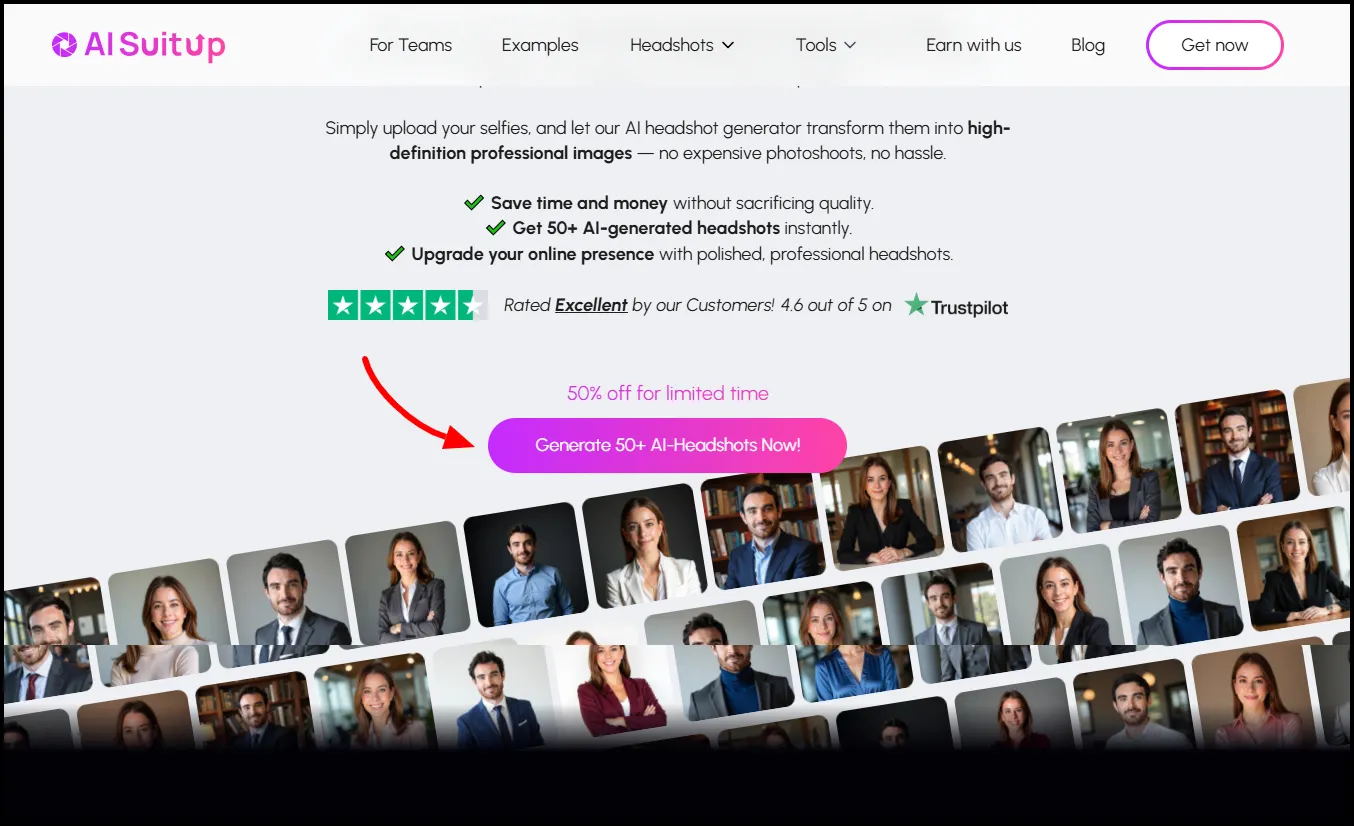
In this review, I’ll cover everything—from my personal results and a step-by-step guide on how AISuitUp works, to comparisons with free and premium alternatives. Whether you’re looking for a professional headshot without a photoshoot or exploring AI-powered tools for your business, this review will give you a clear picture of what to expect.
Why AI Headshot Generators Are Trending
Professional headshots are no longer just a luxury—they are a necessity. In the age of remote work and digital networking, a strong profile picture can make a huge difference. Traditionally, getting a professional headshot required hiring a photographer, traveling to a studio, and spending hours on post-processing. This could be costly and time-consuming.
AI headshot generators like AISuitUp solve these problems. They allow users to upload a few selfies and generate dozens of high-quality, realistic headshots in a fraction of the time. Not only does this save money and effort, but it also provides flexibility. You can experiment with different styles, lighting, and expressions, giving you a variety of professional images for different platforms.
My Experience Testing AISuitUp
Testing AISuitUp was both fun and informative. I started by uploading a series of well-lit selfies, which the AI used to understand my facial features and expressions. Within an hour, I received 100 AI-generated headshots, each with subtle differences in pose, lighting, and background.
Out of these, I selected my top 12 favorites. The results were impressive—they looked natural, realistic, and professional. The lighting was balanced, the expressions were authentic, and most importantly, the images resembled me. While a few images had a slightly artificial or 3D-rendered look, the majority were usable for LinkedIn, personal branding, or social media.
How to Use AISuitUp: Step-by-Step Guide
Using AISuitUp to generate AI headshots is straightforward, but following best practices can help you get the most realistic and professional results. Here’s a detailed breakdown of the entire process:
1. Visit the AISuitUp Website
Start by navigating to the official AISuitUp website. The interface is clean and beginner-friendly. You’ll see the option to explore plans, learn more about features, or start creating your AI headshots immediately.
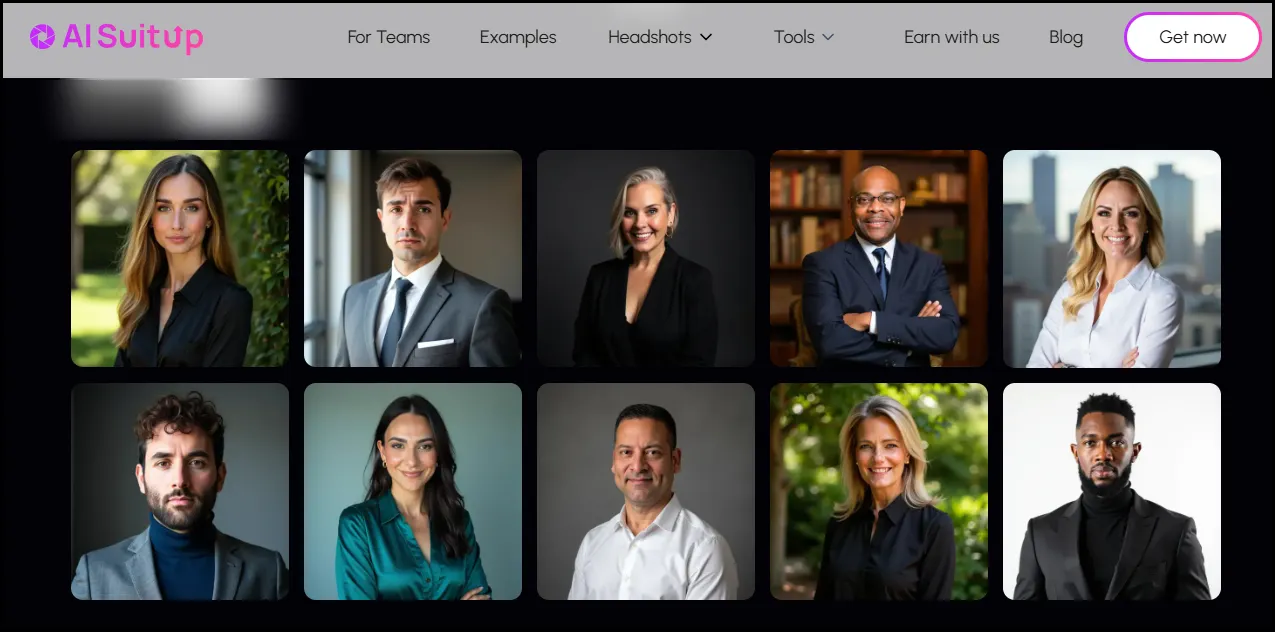
Tip: Take a moment to browse the site and read the feature descriptions—this gives you a clear idea of what’s included in each plan.
2. Choose a Plan
AISuitUp offers multiple subscription plans: Basic, Professional, and Ultimate, depending on the number of headshots you want and the resolution.
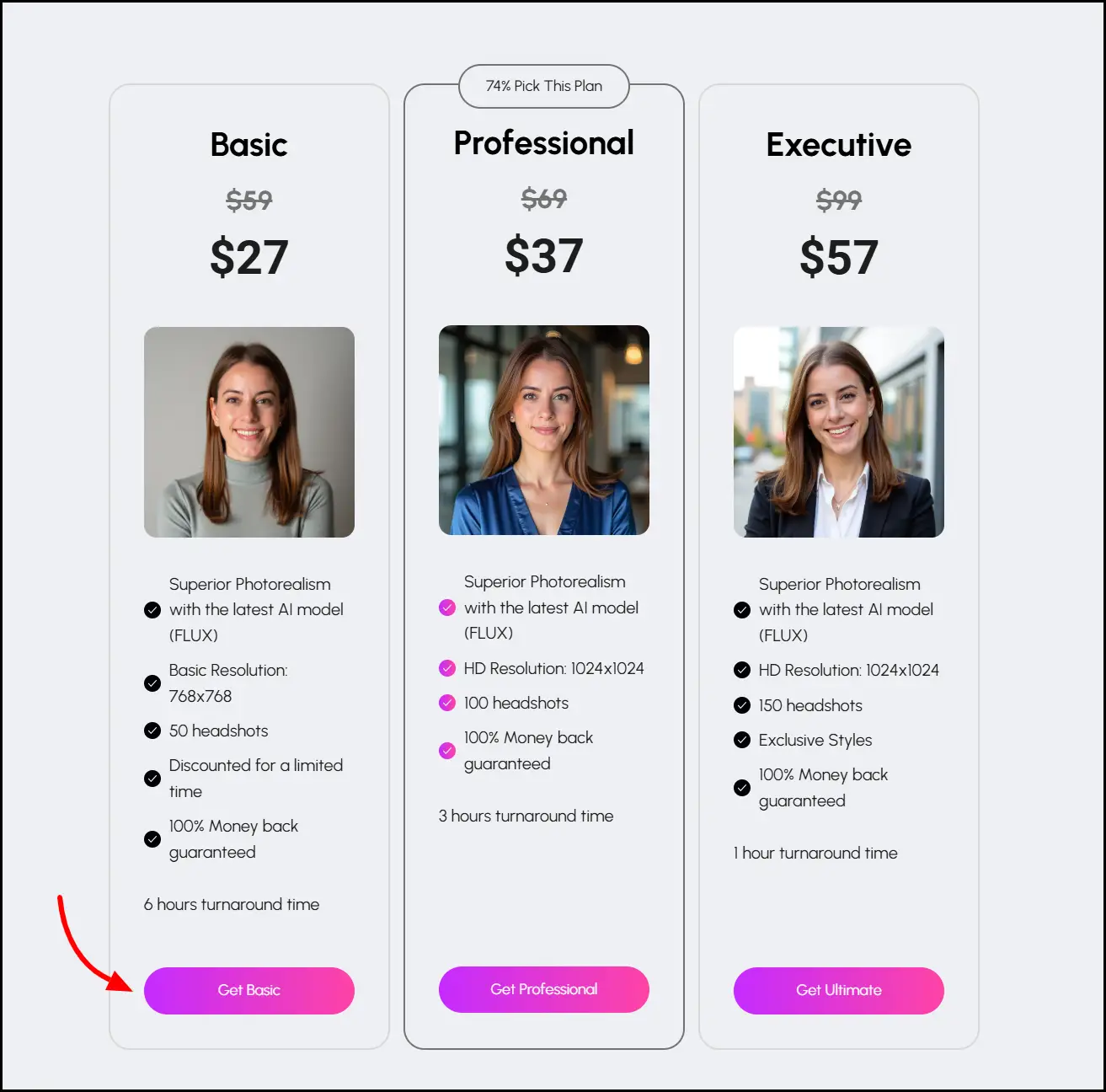
- Basic Plan: Ideal for trying out the tool or creating a small set of headshots.
- Professional Plan: Perfect for personal branding or professional use.
- Ultimate Plan: Best for advanced styles, exclusive features, and faster turnaround.
Tip: If you’re a first-time user, the Professional Plan is usually the sweet spot—it offers enough headshots for experimentation without overspending.
3. Prepare Your Selfies
AISuitUp uses your selfies to train the AI and generate headshots that look like you.
Quality matters:
- Use clear, high-resolution photos
- Ensure even, natural lighting
- Keep a neutral or plain background
- Include variety in angles and expressions
Tip: The more diverse and clear your selfies, the better the AI can capture your features. Avoid selfies that are blurry, too dark, or heavily filtered.
4. Input Personal Characteristics
After uploading your selfies, AISuitUp will ask a few questions about your personal characteristics. This helps the AI produce headshots that reflect your natural look and preferred style.
Questions may include:
- Hair color and style
- Skin tone
- Eye color
- Expression preference (smile, neutral, etc.)
Tip: Provide clear and accurate details to help the AI deliver more precise results.
5. Upload Your Selfies
Next, upload the selfies you prepared. AISuitUp will analyze them to generate headshots. The system automatically flags low-quality images, so you’ll know if any uploads need replacing.
Tip: Upload multiple selfies for better variety. The AI performs best when it has 5–10 clear photos of your face from different angles.
6. Select a Base Image
AISuitUp will ask you to select your “base image”—this is the photo that serves as the main reference for generating your AI headshots.
Tip: Pick your most professional-looking, high-resolution selfie. This image heavily influences the final results.
7. Submit for Processing
Once your images and base photo are ready, click Submit. The AI will start generating headshots, which usually takes a few hours depending on your plan.
Tip: While waiting, you can review AISuitUp tutorials or style examples to visualize how you want your final headshots to look.
8. Receive Your AI Headshots via Email
AISuitUp will notify you through email once your headshots are ready. The email contains a link to your gallery, where all generated images are displayed.
Tip: Save the gallery link somewhere safe. AISuitUp doesn’t require an account login, so you’ll need the link to access your images later.
9. Review and Filter Results
In your gallery, you can review all generated headshots. AISuitUp lets you rate images with likes or dislikes, enabling the AI to understand and adapt to your preferred styles and aesthetics.
Tip: Take your time selecting your favorites. Even small differences in expression or lighting can impact the overall professionalism of your headshot.
10. Download and Use Your Headshots
Once you’ve selected your preferred images, download them in the available resolution. AISuitUp offers high-quality options, so your headshots are ready for LinkedIn, resumes, social media, or corporate profiles.
Tip: For best results, use the HD version if available. This ensures your headshot looks crisp on all platforms, especially professional networks like LinkedIn.
Bonus Tips for Best Results
- Avoid heavy makeup or filters in your selfies to ensure the AI captures your natural look.
- Upload recent photos so your AI headshots accurately reflect your current appearance.
- Experiment with different expressions—smiles, neutral faces, or confident poses can give you a range of professional options.
- Use consistent clothing or background styles if you plan to create multiple headshots for corporate or team use.
AISuitUp: AI Professional Headshots
Enhance your professional image instantly with AISuitUp’s AI-powered headshot generator. This tool transforms simple selfies into high-quality, polished headshots suitable for LinkedIn, resumes, portfolios, or company profiles.
Key Features
- Easy to Use: Upload a photo, and the AI generates professional headshots—no sign-up required.
- High-Quality Results: Get multiple realistic headshots quickly, perfect for any professional purpose.
- Customizable Styles: Choose from a variety of styles to match your personal brand or industry.
- Fast Processing: Receive your headshots within a few hours, saving time compared to traditional photography.
- Affordable Options: Start for free with a limited number of headshots, or opt for premium packages for more options.
Why AISuitUp Stands Out
- Skip the Studio: Create professional-looking photos without visiting a photographer.
- Smart Enhancements: The AI adjusts lighting, background, and subtle features to produce polished results.
- Privacy Focused: Uploaded images are securely handled and deleted after a short period to protect your privacy.
AISuitUp Pricing
AISuitUp offers three main packages:
- Basic Package: $27 (originally $59) for 50 headshots, 768×768 resolution, 6-hour turnaround.
- Professional Package: $37 (originally $69) for 100 headshots, 1024×1024 resolution (HD), 3-hour turnaround.
- Ultimate Package: $57 (originally $99) for 150 headshots, 1024×1024 resolution (HD), exclusive styles, 1-hour turnaround.
Each plan comes with a 100% money-back guarantee, making it risk-free to try. Compared to other paid AI headshot generators, AISuitUp offers some of the most affordable rates without compromising quality.
Free vs. Paid AI Headshot Generators
While AISuitUp is a paid service, there are free AI headshot generators like Supawork and Fotor. These tools are fast and easy to use, but their output quality is often inconsistent. Free headshots can sometimes appear artificial, have mismatched hair or lighting, or fail to resemble the user.
In my tests, free tools produced a few decent images, but they lacked the natural look and realism that AISuitUp consistently delivered. If you want professional headshots suitable for business or social media, paid tools are generally worth the investment. AISuitUp is one of the most affordable options that still delivers high-quality results.
AISuitUp vs. Premium Paid Tools
AISuitUp isn’t the only paid AI headshot generator on the market. Tools like BetterPic and PFPMaker offer more customization options. BetterPic, for instance, allows users to choose multiple styles and edit headshots post-processing. This is useful for teams or businesses that need consistent branding across multiple employees.
However, these premium tools can cost upwards of $80 for full features. AISuitUp, while lacking advanced customization, provides realistic headshots at a fraction of the cost. For most users looking for individual headshots or budget-friendly options, AISuitUp strikes a perfect balance between quality and affordability.
Tips for Getting the Best AI Headshots
To maximize your results with AISuitUp or any AI headshot generator:
- Use high-quality selfies: Clear, well-lit images make a huge difference. Avoid blurry or low-resolution photos.
- Provide variety: Include different angles and expressions to give the AI more data to work with.
- Pay attention to backgrounds: Neutral backgrounds help the AI focus on your face.
- Filter results: Don’t hesitate to discard headshots that look artificial. The AI usually produces plenty of good options.
- Use for multiple platforms: LinkedIn, resumes, websites, and social media all benefit from high-quality AI headshots.
Pros and Cons of AISuitUp
Pros:
- Affordable compared to other paid tools
- Easy to use with simple uploads
- Realistic, professional-looking results
- Fast turnaround times
- Minimal artifacts in high-quality images
Cons:
- Some images may look slightly artificial
- No customization options for post-editing
- Requires saving the gallery link for access
AI Headshots for Teams and Businesses
AI headshots aren’t just for individuals. Startups, agencies, and small businesses can use tools like AISuitUp to generate professional photos for multiple team members. This eliminates the need for expensive studio photoshoots, saves time, and maintains consistent quality across branding materials.
While AISuitUp works well for teams, premium tools like BetterPic are better for businesses that require precise style control and post-processing customization.
Conclusion
After testing AISuitUp extensively, I can confidently say it’s one of the best AI headshot generators available today. It offers realistic, professional results at an affordable price, making it an excellent choice for individuals looking for high-quality headshots without breaking the bank.
For those who want team headshots, or more control over style and editing, premium tools like BetterPic are worth considering. However, for most users, AISuitUp delivers professional, versatile, and reliable AI-generated headshots with minimal effort.
👉 Try AISuitUp Now
